How Much Does Cybersecurity Cost for a Small Business in Austin, TX? (2026 Guide)

How much does cybersecurity cost for a small business in Austin, TX - 2026 pricing guide

There’s no single sticker price for small business cybersecurity, and any vendor who quotes you one number before asking about your business is guessing. A 5-person Austin company has very different needs than one with 25, 50, or 100+ employees — and even two companies the same size can pay very different amounts depending on what they do, who they work with, and how much risk they’re carrying. This guide walks through what actually moves the price, what Austin small businesses are typically paying in 2026, and why “doing nothing” has its own cost attached. What actually drives the price Headcount is the starting point, not the whole answer. The factors that move your quote up or down include: Users and devices. More people and endpoints means more to monitor, patch, and protect — the single biggest driver of cost. The type of data you handle. A CPA firm holding tax records or a clinic handling patient data carries more regulatory and breach risk than a business with no sensitive data, and that risk gets priced in. Remote and hybrid work. Employees connecting from home networks, coffee shops, or personal devices widen the attack surface and typically require additional tools (VPN, endpoint protection, conditional access) to cover safely. Your Microsoft 365 environment. Licensing tier, existing security features already turned on, and how well the tenant is configured all affect how much additional protection is needed. Cyber insurance requirements. Most carriers now require specific controls before they’ll issue or renew a policy — more on this below — and meeting those requirements is its own line item. What you already have in place. A business starting from bare antivirus needs more built than one that already has managed endpoint protection and backups. Typical price ranges Most managed cybersecurity services are priced per user per month, though some providers price per device or bundle security into a flat managed IT fee. Pricing scales with how much protection is in place — a lean setup with the essentials covered starts much lower than a fully managed, 24/7-monitored, compliance-ready environment. As a rough 2026 benchmark, per-user pricing commonly runs somewhere in the $20 to $300 per user, per month range, with the low end covering baseline protection and business-hours support and the high end covering 24/7 monitoring, advanced threat detection, and compliance support. One more reason quotes vary so much: not every price is for security alone. Some plans bundle in your Microsoft 365 licensing and day-to-day IT support alongside the cybersecurity protection, while others quote security as a standalone add-on to IT you already have in place. A higher number isn’t necessarily a more expensive security plan — it may simply be covering more. Company size Illustrative monthly range 5 users $100 – $1,500 25 users $500 – $7,500 50 users $1,000 – $15,000 100+ users $2,000 – $30,000+ These are planning ranges, not quotes — your actual number depends on the factors above and on what’s bundled into the plan. Onboarding, major projects, and incident response are often billed separately from the ongoing monthly fee, so it’s worth asking any provider what’s included and what isn’t. What cyber insurers now require If your business carries (or is applying for) cyber insurance, your policy is quietly setting your cybersecurity budget for you. Insurers increasingly require, before they’ll write or renew a policy: Multi-factor authentication on email, financial systems, remote access, and admin accounts Endpoint detection and response (EDR), not just traditional antivirus, with real-time monitoring A 3-2-1 backup strategy — three copies of your data, on two types of media, with one copy offsite — plus regular restoration testing Annual security awareness training for employees, including phishing simulations Patch management, with critical patches applied quickly and documented Meeting these isn’t optional if you want coverage, and it isn’t a one-time purchase — insurers increasingly ask for ongoing documentation, not just tools in place. Businesses that already have a managed provider handling this tend to sail through renewal; businesses that don’t often discover the gap during a claim, which is the worst possible time. The cost of doing nothing It’s worth weighing these numbers against the alternative. Small businesses are now a primary target, not an afterthought: the large majority faced at least one cyberattack in the past year, and small and midsize businesses see meaningfully more confirmed breaches than large enterprises do. When an incident does hit, most small business owners say they doubt their company could keep operating through a serious ransomware event. Budgeted, proactive cybersecurity is a predictable monthly cost; an incident is an unpredictable — and often much larger — one. How BCS prices cybersecurity for Austin businesses Business Communication Solutions provides cybersecurity services for small and medium-sized businesses across Austin, Texas. Rather than starting from a generic package, we start with a look at your current environment — your users, your data, your Microsoft 365 setup, and any insurance or compliance requirements you’re working against — and build a plan and a price around that. Curious what cybersecurity would actually cost for your business?Get a straightforward assessment of your environment and a real number, not a generic package price. Contact BCS to schedule a conversation.

What Is SOAR? How It Helps Austin Small Businesses Respond Faster

SOAR security orchestration automation and response - Austin cybersecurity

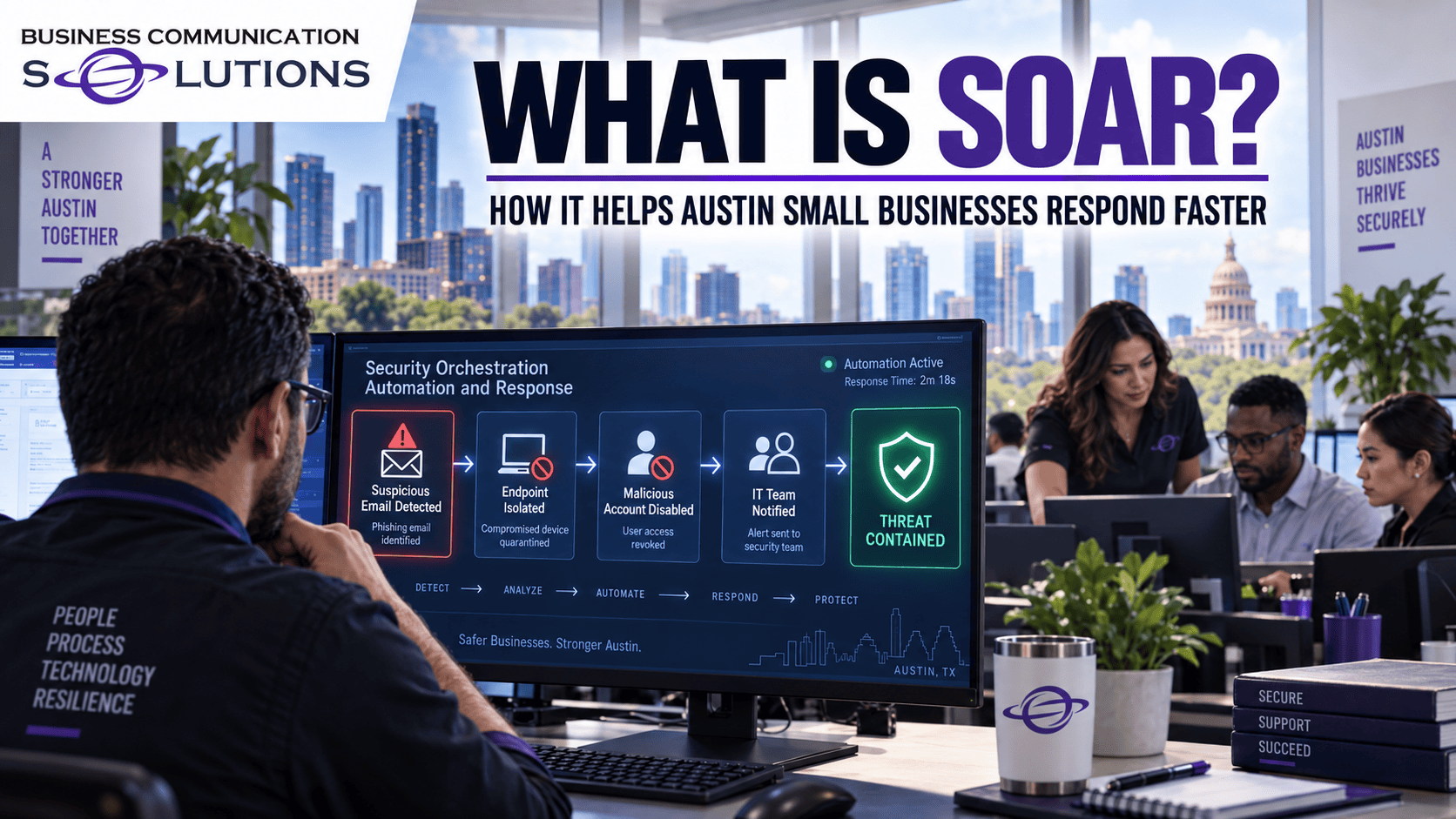
It’s 2 a.m. A firewall flags a suspicious login, an endpoint tool spots a strange file, and an email filter catches a phishing attempt, all within minutes of each other. Nobody is watching a dashboard at that hour, and by the time someone checks in the morning, the trail could be hours old. That gap is exactly what SOAR is built to close. What Does SOAR Stand For? SOAR stands for Security Orchestration, Automation, and Response. It is technology that connects your different security tools, firewalls, email security, endpoint protection, and more, so they can share information and act together instead of operating as separate, disconnected systems. How SOAR Works When one tool flags something suspicious, SOAR can automatically pull in related information from your other systems, follow a predefined playbook, and take initial action, like isolating a device or blocking an address, in seconds rather than hours. A person still reviews and makes the final call on anything serious, but SOAR handles the repetitive first steps automatically, so your team spends its time on judgment calls instead of manual busywork. Why Austin Small Businesses Need SOAR Most small businesses do not have a security team sitting at a screen around the clock. Threats do not wait for business hours, and the time between an alert firing and someone responding to it is often where the real damage happens. SOAR shrinks that window automatically, so a threat that arrives at 2 a.m. gets an initial response at 2 a.m., not at 9 the next morning. SOAR vs. SIEM: What Is the Difference? SIEM (Security Information and Event Management) collects and analyzes security data to detect that something is wrong. SOAR picks up from there, automating the response once a threat is detected. Most effective security programs use them together: SIEM to see the full picture, and SOAR to act on it quickly. How Business Communication Solutions Can Help BCS sets up and manages SOAR for Austin small businesses so your security tools work together instead of in isolation, cutting response time from hours to minutes without requiring you to staff a 24/7 security desk. SOAR is one part of a complete cybersecurity plan alongside SIEM, EDR, and monitoring through our Security Operations Center (SOC). Want to see how SOAR fits into a complete cybersecurity plan for your business? Visit our cybersecurity services page to learn more, or contact us today. Call us now at 512-257-1433 or visit us at bcs-ip.com to schedule a free cybersecurity risk assessment.

Reduce Your Business Attack Surface | Austin Cybersecurity Support

Reducing your business attack surface - Austin cybersecurity

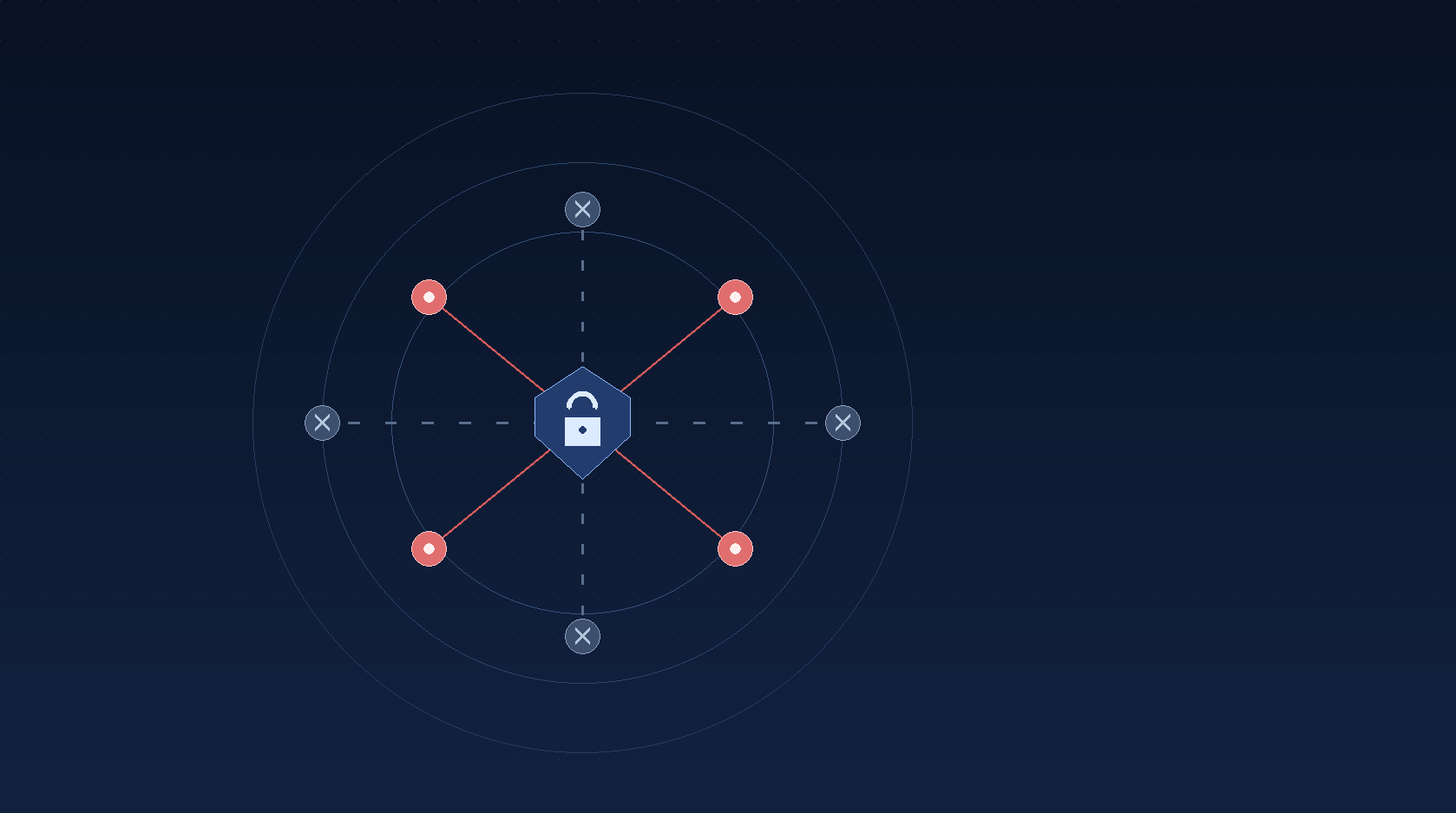
Every device, account, and piece of software your business uses is a potential door into your network. The more doors you have, and the less you know about where they all are, the easier it is for someone to slip through one you forgot was open. That collection of doors is what security professionals call your “attack surface,” and for most small businesses, it is bigger than they think. What Is an Attack Surface? Your attack surface is every system, account, device, and piece of software that a cybercriminal could potentially use to get into your business. That includes obvious things like your computers and servers, but also email accounts, cloud apps, old employee logins that were never disabled, personal devices connecting to your Wi-Fi, and even smart devices like cameras or thermostats. Every one of these is a possible entry point, and most businesses have far more of them than anyone has actually counted. Why It Matters for Small Businesses in Austin Attackers do not need to target your business specifically to find a way in. Automated tools scan the internet around the clock looking for exposed logins, outdated software, and unsecured devices, then flag whatever they find for someone to exploit later. A small business with a sprawling, unmonitored attack surface looks exactly like an easy target to those tools, regardless of size or industry. How Your Attack Surface Grows Without You Noticing Attack surfaces rarely grow on purpose. A new SaaS tool gets signed up for and forgotten. An employee leaves, but their account stays active. A laptop gets replaced, but the old one is still logged into company email. A router or camera keeps running its factory-default password years after installation. None of these decisions feel risky in the moment, but together they add up to a much larger exposure than most business owners realize. How to Reduce Your Attack Surface Reducing your attack surface comes down to knowing what you have and removing what you do not need. That means keeping an accurate inventory of devices, accounts, and software; disabling accounts and access as soon as someone leaves or a tool is no longer used; requiring multi-factor authentication (MFA) everywhere it is available; keeping systems patched and updated; and segmenting your network so a compromised device cannot reach everything else. None of these steps are exotic, but doing them consistently is what separates a business that is hard to breach from one that is not. How Business Communication Solutions Can Help BCS helps Austin small businesses map out their full attack surface, close the gaps that get left open, and keep it that way with ongoing monitoring, MFA enforcement, patch management, and layered security across your network, endpoints, and cloud accounts. Reducing your attack surface is one part of a complete cybersecurity plan alongside SIEM, EDR, and 24/7 monitoring through our Security Operations Center (SOC). Want to see how attack surface reduction fits into a complete cybersecurity plan for your business? Visit our cybersecurity services page to learn more, or contact us today. Call us now at 512-257-1433 or visit us at bcs-ip.com to schedule a free cybersecurity risk assessment.

What Is SIEM? How It Helps Protect Your Business From Cyber Threats

SIEM Security for Businesses

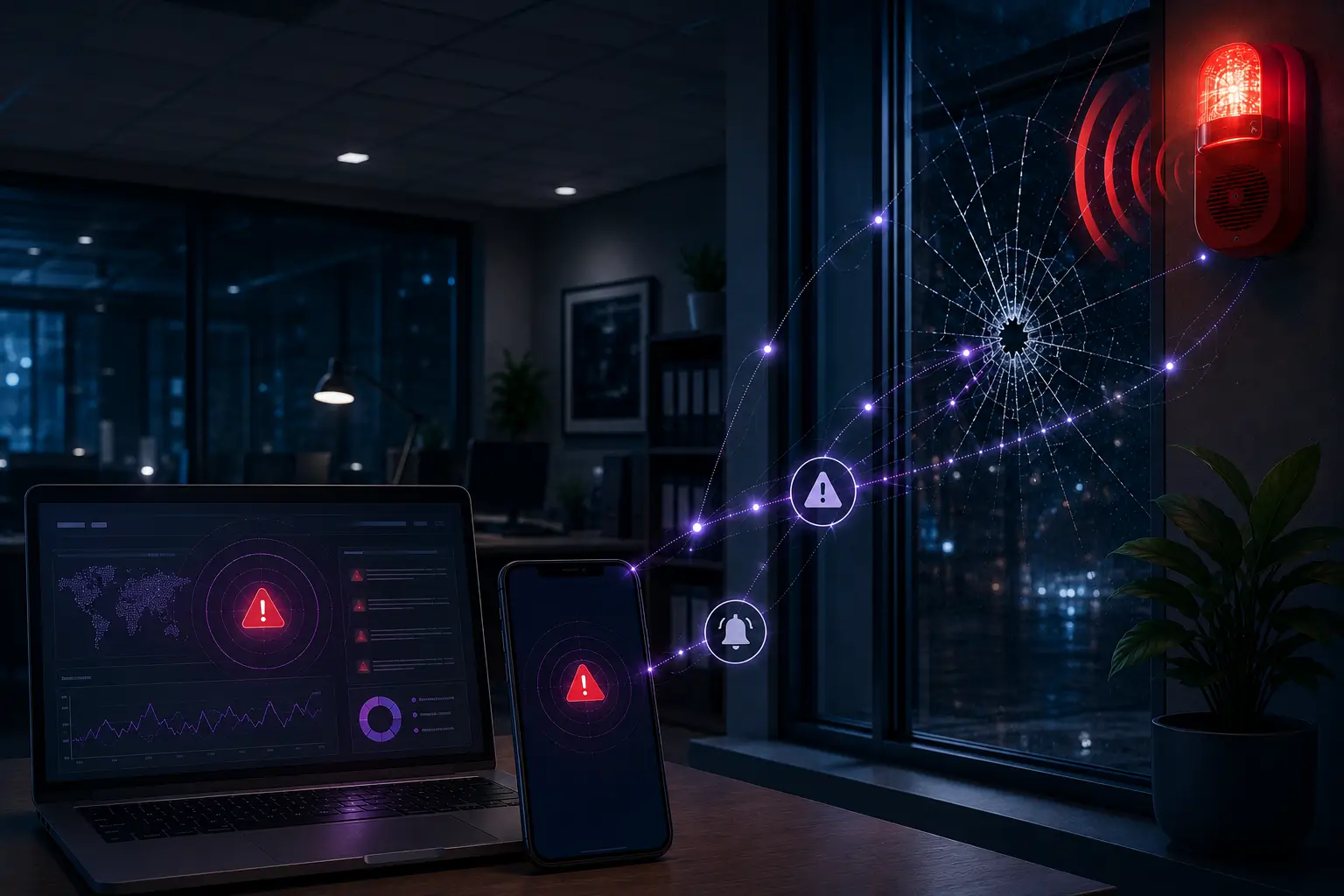
Antivirus software tells you when it catches a known virus. But what about everything else: the failed login attempts at 3 AM, the unusual file transfer, the login from a country your business has never worked with? That is where SIEM comes in. What Does SIEM Stand For? SIEM stands for Security Information and Event Management. It is a system that continuously collects and analyzes security data from across your business, your computers, servers, firewalls, Microsoft 365, and other cloud services, and looks for patterns that suggest something is wrong. How SIEM Works Think of SIEM as a digital alarm system. Instead of one camera watching one door, SIEM pulls information from every entry point into your business at once: network traffic, email activity, user logins, and file access, and correlates it. When it spots something that looks suspicious, like a login from an unfamiliar location or a sudden spike in failed password attempts, it generates an alert so someone can investigate before it turns into a bigger problem. Why Small Businesses in Austin Need SIEM SIEM used to be a tool only large corporations and government agencies could afford, requiring dedicated security teams and expensive infrastructure. Cloud technology and managed services have changed that. Today, a small or mid-sized Austin business can get the same kind of visibility a large enterprise has, without building an internal security operations center from scratch. SIEM vs. Antivirus: What Is the Difference? Antivirus software looks for known threats on a single device. SIEM looks across your entire environment for patterns and behavior that indicate a threat, even one that has never been seen before. Most businesses need both: antivirus and endpoint detection and response (EDR) on individual devices, and SIEM tying the bigger picture together. How Business Communication Solutions Can Help BCS designs and manages SIEM solutions sized to your business, your risk level, and your budget, so you get enterprise-level visibility without the enterprise-level cost. SIEM is one part of a layered cybersecurity approach that also includes MFA, email security, EDR, and 24/7 monitoring through our Security Operations Center (SOC). Want to see how SIEM fits into a complete cybersecurity plan for your business? Visit our cybersecurity services page to learn more, or contact us today. Call us now at 512-257-1433 or visit us at bcs-ip.com to schedule a free cybersecurity risk assessment.

Is Your Austin Business Ready for Cyber Insurance?

Austin business preparing for cyber insurance with cybersecurity controls

Cyber insurance can help protect an Austin business from the financial impact of ransomware, data breaches, business interruption, cyber extortion, fraudulent wire transfers, and other technology-related incidents. But obtaining coverage is no longer as simple as completing an application and paying a premium. Cyber insurance companies increasingly expect applicants to have appropriate cybersecurity protections in place. If important safeguards are missing, an insurer may decline coverage, increase the premium, reduce coverage limits, add exclusions, or require the company to correct security deficiencies before issuing a policy. Whether you operate a professional services firm in downtown Austin, a healthcare practice in North Austin, a technology company near The Domain, or a growing small business elsewhere in Central Texas, you should be prepared to answer detailed questions about your cybersecurity practices. Here are some of the questions an insurer may ask. Does Your Austin Business Process or Store Sensitive Data? Insurance companies want to understand what information your organization possesses and what could happen if it were stolen, exposed, altered, or made unavailable. Sensitive information may include: Customer and employee records Social Security numbers Financial and payment information Medical or health information Usernames and passwords Confidential business information Intellectual property Information regulated by privacy laws or industry standards Your company should know what sensitive data it collects, why it is needed, where it is stored, who can access it, and how long it is retained. If your organization cannot identify where its sensitive information resides, it will be difficult to demonstrate that the information is properly protected. Does Your Business Use Cloud Providers? Most Austin businesses depend on cloud services such as Microsoft 365, Google Workspace, online file storage, hosted accounting software, customer relationship management platforms, and cloud-based industry applications. Moving information to the cloud does not transfer all cybersecurity responsibility to the provider. Your business remains responsible for protecting accounts, configuring security settings, managing permissions, and securing the information stored in those systems. Your business remains responsible for protecting accounts, configuring security settings, managing permissions, and securing the information stored in those systems. A cyber insurance application may ask: Which cloud providers do you use? What sensitive information is stored in the cloud? Is multi-factor authentication enabled? Who has administrator access? Are permissions reviewed regularly? Is cloud data backed up? How quickly is access removed when an employee leaves? Are suspicious sign-ins detected and investigated? Cloud platforms may include powerful security tools, but those tools must be configured and monitored correctly. Do You Use Multi-Factor Authentication? Multi-factor authentication, or MFA, requires users to provide more than a password when signing in. The additional factor may be an authentication application, physical security key, biometric identifier, or one-time code. MFA is one of the cybersecurity controls most frequently emphasized by cyber insurers. It should be considered for: Business email Remote network access Cloud applications Administrator accounts Financial and payroll systems Applications containing sensitive information Enabling MFA for only a few employees may not be sufficient. An insurer may want confirmation that MFA protects every applicable user, administrator, application, and remote access point. Do You Have Business Email Security? Email is one of the most common ways criminals target Austin businesses. A convincing message can trick an employee into disclosing a password, opening a malicious attachment, visiting a fake website, or approving a fraudulent payment. Effective business email security may include: Spam and phishing protection Malware scanning Attachment inspection and sandboxing Web-link analysis Executive and vendor impersonation detection Business email compromise protection External sender warnings Email sender authentication A procedure for reporting suspicious messages Having Microsoft 365 or another hosted email platform does not automatically mean your email is fully secured. Its protections must be properly configured and managed. Are Emails Screened for Malicious Attachments and Links? Traditional spam filtering may not identify every modern cyberattack. Criminals frequently use malicious documents, fake Microsoft 365 login pages, compromised websites, QR codes, and messages that appear to come from a trusted executive or vendor. Your email security system should analyze incoming messages before they reach employees. Important capabilities may include: Scanning attachments for malware Opening suspicious files in an isolated sandbox Inspecting links when users click them Blocking dangerous file types Detecting newly registered or suspicious domains Identifying display-name and domain impersonation Quarantining questionable messages for review Email filtering should be supported by employee training. Technology can stop many threats, but employees must still know how to recognize and report a suspicious message. Can Employees Access Email From Personal Devices? Webmail and mobile access make remote work convenient, but they may also allow employees to access company information from personal computers, tablets, or phones. An insurer may ask: Can employees access email from any browser or device? Is MFA required for web and mobile access? Can access be limited to approved locations? Are unusual or risky login attempts detected? Can users download company data to unmanaged devices? Can business information be removed from a lost device? Are outdated or insecure devices blocked? Does the company use mobile device management or conditional access? If employees can access company data from personal devices, your business should implement controls that protect the information without relying entirely on the security of those devices. Is Sensitive Business Data Encrypted? Encryption makes information unreadable without the appropriate authorization or key. It can protect information stored on computers, servers, mobile devices, backup systems, and cloud platforms. A cyber insurer may want to know whether: Company laptops use full-disk encryption Sensitive files are encrypted Backups are encrypted Data is encrypted during transmission Portable drives and removable media are controlled Encryption keys are securely managed Encryption is particularly important for Austin companies with remote employees, traveling staff members, or workers who carry devices containing sensitive business information. Do Employees Access Your Network Remotely? Remote and hybrid work create additional entry points that criminals may attempt to exploit. Remote work does not need to be prohibited, but remote access must be secured. Your company should be prepared to explain: How employees connect to company systems

Network Wiring Services by BCS: Reliable Solutions for Homes and Businesses

network wiring services

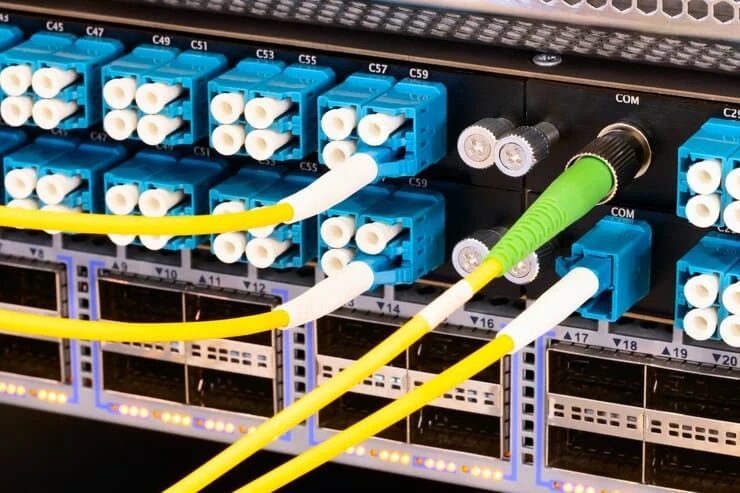
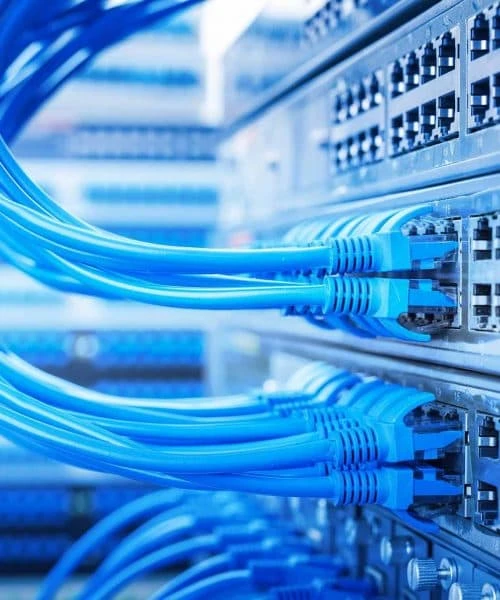
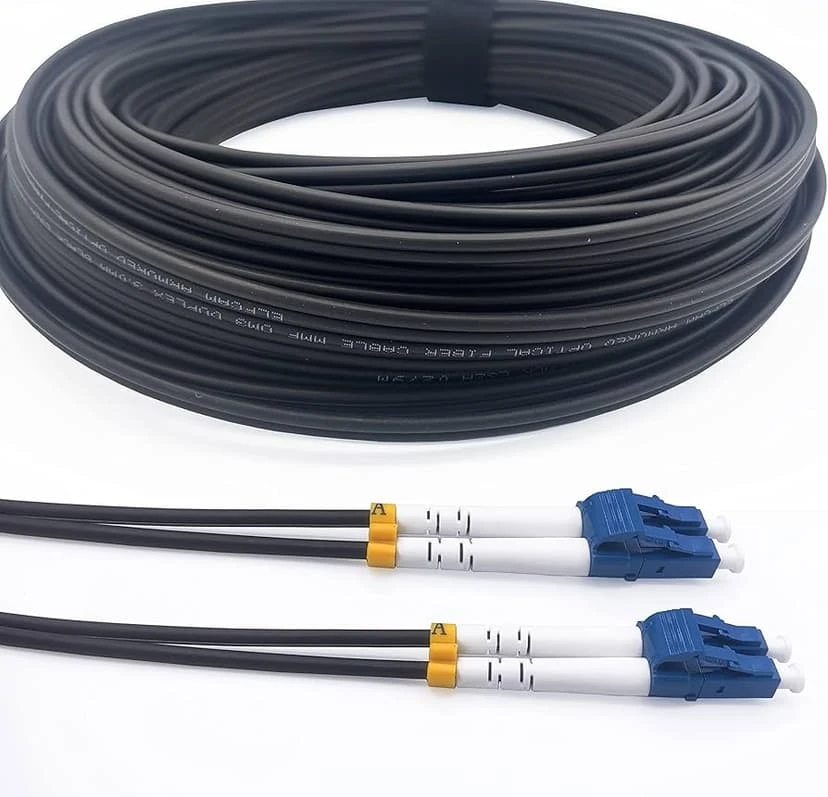
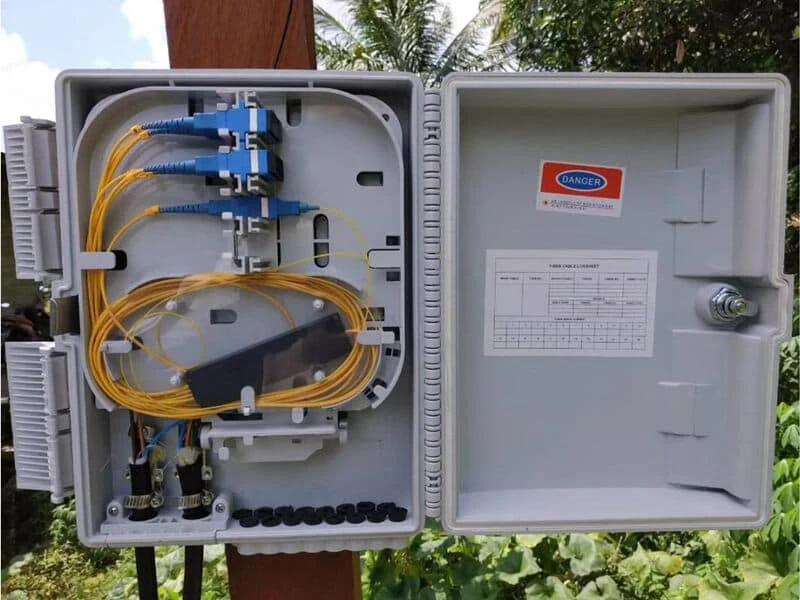
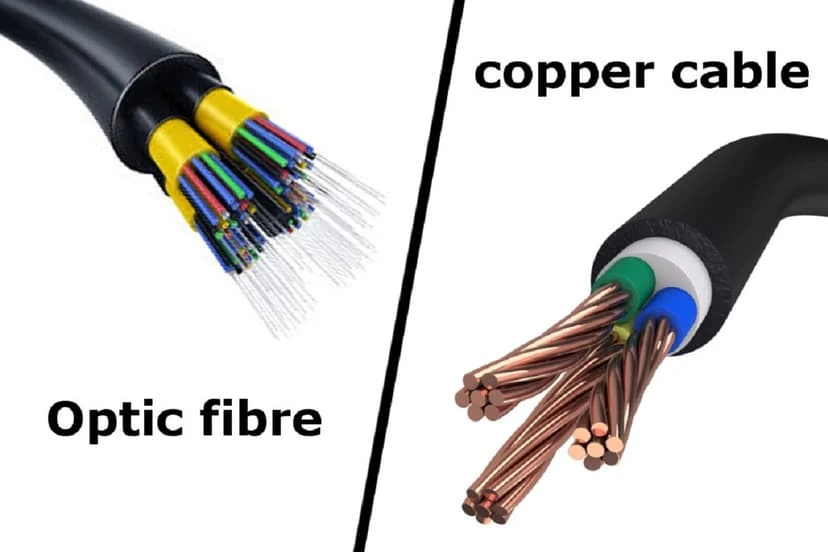
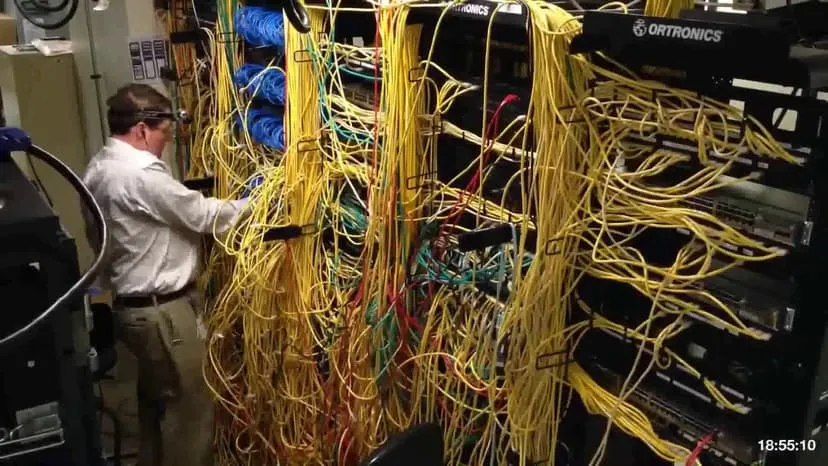
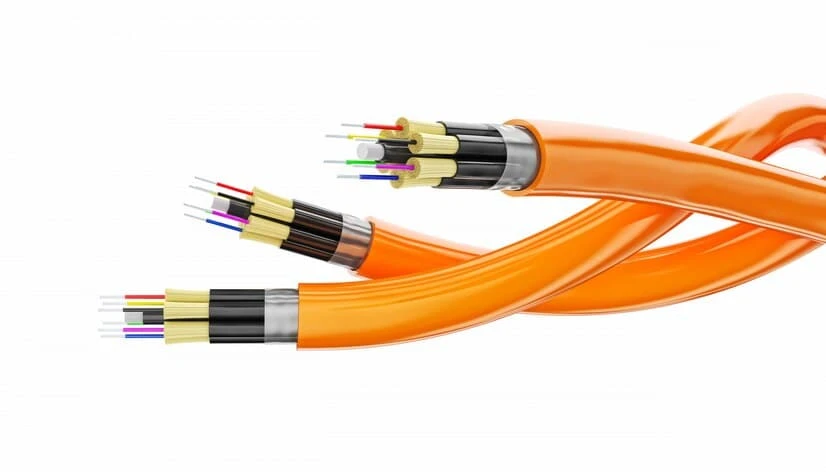
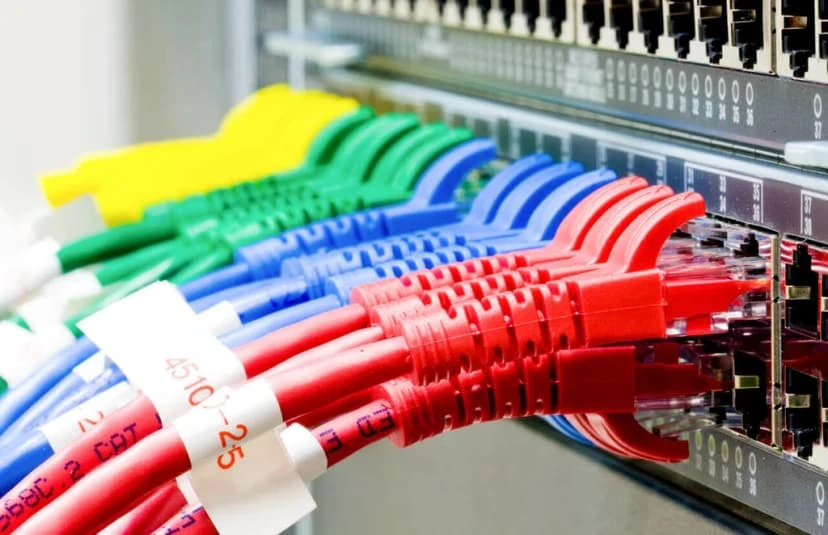
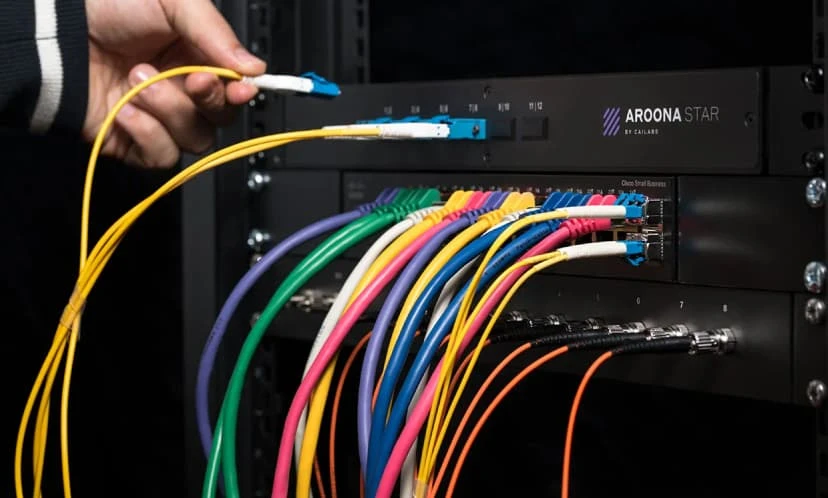
Many people don’t think about the wires behind the walls. However, it’s important for all of your smart devices, phones, security cameras, and computers in your home or office. It works perfectly when the wiring is done right. Calls get dropped, the internet is slow, cameras flash, and you have IT problems that won’t go away.  Expert network wiring services can help with that. Business Communication Solutions (BCS) has helped Austin residences and companies with everything from a single Ethernet drop to a building’s structured wiring. We specialize in building stable, future-ready network infrastructure. BCS, based in Cedar Park, Texas, has been providing these services for more than 25 years. We’ll explain network wiring services, why it’s important, and what happens when it’s done improperly or not at all. BCS deals with every project with the experience, credentials, and customer care homeowners and business owners trust. What Are Network Wiring Services? Network wiring, also known as network cabling services, links computers, phones, surveillance cameras, and access control panels to your network. It also connects printers and Wi-Fi access points to your network and each other. It’s the “nervous system” of any building’s technology setup. Good wiring involves more than just connecting two points. It entails planning cable paths, selecting the right cable type, terminating and identifying every run. Testing everything ensures it runs at the speeds your business or household needs. BCS has many different types of low-voltage and structured cabling options, such as:  Structured cabling services for sending voice, data, and video  Ethernet wiring installation for high-speed, reliable connectivity Fast, long-distance data connectivity using fiber optics Office, retail, and multi-unit commercial network wiring Data cabling installation using Cat5e, Cat6, and Cat6A cable Security camera and access control cabling Testing, managing cables, and getting certified  BCS develops and installs a system that fits your needs. Whether you’re wiring a new building, remodeling an old one, or just adding a few Ethernet drops to your home office, we have a solution for you. Types of Cabling BCS Works With Not all network cable is created equal, and choosing the right type matters more than most people realize. Here’s a quick breakdown of the cable types BCS commonly installs: Cable Type Best Used For           Key Features Cat3 Legacy analog/digital phone systems Largely phased out, but BCS still services older systems on request Cat5 Older Ethernet, telephony, basic video Being phased out due to rising demand for Gigabit speeds Cat6 / Cat6A Modern Ethernet, PoE devices, high-speed data Supports higher bandwidth and is ideal for environments that need speed and reliability Fiber Optic Long cable runs, high-speed backbone connections Delivers fast, reliable data transmission with minimal signal loss Coaxial  TV and some legacy data applications Commonly used for television and select audio-visual applications.  Cat6 or Cat6A is recommended for most modern homes and businesses. This is especially true for those with many devices, PoE equipment like cameras and access points, or growth plans. Why Network Wiring Services Matter for Homes People usually think that Wi-Fi is enough. They reconsider when a smart TV won’t stream 4K or security cameras keep losing connectivity. Wired Ethernet connections are faster, more stable, and more secure than Wi-Fi alone, especially for: Home offices and remote work setups Smart home devices, security cameras, and video doorbells Streaming and gaming systems Whole-home Wi-Fi access points that need a wired backbone BCS handles security camera cabling and runs the dedicated lines needed for clear, uninterrupted surveillance footage. We also handle access control cabling for smart locks and entry systems. Why Businesses Need Professional Network Wiring For businesses, the stakes are even higher. A poorly wired office network can mean lost productivity, security vulnerabilities, and costly downtime. Commercial network wiring needs to support: Multiple workstations, phone systems, and Wi-Fi access points running simultaneously VoIP and cloud-based phone systems Security cameras and access control systems Servers and cloud connectivity Future scalability as the business grows BCS’s commercial cabling projects promote organization and lifespan with properly labeled cable lines, proper cable management, and thorough testing and certification after installation. This allows organizations to prove their network fulfills performance criteria. The BCS Process: What to Expect From the very beginning to the very end, BCS maintains clear and uncomplicated procedures:  Free On-Site Survey: A technician visits your home or business to assess the space, identify the best cable pathways, and understand your specific needs. Custom Design: BCS recommends the right cable types, equipment, and layout based on your current setup and plans. Professional Installation: Certified technicians run and terminate cabling with minimal disruption to your home or workday. Testing & Certification: Every cable run is tested to confirm it performs to spec before the job is considered complete. Ongoing Support: BCS offers both on-site and remote support, plus after-hours and emergency service upon request. Why Choose BCS? Many companies offer cable services in the Austin area, but BCS stands out because it has a few qualities that are hard to find in one business:  Over 25 Years of Experience: Decades of hands-on work across residential and commercial cabling projects Family Owned and Operated: A local business that treats every client relationship personally Certified Technicians: Trained and experienced professionals, not subcontracted labor Fair and Reasonably Priced: Transparent pricing with no surprise fees Free On-Site Survey: Get an accurate assessment before committing to a project Speedy Service: Projects completed efficiently without cutting corners Flexible Hours: Including after-hours and emergency availability Residential and Commercial Service: One company that handles both small home projects and full commercial builds BCS proudly serves Austin, Cedar Park, Round Rock, Leander, Pflugerville, Georgetown, Lakeway, Bastrop, Hutto, Kyle, Taylor, Elgin, Manor, and surrounding communities. What Can Happen Without Professional Network Wiring Services? Fast and dependable networks require the correct network wiring services. Slow speeds, frequent disruptions, and expensive repairs might result from poor installation or cable management. Business Communication Solutions installs network wiring professionally for reliable performance, organized infrastructure, and expansion. What usually goes wrong:  1. Inconsistent

Cybersecurity Solutions for Business: Why BCS Is the Trusted Choice for Modern Companies

Cybersecurity Solutions for Business

Cybersecurity is no longer a concern solely for large enterprises. Today, businesses of all sizes and types, from local retailers to healthcare practitioners to law firms, are at risk.  As technologies advance and more and more companies start adopting cloud technologies, remote workforces, and become heavily dependent on digital operations, they have become a much easier target for cybercriminals. This has moved cybersecurity solutions for businesses from a safety precaution to a modern necessity.  Cybercriminals today use advanced tactics to exploit even the smallest vulnerabilities. Any small breach can lead to operational downtime, financial losses, damaged customer trust, legal consequences, and costly compliance violations. Unfortunately, most companies fail to realise the importance of cybersecurity until they have already suffered an attack.  Modern businesses require a focus more on prevention than cure through proactive, layered protection combining technology, continuous monitoring, employee education, and expert support that help reduce cyber risk before it becomes a crisis.  What are Cybersecurity Solutions for Business?  Cybersecurity solutions for business refer to essential tools and services designed to protect an organisation’s networks, systems, devices, applications and sensitive data from cyber threats. Businesses nowadays, rather than relying on a single security tool,  require a comprehensive layered approach to protection that brings security across every part of their IT environment.  The most effective business cybersecurity solutions work together to prevent attacks, detect suspicious activity in real time, respond quickly to incidents, and minimize business disruption. This strategy helps organizations reduce risk while maintaining productivity, customer confidence, and regulatory compliance. Common Cyber Threats Most Businesses Face Understanding modern cyberattacks is the first step towards building a strong defense against them. While the ways of attacks and methods continue to evolve, most attacks exploit the same vulnerabilities. Knowing them can help you pick the right professional cybersecurity services against them and identify, prevent, and respond to them appropriately. Some of the most common cyberattacks include:  Ransomware  Phishing emails Business Email Compromise (BEC) Insider Threats  Credential Theft Malware  Cloud Security Risks Zero-Day Attacks Core components of a strong cybersecurity program A good cybersecurity program is a collaboration of various strong core components that come together to achieve complete security. These include:  Network Protection A secure network is the backbone of any business operations. Ensuring its security requires implementing firewalls, intrusion prevention systems, network segmentation, and continuous traffic monitoring to block any unauthorized access and detect malicious activity before it spreads.  Remember, a protected network is vital to ensure your employees, customers, and business-critical applications can safely operate uninterrupted.  Endpoint Security  Every server, be it laptop, desktop, smartphone, or tablet, that is connected to your network can be a potential entry point for attackers. Endpoint security protects these devices with advanced antivirus software, behavioral analysis, Endpoint Detection and Response (EDR), and automated threat containment. Email Security  Even today, email remains one of the most common and easiest attack vectors for cybercriminals. Even the most tech-aware people can be tricked into revealing sensitive information or installing harmful malware through Phishing emails, malicious attachments, fake invoices, and impersonation attempts.  This is why comprehensive email security filters are a must for every business to filter out suspicious messages, block dangerous attachments, scans URLs before they reach your or your employees’ inbox.  Identity and Access Protection Unauthorised access has always been the leading cause of data breaches. A strong identity protection ensures that only authorised users can access sensitive systems and information through various measures, including multi-factor authentication (MFA), Single Sign-On (SSO), role-based access controls, identity monitoring, strong password policies, etc.  Cloud Security  As businesses continue to migrate applications and data to cloud platforms such as Microsoft 365 and Azure, cloud storage protection is needed now more than ever. Businesses today require a well-designed cloud security strategy that secures cloud storage, user permissions, workloads, backups, collaboration platforms and overall business data regardless of where employees work.  Advanced Firewalls  Old firewalls that blocked unwanted traffic are simply not enough anymore. Next-generation firewalls serve as the first line of defense against external attacks by inspecting application traffic, identifying advanced threats, enforcing security policies, and preventing unauthorized access to business networks. Threat Detection and Continuous Monitoring  Cybercriminals don’t follow businesses’ clock; they can attack at any point in time. Hence, continuous monitoring and threat detection are a must. Continuous monitoring allows security professionals to identify suspicious behavior, investigate unusual network activity, and respond before a threat causes significant damage while significantly reducing the time attackers can go undetected within a network.  Employee Security Training Prevention is always better than cure, and technology alone cannot stop every cyberattack. This is why businesses need to ensure that their staff stays informed and well-trained to protect themselves and the business against such cyberattacks. Regular employee training about various cyberattacks, including phishing emails, fake login pages, suspicious attachments, unsafe browsing habits, passwords, etc can tremendously help in keeping your business safe against such cyberattacks Backup and Disaster Recovery  Understanding that, despite all security precautions, unexpected events can always happen is just as important. This is why businesses must prepare for such situations in advance with reliable backup and disaster recovery solutions. An effective disaster recovery strategy includes automated backups, secure off-site storage, cloud-based recovery, and regular recovery testing and ensures that all your critical data can be restored quickly, minimizing downtime and helping organizations resume normal operations faster. Compliance and Risk Management  Many industries must comply with regulations governing data privacy and cybersecurity. Healthcare organizations, financial institutions, legal firms, and government contractors often face strict compliance requirements. Comprehensive cybersecurity programs help organizations meet standards such as HIPAA, PCI DSS, NIST, and other regulatory frameworks by implementing appropriate safeguards, documentation, and ongoing security assessments. Importance of Layered Cybersecurity Approach for Businesses  As technology continues to evolve, so does the severity and methods of cyberattacks. No single security measure can protect against all cyberattack threats. A layered cybersecurity approach allows businesses to deploy multiple layers of protection that work together. This approach includes:  Network security Endpoint protection Email filtering Identity management Cloud security Continuous

Is Your Business Network Secure? 12 Warning Signs You Need Professional Network Security Services

Business Network Security System

The technology has rapidly evolved over the past few decades, and with that has evolved the risk associated with cybersecurity. The threats have considerably grown in complexity and impact. It is no longer a concern affecting only large corporations; small and mid-sized businesses are just as much targeted by cybercriminals if not more, thanks to their fewer security resources and weaker defenses. A single successful attack can disrupt operations, compromise sensitive information, erode customer trust, and cause costly downtime. As more businesses continue to incorporate advanced technologies such as cloud applications, remote work, VoIP phone systems, and connected devices into their frameworks, a professional network security service is now a fundamental necessity. Professional network security services can help businesses identify vulnerabilities, monitor for suspicious activity, and stop threats before they impact daily operations.  If you’re a business concerned about your network security, looking for trusted cybersecurity services Austin, you’re in the right place. In this guide, we’ll share the importance of network security for your business, warning signs you shouldn’t ignore, and the best professional network security services for your business. Why Are Network Security Services Vital for Your Business? The cybersecurity landscape has changed dramatically over the last few decades. Earlier, only large corporations feared being targeted by cybercriminals. However, with the introduction of artificial intelligence, automated tools, and ransomware-as-a-service, it has become tremendously easier for cybercriminals to target businesses of all sizes.  While cybercriminals have grown technically smart, businesses have also become increasingly dependent on technology. Modern workplaces have become more connected; employees can easily access company resources from any location, including home offices, airports, coffee shops, and mobile devices. Businesses depend on cloud platforms to collaborate, store files, and communicate with customers. These technological advances, though, have helped businesses to increase their productivity; the risks of cyber threats have also increased.  Some of today’s biggest security challenges include: Ransomware attacks that encrypt critical business data AI-powered phishing emails that closely mimic legitimate communications Remote employees using unsecured home or public Wi-Fi networks Cloud applications containing sensitive business information Insider threats caused by accidental mistakes or unauthorized access And one of these expanding attacks is enough to harm a business tremendously, making strong business cybersecurity solutions essential. Even companies with only a handful of employees can become attractive targets if they lack proper security controls. Investing in professional network security services is no longer optional. It is a critical part of protecting business continuity, customer relationships, and long-term growth. 12 Warning Signs Your Business Network Needs Professional Protection While professional protection is necessary for all business networks, here are a few warning signs you should never ignore, and should consider professional network security services for your business immediately.  1. Frequent Phishing  Phishing is the most common and successful cyberattack method. It targets people rather than technology. If your business or employees have started receiving an increased number of phishing emails, including fake invoices, fraudulent password reset requests, CEO impersonation emails, or malicious attachments that appear completely legitimate, it is time to consider professional network protection for your business.  One accidental click on such emails can install malware, steal login credentials, or provide attackers with access to your business network. This is why professional email security services combined with employee security awareness training are essential for your business.  2. Your Cyber protection ends with antivirus  Many businesses mistake installing antivirus software for complete cyber protection. Unfortunately, today’s cyber threats are far more sophisticated than traditional viruses. Today, cyberattacks often involve zero-day vulnerabilities, fileless malware, credential theft, ransomware, and advanced persistent threats, which can easily bypass basic antivirus programs.  To secure your business against these attacks, consider professional endpoint protection services. It offers multiple layers of defenses, dramatically improving the ability to detect and stop any harmful attacks.  3. Frequent Unexplained Network slowdowns  If you frequently notice your internet becomes unusually slow or your applications and systems lag without cause during office hours, this may very well be more than just network congestion or aging hardware.  Cybercriminals sometimes install hidden malware that quietly consumes network resources. Infected computers may participate in botnets, cryptocurrency mining, or unauthorized data transfers without users noticing. To keep your business safe from such malicious malware, consider professional network monitoring services that continuously analyze traffic patterns, detect unusual activity, and alert IT teams before small issues become major security incidents. 4. Multiple Access Risk  Do your employees have access to everything? Do they retain access to sensitive files even after changing roles? Do their former accounts remain active long after they have left? If yes, this excessive access may be creating more security risks than you realise. All a cybercriminal requires is access to one account with unrestricted permissions, and they can quickly move through the network, steal sensitive information, or deploy ransomware across multiple systems. To ensure your business network is well protected against such threats, consider implementing employee access management, which allows employees access to only the information required for their role. 5. Expanded Attack Surface  Modern businesses link a wide array of endpoints, such as employee laptops, smartphones, tablets, wireless printers, security cameras, smart conference room equipment, IoT devices, and guest wifi devices, to networks. Each endpoint could be a potential entry for attackers. To avoid this, your business needs to hire a professional network security provider that can maintain accurate inventories of connected assets, monitor device activity, and identify unauthorized connections before they become security problems. 6. Inconsistent Software Updates  Old and vulnerable are synonymous, especially when it comes to software. Many businesses allow these vulnerabilities to surface as they are more concerned about downtime or compatibility issues.  Cybercriminals actively search for such vulnerabilities, as they are easier to exploit. To avoid these risks, businesses should consider professional patch management that ensures critical updates are tested, scheduled, and deployed consistently across the organization without disrupting operations. 7. Lack of Reliable Data Backups  Your business’s data is everything. Losing it all can bring entire operations to a standstill. Many businesses think their

Managed IT Services Austin: Why Businesses Trust BCS for Proactive IT Support

Managed IT Services Austin Guide - managed IT support from BCS-IP in Austin, TX

Smooth-running technology is a foundational necessity for every successful business in today’s time. Whether you’re managing customer data, supporting hybrid teams, processing transactions, or communicating with clients, your operations depend on reliable and secure IT systems. However, ensuring all technology runs smoothly at all times is no easy feat. With the advancement of technology, businesses increasingly face cybersecurity threats, rising compliance requirements, cloud management challenges, and the constant need for system updates. Waiting to fix something until after it’s broken is not something modern business can afford.  The old break-fix in emergencies can cost a business a lot than the fixes cost. This is why more and more businesses are investing in Managed IT Services Austin. A proactive managed IT services provider monitors your infrastructure around the clock and prevents any technical issues from causing any operational disruptions, so your team can focus on the work that truly matters efficiently. What are Managed IT Services? Managed IT services refer to outsourcing the management of your company’s technological needs to a third-party vendor of IT professionals. Such vendors are known as Managed Service providers or MSPs.  Instead of waiting for emergencies to contact professionals or hiring an entire internal team of professionals, managed IT services proactively monitor, manage, and secure your entire technology environment through a predictable monthly service. Their services are aimed at preventing problems, rather than fixing them, which minimizes downtime, improves productivity, and keeps businesses protected against evolving cyber threats. A managed IT provider typically handles: Network monitoring Help desk support Cybersecurity Microsoft 365 administration Server management Cloud services Data backup and recovery Hardware and software maintenance IT consulting and planning   Why are Austin Businesses Ditching the Old Break-Fix IT?  Traditionally, most businesses relied on the “break-fix” model. Under this approach, IT was often called upon only after something needed fixing. This often led to unexpected downtime, lost employee productivity, unforeseen emergency repair costs, data loss, poor customer experiences, and compromised cybersecurity. This severely affected their revenue, employee efficiency, and customer satisfaction. Slowly, businesses started to look for a solution. That’s where IT managed services in Austin come in. They offered an entirely different approach to the problem, which allowed such problems to be resolved long before they impact business operations and efficiency, The result is fewer interruptions, healthier IT infrastructure, and more predictable operating costs. Why Businesses in Austin Need Proactive IT Support? Austin is one of the fastest-growing business hubs in the United States.  With the growth of business in various s sectors, including healthcare providers, law firms, manufacturers, retailers, construction companies, schools, and professional service firms, and their increasing dependency on technology, the need to stay technologically active and cyber safe has also risen.  And with that grew more new challenges: Supporting remote and hybrid employees Managing cloud environments Protecting sensitive customer information Preventing ransomware attacks Meeting industry compliance standards Scaling infrastructure efficiently Maintaining business continuity Without active IT support, these challenges can easily disrupt business operations and increase unnecessary expenses. This is why professional Managed IT services are a structural necessity for all successful and growing businesses in Austin.  Why BCS Is The Right Choice For Your Business? Choosing the right managed service provider can make or break your business. This is not a one-time service gig. You are essentially choosing a long-term technology partner whose service quality directly dictates the smoothness of your business operations.   That’s where we come in.  With over two decades of experience helping businesses through Central Texas, we excel at building secure, reliable, and scalable IT environments through a proactive, customer-focused approach. We offer a team of the best IT professionals in the industry, 24/7 proactive monitoring, and a business-focused solution. This is why we are the first choice of business for managed IT services Austin. Our Services We are a one-stop solution to all your technology problems. From managing your network and strengthening cybersecurity to supporting communication systems and wireless infrastructure, we deliver exceptional, end-to-end IT solutions designed to reduce downtime and simplify technology management. Network Management Reliable network connectivity is the backbone of every successful business. We offer comprehensive network management services, including design, installation, and maintenance of wired and wireless networks, ensuring seamles Cybersecurity Services Each technological advancement introduces new threats to cybersecurity. To protect your business from evolving cyber threats, we offer advanced cybersecurity solutions, including EDR, MDR, SIEM, SOAR, email security, antivirus protection, 24/7 SOC monitoring, and employee cybersecurity training to ensure secure and reliable IT operations.  IT Infrastructure Management Managing IT infrastructure requires continuous attention to keep systems secure and performing efficiently. This is why we oversee everything from servers to storage solutions; we manage your entire IT infrastructure, ensuring it is always up-to date, secure, and performing at its best. Our proactive approach to maintenance minimizes downtime and enhances productivity.  Low Voltage Cabling A dependable network starts with quality cabling infrastructure. Our low-voltage cabling services cover data cabling, fiber optic cabling, coaxial cabling, security camera cabling, and access control cabling. We ensure that your cabling infrastructure is reliable and capable of supporting your business’s current and future needs. VoIP Phone Systems Modern businesses need communication systems that are flexible, reliable, and cost-effective. We provide installation, configuration, and support for VoIP systems that offer clear, reliable, and cost-effective communication solutions for your business. Whether you’re upgrading from a traditional phone system or implementing a new communications platform, we help improve collaboration while reducing communication costs. Security Cameras & Access Control Enhance the security of your premises with our advanced security camera and access control systems. We provide installation and support for UniFi cameras, doorbells, and access control equipment to keep your business secure.  Wireless Solutions Fast, reliable wireless connectivity is a basic necessity in every workspace. Our wireless solutions include the installation, design, troubleshooting, and support of wireless routers, wireless bridges, wireless repeaters, and wireless access points. We ensure your business stays connected with reliable and high-speed wireless networks.  Signs That Your Business Is In Need of Managed IT Services Delaying