

Got a notice from your phone company saying it will stop supporting your old copper phone lines?
You might be wondering, “Will our business phones stop working? What about our alarms and elevator phones? And how much will replacing everything cost?”
These old phone lines, called POTS lines, carry calls through copper wires. Phone companies are moving to newer services, so Austin businesses need to check which lines may be affected.
In this guide, we’ll explain your copper POTS line replacement Austin options, how VoIP works, what happens to POTS line alternative for alarms and elevators, and how to switch without disrupting your business.
Let’s dig deeper into this…
Which Parts of Your Business Still Depend on Copper Phone Lines?
Your team may use modern desk phones, but some equipment might still rely on those copper lines.
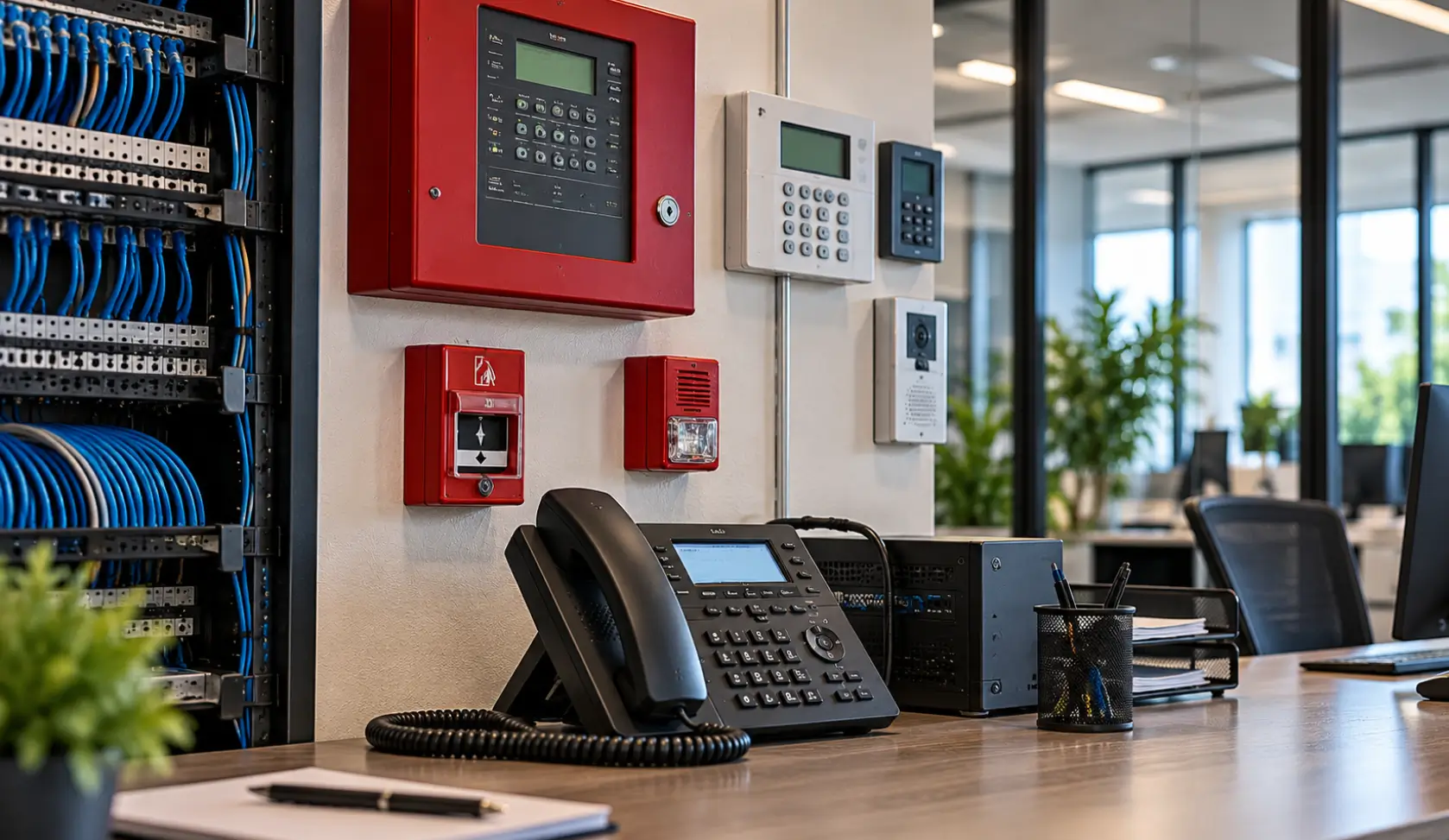
Just think about your fax machine, alarms, elevator phones. Now check if any of these still use old phone lines…
| Business Equipment | What to Check |
| Office Phones | Do older phones use copper? |
| Fax Machines | How does your fax connect? |
| Fire And Security Alarms | How are alerts sent? |
| Elevator Emergency Phones | How are emergency calls made? |
| Door Entry Systems | Do entry phones use copper? |
| Payment Terminals | Do payments use dial-up lines? |
| Intercom Systems | How do intercom calls connect? |
Not sure which devices still use copper? Ask your phone provider or IT team to check each line before disconnecting anything.
If your office still uses older business phone equipment, review your existing setup before deciding what needs to be replaced. Understanding your current system can help you plan the transition without replacing equipment unnecessarily. Learn more about support and upgrade options for legacy phone systems.
What Happens If Your Copper Phone Lines Get Disconnected Before You’re Ready?
What if a customer’s call never reaches you? Or your alarm stops working?
If your business still uses those copper lines, then this time don’t ignore your phone company’s notice. Check your options before you’re forced to rush a replacement.
What could go wrong if you wait too long?
- Lose important customer calls
- Miss critical alarm signals
- Avoid rushed replacement costs
- Keep essential services running
So, don’t wait until your phone stops working. Check your provider’s notice, confirm which lines will be affected and when, and find out what equipment depends on them.
The sooner you check, the more time you’ll have to choose a suitable replacement without rushing your business into a costly change.
Is VoIP the Right Replacement for Your Austin Business Phone System?
Still using copper phone lines? VoIP lets your business make calls over the internet instead. But is it right for your team? Let’s look at what it offers…
▶ How Does VoIP Work?
Instead of carrying calls over copper wires, VoIP uses your internet connection to make and receive calls.
Your team can now keep answering customers with the right setup… without relying on old phone lines.
- Make Calls Over Internet
- Keep Your Business Number
- Answer Calls Across Devices
▶ Can VoIP Make Daily Calls Easier?
Suppose your receptionist is on another call or away from the desk; who actually answers the next customer?
A hosted VoIP phone system Austin lets your team forward calls, transfer customers, and answer from another desk or location.
- Route Calls to the Right Person
- Transfer Calls Between Team Members
- Manage Calls From Different Locations
▶ What Happens When Your Team Changes?
Adding a new employee, shifting desks, or opening another office shouldn’t mean calling your phone provider every time you need a change.
BCS-IP will help you set up a phone system properly that grows with your team.
- Add New Employees More Easily
- Adjust Call Settings As Needed
- Support Staff Working Remotely
▶ How Do You Know Which System Fits?
Not every business needs the same phone setup… Our BCS-IP team will review your current lines and calling needs and help you choose business telephone systems for Central Texas that fit your team and budget.
- Review Your Existing Phone Setup
- Check Internet and Call Quality
- Match Features To Business Needs
What About Fire Alarms, Elevator Phones, and Other Equipment That Still Uses POTS?
Switching your office phones to VoIP is one thing. But what about your fire alarms or elevator emergency phones? These devices may still rely on copper lines, and a standard VoIP service won’t work with every device.
Here’s what to check before switching:
| Equipment | What Could Go Wrong? | What Should You Do? |
| Fire Alarms | Alerts may stop reaching monitoring centres. | Ask your alarm provider to check compatibility. |
| Elevator Phones | Emergency calls may fail. | Have your elevator provider approve and test the replacement. |
| Security Alarms | Break-in alerts may not go through. | Test the system with the new connection. |
| Door Entry Systems | Visitors may not reach your team. | Check whether the system supports VoIP. |
| Fax Machines | Faxes may fail or become unreliable. | Test the machine before switching. |
| Payment Terminals | Older terminals may lose connectivity. | Ask your payment provider about alternatives. |
Before disconnecting a copper line, ask the relevant equipment provider to confirm the replacement will work.
Looking for a POTS line alternative for alarms and elevators? Make sure you ask your alarm or elevator provider to approve and test the replacement… before disconnecting the old line.
BCS-IP can help review your phone setup and plan the move. The FCC pots line phaseout business and your provider’s retirement plans may affect which options your business can use. Check your notice as well as confirm your replacement timeline.
How Do You Switch From Analog Lines to VoIP Without Disrupting Business?
Worried about losing phone service during the switch? A little planning can save you a lot of hassle. For a smooth analog to VoIP migration Texas, check these steps before disconnecting your old lines.
- List All Existing Phone Lines
- Check Connected Business Equipment
- Choose Hosted VoIP Phone System Replacements
- Plan Number Transfers In Advance
- Test Calls Before Switching Over
- Confirm Alarms And Emergency Phones

Will Replacing Copper Lines Cost More Than Keeping Your Current Setup?
Worried that switching will cost too much? Before deciding, look at what you’re paying now and what you’ll need to replace. Here’s what to compare.
| What to Check | Ask Yourself |
| Number of Lines | How many lines need replacing? |
| Current Phone Equipment | Can you keep using your phones? |
| Adapters | Will any devices need adapters? |
| New Equipment | Do alarms or phones need replacing? |
| Installation | Will wiring or setup cost extra? |
| Monthly Charges | What will the new service cost each month? |
| Current Bills | How much do you pay for copper lines now? |
| Repairs | Are your old lines costing more to maintain? |
| Business Downtime | Could switching disrupt calls or essential equipment? |
| Total Cost | Which option costs less over time? |
Before switching to a modern phone system, check whether your existing network infrastructure can support the new setup. Proper voice and data cabling helps provide reliable connectivity for business communication systems. Learn more about BCS-IP’s voice and data cabling services when planning your phone system upgrade.
Before you decide, compare the full cost… not just the monthly bill. A hosted VoIP phone system may suit your business, but the right choice depends on your equipment, calling needs, and replacement requirements.
Don’t Wait for a Phone Line Problem to Disrupt Your Business
What if your phones stop working just when customers need you? Check which systems still rely on copper before your provider makes changes.
BCS-IP can review your existing setup, identify what needs replacing, as well as help you choose a suitable VoIP solution without paying for features you don’t need.
Need copper POTS line replacement Austin businesses can rely on? Call BCS-IP at (512) 257-1433 to review your current setup and plan your next steps.
FAQs Regarding Copper Pots Line Replacement Austin
Will my business phone number change when I switch to VoIP?
Not necessarily. You can usually keep your existing number.
Can I keep my old desk phones?
Maybe. It depends on your phones and the VoIP system you choose.
What if my fire alarm still uses a copper line?
Don’t disconnect it yet. Ask your alarm provider to confirm a compatible replacement.
How do I know if my copper lines are still active?
Check your phone bills and ask your provider which lines and devices are still connected.