

When a cyberattack begins, the technical problem is only one part of the crisis. The people inside the business may experience fear, confusion, pressure, anger, guilt, and uncertainty—all at the same time.
Employees may be unable to open files. Email accounts may behave strangely. Computers may slow down or display security warnings. Because human observation is often the earliest warning signal, ongoing security awareness training for employees helps staff recognize anomalies before mass encryption begins. An endpoint detection and response system may generate an urgent alert. In some cases, a ransom message may suddenly appear.
Watch: What Happens During a Cyberattack?
Then the questions begin:
- Is this only one computer or the entire company?
- Are attackers still inside the network?
- Are they stealing information right now?
- Are our backups safe?
- Should we disconnect the network?
- Who has the authority to make that decision?
- Who do we call first?
- How did we get here?
During a cybersecurity incident, every minute can feel expensive—and every decision can feel permanent.
For an unprepared business, the confusion may make an already difficult situation much worse. A prepared business will still feel pressure, but it should have a plan, defined responsibilities, reliable information, and more recovery options.
What Does a Cyberattack Feel Like to the Business?
Most cybersecurity articles concentrate on malware, firewalls, passwords, and hackers. Those subjects are important, but they do not fully explain what the people inside an affected business experience.
Leadership may be thinking about whether the company can continue operating. The accounting department may be worried about payroll and banking information. Employees may be afraid that they caused the incident. Customers may be waiting for answers that the company does not yet have.
The IT administrator or managed service provider may be trying to investigate incomplete information while receiving urgent questions from every direction. Executives may want immediate answers about the cause, cost, recovery time, insurance coverage, customer notification, and possible legal obligations.
At the beginning of an incident, many of those answers may not yet be available.
This uncertainty can lead to panic, rushed decisions, and premature blame. A company may focus on finding the person who made a mistake before it understands what actually happened. That reaction can interfere with a careful investigation and discourage employees from sharing important information.
The first priority should be controlling the incident, protecting people and data, preserving evidence, and maintaining essential business operations where possible.
Why Is a Cyberattack Harder When the Business Is Unprepared?
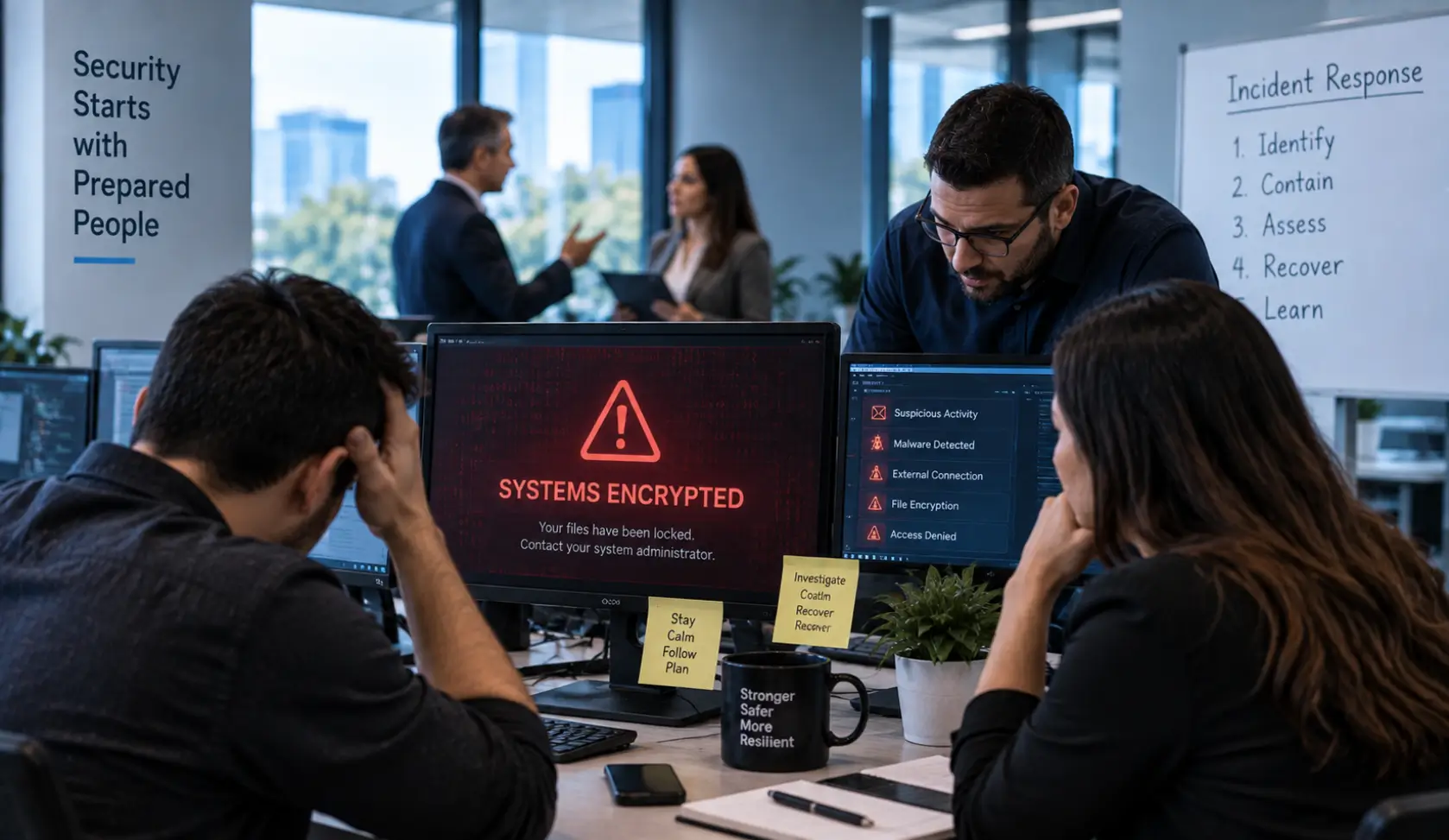
An unprepared business may have to invent its response while the attack is unfolding.
No one may know who is in charge. The company may not have an accurate inventory of computers, servers, cloud accounts, applications, vendors, and administrative credentials. Important telephone numbers may exist only inside a compromised email system. Backups may be available, but no one may know when they were last tested.
The business may have to answer basic questions under extreme pressure:
- Who can authorize a network shutdown?
- Who contacts the cyber insurance company?
- Is breach counsel available?
- Which cybersecurity or forensic company should be called?
- Who communicates with employees, customers, vendors, or law enforcement when appropriate?
- Is there a safe way to communicate if company email is compromised?
- Which systems are essential for payroll, phones, accounting, and customer service?
- What evidence must be preserved?
The worst time to create an incident-response plan is during the attack.
Should You Disconnect the Network During a Cyberattack?
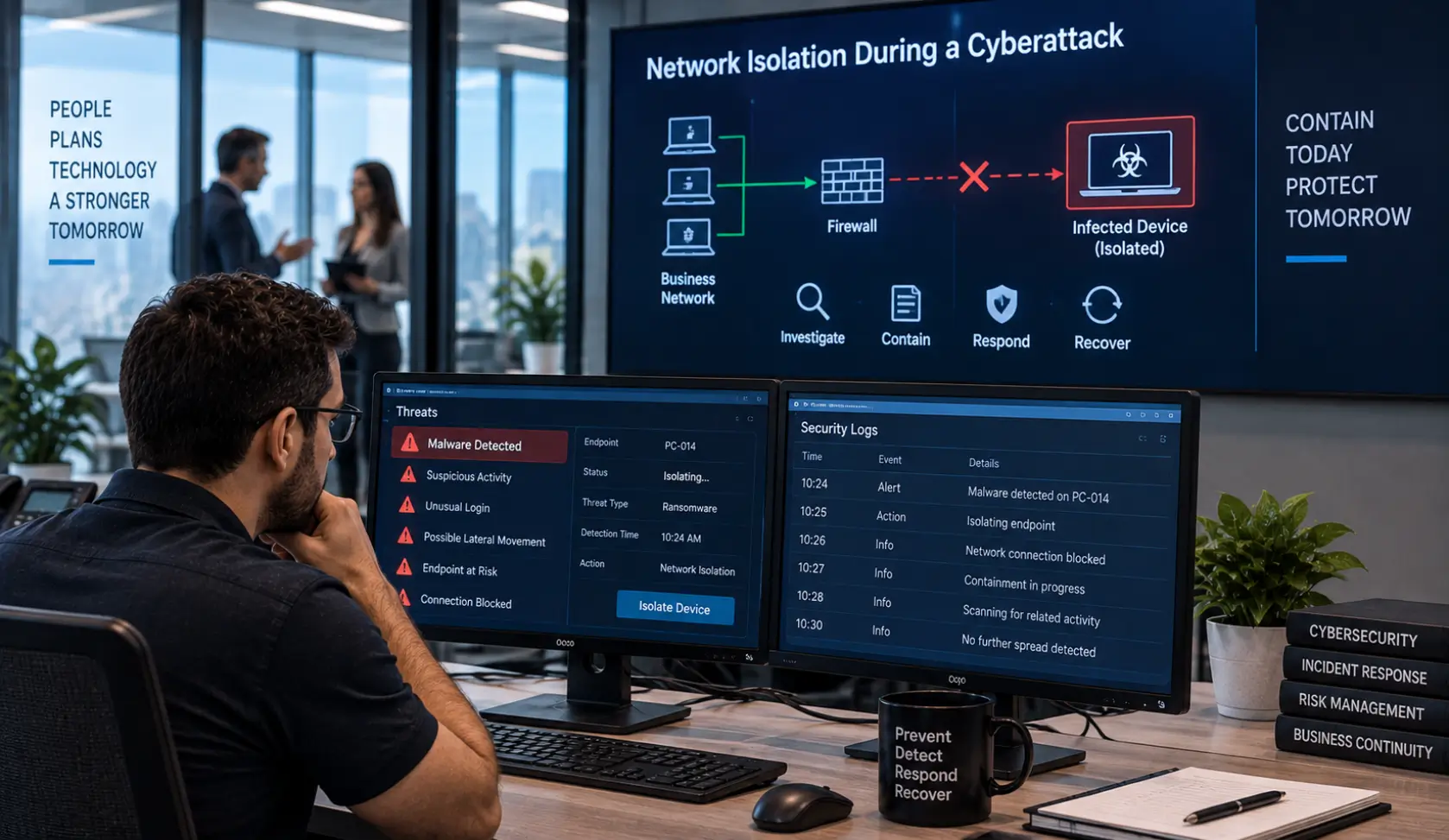
One of the first thoughts may be: Should we disconnect everything until we have time to determine what happened?
Isolating an affected computer, server, account, or network segment may help contain an active attack. Rather than uncoordinated manual shutdowns, automated solutions like SOAR incident automation can instantly isolate infected endpoints without destroying vital forensic logs. In some situations, a broader shutdown may be necessary. However, randomly unplugging devices, powering off servers, deleting files, or wiping computers can create additional problems.
An unplanned shutdown may:
- Interrupt critical operations
- Destroy volatile evidence
- Cut off useful monitoring
- Make it harder to understand the attacker’s activity
- Complicate recovery
- Cause avoidable data loss
Containment should not be panic. It should be a controlled decision based on the available evidence and the company’s incident-response plan.
When possible, coordinate isolation and shutdown decisions with qualified incident responders, cybersecurity professionals, the cyber insurance carrier, and legal counsel. Document what was disconnected, who approved the action, when it happened, and why the decision was made.
If there is an immediate threat to safety or continuing business harm, act according to the organization’s emergency procedures. Every incident is different, which is why planning authority and escalation procedures before an attack are so important.
How Did the Attack Happen?
Once the immediate situation is being controlled, everyone wants to understand how the business got there.
Important questions may include:
- Did every supported endpoint have EDR or MDR protection?
- Was an employee using an unmanaged personal laptop?
- Did a personal device connect to a sensitive business network?
- Was an employee’s password stolen or reused?
- Was multifactor authentication missing, misconfigured, or bypassed?
- Was an internet-facing system vulnerable or unpatched?
- Was a remote-access or vendor account compromised?
- Were security alerts generated but missed?
- Were logs available to support the investigation?
- Were important cybersecurity recommendations postponed?
These should be investigation questions—not accusations.
For example, a personal laptop can create risk if it is not managed, patched, protected, and separated from sensitive systems. That does not mean the personal laptop caused the incident. Evidence should determine the cause.
The same principle applies to employees and IT administrators. One missed account, failed update, incorrect firewall rule, or incomplete security deployment may matter. However, the company should determine whether the issue was an individual mistake, a process failure, a resource limitation, a communication failure, or a larger governance problem.
Did Every Endpoint Have EDR or MDR?
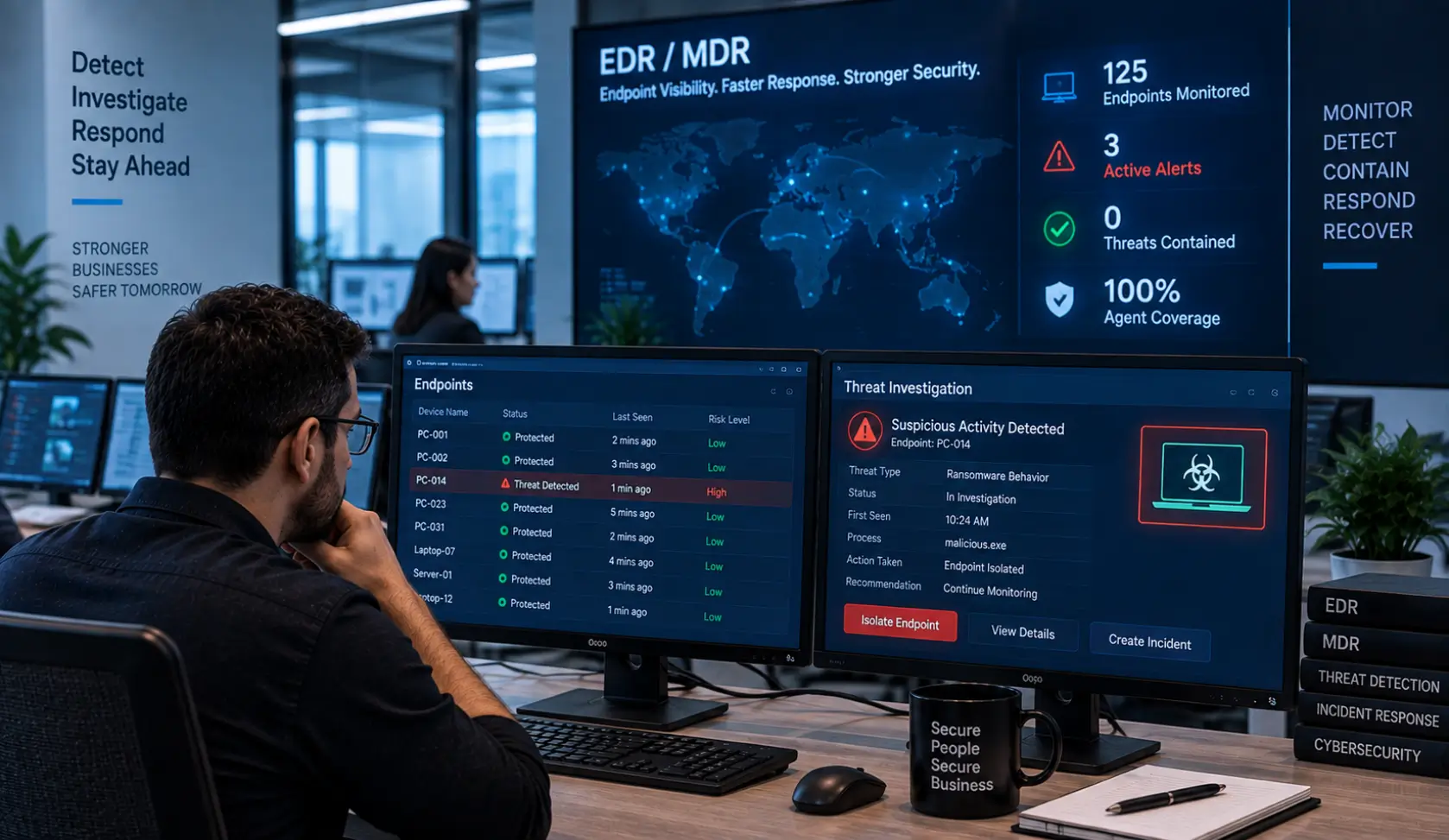
Traditional antivirus is no longer enough for many business environments. Endpoint Detection and Response (EDR) looks for suspicious behavior on computers and servers. Managed Detection and Response (MDR) adds trained professionals who review alerts, investigate suspicious activity, and help coordinate a response.
Coverage matters. If the company believes it has EDR or MDR but several endpoints are missing the software, disabled, offline, unsupported, or unmanaged, those gaps can reduce visibility during an incident.
Businesses should regularly verify:
- Which endpoints are protected
- Whether security agents are healthy and checking in
- Whether servers and remote computers are included
- Whether alerts are actively reviewed
- Who receives alerts after normal business hours
- What happens when suspicious activity is found
Buying a security product is not the same as confirming that it is installed, working, monitored, and supported everywhere it is required.
Trust Is Important, but Trust Is Not a Cybersecurity Control
A business must be able to trust its employees, administrators, and technology providers. But trust alone is not an effective security control.
People get busy. Assumptions are made. Accounts are overlooked. Updates fail. Security software stops checking in. Configurations change over time. Mistakes can and will happen.
Some companies become comfortable because they trust that another IT administrator completed every task. Avoiding dangerous single points of trust requires enforcing layered security and multiple administrator checks and balances. No one independently verifies the firewall, backup system, privileged accounts, endpoint coverage, cloud settings, or security alerts.
That is not meaningful checks and balances.
Effective oversight may include:
- Clearly documented responsibilities
- A second-person review of critical changes when practical
- Independent reviews of firewalls, backups, cloud security, and administrative accounts
- Automated monitoring and alerting
- Regular leadership review of unresolved security risks
- Documentation of recommendations that were approved, postponed, or declined
- A qualified reviewer with the training, time, system access, independence, and authority to question the work
A second administrator’s name on an organizational chart does not automatically create security oversight. That person must have the knowledge and resources required to perform a meaningful review.
What Options Does a Prepared Business Have?
Preparation does not make a cyberattack easy. Preparation gives the business choices.
A prepared organization may have:
A Named Incident Leader
Everyone knows who coordinates the response and who has authority to approve containment, outside assistance, communications, and recovery decisions.
A Written and Practiced Incident-Response Plan
The plan is available offline and does not depend entirely on the company’s email, server, or cloud account remaining accessible.
An Emergency Contact List
The business has current telephone numbers for its IT provider, cybersecurity responders, cyber insurance carrier, legal counsel, key vendors, executives, and other essential contacts.
EDR or MDR on Every Supported Endpoint
The response team has better visibility into affected devices and suspicious activity. Coverage and agent health were verified before the incident.
Useful Security Logs and Monitoring
Centralized logging, SIEM monitoring, a security operations center, identity monitoring, and firewall records may help responders determine what happened and when.
Network Segmentation
Critical systems, employee devices, guest Wi-Fi, cameras, personal devices, and other technology are separated where appropriate. The company may be able to isolate part of the environment without disabling the entire business.
Protected and Tested Backups
Backups are separated from the production environment, protected from unauthorized changes, and tested through documented restores. The company knows more than whether the backup job displayed a green check mark—it knows whether data and applications can actually be recovered.
Alternative Communications
Leadership has a way to coordinate if normal email, phones, or collaboration tools are unavailable or untrusted.
A Business-Continuity Plan
The organization has already considered how it could continue essential functions such as payroll, customer communications, accounting, and telephone service during a technology outage.
Practiced Decision-Making
Tabletop exercises allow leadership and employees to rehearse the difficult questions before a real attacker creates the pressure.
Surviving a Cyberattack With Minimal Loss
No IT provider or cybersecurity product can honestly guarantee that a breach will never happen. A strong cybersecurity program is designed to reduce risk, detect suspicious behavior sooner, limit the damage, support an effective response, and improve recovery.
During a serious incident, success may mean:
- Detecting the attacker before more systems are affected
- Containing a smaller portion of the network
- Preventing or limiting data theft
- Restoring from known-good backups
- Keeping essential business operations running
- Communicating accurately and responsibly
- Learning what must change
If a company survives a cyberattack with minimal loss, it should treat the opportunity to learn very seriously. The lessons are invaluable—but they were purchased with real risk, pressure, disruption, and cost.
Lessons You Cannot Completely Learn From College or a Certification
College education, technical certifications, policies, training, and tabletop exercises are all valuable. They give cybersecurity and IT professionals the knowledge and structure needed to make better decisions.
However, none can completely reproduce the pressure of a live cyber incident.
During a real attack, information is incomplete. Employees are frightened. Leadership wants answers. Customers may be affected. Technical, financial, legal, insurance, and communication priorities compete for attention. The clock does not stop while the team decides what to do.
That experience can teach lessons that are difficult to obtain from a classroom or certification exam.
This does not mean a business should learn through suffering. It means organizations should learn from incidents—their own and those experienced by others—and turn those lessons into stronger systems, clearer responsibilities, better documentation, and more effective preparation.
Cyberattack Preparation Checklist for Austin Businesses
Before an incident occurs:
- Create and practice an incident-response plan. Download BCS’s tabletop exercise guide (PDF).
- Define decision-making authority and escalation procedures.
- Maintain an offline emergency contact list.
- Verify EDR or MDR coverage on every supported endpoint.
- Establish rules for personal and unmanaged devices.
- Require MFA and regularly review privileged accounts.
- Centralize important logs and actively monitor security alerts.
- Segment the network to limit unnecessary access.
- Protect backups and perform documented test restores.
- Prepare alternative communication methods.
- Plan how essential operations will continue during an outage.
- Review cybersecurity risks with leadership regularly.
- Document declined recommendations and accepted business risks.
- Use qualified independent checks and balances.
- Conduct cybersecurity and social-engineering training.
Frequently Asked Questions
What is the first thing a business should do during a cyberattack?
Follow the organization’s incident-response plan, notify the designated incident leader, begin documenting events, and contact qualified responders. Avoid deleting, wiping, or randomly powering off equipment unless the response plan or a qualified responder directs that action.
Should we turn off every computer and disconnect the internet?
Not automatically. Isolating affected devices or network segments may help contain an attack, but an unplanned shutdown can interrupt operations and destroy useful evidence. The correct response depends on the incident and should be coordinated through the response plan.
Can an employee’s personal laptop cause a cyberattack?
An unmanaged personal device can introduce risk, especially if it lacks security controls or connects directly to sensitive systems. However, the cause of an incident should be determined through evidence rather than assumption.
What is the difference between EDR and MDR?
EDR technology detects and investigates suspicious endpoint behavior. MDR combines detection technology with trained security professionals who monitor alerts and help investigate and respond.
Why should backups be tested?
A successful backup report does not prove that files, databases, and applications can be restored within an acceptable time. A documented test restore provides evidence that the recovery process works.
Can BCS help an Austin business prepare for a cyberattack?
Yes. Business Communication Solutions can help Austin-area businesses review their cybersecurity controls, incident-response planning, endpoint protection, network security, Microsoft 365 security, backups, monitoring, and employee awareness. Support is available on-site or remotely.
Austin Cybersecurity Help—On-Site or Remote
A cyberattack can make even experienced people feel powerless. Preparation changes that.
You may not control when an attacker attempts to enter, but you can improve how quickly your team recognizes suspicious activity, who makes decisions, which systems can be isolated, whether useful evidence is preserved, and how the business recovers.
Business Communication Solutions is an Austin-based managed IT and cybersecurity provider. We help Austin-area small businesses prepare for cyber incidents, improve checks and balances, protect endpoints, strengthen networks, test recovery plans, and respond when something goes wrong.
Do not wait for a real cyberattack to become your company’s first incident-response exercise. Contact BCS to schedule a cybersecurity review. Local Austin support is available on-site or remotely.
Explore BCS Cybersecurity Services
Related Reads Section
Prepare Before an Attack Becomes Your First Exercise
Business Communication Solutions supports Austin-area businesses on-site or remotely with managed IT, cybersecurity planning, monitoring, endpoint protection, network security, and recovery preparation.