

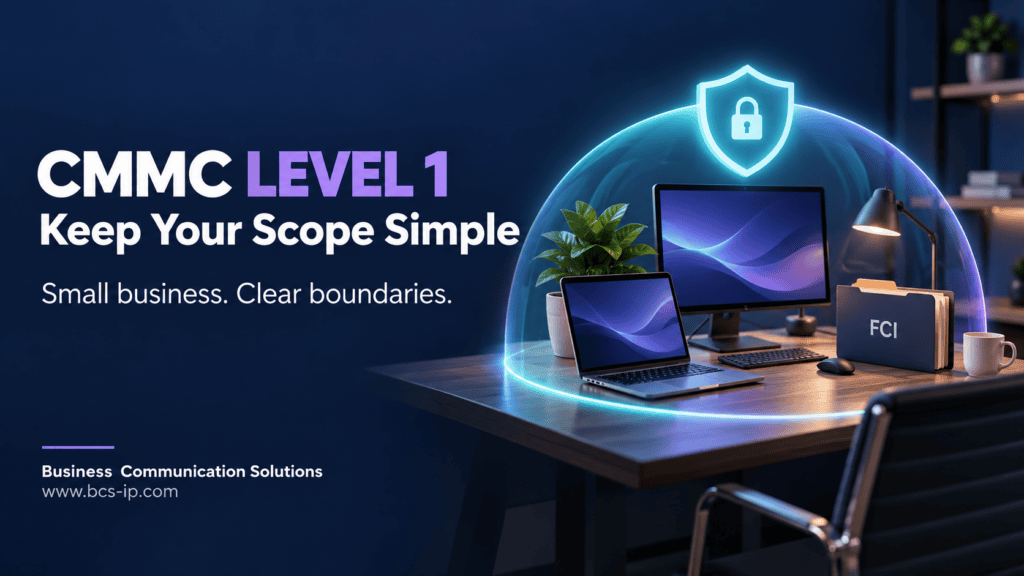
For a small business that only needs CMMC Level 1, one of the most useful planning decisions is to keep the assessment scope simple, small, and complete.
You may not need every employee and every business application to handle Federal Contract Information (FCI). Give that work a controlled home, limit who needs access, and verify where the information actually travels. A smaller, well-managed workflow can make safeguarding and self-assessment easier to maintain.
Small scope does not mean leaving out systems that handle FCI. It means designing the work so fewer systems need to handle it in the first place.
What does CMMC scope mean?
Your assessment scope identifies the assets covered by the assessment. For Level 1, the central question is whether they process, store, or transmit FCI. Systems that do not handle FCI are outside Level 1 scope, subject to the rule’s specific provisions.
| Activity | Example to investigate |
|---|---|
| Processing FCI | Opening, editing, or printing a nonpublic contract document |
| Storing FCI | Saving it in a mailbox, project folder, device cache, or backup |
| Transmitting FCI | Sending it through email, file sharing, or a network connection |
Scope follows the information, including copies. It does not stop at the computer where someone originally opened a file. Source: 32 CFR 170.19.
First confirm that Level 1 is sufficient
FCI includes nonpublic information provided by or generated for the Government under a contract to deliver a product or service. Publicly available government information and simple transactional information needed to process payments are excluded from that definition.
Review your contract and customer instructions. Do not assume all government-related files are public, or that an unmarked document cannot be protected information. If Controlled Unclassified Information (CUI) is involved, resolve the handling and assessment requirements before building a Level 1-only plan. Source: FAR 52.204-21.
Read What Is FCI vs CUI? and Do I Need CMMC Level 1 or Level 2? for background.
Keep Level 1 scope small by controlling the workflow
BCS recommends starting with a few practical design choices:
- Limit FCI access to the people who need it. Avoid company-wide sharing when only a contract manager and an owner need the information.
- Choose approved devices. Keep FCI work on designated, maintained business computers where practical.
- Choose approved storage. Use a restricted project location instead of scattered desktops, personal drives, and shared folders.
- Define email handling. Decide which accounts receive FCI and how attachments and forwarding are controlled.
- Restrict unnecessary mobile access. Keeping FCI off personal devices can help keep your Level 1 scope small and manageable. If phones are not needed for FCI work, configure and test the access restrictions. If personal-device access is necessary, review two BYOD approaches: block FCI access or allow approved, protected access.
- Control copies. Consider downloads, sync clients, backups, printing, removable media, and external sharing.
A dedicated mailbox or folder can help organize work. It does not, by itself, create an assessment boundary. Shared services, permissions, administrative access, and actual data movement still need review.
An example for a ten-person business
Illustrative example: a business has ten employees, but only the owner and contract manager need to work with FCI. BCS might help design a workflow using two approved computers, restricted email access, and a controlled project repository.
The design would also account for the network paths, cloud services, backup locations, providers, physical workspace, and any printing that handle the information. The other employees could continue general business work without being given unnecessary FCI access.
Compare that with forwarding contract attachments to a company-wide mailbox and allowing every employee to download them onto personal phones. The first design is easier to control because it limits the ways FCI spreads.
“Two computers” is a starting design choice—not a complete scope statement. The final boundary must reflect the real workflow and supporting infrastructure.
Include the less obvious places FCI goes
Trace the work through people, technology, facilities, and external providers. Network devices, cloud applications, remote access, and service provider activities may matter alongside laptops and servers.
Ask where an attachment goes after it arrives: does someone download it, synchronize it, print it, send it to a subcontractor, or back it up? Identify the systems and locations involved rather than declaring a whole tenant either in or out without review. Source: Level 1 Scoping Guide.
Policy vs technical enforcement
A rule saying “do not open FCI email on your phone” does not block access. When your design excludes that workflow, test whether the phone can still open the protected mailbox through a browser or another mail app.
Use access restrictions appropriate to the environment and test both allowed and prohibited paths. Record the result so your team knows whether the intended boundary works.
This is practical implementation guidance. A device’s theoretical ability to enter a password is not alone the Level 1 scope test. What matters is the applicable rule and the actual FCI workflow. For detailed examples, read Mobile Devices in CMMC Scope and How to Protect Them.
Small scope does not remove the safeguards
Level 1 has 15 basic safeguarding requirements. A limited environment still needs the applicable access controls, authentication, physical safeguards, boundary protection, flaw remediation, malicious code protection, and media disposal controls.
The assessment guide allows Level 1 safeguarding to apply to an entire enterprise or a particular enclave, depending on where FCI is handled. Use its assessment objectives to verify that the safeguards operate in the chosen environment. Source: Level 1 Assessment Guide.
Use the BCS CMMC Level 1 Checklist to organize the review.
Do you need a scope document for Level 1?
The Level 1 scope must be specified before assessment. The official scoping guide does not require Level 1 scoping documentation or a System Security Plan (SSP). An SSP can be a best practice; it is not a Level 1 assessment prerequisite.
BCS recommends a simple working record of approved users, devices, services, FCI locations, permitted transfers, restrictions, and responsibilities. A small diagram and a concise inventory can help your team maintain the workflow without unnecessary paperwork. Label these as useful preparation records rather than additional formal Level 1 requirements. Source: Level 1 Scoping Guide.
Level 2 uses different asset categories
For the next step after defining a Level 2 boundary, follow our CMMC Level 2 assessment timeline and CAP phase guide. It explains how scope is reviewed in Phase 1 and how the assessment proceeds through certification.
Do not carry the simplified Level 1 model into Level 2 unchanged. Level 2 distinguishes CUI Assets, Security Protection Assets, Contractor Risk Managed Assets, Specialized Assets, and Out-of-Scope Assets.
A device capable of handling CUI but prohibited by policy may be a Contractor Risk Managed Asset and remain in scope. Out-of-Scope Assets have stricter criteria, including separation and the inability to handle CUI. Security services may remain in scope even without storing CUI. Source: Level 2 Scoping Guide.
The five CMMC Level 2 asset categories: scope vs. FedRAMP
Asset category and FedRAMP are two different decisions. First determine the asset’s assessment category. Then review whether an external cloud service processes, stores, or transmits CUI and must meet the applicable cloud requirements.
In scope does not always mean FedRAMP is required. CUI on a company laptop makes that laptop a CUI Asset; it does not make the laptop a cloud service. Likewise, a security service handling only Security Protection Data (SPD) can remain in scope without a FedRAMP requirement solely under the CMMC ESP provision.
| Asset category | What it does | In assessment scope? | FedRAMP implication |
|---|---|---|---|
| CUI Assets | Process, store, or transmit CUI. | In scope; assessed against all Level 2 requirements. | Not automatically. The qualifying external cloud service handling CUI must meet applicable FedRAMP requirements. A local laptop or server does not require FedRAMP authorization just because it handles CUI. |
| Security Protection Assets | Provide security functions or capabilities to the assessment scope. | In scope; assessed against requirements relevant to those capabilities. | Not solely for security protection or SPD-only handling. If a cloud service also handles CUI, apply the CUI cloud-service requirements. |
| Contractor Risk Managed Assets | Can handle CUI, but policies, procedures, and practices establish that they are not intended to. | In scope; SSP review, with limited checks when documentation or findings raise questions. | No automatic FedRAMP requirement from this category. Reassess if actual CUI handling occurs, particularly in an external cloud service. |
| Specialized Assets | Qualifying assets capable of handling CUI that cannot be fully secured, such as certain OT, IoT, or test equipment. | In scope; SSP review of risk-based treatment rather than assessment against other requirements. | No automatic FedRAMP requirement for the device. Any supporting external cloud service handling CUI must meet applicable cloud requirements. |
| Out-of-Scope Assets | Cannot handle CUI, provide no security protection for CUI Assets, and are physically or logically separated; must not fit an in-scope category. | Outside the Level 2 assessment; prepare to justify the exclusion. | Not required on the basis of this asset category. Confirm actual capabilities, separation, and data flows. |
Example: A laptop processing CUI is in scope as a CUI Asset. A qualifying cloud file service storing that CUI must meet the applicable FedRAMP Moderate-equivalent requirements. An MDR service handling SPD only remains in scope as a Security Protection Asset, without FedRAMP being required solely by that SPD-only role.
The out-of-scope row summarizes the general rule; the regulation also includes a specific keyboard/video/mouse-only VDI client exception. Review the actual configuration before relying on it.
Read the full guide to the five CMMC asset categories. Sources: 32 CFR 170.19(c), Tables 3 and 4 and DFARS 252.204-7012. Other contract obligations still apply.
CMMC Level 2: ESP scope and FedRAMP requirements
No CUI does not automatically mean out of scope. Review whether an External Service Provider (ESP) is a Cloud Service Provider (CSP), what information it handles, and which security functions it supplies.
| ESP situation | In scope? | FedRAMP needed? |
|---|---|---|
| Cloud service handles CUI | CUI-handling cloud service; applicable CSP requirements apply | Yes—applicable FedRAMP Moderate or equivalent requirements |
| Security service handles SPD only, no CUI—for example, qualifying SIEM, MDR, or EDR | Yes—Security Protection Asset | No, solely under this CMMC scoping provision |
| Neither CUI nor SPD, and no security function for the assessment scope | Not a CMMC ESP on that basis; verify exclusion criteria | No, under this provision |
Keep the two decisions separate: The five asset categories classify assets; this summary explains external provider treatment. A non-cloud ESP handling CUI is included in the contractor’s assessment, but does not require FedRAMP solely because it is an ESP. Review the full rule and applicable contract obligations for that situation.
Need provider-specific examples? Read our CMMC External Service Provider guide for MSPs, MSSPs, cloud backups, password managers, certification expectations, and responsibility matrices.
Check actual data flows—not just the product label
A SIEM, MDR, or EDR label alone does not establish the category. Review logs, alerts, file samples, investigation attachments, and support access for possible CUI. If CUI enters a cloud service, reassess the CUI-handling cloud requirements. Security Protection Assets are assessed against requirements relevant to the capabilities they provide.
FedRAMP equivalency is not just a vendor claim. Verify supporting evidence for the applicable cloud offering and boundary. DFARS 252.204-7012 also addresses incident reporting, preservation, and investigation cooperation. Other contractual obligations may apply even when this table says FedRAMP is not required solely by the ESP provision.
Document who is responsible
Describe the ESP relationship in the System Security Plan (SSP), and obtain a service description and customer responsibility matrix (CRM). Identify who operates each control, supplies assessment evidence, and responds to incidents. Do not treat “no FedRAMP requirement” as “no security or assessment responsibilities.”
Sources: 32 CFR 170.19(c), Tables 3 and 4 and DFARS 252.204-7012(b)(2)(ii)(D). This section addresses Level 2; the Level 1 discussion elsewhere on this page uses different scoping rules.
For help reviewing providers and defining responsibilities, explore BCS CMMC consulting in Austin and Houston.
Does VDI automatically remove endpoint scope?
No. The Level 1 rule includes a specific exception for a VDI client endpoint configured so FCI handling is limited to keyboard, video, and mouse interaction. The backend remains part of the relevant assessed environment.
Evaluate downloads, local storage, clipboard transfers, printing, and device redirection before relying on that exception. Ordinary browser access to cloud files does not automatically qualify. VDI can also add management complexity; it is one design option, not a requirement for every small business. Source: 32 CFR 170.19.
Maintain the boundary as your business changes
Review the scope when you add applications, providers, remote users, storage, or new contract work. A change in the workflow can introduce an FCI location your original review never considered.
Level 1 requires an annual self-assessment and affirmation of continued compliance. Keeping the workflow stable and reviewing changes helps support that ongoing responsibility. Source: 32 CFR 170.15.
Get help designing a manageable Level 1 scope
Business Communication Solutions helps small businesses connect CMMC readiness planning to practical IT implementation. We can review where FCI travels, help limit unnecessary access, implement agreed safeguards, and assist with self-assessment preparation.
Start small. Keep the scope complete. Make the controls work. Learn about BCS CMMC consulting in Austin and Houston. Readiness support does not replace your assessment or guarantee a CMMC status.
Austin: 512-257-1433
Houston: 281-815-8784
Lampasas: 512-865-4000