

A dependable business network starts with high-performance commercial structured cabling in Houston, TX, ensuring your workstations, phones, and warehouse systems stay fast and connected.
Your office Wi-Fi keeps dropping, or your warehouse has dead spots, or even your team needs more solid network connections. Sound relatable?
Poor cabling can slow down daily work and make adding new devices a headache.
In this guide, we’ll delve into network cabling installation in Houston, TX, including Cat6, fiber optic cables, warehouse wiring, and how to choose the right cabling setup for your business.
Let’s understand this clearly…
Your Internet Is Fast. So Why Are Your Cameras, Computers, and Phones Still Lagging?
Paying for fast internet but still dealing with frozen video calls or slow file transfers? Your internet plan might not be the only problem. Damaged cables or loose connections, or outdated wiring can also slow things down.
Check for these everyday warning signs:
- Video calls keep freezing
- Security cameras lose connection
- Files take too long
- Office phones drop calls
- New devices struggle to connect
A professional network cabling installation Houston TX businesses can rely on starts with finding the real problem.
Before upgrading your internet plan, check whether your existing cabling can handle your team’s needs.
Before You Run One Cable, Think About What Your Business Will Add Next Year
Your office works fine today, but what happens when you add more employees, security cameras, or workstations? Planning your cabling around future needs will surely save you from drilling walls, running extra cables, as well as paying for another installation later.
What Might Your Business Need Next?
- More employee workstations
- Extra security camera connections
- New conference room equipment
- Additional Wi-Fi access points
- More network ports
Why Plan Before Installation?
Good structured cabling in Houston, TX will give your business an organized network. This will support future changes. Think about where your team might work, which devices you’ll add, and how your space could grow before deciding where every cable should go.
Cat6 or Fiber? The Real Answer Depends on What You’re Connecting—and How Far Apart It Is
Choosing cables for your business? Cat6 works well for many office devices, while fiber suits longer distances as well as connections between buildings.
Here’s a quick comparison just to give you complete details…
| What to Compare | Cat6 Cable | Fiber Optic Cable |
| Best For | Computers, phones, printers | Network backbones, building links |
| Typical Reach | Up to 100 metres | Longer distances |
| Data Speed | Up to 10 Gbps, depending on distance | Supports very high bandwidth |
| Electrical Interference | Can be affected | Resistant to electromagnetic interference |
| Installation Cost | Often lower | Often higher |
| Common Use | Office and workstation wiring | Server rooms and building connections |
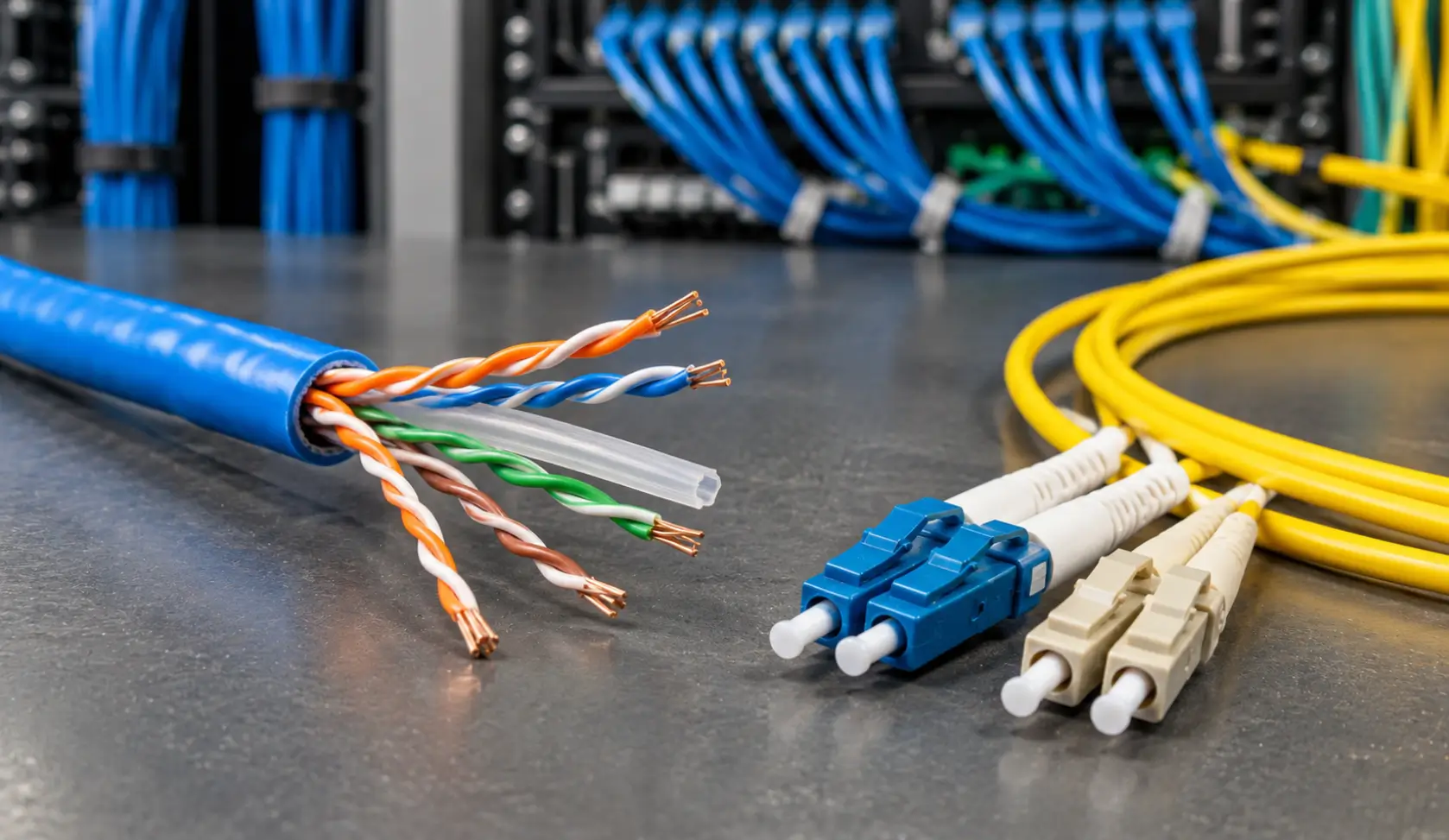
Need commercial fiber optic installation in Houston? Choose based on distance, bandwidth needs, equipment compatibility, budget…not just speed.
Cat6 vs. Cat6A: Do You Need the Extra Bandwidth for 10G Speeds and PoE?
While standard Cat6 cable is ideal for everyday workstation drops and basic Gigabit network traffic, businesses running high-density Power over Ethernet (PoE) devices, modern Wi-Fi 6/7 access points, or VoIP phone systems often hit distance constraints.
Standard Cat6 supports 10 Gbps transmission only up to 37–55 meters (121–180 feet) under favorable crosstalk conditions.
In contrast, Cat6A (Augmented) supports full 10 Gbps speeds across the complete 100-meter (328-foot) channel distance with significantly superior shielding against alien crosstalk (ANEXT).
For high-throughput server backbones, video surveillance arrays, and future-proof commercial office buildouts in Houston, installing Cat6A or integrating fiber uplinks ensures your infrastructure won’t require costly cable pulls within 3 to 5 years.
A Warehouse Isn’t an Office: What Changes When You Wire Racks, Scanners, Cameras, and Shipping Stations?
In a warehouse, network cables must reach more than your facility desks. They may also need to connect scanners, security cameras, shipping stations, equipment across large floor spaces.
Poor cable placement will surely make everyday tasks harder while also making repairs more disruptive.
What Should Your Warehouse Cabling Cover?
- High Ceilings: Plan cable routes carefully.
- Storage Racks: Keep cables protected.
- Shipping Stations: Maintain reliable device connections.
- Security Cameras: Position connections where needed.
- Busy Work Areas: Avoid exposed cables.
- Long Distances: Check whether Cat6 is suitable.
With Warehouse Cat6 cabling in Houston, plan around your actual warehouse layout, equipment locations, and future changes…not just where the cables are easiest to install.
Houston Commercial Building Codes: When Do You Need Plenum (CMP) Rated Cabling?
Under the City of Houston commercial building codes and National Electrical Code (NEC Article 800), the fire rating of your cable jacket is legally enforceable. Many Houston commercial office suites, warehouses, and multi-tenant facilities use the open space above drop ceilings or below raised flooring as an environmental air return for HVAC systems (plenum space).
- Plenum-Rated Cable (CMP): Jacketed with low-smoke, flame-retardant fluoropolymer materials. If a fire occurs, CMP cabling prevents rapid flame spread and releases significantly less toxic smoke through the building’s shared ventilation system.
- Riser-Rated Cable (CMR): Designed for non-plenum vertical runs between floors through dedicated conduit or riser shafts.
Running non-plenum cable through an active plenum ceiling space can result in failed municipal fire inspections, mandatory tear-outs, and severe safety liabilities for Houston property owners and commercial tenants.
What Happens When You Add a Workstation but There’s No Network Port Nearby?
▶ Find the Right Cable Route
Don’t run loose cables across walkways just to connect a new desk. Plan a route that keeps cables protected and accessible.
▶ Check Your Existing Setup
Your network cabinet and patch panel may have room for more connections—or they may need an upgrade.
▶ Plan for the Next Change
If you’re adding employees now, consider where the next desks, printers, or meeting spaces might go.
Good commercial network wiring in Houston should solve today’s connection problems while leaving room for future changes.
Will Your Cabling Still Work After You Move Desks, Add Equipment, or Expand Your Floor Space?
Moving desks or adding employees shouldn’t mean guessing which cable goes where. Without clear labels and an organized network cabinet, even a small office change can turn into a frustrating troubleshooting job.
What makes future changes easier?
- Organize patch panel connections
- Prevent messy cable tangles
- Document every cable route
- Leave room for expansion
Well-planned structured cabling in Houston, TX helps your team handle office changes, troubleshoot connection issues, and add devices without starting from scratch. Ask your cabling contractor to include labeling, testing, and updated cable documentation—not just installation.
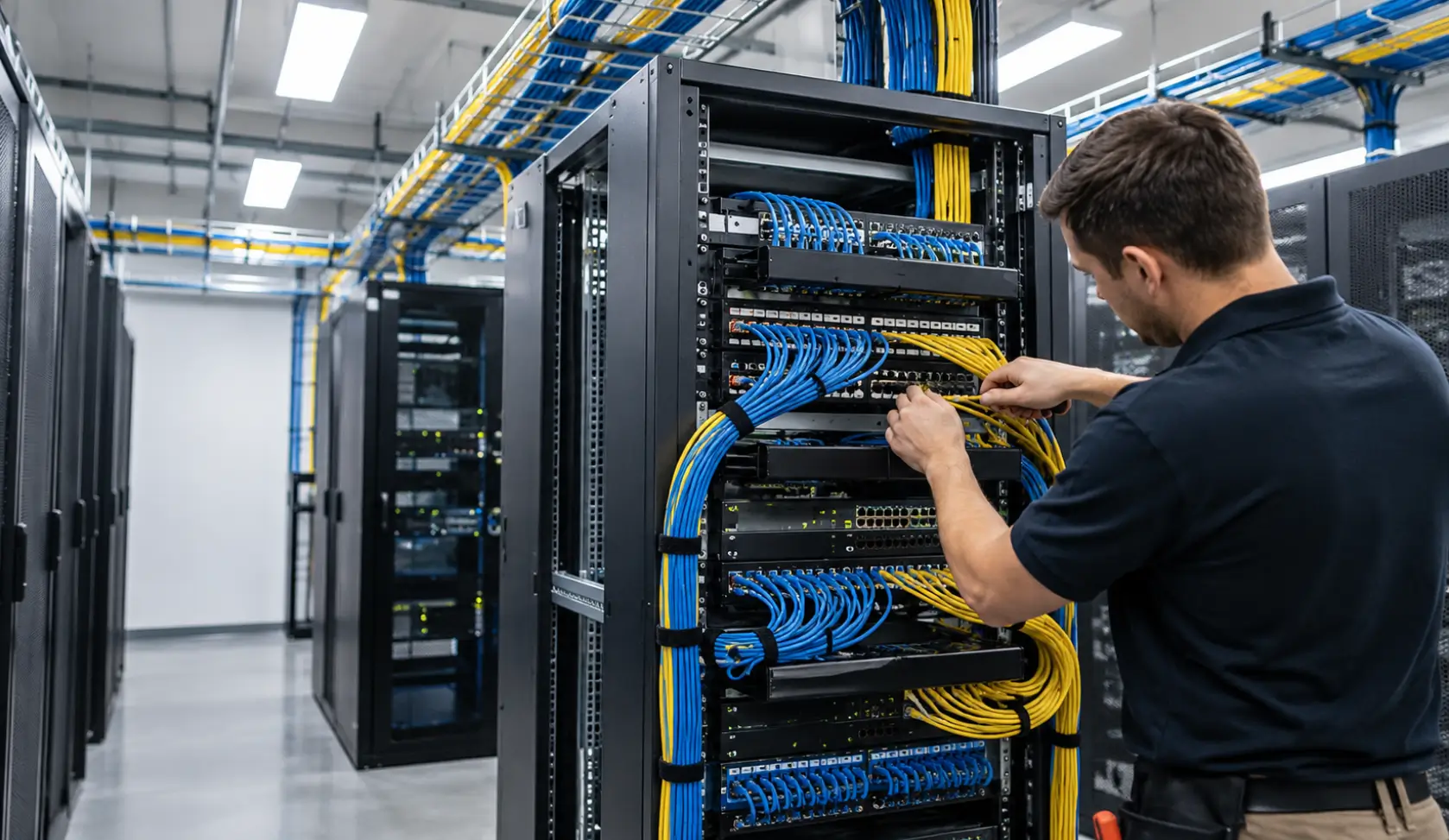
The Cables Are Hidden. How Can You Tell If the Installation Was Done Properly?
Most cabling sits behind walls or above ceilings, so how do you know the job was done right?
Check these basics before signing off on the installation…
| What to Check | What Should Be Done | Why It Matters | What to Ask For |
| Cable Testing | Test each connection | Catch wiring faults early | Cable test results |
| Cable Labels | Label cables and ports | Find connections quickly | Clear, consistent labels |
| Cable Management | Secure and protect cables | Prevent damage and confusion | Installation quality check |
| Documentation | Record routes and connections | Simplify future troubleshooting | Updated cabling layout |
| Network Performance | Verify connected devices work properly | Spot connection issues | Performance verification |
Before approving your network cabling installation in Houston, TX, ask your contractor to explain the test results and provide updated documentation. It’s easier to fix problems before you sign off on the installation.
Before Hiring a Houston Cabling Contractor, Ask These Questions Most Businesses Forget
Getting three quotes and choosing the cheapest one sounds sensible—until the job is finished and you discover the testing, extra ports, or cable routes you expected weren’t included.
Before hiring data cabling contractors in Houston, TX, ask a few questions that reveal how they’ll handle your actual space, not just pull cables from point A to point B.
| Ask This | Why It Matters |
| Have you wired spaces like ours? | Offices, warehouses, and industrial sites have different needs. |
| Cat6, Cat6A, or fiber—which do we need? | The recommendation should fit your devices, distances, and future plans. |
| Have you handled warehouse cabling? | Racks, high ceilings, and busy work areas need careful planning. |
| Will you test every connection? | Ask for test results, not just a verbal assurance. |
| Will you label cables and document routes? | Makes future troubleshooting and expansion easier. |
| What’s included in the quote? | Clarifies cable runs, ports, patch panels, testing, and possible extra costs. |
| Can the setup support future growth? | Helps avoid paying for major changes again soon. |
Don’t Know What Your Space Needs Yet?
That’s exactly why a site walkthrough matters. BCS-IP can assess your Houston business space, discuss your current devices, and recommend a suitable Cat6 or fiber cabling setup. You’ll have a clearer idea of what’s needed before the installation begins.
Planning a new office or fixing unstable connections? Explore BCS-IP’s Houston network cabling installation services or call 281-815-8784 to discuss your project.
FAQs Regarding Network Cabling Installation Houston TX
Cat6 or fiber: which is better for my business?
Cat6 suits many office connections, while fiber works well for longer distances and high-bandwidth links.
How much does commercial cabling cost in Houston?
It depends on cable type, distance, number of connections, and installation complexity.
Should every network cable be tested after installation?
Yes. Testing helps identify wiring faults and confirm connections meet performance requirements.
Can existing cabling support more employees or devices?
Possibly. A contractor can check cable capacity, available ports, and network requirements before recommending upgrades.
What is the difference between plenum (CMP) and non-plenum (CMR) cable in Houston commercial buildings?
Plenum (CMP) cable has a fire-retardant, low-smoke jacket required by Houston fire codes whenever wiring runs through drop ceilings or air-handling ducts used for building HVAC circulation. Non-plenum or Riser (CMR) cable is intended only for standard vertical shafts and non-air-handling spaces.
Do I need Cat6 or Cat6A for Power over Ethernet (PoE) cameras and Wi-Fi access points?
While Cat6 handles standard PoE (IEEE 802.3af/at), Cat6A is strongly recommended for high-power PoE++ (IEEE 802.3bt) devices, PTZ security cameras, and multi-gigabit Wi-Fi 6E/7 access points because thicker 23 AWG conductors dissipate heat better and maintain 10G speeds up to 100 meters.
How does an MDF and IDF setup benefit multi-story or large warehouse facilities in Houston?
A Main Distribution Frame (MDF) serves as the primary network hub where external telecom and internet feeds enter, while Intermediate Distribution Frames (IDFs) act as localized distribution satellite closets connected back to the MDF via high-speed fiber optic backbone cables. This architecture eliminates Cat6 copper length limits (100 meters) across sprawling warehouses or multi-floor facilities.