

Business Communication Solutions home

SIEM Services Austin TX

Home / SIEM Services Austin TX

SIEM Services Austin for Centralized Security Monitoring & Threat Detection

Your firewall sees one thing. Microsoft 365 sees another. Endpoints, servers, and network devices add even more alerts. But can your team connect them? SIEM brings these security events together to help uncover patterns, investigate unusual activity, and understand what deserves attention. Turn scattered alerts into clearer security insights. Download our SIEM & SOAR guide (PDF), or get a SIEM consultation.
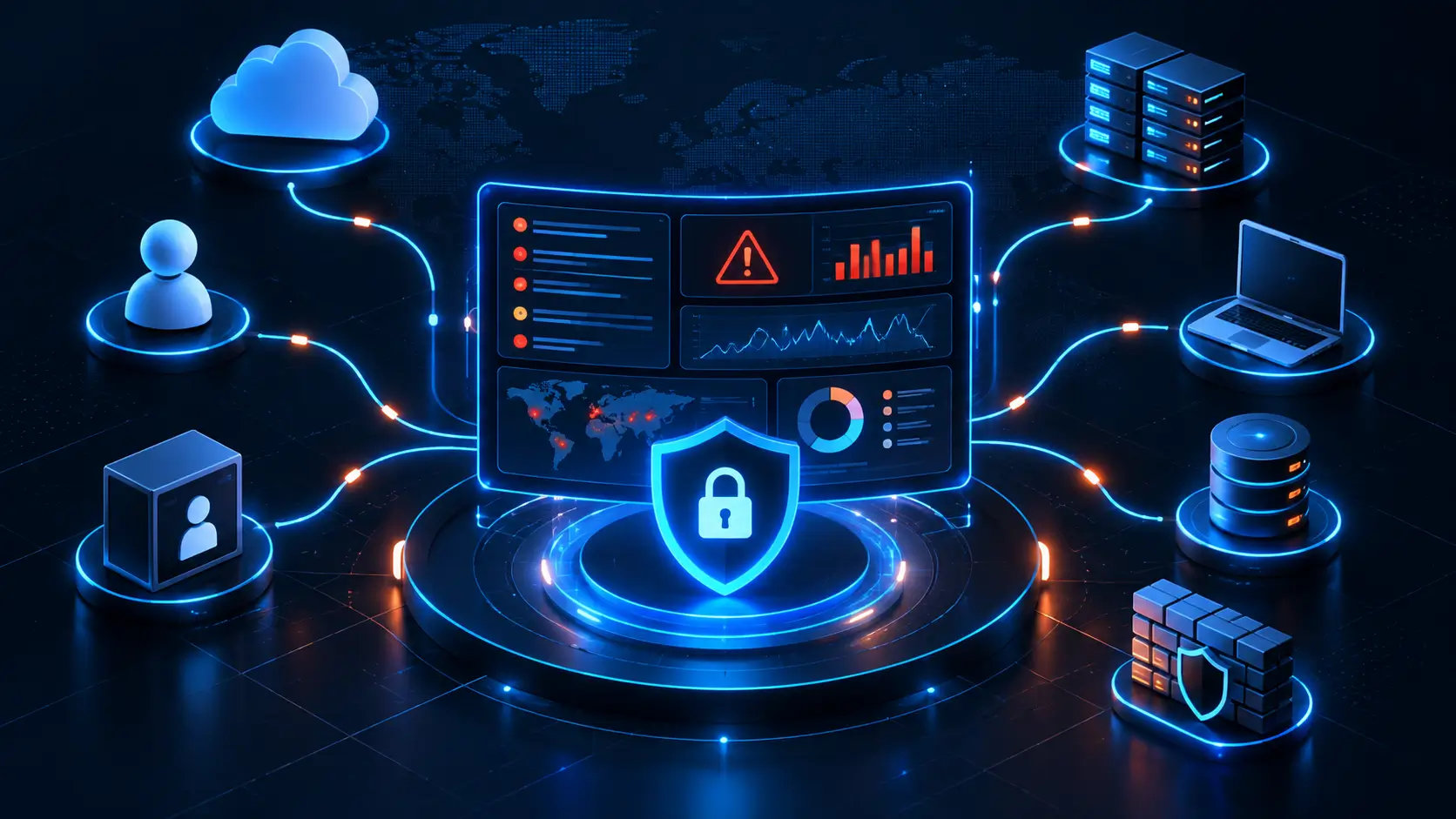

Centralized Security Monitoring & Threat Detection
Security Information and Event Management

Security Information and Event Management Austin TX

SIEM stands for Security Information and Event Management. It collects and analyzes security events from multiple systems to help identify suspicious activity. 

It actually brings security activity from your firewall, Microsoft 365, endpoints, servers, and other systems into one place. Instead of chasing alerts across different tools, you get a clearer view of what’s happening across your IT environment.

  • Centralize security event logs
  • Detect suspicious activity patterns
  • Correlate events across systems
  • Investigate threats with context
  • Reduce security alert noise
  • Strengthen threat visibility
  • Track abnormal account activity.
  • Identify potential security incidents

Turn scattered security data into actionable visibility with SIEM. Think of SIEM as an alarm system for your IT environment. Get clearer security visibility before a small warning becomes a bigger problem.

How SIEM Works: From Security Logs to Suspicious Activity

One failed login may mean nothing for you. But what about repeated failures and an unusual login, as well as unfamiliar file access? They can reveal a pattern worth investigating.

01

Your Systems Generate Logs

Every login, file access, network event, and security activity creates useful information.

02

SIEM Collects the Data

SIEM gathers security information from your different systems and brings it together.

03

Events Are Connected

SIEM analyzes activity across systems to identify patterns that might otherwise go unnoticed.

04

Suspicious Activity Gets Flagged

Unusual patterns trigger alerts, helping your team investigate what happened and why.

What Can SIEM Monitor Across Your Business?

Your security information comes from more places than you may realize. SIEM helps bring those pieces together, giving your team a clearer view of activity across everyday business systems.

Microsoft 365 & Cloud Accounts

Monitor account logins, cloud activity, unusual access, and other events across Microsoft 365 and cloud environments to help identify activity that may need a closer look.

Employee Endpoints

Laptops and desktops can provide important security information. SIEM brings endpoint events together, helping your team spot unusual activity, repeated issues, or signs that something may be happening on a device.

Firewalls & Network Activity

Your firewall sees connections entering and leaving your network. SIEM brings those events together with other security information. It provides more context around unusual network activity.

Servers & Active Directory

Servers and Active Directory contain valuable information about access, authentication, and account activity. SIEM helps connect these events with activity elsewhere, making unusual account behavior easier to identify.

Remote Access & VPN

Remote workers and VPN connections create another layer of activity to keep track of. SIEM helps bring remote access events together, making unusual logins or connection patterns easier to investigate.

Business Wi-Fi & Network Access

Business Wi-Fi generates useful network and access information. Centralized log management in Austin helps you connect these events with other security data for a more complete view of activity.

Why Centralized Log Management Matters for Austin Businesses

One dashboard for Microsoft 365. Another for your firewall. Another for endpoints, servers, and overall network activity. Something unusual happens—and you’re left asking, “Where do I even start?”

That’s where centralized log management helps your business. SIEM brings relevant security information together and help you see the overall picture instead of chasing individual alerts. With centralized visibility, you can:

  • See security events in one place.
  • Connect related activity quickly.
  • Spot unusual patterns sooner.
  • Investigate with better context.
Business Communications in MS Teams

Small Business, Multiple Security Challenges? SIEM for Small Business Austin Can Help

Microsoft 365 Creates More Activity to Watch

Multiple user logins, account changes, and cloud activity can make suspicious behavior harder to spot.

Remote Access Makes Visibility Harder

Remote workers and VPN connections create access events that can be difficult to track consistently.

Every Laptop Becomes Another Endpoint

Employee devices generate security events, making it harder to keep track without centralized visibility.

Your Firewall Sees Only Part of the Picture

Firewall events matter, but they become more useful when connected with activity from other systems.

Security Alerts Can Get Lost in the Noise

Important warnings can get buried when your team is already dealing with countless daily notifications.

Cloud Applications Keep Adding More Data

Every cloud application creates another source of activity your business may need to monitor.

Business Wi-Fi Adds Another Layer

Your Wi-Fi network generates access and connection activity that can easily get overlooked.

Servers Hold Critical Activity

Server access and authentication events can provide important clues when something unusual happens.

Multiple Security Tools Create More Places to Check

More tools can mean more dashboards, more alerts, and more difficulty connecting what happened.

You Find Out After Something Happens

Without centralized visibility, suspicious activity may only get attention after it creates a bigger problem.

Is Your Business Ready for SIEM?

If your security alerts are scattered, your team can’t keep up, or you simply want better visibility across Microsoft 365, endpoints, firewalls, servers, and remote access, it may be time to look at SIEM.

Not sure whether SIEM actually makes sense for your business? You don’t have to figure that out alone. Talk with BCS about your current environment, security needs, and whether SIEM is the right fit.
SIEM Is One Part of a Stronger Cybersecurity

SIEM Is One Part of a Stronger Cybersecurity Strategy

One security tool can’t protect every part of your business. SIEM Services Austin adds visibility by bringing security events together, while other layers help prevent threats, protect systems, respond to incidents, and recover when something goes wrong.

Email Security → MFA → Endpoint Protection → Firewall → SIEM → MDR / SOC → Backup & Recovery

  • Email Security: It will help you block phishing, malicious messages, and other email-based threats.
  • MFA: Adds another layer of protection if a password is compromised.
  • Endpoint Protection: Helps you protect employee laptops and desktops from suspicious activity.
  • Firewall: Helps control network traffic and block unwanted connections.
  • SIEM: Brings security events together and helps identify suspicious patterns.
  • MDR/SOC Monitoring: Helps monitor, investigate, and respond to security alerts.
  • Backup & Recovery: Helps your business restore important data after an incident.

Together, these layers create checks and balances across your security environment. SIEM helps you see what’s happening, but it works best as part of a broader cybersecurity strategy.

SIEM, SOAR & SOC: How They Work Together

Different security needs call for different capabilities. Here’s how each layer fits into your security operations:

SIEM—See & Detect

SOAR—Automate Response

24/7 SOC / MDR—Monitor & Investigate

One Connected Security Process

SIEM detects → SOAR automates → SOC/MDR investigates & responds

You get centralized visibility, automated response workflows, and specialized security expertise working together instead of isolated security tools. Need one, two, or all three? BCS will help you understand what fits your environment.

Local Austin Cybersecurity Support That Goes Beyond the Dashboard

What if the security issue involves more than just an alert? A compromised laptop, firewall, server, Wi-Fi network, or even physical infrastructure may need expert hands-on IT support. That’s where our BCS team brings an important local advantage.

  • Local Austin & Cedar Park team for remote and on-site support
  • Hands-on help when devices, firewalls, servers, or networks need attention
  • IT + expert cybersecurity services under one team
  • Support beyond SIEM alerts, including the underlying infrastructure
  • Faster coordination when a security issue affects your actual IT environment

With SIEM Services Austin, you get centralized security visibility backed by a local team that understands the technology behind it.

Local Austin Cybersecurity Support

Ready for Better Visibility Into Your Business Security?

You don’t need to understand every SIEM term before talking to a cybersecurity professional. If you’re unsure whether your business has enough visibility—or whether SIEM makes sense for your environment… Our BCS team will help you take a closer look.


Talk with our BCS team about SIEM services in Austin, understand your alternative options, and decide what fits according to your business.

FAQs About SIEM Services Austin

What is SIEM?

SIEM stands for Security Information and Event Management. It collects and analyzes security events from multiple systems to help identify suspicious activity.

Is SIEM useful for small businesses in Austin?

It can be useful when businesses have multiple systems but limited security staff or resources.

What systems can SIEM monitor?

SIEM can monitor Microsoft 365, cloud accounts, endpoints, firewalls, servers, remote access, and Wi-Fi.

Does SIEM replace antivirus or EDR?

No. SIEM works alongside antivirus, EDR, firewalls, MFA, and other security layers.

How do I know if my Austin business needs SIEM?

A SIEM consultation can help you assess your environment and determine whether centralized security monitoring makes sense.

What is centralized log management?

It brings security logs from different systems into one place, making them easier to monitor and investigate.

What’s the difference between SIEM and SOAR?

SIEM helps detect and connect security events, while SOAR services help automate the response.

Does SIEM include 24/7 SOC monitoring?

Not always. SIEM provides the technology, while 24/7 SOC monitoring adds security professionals who watch and investigate alerts.