

Your Business Phone Not Registering?
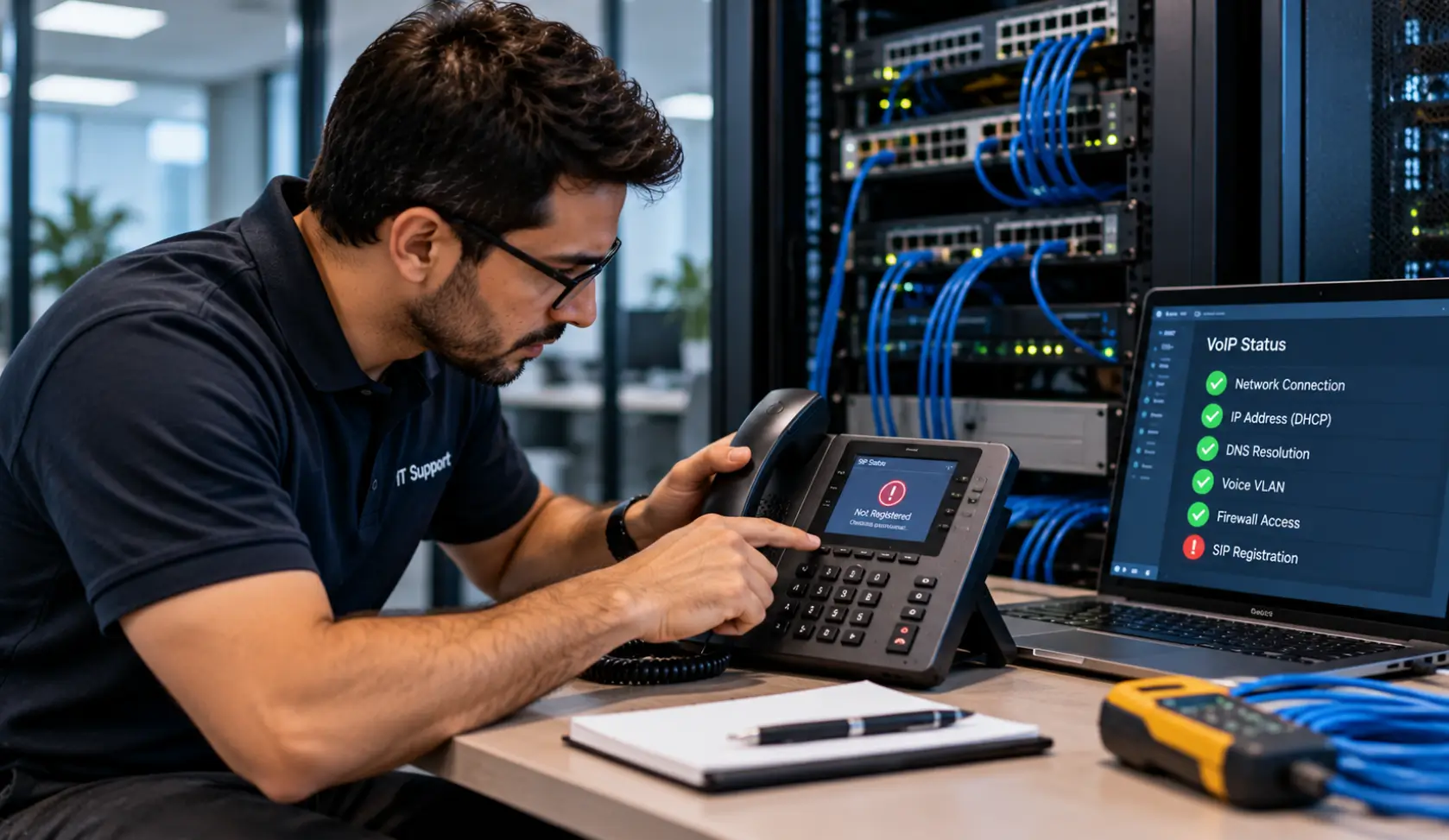
A desk phone powers on but says “Registering,” “No service,” or “Account not registered.” Incoming and outgoing calls may stop, even while computers on the same network can browse the web. Registration is the process that connects a phone or softphone account to its call platform. Several different failures can interrupt it.
Business Communication Solutions (BCS) helps Austin businesses isolate phone, network, and provider issues. Our VoIP phone troubleshooting service includes systems we did not originally install.
Emergency calling check: On supported VoIP services, use 933 to check the registered emergency address and phone number. Retest after phone moves, number ports, or configuration changes, and review the functions 933 cannot verify. Read our 933 testing checklist. In an emergency, call 911.
Start with the scope of the outage
- One phone affected: compare its power, Ethernet jack, switch port, network settings, credentials, and provisioning with a working phone.
- Several phones on one switch or floor: inspect the switch, PoE power budget, VLAN, uplink, and local cabling.
- All phones at one location: check internet reachability, router, firewall, DNS, DHCP, and the provider status.
- Only remote users or softphones: compare their local connection, app version, sign-in state, VPN, and firewall path.
Write down the exact screen message and the time the problem began. If someone recently changed an ISP, firewall, switch, VLAN, password, or provider settings, include that detail. It often reduces the search considerably.
Common reasons business phones do not register
Power and Ethernet connectivity
The phone may boot from PoE but still have an unstable connection. Test the patch cord, wall jack, switch port, and PoE status. If the device repeatedly reboots, do not focus only on account credentials.
DHCP, DNS, and voice VLAN settings
Phones need the correct IP configuration and a way to resolve the platform address. A DHCP change, DNS failure, or wrong voice VLAN can leave a phone on the network but unable to reach provisioning or registration services. Verify the values against a working phone on the same system.
Firewall, NAT, and internet access
A new firewall rule, blocked destination, unstable connection, or NAT behavior can interfere with registration. Avoid opening broad inbound ports based on a generic internet checklist; confirm the requirements for your specific phone platform and provider.
Provisioning and account details
A new handset may need the correct provisioning URL, extension assignment, credentials, firmware, and device authorization. If one phone stopped after a password change or replacement, confirm its configuration before resetting the whole system.
Provider or PBX availability
If all phones across different networks lose registration, verify whether the hosted service or on-premise PBX is reachable. Check any provider notice, local server power, and recent maintenance. A failed server or provider issue calls for a different response than a single bad cable.
What Does a VoIP Phone Need to Register?
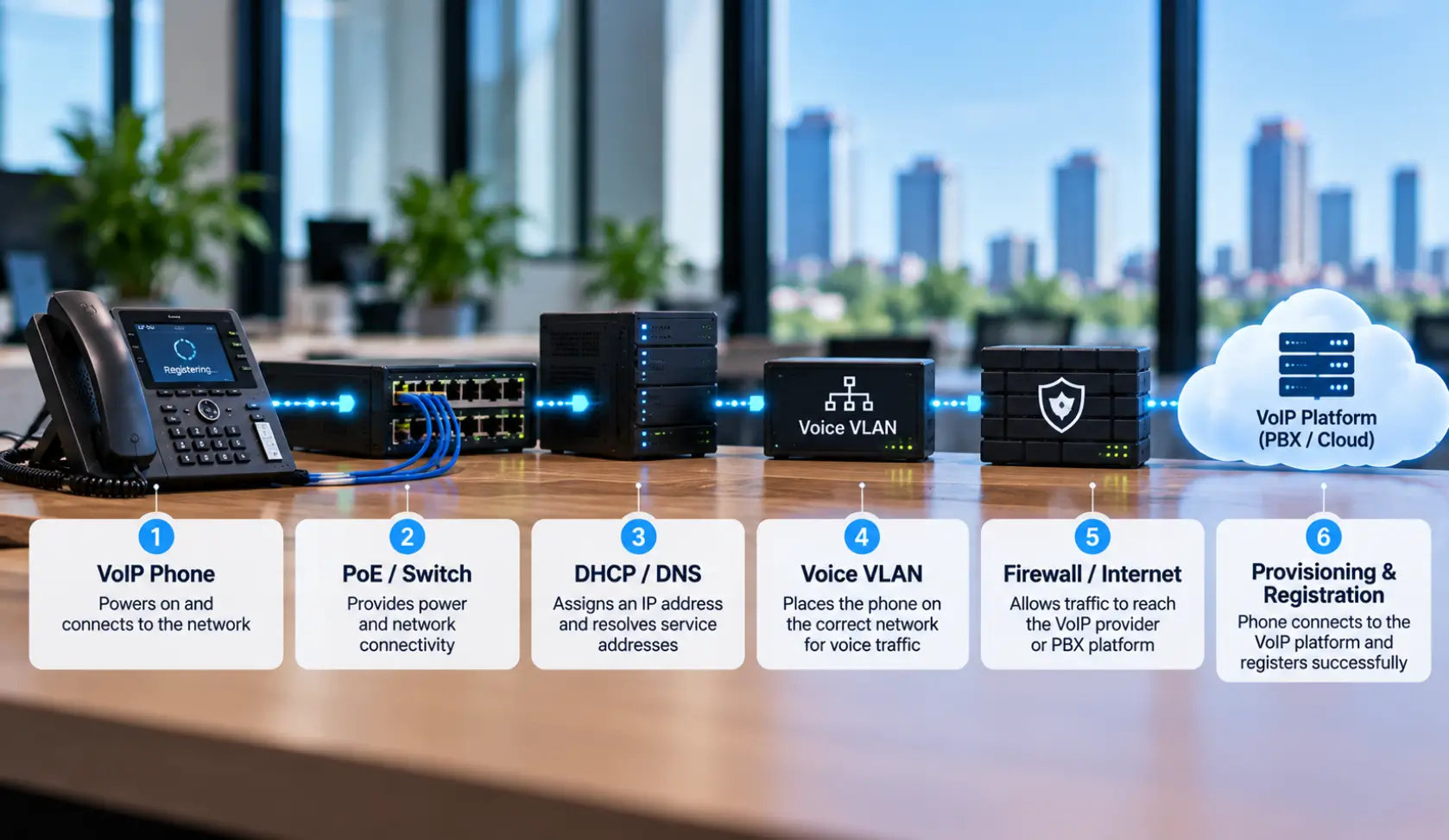
A business phone does more than receive power and connect to an Ethernet cable. Registration depends on several parts of the network and phone system working together.
A typical registration path looks like this:
Power/PoE → Ethernet connection → IP address → DHCP/DNS → Voice VLAN → Network/Internet path → Provisioning → VoIP platform
If one part of this path fails, the phone may have power and still remain stuck on “Registering,” “Not Registered,” or “No Service.”
For example, a phone can receive an IP address from DHCP but still fail to register if it cannot reach the required VoIP service, has the wrong voice VLAN, has incorrect provisioning information, or cannot resolve the required service address.
This is why replacing the phone or factory-resetting it should not be the first troubleshooting step. The network path and registration dependencies should be checked first.
What to do before resetting a phone
- Take a photo of the error and record the phone model, extension, and affected location.
- Check whether other phones and softphones work. Test one known working cable or switch port if available.
- Document the current network and provisioning settings if you have access.
- Contact your provider or IT support before a factory reset; a reset can erase settings needed to reconnect.
- After a fix, verify inbound and outbound calls, transfers, voicemail, and emergency calling procedures according to your organization’s process.
When your installer is no longer available
You do not have to abandon a phone system at the first registration issue. BCS can assess what platform you have, what administrator access remains, and whether the existing equipment can be restored. If support or licensing is no longer available, we can help plan a practical migration rather than guessing at replacement.
If poor audio accompanies the registration problem, read why VoIP calls sound choppy. If you are comparing systems, visit our Austin business phone systems page. For an active outage, request local phone-system troubleshooting.
Frequently asked questions
What does ‘Account Not Registered’ or ‘No Service’ mean on an IP phone?
It means the desk phone cannot establish a valid SIP handshake with its cloud platform or local PBX. The phone cannot receive inbound calls or place outbound calls until network pathing, DNS resolution, or SIP authentication is restored.
Why do computers have internet access while the phones right next to them fail to register?
Web browsing uses HTTP/HTTPS over TCP, whereas VoIP uses SIP and RTP over UDP and often routes through a separate Voice VLAN. Firewall blocks, incorrect DNS server assignments, or disabled voice subnets can disable phones while PC internet works fine.
Should I factory reset a desk phone that refuses to register?
Never factory reset a phone without documenting its existing configuration and confirming you possess the provider’s provisioning server URL and SIP credentials. A blind reset will wipe local settings and may permanently brick the device until a technician re-programs it.
What is SIP ALG, and why does it cause registration errors?
SIP Application Layer Gateway (SIP ALG) is a router setting intended to assist VoIP traffic, but it frequently rewrites and corrupts SIP packet headers, terminating registration sessions. Disabling SIP ALG on your commercial firewall is a standard VoIP best practice.
How do Voice VLANs impact phone registration?
When managed network switches assign phones to a designated Voice VLAN, the phone must receive appropriate DHCP option tags (like Option 66). If a switch port configuration resets to default untagged data, the phone cannot find its call controller.
Can a phone have internet access and still fail to register?
Yes. Basic network access does not prove the phone has the right DNS, VLAN, provisioning, credentials, firewall path, or provider connectivity.
Should I factory reset a phone that will not register?
Only after you know how it will be provisioned again. First capture its current settings and compare it with a working phone.
Can BCS help if another company installed the system?
Yes. We can inspect many existing cloud and on-premise systems. The available admin access and platform support determine the next steps. Contact BCS with the system name and symptoms.