

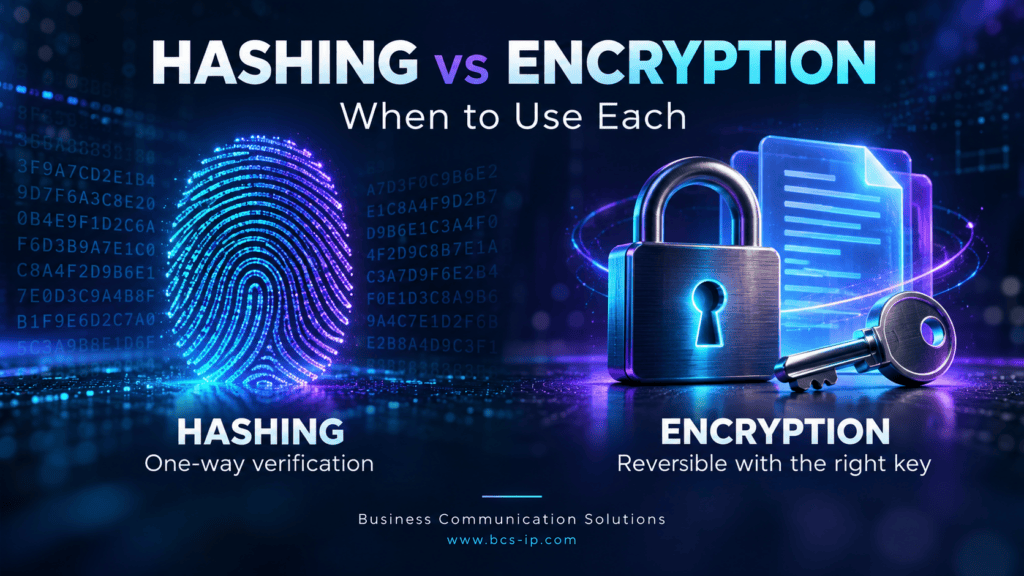
Passwords, customer records, payroll files, and backups all need protection. But they do not all need the same kind of protection. Two terms you will often hear are hashing and encryption.
The main difference is what happens afterward: hashing creates a value used for verification; encryption protects information that authorized users need to read again. Understanding that difference helps business owners ask better questions about how their data is handled.
Watch: What is hashing and when is it used?
A short introduction to hashing before the comparison with encryption below.
Hashing vs encryption at a glance
| Question | Hashing | Encryption |
|---|---|---|
| Main purpose | Verify data or detect changes | Keep data confidential |
| One way or two way? | One way; no decryption operation | Two way; decrypt with the appropriate key |
| Can you recover the original? | Not by reversing the hash | Yes, through authorized decryption |
| Does it need a key? | Ordinary hashes do not; HMAC uses a secret key | Yes |
| Output size | Fixed for algorithms such as SHA-256 | Generally grows with the amount of data, plus overhead |
| Typical uses | File checks; specialized password verification | Files, backups, stored records, secure communications |
These are different tools that often work together. Sources: OWASP password storage guidance and RFC 5116 authenticated encryption.
What is hashing?
A cryptographic hash function processes data and produces a digest, often described as a digital fingerprint. With the same algorithm and identical input bytes, you get the same digest. A small change to the input generally produces a very different digest.
For example, after downloading a software installer, you can calculate its hash and compare it with the publisher’s trusted value. A mismatch signals that the files differ. A match does not prove the software is safe; you must also trust the source of the expected hash.
Hashing is one way because it has no operation that decrypts the digest back into the original. Secure algorithms make finding an input for a given digest computationally impractical. Collisions—different inputs with the same digest—are possible, but a secure hash makes them impractical to find. Source: NIST hash functions.
Watch: Encryption explained: protect your business data
A short introduction to encryption and protecting readable information.
What is encryption?
Encryption transforms readable information, called plaintext, into ciphertext. Decryption uses the appropriate key to recover the original. That is why encryption is described as two way.
Think of an encrypted customer file: your business still needs to open it. Hashing that file would only create a fingerprint; it would not preserve a readable copy inside the hash.
Encryption can protect stored documents, databases, laptop drives, and backups. Its effectiveness depends on the implementation, access controls, and protection of the keys. Use established libraries and authenticated encryption, such as AES-GCM, which also detects tampering. Source: OWASP cryptographic storage guidance.
How does output size differ?
SHA-256 produces a fixed size digest
SHA-256 produces 256 bits, or 32 bytes. Displayed as hexadecimal text, that is 64 characters. A short sentence and a large file both produce the same size SHA-256 digest. SHA-512 produces 512 bits, or 64 bytes, commonly displayed as 128 hexadecimal characters. Source: NIST Secure Hash Standard.
This does not make hashing a form of file compression: you cannot reconstruct the file from its digest. Also, fixed length is algorithm specific. Functions such as SHAKE support a selectable output length. Source: NIST hash functions.
Encrypted output depends on the input and format
Encrypting a large file generally produces a large encrypted file. The output must preserve enough information to recover the original.
For a concrete example, RFC 5116’s AES-GCM construction adds a 16-byte authentication tag to the ciphertext. Encrypting 1,000 bytes therefore produces 1,016 bytes in that construction, before separately stored nonce information, headers, or text encoding. Other formats have different overhead. Source: RFC 5116.
AES-256 refers to a 256-bit key, not a 256-bit output. Increasing key size does not make every encrypted file the same length.
Why should login passwords be hashed?
A login system usually needs to verify your password, not retrieve it. It stores a password verification record and checks a submitted password against it. That is also why a properly designed reset process replaces a forgotten password instead of emailing the original.
Use a dedicated password hashing method such as Argon2id, with a unique random salt and appropriate cost settings. Plain SHA-256 is too fast for password storage: attackers can test guesses rapidly.
A salt helps prevent precomputed attacks and ensures identical passwords do not normally create identical stored records. It is stored alongside the verification data and does not need to be secret. The record also includes algorithm and cost information.
One way does not mean uncrackable. Attackers can hash password guesses and compare results. Strong passwords, suitable hashing, and MFA remain important. A password manager is different: it must retrieve saved passwords, so its vault needs encryption. Source: OWASP password storage guidance.
When should you choose hashing or encryption?
- Need to check whether a file changed? Use a secure hash and compare it with a trusted reference.
- Need to verify a login password? Use specialized salted password hashing.
- Need to read customer records, payroll, or backups later? Use encryption with appropriate access and key management.
- Need to detect malicious message changes between parties sharing a secret? Use an established authentication mechanism such as HMAC. A plain hash alone is insufficient if an attacker can replace both the message and its hash. Source: RFC 2104 HMAC.
Can hashing and encryption be used together?
Yes. A website can protect a password while it travels using HTTPS, then verify it against a stored password hash. TLS 1.3, the protocol behind modern secure connections, uses encryption and hash-based mechanisms for different parts of connection security. Source: RFC 8446 TLS 1.3.
For a business, the useful question is: “What are we protecting, and what must we be able to do with it afterward?” A vendor saying “we use encryption” does not explain how login credentials, backups, access, and keys are managed.
Get help protecting your business data
Business Communication Solutions helps businesses in Austin, Houston, and Lampasas assess cybersecurity needs and improve protection for their systems and data. Learn more about our cybersecurity services.
Austin: 512-257-1433
Houston: 281-815-8784
Lampasas: 512-865-4000