

The NEC SL2100 is a business telephone system designed to support traditional telephony and Voice over IP (VoIP) communication. It can use SIP trunks and IP extensions to connect business phone users and external telephone services.
However, these connections require available VoIP resources. When the system does not have sufficient resources for its configuration or simultaneous call requirements, users may experience call failures or busy signals.
Understanding how VoIP resources work, what affects their availability and how to investigate resource-related problems can help businesses maintain reliable telephone communication.
In this guide, we explain NEC SL2100 VoIP channel capacity, common resource limitations, troubleshooting considerations and ways to evaluate system expansion requirements.
You can also explore our Business Telephone Systems service page to know more about telephones.
What Are VoIP Resources in the NEC SL2100?
VoIP resources are processing resources used to handle voice communication over an IP network.
On the NEC SL2100, these resources support functions involving SIP trunks and SIP stations. They help the system process the voice traffic required for IP-based telephone connections.
The system includes built-in VoIP resources, with additional capacity available through compatible hardware and licensing options.
According to NEC’s published product information, the SL2100 has eight standard built-in VoIP channels and can be expanded up to 128 channels with the appropriate configuration.
These resources are relevant to businesses using:
- SIP trunks for external telephone connectivity.
- SIP-based IP extensions.
- IP telephony across business locations.
- Network-based voice communication.
The available capacity must be evaluated against the actual system configuration and communication requirements.
How Many VoIP Channels Does the NEC SL2100 Support?
The NEC SL2100 provides eight built-in VoIP resources as standard.
Additional capacity can be configured using the compatible VoIP Daughter Board (VoIPDB) and the required channel licenses.
The system’s maximum supported capacity is up to 128 VoIP channels, subject to the appropriate hardware, licensing and configuration requirements.
The following table provides a general overview:
| Configuration | VoIP resource capacity |
|---|---|
| Standard CPU resources | 8 channels |
| With compatible VoIPDB | 16 channels |
| With additional channel licenses | Expandable in supported increments |
| Maximum supported capacity | Up to 128 channels |
The exact expansion requirements should be checked against the installed CPU, VoIPDB, licenses, software version and system configuration.
Important: The maximum supported capacity does not mean every NEC SL2100 installation automatically has 128 available channels. The actual number depends on the hardware and licenses installed.
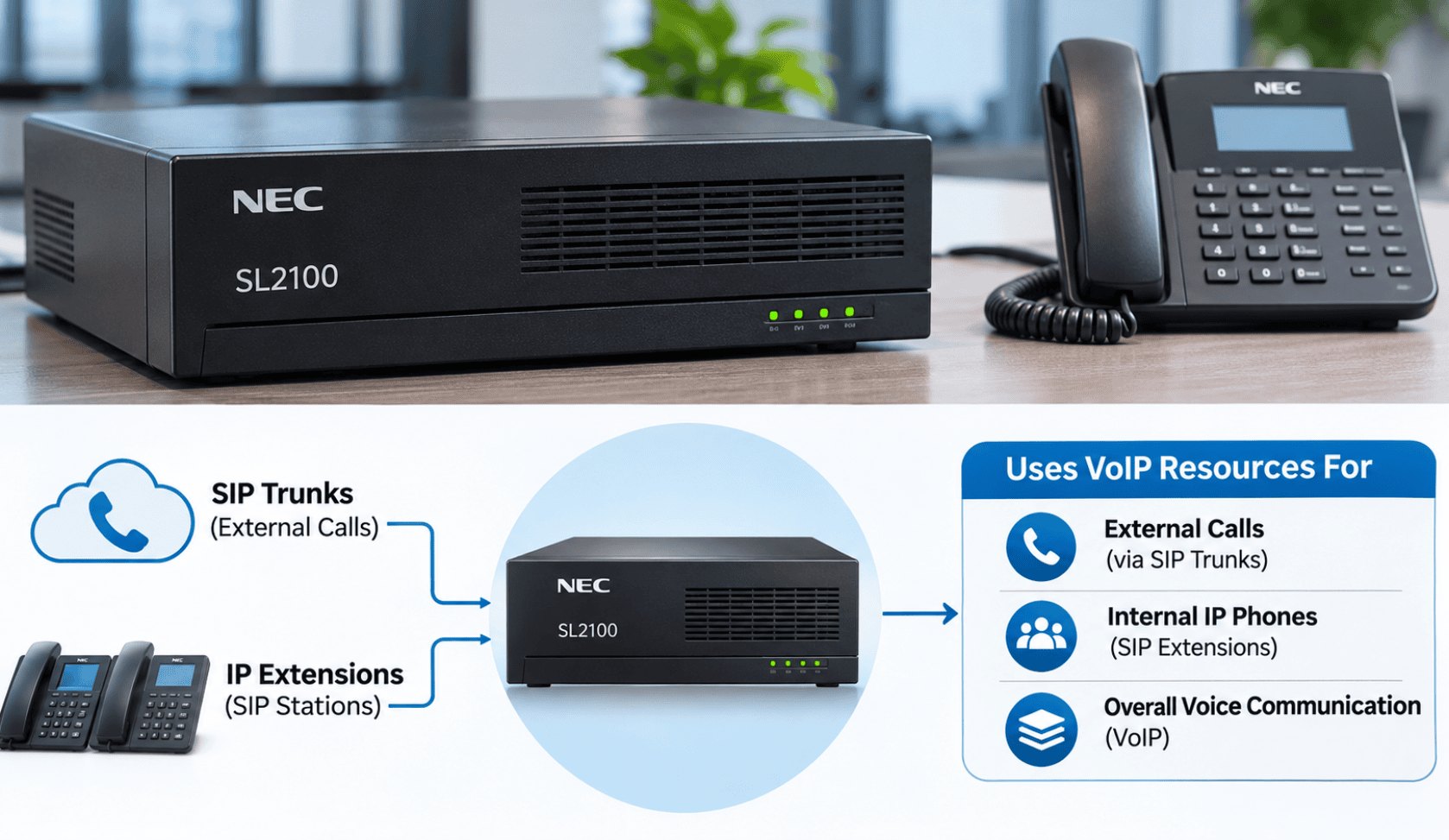
How SIP Trunks and IP Phones Use VoIP Resources
One important part of NEC SL2100 capacity planning is understanding how different IP connections use system resources.
SIP Trunks
SIP trunks provide an IP-based connection between a business telephone system and a telephone service provider.
They allow businesses to make and receive external calls over an IP network rather than relying entirely on traditional telephone lines.
The NEC SL2100 uses VoIP resources to support its SIP trunk functionality.
The number of configured trunks, available resources and simultaneous call requirements should all be considered when planning capacity.
SIP Stations and IP Extensions
SIP stations allow compatible IP phones to register with the telephone system using Session Initiation Protocol.
They provide an alternative to traditional digital or analog extensions and can support business users connected through an IP network.
Registered SIP stations also require VoIP resources on the NEC SL2100.
Why Resource Allocation Matters
The NEC SL2100 networking documentation describes a relationship between registered SIP stations, SIP trunks and VoIP DSP resources.
This means that resource availability should not be evaluated only by counting the number of physical telephones or telephone lines.
A proper assessment should consider:
- The number of registered SIP stations.
- The number of configured and active SIP trunks.
- The available VoIP DSP resources.
- Resource allocation settings.
- The expected simultaneous communication requirements.
A system may have sufficient telephone extensions but still require additional VoIP resources depending on how those extensions and trunks are configured.
Why Does the NEC SL2100 Show a VoIP Busy Signal?
A VoIP-related busy signal or failed call can have several possible causes.
Insufficient VoIP resources are one possibility, but the symptom alone does not prove that the system has reached its resource limit.
Some common areas to investigate include:
1. Insufficient VoIP Resources
If the required VoIP resources are unavailable, the system may not be able to establish additional IP-based voice connections.
This can become noticeable when multiple users or external calls need to use the system simultaneously.
2. Incorrect Resource Allocation
The NEC SL2100 includes programming options for assigning VoIP DSP resources to different purposes, including SIP extensions and trunks.
Incorrect or unsuitable resource allocation may affect how the system handles IP-based connections.
3. SIP Trunk Registration Problems
A SIP trunk that cannot register correctly with its service provider may cause incoming or outgoing call problems.
Possible causes include incorrect SIP settings, authentication issues, provider-side problems or network connectivity failures.
4. Network Connectivity Issues
VoIP communication depends on the underlying IP network.
Network interruptions, routing problems, firewall restrictions and unstable connectivity can affect SIP registration and voice communication.
5. Bandwidth and Quality of Service Problems
VoIP traffic requires suitable network performance.
Insufficient bandwidth, high latency, jitter and packet loss can affect call quality or stability.
Quality of Service (QoS) settings can help prioritize voice traffic on supported network equipment.
These issues should be investigated separately from VoIP resource capacity because adding channels will not automatically resolve an underlying network problem.
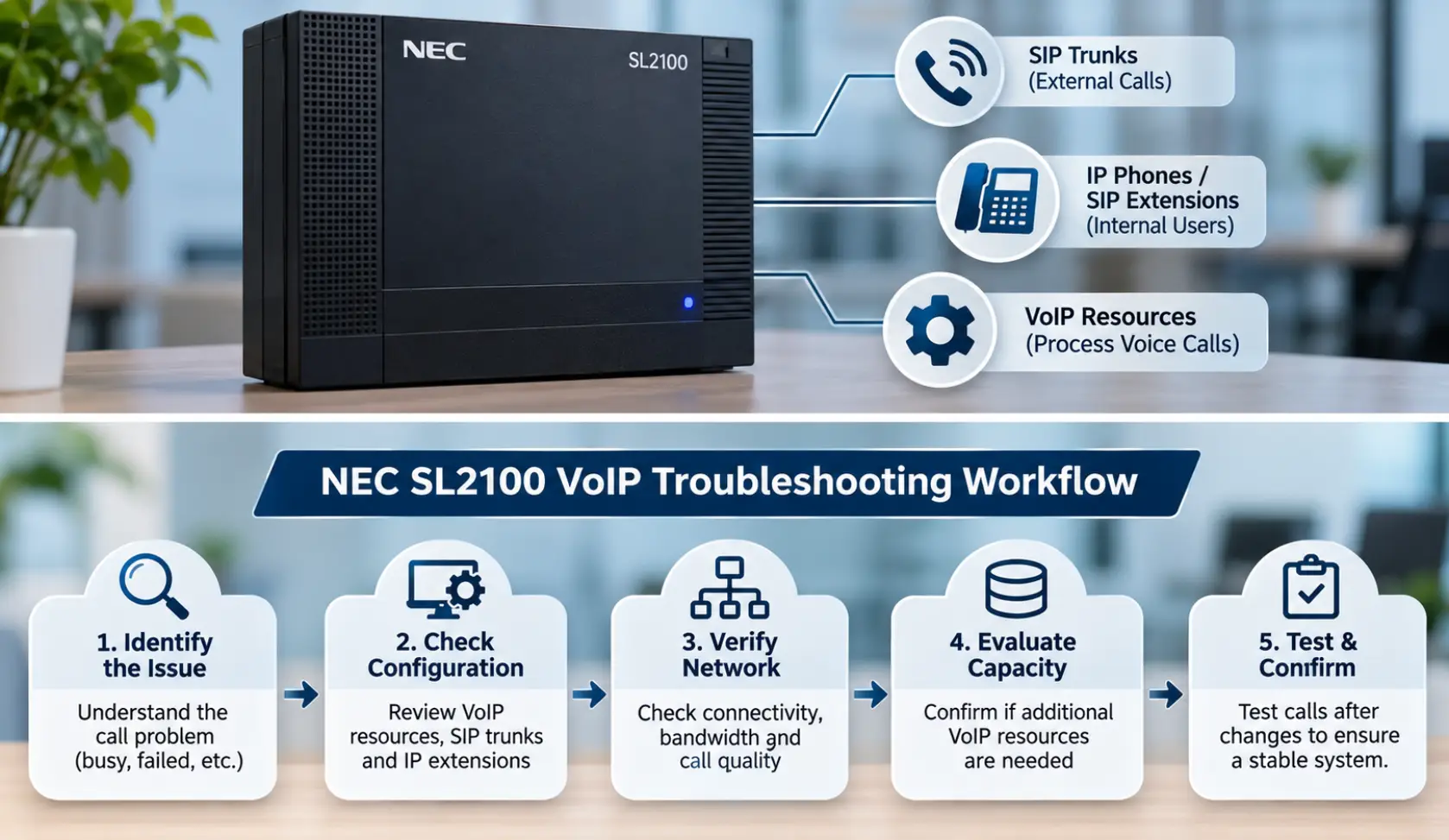
How to Troubleshoot NEC SL2100 VoIP Resource Problems
A structured troubleshooting process helps identify whether the issue is related to system capacity, programming, SIP registration or network performance.
Step 1: Identify the Call Failure
Start by identifying exactly what users are experiencing.
Check whether the problem affects:
- Incoming calls.
- Outgoing calls.
- Internal calls between IP extensions.
- Calls involving SIP trunks.
- Multiple users or only specific extensions.
Also determine whether the problem occurs continuously or only during busy periods.
This information helps narrow down the possible causes.
Step 2: Review the Installed VoIP Hardware
Check the system’s installed hardware and available resources.
Identify whether the installation has:
- Standard built-in CPU VoIP resources.
- A compatible VoIP Daughter Board.
- Additional VoIP channel licenses.
Do not assume that the system has expanded capacity simply because the model supports expansion.
Step 3: Check SIP Trunk and Extension Registration
Review the registration status of SIP trunks and IP extensions.
Look for registration failures, authentication errors, incorrect server details or other configuration problems.
Where necessary, coordinate with the SIP service provider to verify its service status and connection requirements.
Step 4: Review VoIP Resource Allocation
The NEC SL2100 programming documentation includes Program 10-19, which controls VoIP DSP resource selection on the VoIPDB.
The available resource assignments include options for:
- Common use by IP extensions and trunks.
- IP extension use.
- SIP trunk use.
- Networking.
A qualified technician should review these settings against the actual system configuration before making changes.
Incorrect programming can affect the availability of resources for different communication functions.
Step 5: Investigate Network Performance
If resource availability and SIP configuration appear correct, investigate the IP network.
Review:
- Network connectivity.
- Available bandwidth.
- Latency and jitter.
- Packet loss.
- Firewall and routing configuration.
- QoS settings.
Network-related problems can produce symptoms that look similar to telephone system capacity issues.
Step 6: Test the System After Changes
After any approved configuration or hardware changes, test the affected call paths.
Verify incoming and outgoing calls, internal IP extension communication and the functions that were previously experiencing problems.
Testing should confirm that the issue has been resolved without affecting other telephone system operations.
How to Expand NEC SL2100 VoIP Capacity
When an installation genuinely requires more VoIP resources, the system may be expanded using compatible hardware and channel licenses.
Install the Compatible VoIP Daughter Board
The VoIP Daughter Board is an expansion component used to increase the system’s VoIP resource capacity.
The installed hardware must be compatible with the specific NEC SL2100 system.
Add the Required VoIP Channel Licenses
Additional VoIP channel licenses can increase the supported resource capacity when the required hardware is installed.
The number of licenses needed depends on the existing configuration and the capacity required.
Review the Complete System Configuration
Before expanding the system, review:
- Current VoIP resource availability.
- SIP trunk requirements.
- Registered IP extensions.
- Expected simultaneous calls.
- Installed expansion hardware.
- Existing licenses.
- Compatibility with the system software.
Adding hardware or licenses without reviewing these requirements may not resolve the original problem.
Common NEC SL2100 VoIP Configuration Mistakes
Some configuration issues can affect IP telephony performance and make troubleshooting more difficult.
Common mistakes include:
- Assuming that the maximum supported channel capacity is already available.
- Ignoring the resources required by registered SIP stations.
- Overlooking SIP trunk registration problems.
- Changing resource assignments without understanding their purpose.
- Ignoring network latency, jitter and packet loss.
- Installing expansion components without checking compatibility.
- Adding channel licenses without verifying the required hardware.
- Making programming changes without testing the affected call functions.
A proper configuration review should consider the telephone system, SIP service and supporting network together.
When Should You Get Professional NEC SL2100 Support?
NEC SL2100 troubleshooting can involve hardware inspection, programming, SIP registration, network diagnostics and capacity planning.
If multiple users experience call failures, SIP trunks stop registering or the system repeatedly encounters VoIP-related problems, a qualified telephone system technician should investigate the configuration.
Professional assessment can help identify whether the problem involves:
- VoIP resource limitations.
- SIP trunk configuration.
- IP extension registration.
- Network connectivity.
- Hardware or licensing requirements.
- Other telephone system settings.
For businesses using NEC telephone systems, reviewing the existing infrastructure before making hardware or programming changes can help avoid unnecessary upgrades and recurring communication problems.
You can also explore BCS’s Business Telephone Systems and Legacy Phone System pages for information about its telephone system offerings.
Frequently Asked Questions
1. How many built-in VoIP channels does the NEC SL2100 have?
The NEC SL2100 has eight built-in VoIP resources as standard. Additional capacity can be configured through compatible expansion hardware and channel licenses.
2. What is the maximum VoIP capacity of the NEC SL2100?
The NEC SL2100 supports expansion up to 128 VoIP channels, subject to the required hardware, licenses and system configuration.
3. What is a VoIP Daughter Board in the NEC SL2100?
The VoIP Daughter Board is an expansion component that increases the system’s available VoIP resource capacity. It is used with the appropriate configuration and channel licensing.
4. Why does my NEC SL2100 show a VoIP busy signal?
A VoIP busy signal may be related to unavailable VoIP resources, SIP registration problems, network connectivity or other configuration issues. The exact cause should be identified through system diagnostics.
5. Do SIP trunks and IP extensions use VoIP resources?
Yes. Registered SIP trunks and SIP stations require VoIP DSP resources on the NEC SL2100. Resource requirements should be reviewed when planning system capacity.
6. Can I add more VoIP channels to an NEC SL2100?
Yes. The system supports additional VoIP capacity through compatible expansion hardware and channel licenses. The exact requirements depend on the installed configuration.
7. Will adding VoIP channels fix every NEC SL2100 call problem?
No. Additional channels can address genuine resource limitations, but they will not automatically resolve SIP registration errors, network problems, incorrect programming or provider-side issues.
Related Guides
- How to Choose the Right Business Phone System
- Selecting the Right VoIP Phone Service for Your Business
- Affordable VoIP Phone Systems in Austin
- VoIP Quality of Service (QoS) Improvements
- Benefits of Call Recording for Business Communications
- Allworx Interact Integration with Google Chrome and Firefox
- Voice Cabling Services for Business Phone Systems
- Professional Voice and Data Cabling Services