

While finding the fastest internet plan may seem like an obvious solution for a quick online connection, there are various ways a homeowner or business can improve their network performance, starting with the cabling.
Whether upgrading to a new home or office, remodeling an existing space, or struggling with connectivity issues, data cabling installation offers a more reliable and organized network foundation.
Before diving into the task of running hundreds or thousands of feet of cable throughout your home or business, there are a few vital considerations to keep in mind, from understanding your needs and long-term management requirements to choosing the right service provider. In this guide, we’ll cover the top 7 things to keep in mind while planning your next data cabling installation.
Top 7 Things to Know Before Your Next Data Cabling Installation
Know Your Network Needs
When planning a network data cabling installation, it’s vital to understand your current and future network needs.
For a residential network, this might include a home office, smart TVs or game consoles, desktop computers and workstations, access points, or security cameras. For commercial network needs, the considerations may include computers, VoIP phones, printers, servers, access points, and security cameras.
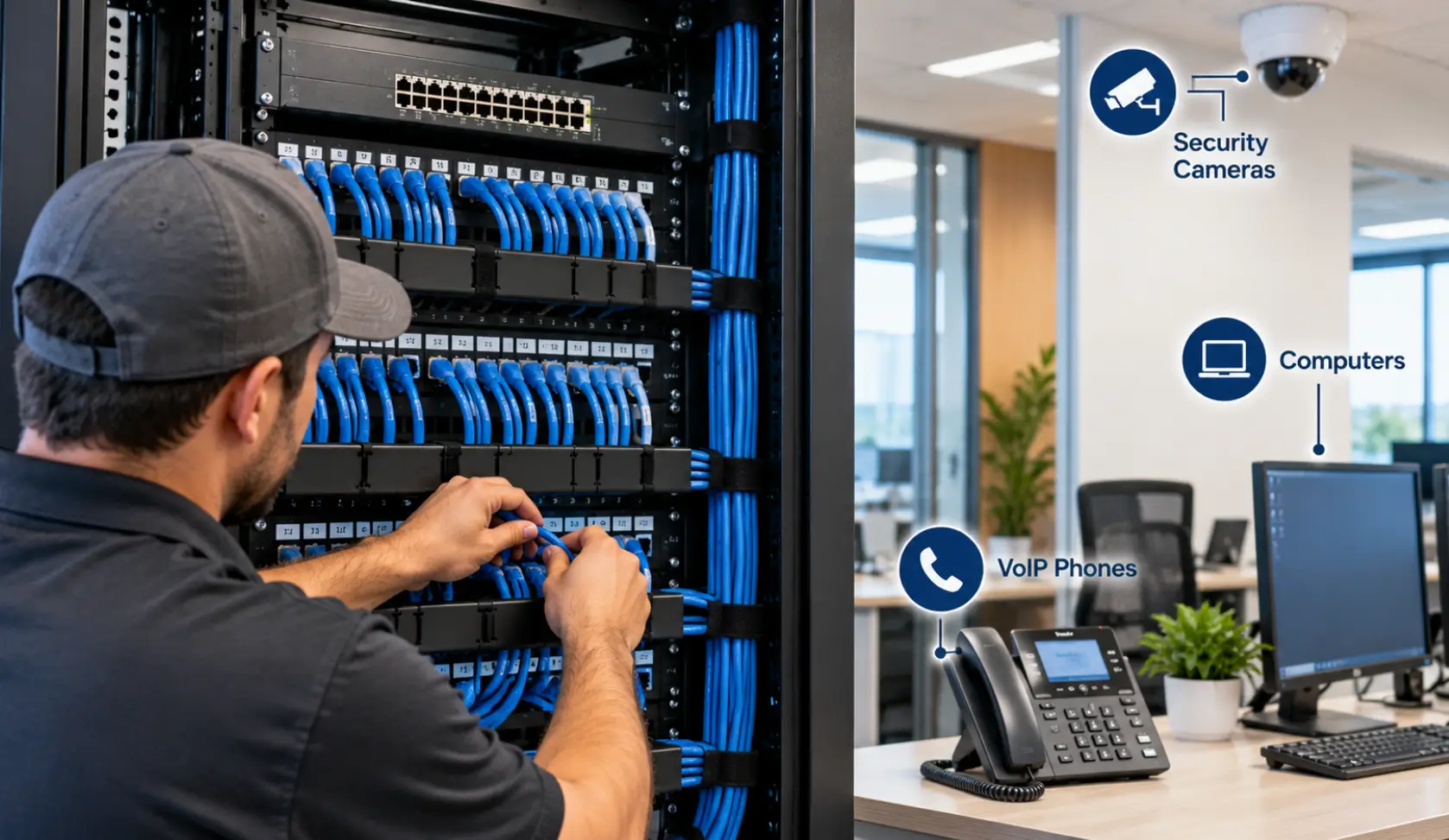
Knowing where these pieces of technology are (or where they may be) helps determine where data jacks can be placed and where cables can be run. Being organized when planning can prevent extra work from having to re-route data in the future.
Our team at BCS helps both residential and small business customers with network installations that include Cat5e, Cat6, Cat6a, coaxial, and fiber optic cabling, as well as wired and wireless network support.
Understand Your Cabling Needs
Several factors go into determining which cabling to choose for a network data cable installation.
Depending on a network’s needs, property type and layout, and the distance of the cable runs, Ethernet or fiber optic cabling may be needed to support a home or business network. Some types of cabling include Cat5, Cat5e, Cat6, coaxial, and fiber, each with its own benefits and uses.
For example, Cat5e is a great option for most residential network needs, while fiber optics may be needed for commercial applications that rely on a high-speed connection. Copper Ethernet cabling has a shorter range than fiber optics.
BCS offers Cat5, Cat5e, Cat6, and other cabling options to meet residential and commercial network needs.
The right type and gauge of cable should be chosen based on current and future needs, not just what appears to be the latest and greatest.
Learn About Your Cable Routes
A network data cable installation isn’t as simple as running the cable from Point A to Point B.
Cable routes should be planned based on the property type or layout, as well as any existing infrastructure. This means that a residential installation may take cabling through an attic or ceiling, while a commercial job may have the option to route through a server closet or office space in addition to running throughout an open workspace.
Some cabling installations can also require additional protection, such as exterior cable runs in PVC or underground conduit, or underground or fiber connections between buildings. Knowing where to route the cabling is just as important as knowing where to place the jacks.
Planning routes can also be a matter of appearance; some customers would prefer organized, neat cable runs rather than having cables running visibly across the ceiling or otherwise exposed.
Don’t Forget About Cable Management
A network installation with excellent organization can appear much neater and more professional than one with poor or no cable management. It can also make identifying, replacing, or repairing a faulty network connection easier.
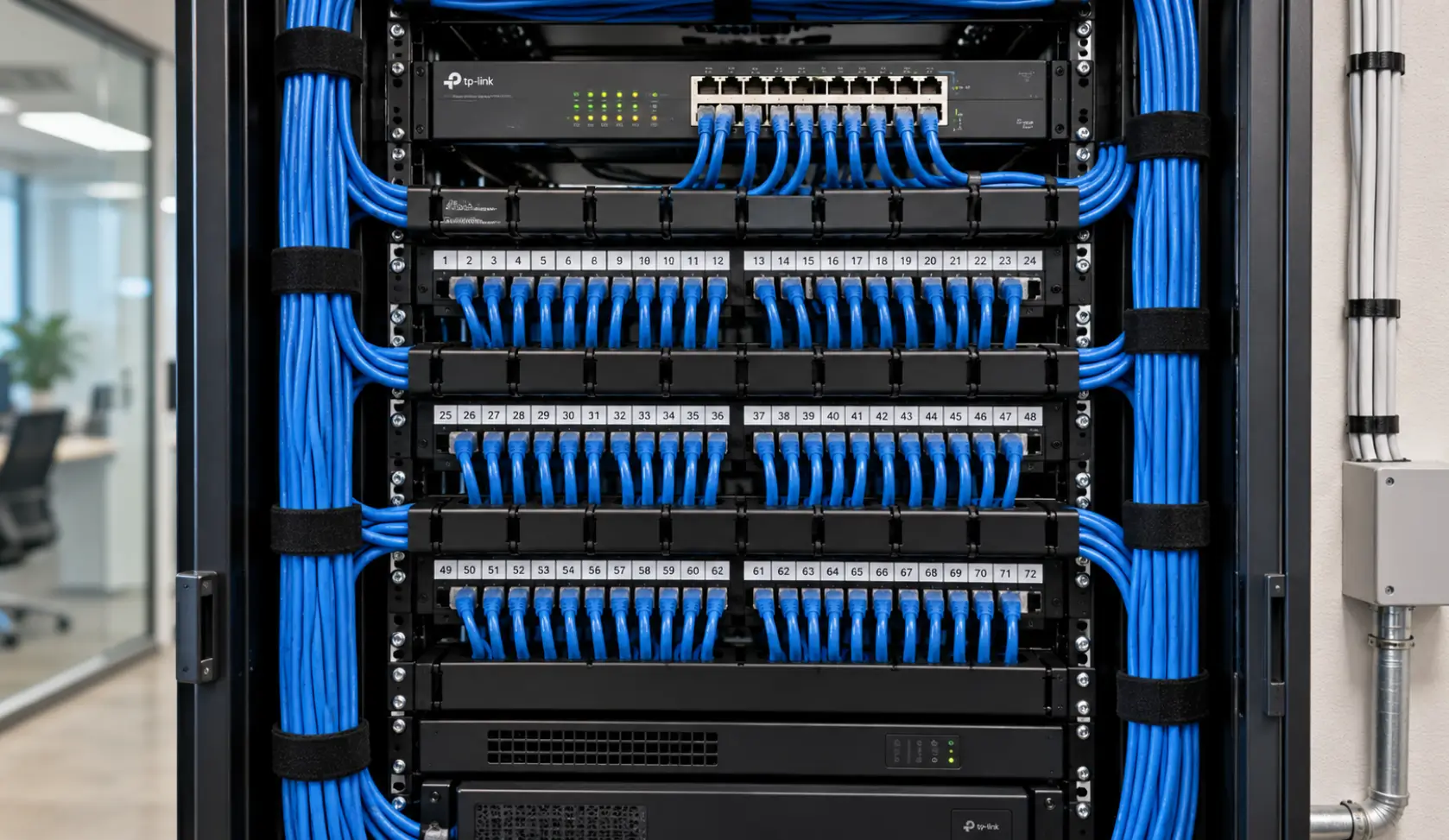
A network data cable installation is more than just running cable through walls or ceilings and terminating it at a jack. Proper cable management can involve routing the cable to avoid sharp bends, using patch panels, network racks, and wall jacks, and labeling connections so that it is easily identifiable if a problem develops.
Depending on the project, cable management can include patch panel termination, network rack installation, running cable through raceway or other protective materials, and much more. For example, BCS provides 48-port patch panel installation, Cat6 data cabling, switch installation, and cable labeling as part of a network data cable installation.
Having an organized installation makes identifying which connection is which easier if an issue develops, which can help reduce downtime.
Know What a Professional Network Cabling Installation Entails
One of the biggest misconceptions about a network data cable installation is that it only involves running the cable. The process is much more involved and requires a number of steps to ensure proper connectivity and performance.
A professional cable installation service can include a number of tasks, such as cable route planning, selecting the right type of cable based on the network’s needs, pulling the cable, and terminating the cable at the required jacks or patch panel.
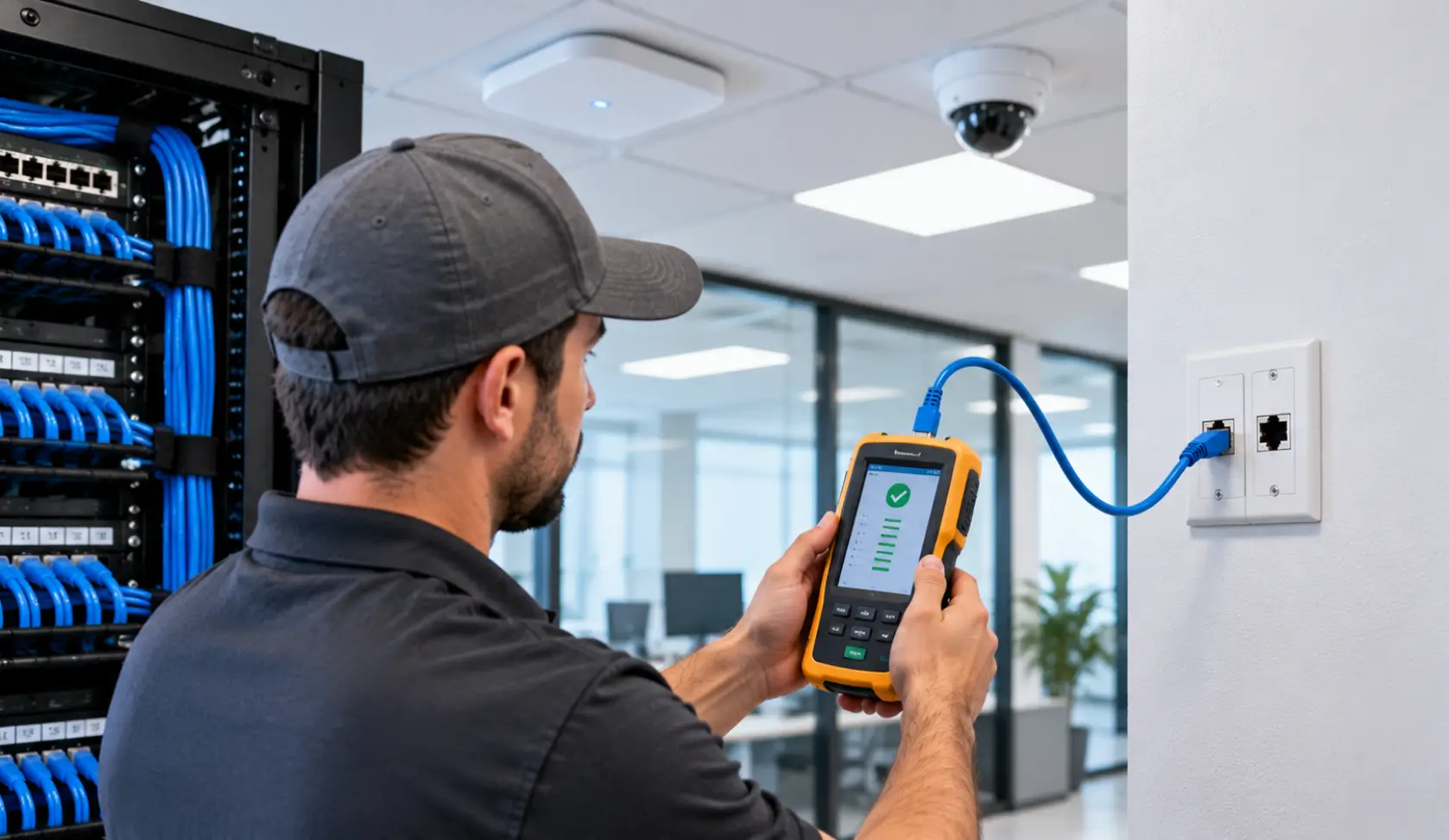
In addition to simply running the cable, a professional install will also properly test the connections and label the cables, as well as connect associated network equipment, if applicable.
BCS offers professional network cabling installation, including pulling, termination, and testing network/data cabling installation services. Testing can be a critical step since a properly terminated, labeled, and connected cable can still result in connectivity issues.
Plan for Expansion or Additional Needs
Your network needs may change in the future, and the cabling should be able to accommodate those changes if possible.
For example, a homeowner may want to add a few additional smart devices or TVs, or set up a home office in the future. A commercial customer may want to add additional employees or workstations that require network access, or set up additional VoIP phones in the future.
That’s why it can be important to get the right type of cabling, such as fiber optics, for long-distance connections, or provide additional jacks or access points if expansion is anticipated.
A building or property can also be limited by the distance of the copper ethernet cabling. Fiber optics can also be used to connect different buildings.
BCS has experience with network data cable installations that include fiber optics, as well as patch panel and switch installs, for commercial customers looking to connect multiple buildings or prepare for future expansion.
Planning in advance can help reduce time or costs spent on a full rewiring project in the future.
Hire an Installer Who Can Manage the Entire Process
A network isn’t always made up of just ethernet cables or jacks. The network may also include wireless access points, VoIP phones, security cameras, computers or switches, fiber optics, or other low voltage cabling and equipment.
Hiring a professional who has experience with network data cable installation, as well as other aspects of a network, can ensure the entire project runs smoothly. BCS specializes in low voltage cabling installation and can offer a full range of services including voice, data, coaxial, fiber, and security camera installation. We can also provide wired and wireless network installation and support for both residential and commercial customers. Whether a customer needs just one Ethernet connection installed or a full network cabling project, the goal is to ensure the network is reliable, organized, and properly tested.
Residential vs. Commercial Data Cabling Installation
There are some differences between residential and commercial data cabling installation, both in the needs and the processes involved.
Residential Data Cabling
The needs of a residential network can range from better WiFi coverage and connections to additional access points for TVs or computers to additional connections for security cameras or a home office connection.
In many cases, a network data cable installation allows a more reliable connection that can accommodate a home office or TV connection than a WiFi connection alone.
Commercial Data Cabling
The needs for a commercial network can be much broader and more complex, often including connections for computers, VoIP phones, servers, security cameras, and printers, in addition to access points for WiFi. Commercial network connections may also require additional switches, patch panels, network rack installation, and more.
BCS has experience with both commercial and residential network data cable installations. We can assist with smaller projects including a few additional jacks or connections, or help design and install a more complex commercial network cabling project that includes connections across multiple buildings.
Why Choose Our Network Cabling Installation Services?
The right professional network cabling installation can make it much easier to maintain, troubleshoot, and expand your network in the future. In addition to a faster, more reliable network connection, a professional network cabling installation can help reduce the risk of many common issues. These include:
- Poor cable termination
- Unorganized or unlabeled connections
- Extra bulk or tangled cables
- Inappropriate cabling for the needs or distance
- Poor cable routing
- Unreachable connections
- Unreliable network connections
- Inadequate cabling for future needs or expansion
Our team at BCS focuses on the individual needs of each customer and their property or business. We have been providing voice, data, fiber, coaxial, and low voltage cabling services since 2004 and serve Austin and the surrounding areas.
Need Data Cable Installation for Your Home or Business?
Whether your home or business requires a simple data jack installation or a network cabling overhaul, BCS can help design and install a reliable network cabling solution. We offer data and network cabling, fiber, voice, coaxial and low-voltage cabling services for residential and commercial customers in the Austin area.
Looking for a professional and reliable data cabling installation? Contact BCS to schedule a consultation and estimate.
Frequently Asked Questions (FAQs)
How long does it take to install data cabling?
The time needed for data cabling installation depends on the type and size of the project, the number of cable runs and jacks, the property layout, and the cable type. Smaller residential projects can be quicker, while commercial jobs or larger projects with multiple cable runs can take longer.
What type of cable should I use for my home or business network?
The cable type should be based on the network needs, distance, and future requirements. For most residential applications, Cat6 is a great choice. Fiber optics can be used for commercial applications that require a long cable run or need to connect multiple buildings.
Can data cabling be installed in my home or business?
It depends on a number of factors, including the type of cabling needed, the property, and the installation needs. Data cabling can be run through walls, ceilings, and attics, or may be run through raceways or other protective materials like PVC or underground conduit.
Should I have my data cabling tested?
Yes, data cabling should be tested to ensure proper connectivity. A professional network cabling installation should also include proper cable labeling and organization.
Can BCS install a network cabling solution for my home or business?
Yes, we can install network cabling for residential and small business customers, including data and voice cabling, coaxial, and fiber optic cabling.
Can BCS assist with an existing cabling issue?
Yes, we can help troubleshoot or repair voice or data network connections, including data jacks and cabling.