

Ordinary calls working does not prove emergency calling is ready. On supported VoIP or SIP services, 933 provides an automated readback of the registered emergency address and phone number without reaching a 911 dispatcher. Confirm availability with your provider and check the information from each relevant device and location.
BCS recommends reviewing and retesting after installation, phone moves, number ports, and configuration changes. Also review direct 911 dialing, callback handling, emergency notifications, and power or internet backup separately: a successful 933 test does not verify every emergency function or establish compliance.
933 is for testing; call 911 for an emergency. Arrange any actual 911 test in advance through your local 911 center’s non-emergency number.
Read our 933 VoIP emergency-calling test checklist →
A touchscreen business telephone can make everyday calling tasks easier to navigate for executives, office managers, and reception teams. Business Communication Solutions (BCS) helps Austin-area businesses review their telephone system requirements and identify suitable phone options based on their existing equipment, users, and calling needs.
The page features the NEC UT880 IP Touch Screen Telephone, a touchscreen desktop telephone designed to bring visual controls and business communication functions together in one device. Before selecting a model, businesses should confirm compatibility with their telephone platform and review the functions available in the intended configuration.
For broader communication requirements, explore our NEC Business Phone Systems
Touchscreen interface: Review the display and controls to see whether they suit the way employees handle calls and access phone functions.
Extension and directory needs: Consider how employees and receptionists access contacts, extensions, and call-handling features.
Telephone system compatibility: Confirm that the phone model is supported by the existing or planned business telephone platform.
Network and power requirements: Check the device’s Ethernet, power, and cabling requirements before installation.
Headset and accessory support: Verify supported headsets and accessories against the exact model specifications.
Businesses considering a specific NEC platform can review the NEC SL2100 VoIP Phone System for more information about that system.
BCS can discuss your office communication requirements and help you evaluate the available phone system options. To learn more about related NEC platforms, review the NEC business telephone system options or contact BCS for assistance.
Communications has never looked this smart
Increasing technological innovation of smartphones and tablets has led to the creation of a new breed of desktop phone. NEC’s UNIVERGE Touchscreen Desktop Telephone integrates the traditional desktop telephone and a tablet into one device—providing you with an innovative, feature-packed phone that revolutionizes your calling experience.
If you’re comparing devices for a compatible communication platform, you can also review Yealink Business Phone Devices and confirm compatibility before choosing a phone.
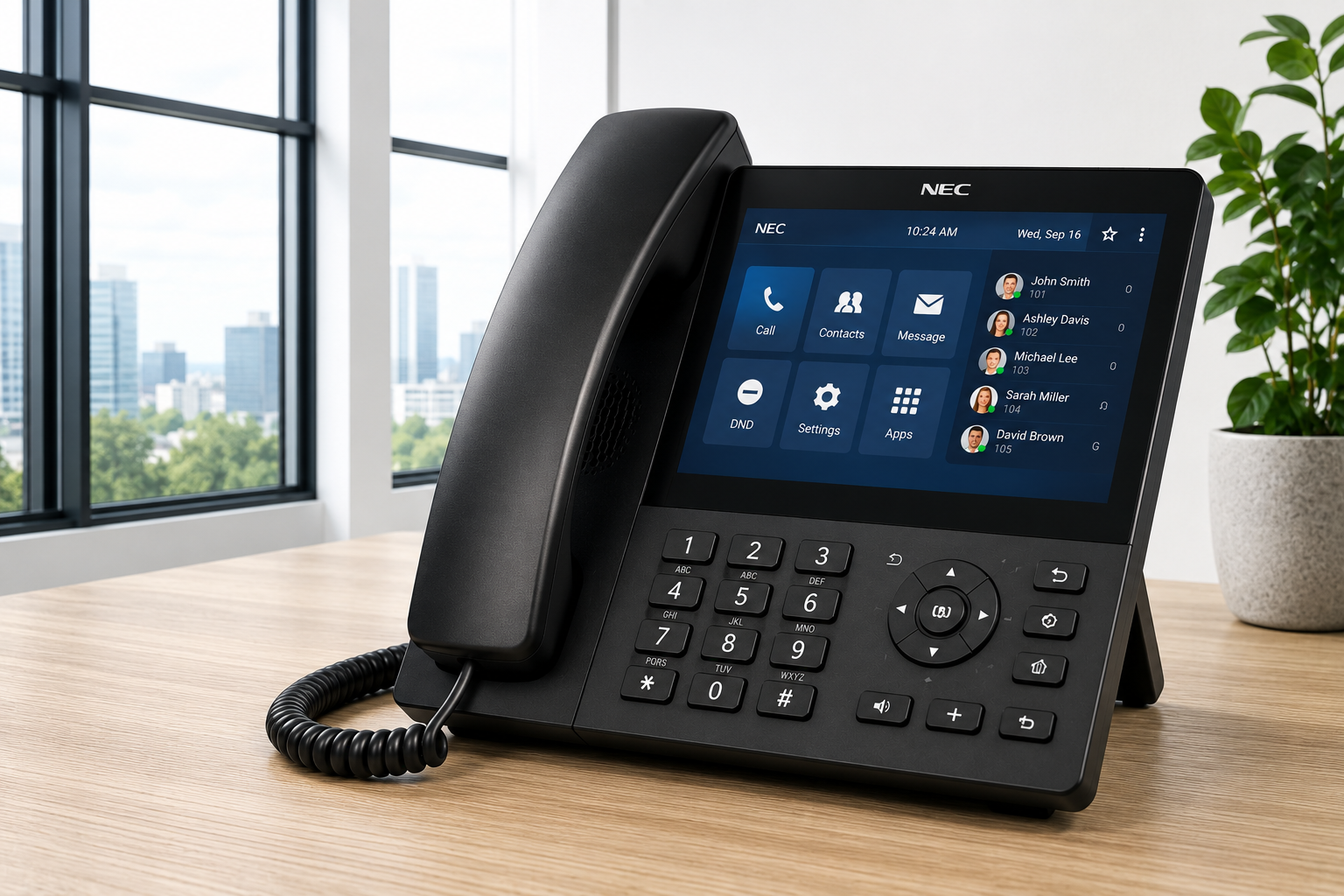
An NEC touch screen business phone is a telephone designed to combine business calling functions with a visual touchscreen interface. The available features depend on the specific model and the telephone system it uses.
The NEC UT880 IP Touch Screen Telephone is the touchscreen desktop telephone featured on this page. Businesses should review the product documentation and system compatibility requirements before selecting it for an office.
They may suit executives, receptionists, and other employees who benefit from a visual interface for daily calling tasks. The right model depends on call volume, extension requirements, workflow, and the features supported by the phone system.
Compatibility depends on the exact phone model, the existing telephone platform, software or firmware requirements, and configuration. Confirm compatibility before purchasing or deploying a device.
Network and power requirements vary by model and installation. Check the manufacturer’s specifications for Ethernet connectivity, power options, and any cabling requirements before installation.
Business Communication Solutions can discuss business communication requirements and relevant telephone system options. The appropriate equipment depends on the existing system, required features, network infrastructure, and intended configuration.
Contact Business Communication Solutions at (512) 257-1433 or austin@bcs-ip.com to discuss your business telephone requirements and available options.
Need help with your NEC Touch Screen Business VoIP Phone? BCS can troubleshoot the existing system and discuss repair or migration options in Austin and surrounding cities. Call 512-257-1433, explore phone troubleshooting, or review our migration guide.