

TROUBLESHOOTING NEC PHONE SYSTEM
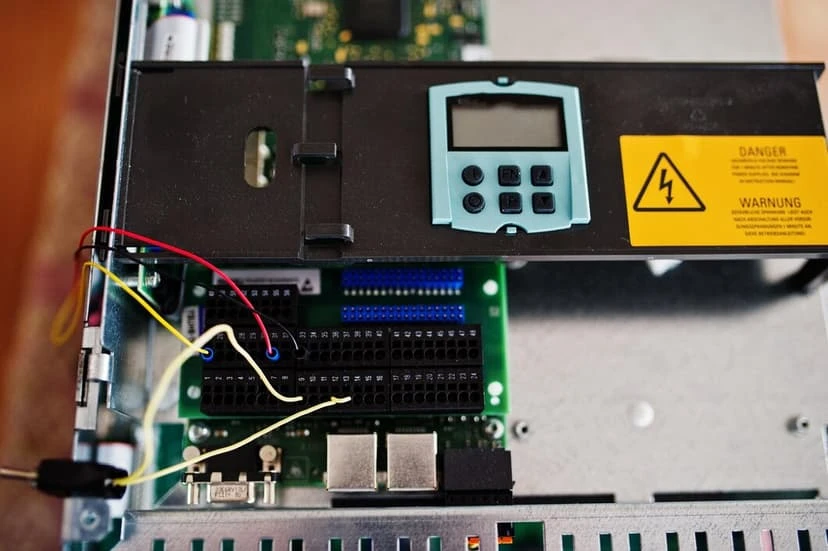
Today, a customer called about their NEC phones system. They were having problems with one of the main line has no dial tone. Our technician called and helped them over the phone to troubleshoot the issue. With his great knowledge and long experience on this field, he obviously knew exactly where to start and found the source of the problem. Simple information goes a long way. Now they are back in business by simply calling the right company and getting the proper help fast. For your phone service needs and to learn more about what our business offers, simply click on our website https://bcs-ip.vercel.app/ and we will be happy to help you. Related Guides NEC SL2100 Phone System NEC SV9100: Built Upon the Success of the NEC SV8100 Benefits of Call Recording for Business Phone Systems Selecting the Right VoIP Phone Service for Your Business Web-Based VoIP Phone System with Video, Chat & CRM Integration Managed IT Services: The Complete Austin Guide Supporting All 7 OSI Layers with Managed IT Services Importance of Network Security for Modern Businesses
SITE SURVEY
Today we received a call from a new customer to look at their business and evaluate their issue and come up with a solution. The customer has been under contract with a phone leasing company for a few years and was unable to change anything out. Their current phone system was unable to page properly, so they been resorting to physical transfer or cellular page. They weren’t getting much support from the leasing company and now that their contract is ending, they wanted to upgrade their system with something that will make their daily task more efficient. We were originally called in for a phone system upgrade but after having a meeting with the customer, it became more than just a phone issue. Their business is growing and some of their equipment is outdated. So, it turns out at the end they would not only want their phone system upgraded but also their camera. When we first meet a new customer, we like to first discuss all their issue even if its small. From there, we can find a solution that best fit their requirements. Related Guides Elevate Your Connectivity with Wireless Networking Services How Poor Data Cabling Affects Network Speed and Stability Why Professional Data Cabling Boosts Business Efficiency 3 Types of Networks Every Business Should Know Understanding Subnetting: Why It’s Crucial in Networking Managed IT Services: The Complete Austin Guide Supporting All 7 OSI Layers with Managed IT Services Low Voltage Wiring Contractor in Austin
CABLE RUN WITH RODENT INFESTATION

My team came across a job site with a mild case of rodent infestation in certain areas. We gave to customer a few option of what we can do to preserve and protect the new fiber optic cable that we called in to do. The customer wanted to save money on material and provided us with their own 3/4″ nonmetallic liquidtight. All my years in telecom, I have not yet encounter a rodent that chew through liquidtight. We approve their request and was able to complete our task in within the same day with just a few hours delay. Related Guides Low Voltage Wiring Contractor in Austin Why Professional Data Cabling Boosts Business Efficiency How Poor Data Cabling Affects Network Speed and Stability Exterior Cable Run Best Practices Outside Plant Fiber Optic Cable Outdoor-Rated Fiber for Commercial Installations Long-Distance Fiber Optic Cabling Through Woods Fiber Optic vs. Copper Against Lightning
5 locations in Austin with calls being sent to voicemail or giving busy tone and need to be integrated w/ centralized number

Problems : Customer is experiencing 4 different problems with their current system. The first problem is that clients are receiving a busy signal or being sent to voicemail when calling into a location. This issue is especially problematic at 1 particular location and resulting in loss calls or calls “falling through the cracks”. This problem is affecting potential clients, current clients and contractors who work with them. Another issue is that the outbound Caller ID shows incorrect information. Clients and potential clients are calling wrong locations because the outbound caller ID shows the incorrect location. This problem results in confusion to both the client and employee due to calls being routed or returned incorrectly. Due to this issue, clients must then hang up and call the correct clinic resulting in wasted time, inconvenience and inefficiency. The third problem is that offices are not integrated/able to transfer between locations. There is no way to transfer calls between multiple locations with the current system in place. If a client or potential client needs to speak with someone at a different location than they called into, they must hang up and redial the correct office. This causes an inconvenience and time loss to the client and could result in the person becoming frustrated. If employees need to speak to one another, they must get a line out and dial the appropriate office as opposed to having the option to press one button in order to reach another location, thus resulting in a less efficient operation. The final issue is no centralized number. Each location is listed separately with no centralized number for new and prospective clients to call and be processed appropriately. Once calling into this centralized number, clients could then be transferred to the appropriate office to handle their needs. A centralized number would help to cut down on lost calls, end confusion and result in a more efficiently ran system. Scenario Solutions : The proposed solution to address and resolve the current issues would be a VoIP system. The VoIP solution provides the following: Allows calls to be answered by a live person and avoid clients receiving a busy signal or being sent to voicemail. Phone calls will ring to the number dialed, and if that line is being used, it will then rollover to the next line in the system. This ensures that even if someone is on the phone at the location being called, someone else will be there to answer the call and take care of the client’s needs or transfer them to the appropriate place. The outbound caller ID will show the appropriate number and clinic information (location and number) that the client needs to contact. This will stop the client from calling the wrong clinic and having to be moved all over the place. All offices will be integrated and have the ability to transfer calls between each other seamlessly. This will enable the operation to become more efficient and manageable, as well as cut down on time wasted on hanging up to call the appropriate location. This will greatly reduce the inconvenience for both clients and employees. Ability to have a centralized number for all clients and new or prospective clients to call, thus making the process more streamlined. With a centralized number, new clients can call and be processed before being sent to the appropriate office to handle their needs. This gives a more professional appearance and cuts down on confusion. Cons : Because this is a VoIP solution, the performance of this system is dependent on the quality and reliability of the current Internet at all locations. If they choose to stay with the current provider(s), the system proposed will work, however we cannot guarantee performance. Related Guides Troubleshooting Your NEC Phone System Selecting the Right VoIP Phone Service for Your Business Benefits of Call Recording for Business Phone Systems Web-Based VoIP Phone System with Video, Chat & CRM Integration VoIP Quality of Service (QoS) Improvements How to Choose the Right Business Phone System NEC SL2100 Phone System Managed IT Services: The Complete Austin Guide
Why You Need to Install Fiber Optic Cables for Internet
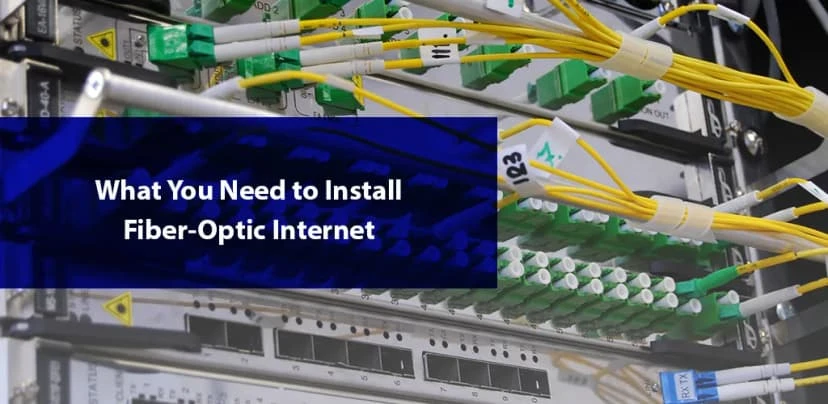
In today’s digital age, fast and reliable internet is no longer just a luxury; it’s a vital part of everyday life. Whether you’re working remotely, gaming, or streaming your favorite shows, slow internet speeds can be incredibly frustrating. Fiber optic cables are here to solve that problem and provide you with the speed and reliability you need for modern-day internet activities. Unlike traditional copper cables, fiber optics use light to transmit data, offering you faster speeds, higher bandwidth, and reliability that old copper cables just can’t match. When you choose fiber optic cables for your internet, you’re investing in technology that’s built for the future. Traditional cables have limitations in speed and distance, often resulting in slow connection times and inconsistent service. Fiber optics, on the other hand, use light signals, which are not subject to the same limitations, providing faster and more reliable service no matter how far you are from the source. This article will take a closer look at why fiber optic cables are the superior choice, from boosting your internet speed and bandwidth to ensuring a long-lasting, trouble-free connection. In the sections ahead, we’ll cover: ✅ The speed and bandwidth benefits of fiber optics ✅ Why fiber optics outperform copper cables in reliability and long-distance performance ✅ The role of fiber optic contractors in installation ✅ How professionals ensure a flawless setup ✅ Tips for selecting the right fiber optic contractor for the job ✅ How fiber optics are perfectly suited for tomorrow’s growing internet needs Let’s get into it and discover why fiber optic internet is the future! 1. Faster Speeds and Higher Bandwidth What Does “Faster Speeds” Mean? In the simplest terms, internet speed refers to how fast data can travel from the web to your device. Think of it like a car driving down a highway. The faster it goes, the quicker it reaches its destination. Fiber optic cables use light to transmit data, which travels at the speed of light, and that is way, way faster than any copper cable ever could. In contrast, traditional copper cables use electrical signals, which naturally slow down over distance due to resistance and signal degradation. The longer the cable, the slower the data travels. Because fiber optics use light signals, they maintain incredibly high speeds even over long distances. Whether you’re in the next room or miles away from your internet service provider, fiber optics will provide you with a fast and consistent internet experience without interruptions or slowdowns. What Is Bandwidth? Bandwidth is basically the capacity of the network, or in simpler terms, how much data can travel at once. Imagine a highway. More lanes mean more cars can travel simultaneously, side by side, reducing traffic jams. Fiber optic cables provide much higher bandwidth compared to traditional copper cables, which means more data can move at once. With fiber optics, you can stream 4K video without buffering, join video calls without lag, and download files in a fraction of the time. The higher the bandwidth, the smoother your internet experience will be, even with multiple devices connected at once. Example: Downloading a 2-Hour HD Movie Using copper cable (DSL), downloading a 2-hour HD movie might take around 30 minutes. With fiber optic cables, it’ll take less than 1 minute. That’s the kind of speed you’re looking at! 2. Reliability and Long-Distance Performance Why Is Fiber More Reliable? Fiber optic cables are also a lot more reliable than copper cables for a few important reasons. First, fiber cables are immune to electrical interference. Copper cables are vulnerable to disruptions from storms, power lines, or any electrical interference that might be present in the area. Fiber optics, on the other hand, transmit light, which is unaffected by this disturbance, so that your connection remains stable. Moreover, fiber cables are made from glass or plastic, which don’t corrode like the metal wires in copper cables. Over time, copper can weaken, which may lead to issues like data loss or slower speeds. Fiber cables are designed to last, making them a more durable choice for long-term internet service. Less Signal Loss Another main advantage of fiber optics is that they experience minimal signal loss. Data traveling through fiber cables can go much farther without weakening, meaning you won’t lose connection quality, even if you’re located far from your internet service provider. Great for Long Distances If you’re located far from the source, copper cables can slow down the signals a lot. Fiber optics keep their speed no matter how far you are from the server. Whether you’re one mile or 100 miles away, fiber optics will provide you with the same fast, reliable connection. So, no matter if you live downtown or have just moved to the suburbs, you can easily be connected to the rest of the world without any interruptions or issues. 3. The Role of a Fiber Optic Contractor in Installation Installing fiber optic cables is a job that requires specialized knowledge and tools. While the process may seem simple, it involves a series of detailed steps to make sure that the installation is done correctly and that the cable runs smoothly without losing signal. A fiber optic contractor is a trained professional who has the expertise to install fiber optic systems and guarantee the best possible performance for your network. What Does a Fiber Optic Contractor Do? A professional fiber optic contractor is responsible for: Planning the Cable Route: They’ll determine the best way to lay the cables, whether underground, over poles, or inside buildings, based on your unique needs. Splicing Fiber Optics: This involves properly connecting the cables to ensure a strong and consistent signal without interruptions. Testing Connection: After the installation, the contractor will test the network to make sure that everything is functioning correctly and that you’re getting the full speed and performance you expect. Without an expert contractor, you risk damaging cables, poor signal quality, and costly repairs later on. 4. How a Professional Contractor Ensures Proper Installation A
IT JOURNEY

It’s been a journey for me in the IT industry. I’ve got started in the IT industry during the dot com era. It was 1998, 2 years after I’ve graduated high school. I was living in New Orleans at the time. I had little or no computer skills and no college degree. I ran into an old high school friend in New Orleans. I was working as a Mechanic at the time and he was working at as auto alarm and sound system installation technician at the time. He had convince me to move to Austin TX. We were taking weekly trips to Austin for about 3 months now. I remember, we spend 1 week at our friend apartment off 35 and Runberg Ln before moving to an apartment in South Austin off Woodward St. I was very young at the time. I had no credit and very little money. We saw an ad in the news paper at a Temp Agency for voice and data cable installer, no experience necessary, and will train. We responded to the ad, went to the first day training, and so my journey into the IT industry begins. The pay was very low $10.00 per hour, but it was virtually unlimited work. I remember we were pulling north of 80 hours per week, so we made more money on overtime then we did on regular hours. It was tough, I remember feeling like zombie most of the time. I did that for about a year. During that time, I remember phone technicians making more money than me as they can work on phones. I wanted to do better, so I started taking books home and reading it. It was tough for me as I was more of a hands on person. But I was determined to learn it. After all, I barely make ends meet after paying my bills, I didn’t have the luxury of having extra money to go out after work. So I decided to spend my nights and weekend studying. About a year later, I was promoted to phone technician. Moving forward to 2002, after 911, I was deployed to Guantanamo Bay Cuba. I was a reservists at the time. During my time in Guantanamo Bay Cuba, it was interesting, there were all kinds of phones and internet issues on the based and I was the go to guy for our company. I vaguely remember there were lots of T1 and analog lines on based. During my time in Cuba, when I had down time, I was studying computers and networking. Fast forward to 2003, when we had orders to go back home. At the time, I tried to get my job back, the company I had worked for gave me back my job, but it wasn’t the same. Being gone for only 1 year, all the technology were different with phones. This was when VOIP actually started to get adopted, so my knowledge of phones were simply behind. So now, I was not a technician anymore, the company had assigned me to shadow another technician. This technician, I can did not wanted to teach me. I think there were conflict of interests. It was ok, I ended up deciding to go back to the auto industry, selling cars and fixing cars. I was miserable during this time. I was behind on bills and stressed all the time. One day I had a call from a friend that still work for my old company, he told me all the technicians had left the company, so they definitely had a decent position open for me. I’ve applied and got the position as a phone tech. I was so relieved. I didn’t have to worry about where my next meal was coming from. After all this, I’m now even more determined to never be broke again. I’ve worked hard, every chances for overtime, I’ve took it. Every chances to learn, I’ve try to learned. I was doing pretty well with this company, until they hire a new manager, that treated me pretty badly. I was angry most of the time, but more importantly for me at the time, I felted like my pride was gone. I bit the bullet and decided to go on my own. It was very scary as I had very little money. In a way, this was good for me, it made me worked harder. This was when Business Communication Solutions was born, that was in 2004. Fast forward today, we now offer computer based testing, voice data cabling services, traditional and hosted voip phone services, fiber optic installation services, and computer and network services. Looking from the outside, it may feel a bit overwhelm, but for me it has been 20 years of learning, growing, and living life. Related Guides Managed IT Services: The Complete Austin Guide Why the Right Managed IT Provider Is Essential for the Future Supporting All 7 OSI Layers with Managed IT Services Protecting Your Business: The Vital Role of Cybersecurity in Managed IT Best Managed IT Services in Austin Endpoint Security: Protecting Every Device in Your Business Importance of Network Security for Modern Businesses When Our Customers Grow, We Grow
Services We Don’t Always Advertise — But Regularly Provide in Austin
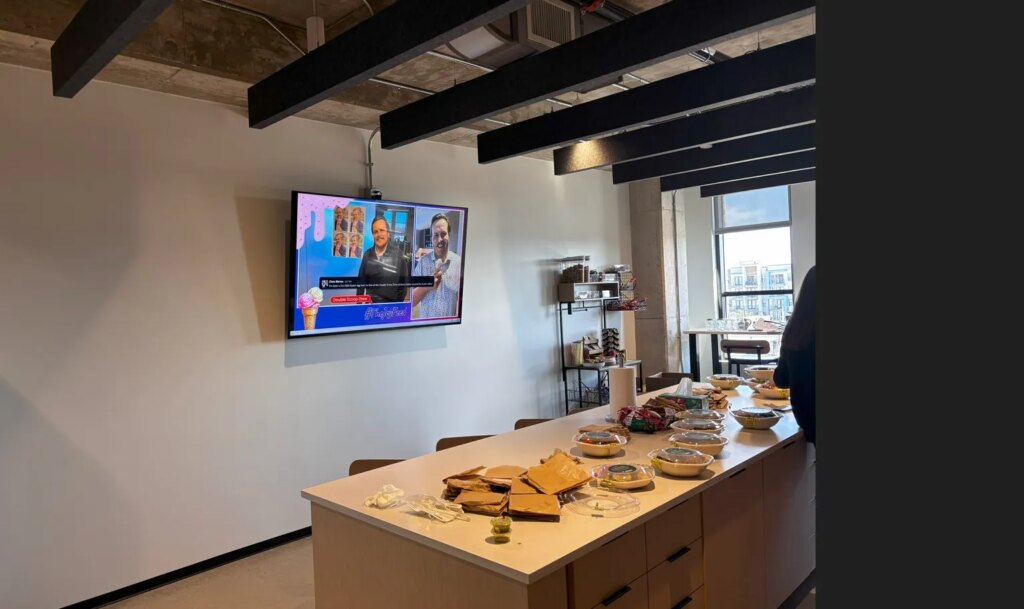
At Business Communication Solutions, we’re known in Austin, TX and surrounding areas for structured cabling, fiber installation, Wi-Fi, and business communication systems. But many of our jobs start with a simple customer request: “Can you help us with this while you’re here?” If it’s related to technology, mounting, or low-voltage work — and it helps our customer — we usually say yes. Helping Austin Customers Beyond the Standard Service List Not every service we provide fits neatly into a category on a website. Many of the things we help with are added because: The customer asks It’s convenient It avoids calling another contractor It keeps everything clean and properly installed That flexibility is one of the advantages of working with a local Austin-based company instead of a national provider. Common Extra Services We Provide in Austin & Nearby Cities TV Mounting in Austin (Residential & Commercial) We regularly help customers with: Wall-mounted TVs for homes, offices, restaurants, and conference rooms Clean cable routing and wire concealment Mounting TVs above fireplaces or in commercial spaces Connecting streaming devices and displays to existing networks If you’re searching for TV mounting in Austin, chances are we already do exactly what you need. iPad & Tablet Mounting Popular for businesses in Austin: Restaurants using POS systems Front desks and check-in stations Conference rooms and control panels Smart home dashboards We mount tablets securely, manage power, and make sure installations look professional and intentional. Monitor & Desk Mount Installation For home offices and businesses: Single and dual monitor arms Wall-mounted monitors Ergonomic positioning Cable cleanup and organization This is one of the most requested add-on services for customers upgrading offices or home workspaces in Austin. Why Customers Choose a Local Installer Large service providers focus on speed and limits. We focus on solutions. As a local Austin company, we: Take the time to help Adjust to real-world situations on site Support the full setup — not just one part of it That’s why customers continue to call us back when new needs come up. Not Listed on Our Website? Just Ask. If you need help with: TV mounting near you iPad or tablet mounting Monitor mounts or desk arms Cable management or cleanup Small tech tasks tied to a bigger install There’s a good chance we already do it. Serving Austin & Surrounding Areas We proudly serve: Austin, Cedar Park, Round Rock, Pflugerville, Leander, Georgetown, Bee Cave, Lakeway, and nearby cities. Call a Local Austin Technician Today If you’re looking for a local, flexible, and reliable tech installer in Austin, we’re here to help. 📞 Business Communication Solutions 📍 Austin, TX 📞 512-257-1433 Related Guides Managed IT Services: The Complete Austin Guide Low Voltage Wiring Contractor in Austin Why Professional Data Cabling Boosts Business Efficiency How Fiber Optic Installation Can Transform Your Business Connectivity Elevate Your Connectivity with Wireless Networking Services Business Phone Systems in Austin New Security Camera System Installation in Austin Site Survey
NEC SV8100 PHONE SYSTEM

The NEC SV8100 phone they have 12/24/32 button digital and IP phone. This phone has a display, speaker/receiver volume, ringer volume, shortcut menu, call back, call forward, voice call, programming system and station speed number, function key, transfer, hold, last number redial, conference and answer a second calls. This NEC product and services are design to target the small to medium business needs and still maintain a business basic need to a lower cost. This system can support digital and VOIP phones. We understand in the last year, it has been harder to find tech that can support these systems. If you are in a bind, and looking for a vendor that can support you, please feel free to contact us. Related Guides NEC SV9100: Built Upon the Success of the NEC SV8100 NEC SL2100 Phone System Troubleshooting Your NEC Phone System Selecting the Right VoIP Phone Service for Your Business Benefits of Call Recording for Business Phone Systems Web-Based VoIP Phone System with Video, Chat & CRM Integration VoIP Quality of Service (QoS) Improvements How to Choose the Right Business Phone System
Affordable and Reliable Data Network Services in Austin
In today’s fast-paced digital world, your business needs a robust and reliable IT infrastructure to stay competitive. At Reliable IT Services, we specialize in providing top-notch managed IT services that keep your operations running smoothly. Our data network services are designed to meet the unique needs of your business, ensuring high performance, security, and scalability. Why Choose Our IT Services? Expertise and Experience Our team of certified professionals has years of experience in managing and optimizing data networks. We stay up-to-date with the latest industry trends and technologies to provide you with cutting-edge solutions. 24/7 Monitoring and Support We offer round-the-clock monitoring and support to ensure your network is always up and running. Our proactive approach helps identify and resolve issues before they impact your business. Customized Solutions Every business is unique, and so are its IT needs. We tailor our services to fit your specific requirements, providing you with a customized plan that maximizes efficiency and minimizes downtime. Security and Compliance Protecting your data is our top priority. We implement robust security measures to safeguard your network from cyber threats. Additionally, we ensure compliance with industry regulations to keep your business secure. Scalable Services As your business grows, so do your IT needs. Our scalable solutions allow you to expand your network capabilities without any hassle, ensuring seamless growth and continuity. Our Data Network Services Include: Network Design and Implementation We design and deploy high-performance networks tailored to your business needs, ensuring seamless connectivity and optimal performance. Network Monitoring and Management Continuous monitoring and proactive management to keep your network running efficiently and securely. Security Solutions Comprehensive security services, including firewalls, intrusion detection systems, and VPNs, to protect your network from threats. Cloud Integration Seamless integration of cloud services to enhance flexibility, scalability, and collaboration. Disaster Recovery and Backup Reliable backup solutions and disaster recovery plans to ensure business continuity in the event of a disruption. Get Started with Business Communication Solutions IT Services Today! Don’t let IT issues hold your business back. Partner with BCS IT Services for a dependable and efficient data network that supports your business goals. Contact us today to learn more about our managed IT services and how we can help your business thrive. Call us now 512.257.1433 for a free consultation session. Related Guides Managed IT Services: The Complete Austin Guide Why Professional Data Cabling Boosts Business Efficiency How Poor Data Cabling Affects Network Speed and Stability Low Voltage Wiring Contractor in Austin Elevate Your Connectivity with Wireless Networking Services How Fiber Optic Installation Can Transform Your Business Connectivity 3 Types of Networks Every Business Should Know Site Survey
Enhancing Security with Comprehensive Support for Most Camera Brands: A Focus on ONVIF Compatibility
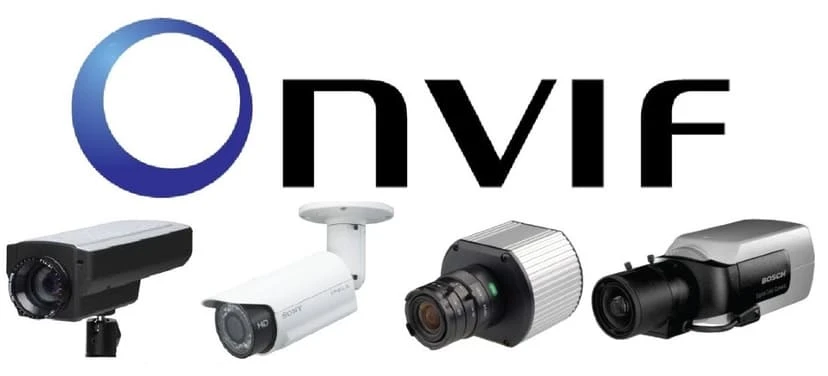
Welcome to our security camera BCS blog, where we share insights and updates on the latest advancements in surveillance technology. Today, we’re excited to talk about one of the key strengths of our service: our extensive support for a wide range of camera brands, particularly those that are ONVIF compatible. The Importance of Versatility in Security Systems In the dynamic field of security, versatility is paramount. A robust security system must integrate seamlessly with various camera brands to provide comprehensive coverage and flexibility. This is where our expertise shines. Our commitment to supporting most camera brands ensures that our clients can maintain and upgrade their systems with ease, without being locked into a single manufacturer’s ecosystem. What is ONVIF? ONVIF (Open Network Video Interface Forum) is a global and open industry forum that facilitates the development and use of a global open standard for the interface of physical IP-based security products. ONVIF compatibility means that products conforming to this standard can easily communicate with each other, regardless of the manufacturer. Why ONVIF Compatibility Matters Interoperability: ONVIF compatibility allows for the integration of different brands and models of cameras within a single system. This interoperability is crucial for building a flexible and scalable security infrastructure. Future-Proofing: As new models and technologies emerge, ONVIF ensures that they can be seamlessly integrated into existing systems. This means that our clients can upgrade their security systems over time without worrying about compatibility issues. Simplified Installation and Maintenance: With ONVIF-compatible devices, installation and maintenance become more straightforward. Technicians can work with a variety of devices without needing specialized knowledge for each brand, reducing complexity and costs. Our Commitment to Supporting Most Camera Brands We understand that every security setup is unique, and our mission is to provide solutions that cater to diverse needs. Our support for most camera brands is a testament to this commitment. Whether you’re using cameras from well-known brands like Hikvision, Dahua, Axis, or lesser-known manufacturers, we ensure seamless integration and optimal performance. How We Support ONVIF-Compatible Cameras Comprehensive Integration: Our systems are designed to integrate effortlessly with ONVIF-compatible cameras, providing a unified and cohesive security solution. Expert Support: Our team of experts is well-versed in the nuances of different camera brands and ONVIF standards. We provide robust support and troubleshooting to ensure that your security system functions flawlessly. Regular Updates: We stay abreast of the latest developments in ONVIF standards and update our systems accordingly. This ensures that our clients always have access to the latest features and improvements. Case Study: Successful Integration with Diverse Camera Brands Recently, we undertook a project for a storage business in Austin that required the integration of various camera brands into a single, cohesive system. Leveraging ONVIF compatibility, we seamlessly integrated cameras from Hikvision, Axis, and Dahua, LTS, GNS, ENG among others. The result was a robust, scalable security system that provided comprehensive coverage and easy management, enhancing the overall security posture of the retail chain. Why Choose Us? By choosing our services, you are opting for a security solution that prioritizes flexibility, reliability, and future-proofing. Our extensive support for most camera brands, particularly those that are ONVIF compatible, ensures that you can build a security system tailored to your specific needs without the constraints of brand lock-in. Conclusion In the ever-evolving landscape of security, having a versatile and reliable system is crucial. Our dedication to supporting a wide range of camera brands, especially ONVIF-compatible ones, ensures that our clients receive the best possible security solutions. Whether you are upgrading an existing system or building a new one, our expertise and commitment to excellence make us your ideal partner in security. Stay tuned to our blog for more insights and updates on security technology. If you have any questions or need assistance with your security needs, don’t hesitate to contact us. Your safety and security are our top priorities. 512.257.1433 Related Guides Understanding the Different Types of Security Camera Systems How to Choose the Best Security Camera System for Your Home or Business Common Security Camera System Problems and How to Fix Them Step-by-Step Guide to Installing Security Camera Cabling The Most Common Mistakes When Setting Up Security Cameras Protect Your Property with a Security Camera: The Ultimate Guide for Austin Importance of Network Security for Modern Businesses Cameras, Access Points & Cat5e Data Cabling