

Outdoor Security Camera Installation: Your Ultimate Protection Guide
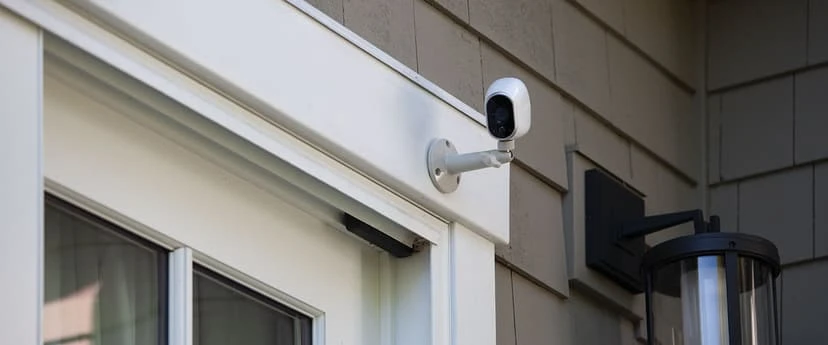
Rain, shine, or the dark of night, your property deserves vigilant eyes keeping watch around the clock. At Business Communication Solutions, we’ve installed thousands of outdoor camera systems across Austin’s diverse neighborhoods, from the historic bungalows of Clarksville to the sprawling estates of Westlake, and we know what it takes to build a setup that thrives in Texas heat, monsoon rains, and chilly winter nights alike. In this guide, we’ll walk you through everything you need to know to transform your exterior spaces into a secure perimeter, including the camera types that give burglars pause, the weatherproofing secrets that ensure reliability year-round, and the most common installation misstep you can avoid. Whether you’re a homeowner wanting to safeguard family and pets, a retail manager protecting your stock, or a facility director responsible for large perimeters, effective outdoor surveillance begins with smart planning and professional execution. Grab your coffee, settle in, and let’s explore how the right cameras, placements, and maintenance strategies will keep your property and your peace of mind secure. 1. Why Outdoor Cameras Are Non-Negotiable When it comes to protecting your home or business, indoor cameras are only half the battle. Modern outdoor cameras do far more than record static video. They actively deter wrongdoing, capture crucial details in shifting light, and integrate with other security measures, creating a proactive defense rather than a passive recording device. Here’s what today’s outdoor models can offer: Smart Motion Tracking Instead of triggering on every passing leaf or gust of wind, advanced cameras use analytics to follow genuine threats. When someone crosses your driveway or lingers near a side gate, the lens will pan, tilt, and zoom to keep that individual in frame, giving you uninterrupted video of their path and actions. Two-Way Talk Imagine seeing someone rifling through packages on your porch and being able to shout, “Stop right there!” through the camera’s built-in speaker. Two-way audio not only startles intruders but also lets you communicate with delivery drivers or visitors without opening your door. Extreme Weather Resistance Forget bulky, frost-smeared housings that fog up in winter. Premium outdoor cameras today are rated to operate from negative 40 degrees Fahrenheit up to 140 degrees Fahrenheit. Their sealed casings keep out rain, windblown dust, and curious critters, delivering reliable performance no matter the season. Investing in professionally installed outdoor cameras is more than adding another gadget to your property; it’s about creating a visible fortress that sends a clear message: your premises are not an easy target. Properly positioned cameras not only reduce the likelihood of break-ins but also provide crystal-clear evidence when you need it most, boosting conviction rates by 90 percent and speeding up insurance claims with indisputable footage. 2. Camera Placement: The Thief’s Worst Nightmare Even the best cameras can’t protect you if they’re pointed at blank walls or stuck too high out of reach. Strategic placement transforms your surveillance network into a seamless web of coverage, where every footstep is caught, every vehicle is logged, and every vulnerable point is locked down. Below, we’ve turned typical camera zones into clear subheadings, each one a critical piece of the security puzzle. Front Door: Doorbell Camera with Wide-Angle View Your front entrance is the most trafficked entry point and a prime target for porch pirates or late-night prowlers. A video doorbell camera mounted beside your main door should offer at least a 180-degree field of view to capture visitors who approach from either side. High-definition audio lets you hear knocks, chatter, or the crunch of footsteps on gravel, while the wide lens ensures you see every face clearly. Position this camera at eye level, around five feet off the ground so it records facial features without distortion. Driveway: License-Plate Recognition Camera Vehicles entering and leaving your property often hold the key to solving crimes. A license-plate recognition (LPR) camera positioned above your driveway entrance captures crisp, legible plate numbers, even in low light or at high speeds. These cameras pair powerful sensors with specialized software to automatically extract and log plate numbers in real-time, giving you a searchable database of every car that visits. Aim for around seven feet of height, tilted down at a gentle angle to minimize glare and maximize readability. Backyard: PTZ Camera with Auto-Tracking Large rear yards, workshop areas, and gardens demand a camera that can sweep across expansive spaces without leaving blind spots. Pan-tilt-zoom (PTZ) cameras excel here: they can be programmed to patrol preset routes or manually controlled to focus on areas of interest. When motion is detected, a PTZ unit locks on, zooms in, and follows the subject until it leaves the frame. Choose vandal-proof housing to protect the unit from curious hands or stray baseballs, and install it high on your home’s back wall or a sturdy pole for optimal reach. Side Gates: Bullet Camera with Motion-Activated Spotlight Side gates and alleyways are common sneaking-in routes because they’re less visible from the street. A bullet camera housed in a tough, weather-resistant shell pairs well with an integrated motion-activated spotlight. When someone approaches, they trigger the light and simultaneously activate recording, flushing out hiding spots and ensuring clear footage. Mount it about eight feet high, angled to cover both the gate latch and the path leading to it. Pool Area: 360-Degree Camera with Tamper Detection Swimming pools, patios, and play areas must balance safety and privacy. A 360-degree panoramic camera mounted on a central pole or overhang provides a single, seamless view of the entire zone. Ideal for keeping an eye on family members or detecting anyone who shouldn’t be there. Look for models with tamper-detection alerts, which notify you if someone tries to obscure the lens or spray paint over the housing. Since this area is exposed to splashes and humidity, choose cameras with at least an IP67 waterproof rating. Height and Angle Matter A general rule of thumb is to position outdoor cameras between seven and nine feet off the ground. Too low, and they’re vulnerable to tampering or
Disk Clean Up Tools
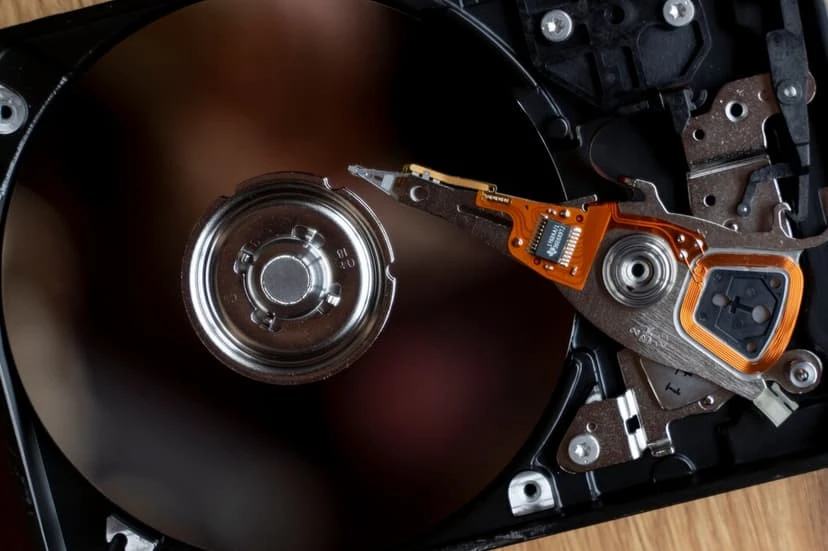
Disk Cleanup is a built-in tool in Windows that helps users free up space on their hard drive by removing unnecessary files. These files may include temporary files, system files, cached web pages, and other items that are no longer needed. The tool scans the system for such files and allows users to safely delete them, improving system performance and creating more available storage space. It’s a simple way to maintain the efficiency of your computer without needing specialized software. Do you have a server or pc that is not working due to disk storage full or almost full? If you are an IT administrator or even a desktop support, you probably have ran into these issues. Sometimes, it’s legit that a person hard drive is full do to legit space usage, but more often, there are other issues, such as log file, temp files, windows updates, or backup logs files taking up space. When you run into these issues, what do you do? Do you try to manually figure out what is using up all the space or do you use a 3rd party software? I run into these issues a lot. For me I use a 3rd party software call spacemongo. It saves me lots of time, when I have a disk clean up job to do. If you are a business in Austin and have a need for a managed IT services company, give BCS a call. Let us help you save time, so you can focus on what you do best – Run your business. Related Guides VSSAdmin ShadowStorage: Understanding Shadow Copy Storage Managed IT Services: The Complete Austin Guide Best Managed IT Services in Austin Supporting All 7 OSI Layers with Managed IT Services Why the Right Managed IT Provider Is Essential for the Future Windows Server 2022 Preview Has Been Released Understanding DHCP and DNS: Essential Components of Modern Networks Understanding Subnetting: Why It’s Crucial in Networking
Cat 6A cables or Fibers?
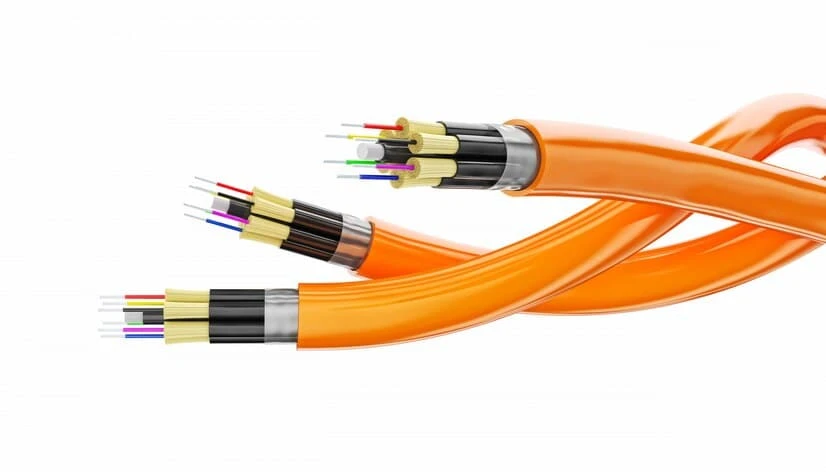
We just finished a job that customer requested that we install OM3 fiber (multi-mode 50 micron plenum) to tie their two suites together. After we did a free site survey, we recommended that they go with Cat 6 or Cat 6A as the distant was under 200 feet. Their have been lots of noise regarding Fiber and how fast it can be. Fiber indeed can be much faster than Ethernet cable, however in my opinion, I don’t think fiber is the first thing that I would recommend due to the cost of equipment and labor involve. Dollar for dollar with no doubt fiber sometimes can be the cheapest transport medium for data, but not necessary true all the time. In this case for instant, Fiber would cost probably 3 times more than Ethernet due to the cost of labor and extra equipment require. To do fiber correctly, typically you will need two housing on each side to protect the hair size strand as fiber can be very fragile, especially on the terminated ends. Typically when we run fiber, we have to run an orange conduit to help protect the fiber. I’m not sure why, but I typically see mainly orange conduit for fiber. I think it may be back then 62.5 was the most common fiber use to tie short distant suites and buildings together and 62.5 was normally orange. Regardless, I’ve seen other single mode fiber and OM3 (normally aqua) also enclosed in orange conduit, I think it may be because there are more supply of orange conduit available then other colors.Wow, I got side track…… back to my point, depending on the distant and or applications, there are reasons why we still have CAT cables vs Fibers, so choose them wisely. Related Guides How Fiber Optic Installation Can Transform Your Business Connectivity Fiber Optic vs Copper Against Lightning Fiber Optic Termination: Best Practices Singlemode vs Multimode Fiber: Which One Should You Choose? Fiber Optics: Everything You Need to Know Outside Plant Fiber Optic Cable Explained Why Professional Data Cabling Boosts Business Efficiency How Poor Data Cabling Affects Network Speed and Stability
Running Data Cables in Austin During Summer: Why We Only Work Early Mornings

When the Texas summer sun is blazing, you might wonder how essential services like data cable installation can continue. At Business Communication Solutions, we understand the challenges of the scorching heat of Austin summers, and we’ve tailored our operations to ensure both efficiency and safety. Here’s why we only run data cables in the early morning during the summer and how this benefits you—without any extra charges. Austin’s summer temperatures can soar well above 100°F (38°C), creating a challenging environment for outdoor work. High temperatures can not only make physical labor exhausting but also affect the performance and safety of our equipment and materials. Working during the coolest part of the day helps mitigate these issues. Early Morning Installations: The Perfect Solution 1. Enhanced Efficiency By starting our installations early in the morning, we take advantage of the cooler temperatures, which allows our team to work more efficiently and effectively. Cooler conditions help prevent overheating of both our technicians and the equipment, leading to a smoother installation process. 2. Safety First The health and safety of our team are our top priorities. Working in extreme heat can lead to heat exhaustion or heat stroke, which are serious risks. By scheduling our work in the early morning, we ensure that our team remains safe and healthy, ready to deliver the best service possible. 3. Uninterrupted Service Heat can sometimes cause unexpected delays or complications, such as equipment malfunction or slower progress. Early morning work reduces the likelihood of such interruptions, ensuring that your project stays on track and is completed on time. No Extra Charges: Our Commitment to You At Business Communication Solutions, we believe in transparent and fair pricing. Unlike other companies that might charge a premium for working outside regular hours, we do not impose any additional fees for early morning installations. Our goal is to provide top-notch service without burdening you with extra costs. What to Expect from Our Early Morning Installations When you schedule an early morning data cable installation with us, you can expect: Prompt Arrival: Our team arrives on site bright and early, ready to get started. Professional Service: Despite the early hours, our technicians are professional, courteous, and fully equipped to handle your installation needs. Minimal Disruption: We aim to complete our work with minimal disruption to your daily routine, allowing you to enjoy a hassle-free experience. Conclusion Running data cables, security camera cables, voice cables, fiber cables, speaker cables, or any cables during the summer in Austin doesn’t have to be a daunting task. By choosing Business Communication Solutions, you’re opting for a service that prioritizes efficiency, safety, and customer satisfaction without any hidden costs. Contact us today to schedule your early morning installation and experience the difference of working with a company that truly understands your needs. Stay cool and connected with Business Communication Solutions! Feel free to reach out to us for any questions or to book your appointment. We look forward to serving you! 512.257.1433 Related Guides Why Professional Data Cabling Boosts Business Efficiency How Poor Data Cabling Affects Network Speed and Stability Affordable and Reliable Data Network Services in Austin Low Voltage Wiring Contractor in Austin Repairing vs Replacing a Damaged Ethernet Cable Cat 6A Cables or Fibers: Which Is Better? How Fiber Optic Installation Can Transform Your Business Connectivity Cable Management and a Clean Workspace
Bad Data Cables
We recently pickup a few customers that needed it security (malware, antivirus, and firewall). After we finish setting this up, customer ask us if we can look into why they have computers constantly loosing network connectivity. After a bit of troubleshooting, we realize the cables were bad. We ended up replacing come cables (Cat 5e plenum). After we removed the old cables and replace with new one, we were curious, what could possible be wrong with cables, as in our experience cables rarely go bad. After inspecting the cable, we did a quick burn test. We found out the cable was not 100% pure copper. In the last 5 years, we have ran into more and more of these scenarios. Our guess was that in the last decade, there have been a major price increases on copper due to demands from China, have force some vendor to purchase cheaper quality cables. If you have computers that are constantly loosing network connectivity, give us a call, we can help! Related Guides How Poor Data Cabling Affects Network Speed and Stability Repairing vs Replacing a Damaged Ethernet Cable Why Professional Data Cabling Boosts Business Efficiency Cable Management and a Clean Workspace Affordable and Reliable Data Network Services in Austin Low Voltage Wiring Contractor in Austin Running Data Cables in Austin During Summer: Why We Only Work Early Mornings Cat 6A Cables or Fibers: Which Is Better?
Headset Options
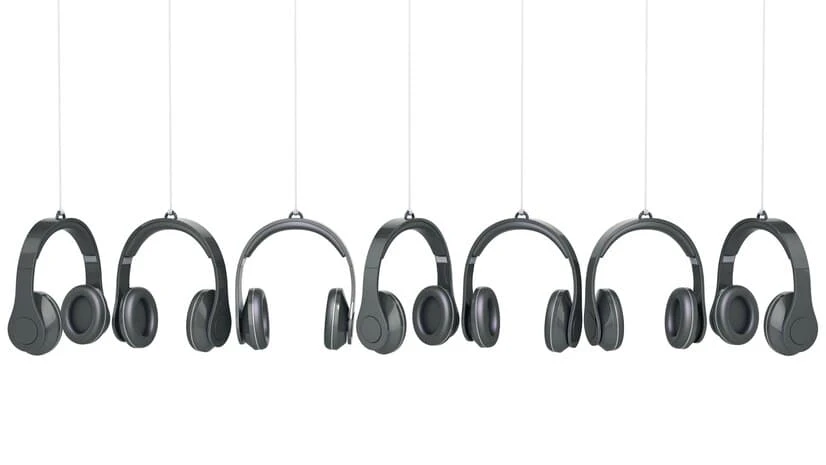
Since the launch of voip phone system and bluetooth technology, there has been a tremendous growth in the hardware options of headsets. You can go with usb wired headset, or usb wireless headset in conjunction with softphones or applications. Or you can go with traditional phones with added EHS (electronic hook switch) which can help get rid of the bulky lifter. Keep in mind, with out the lifter, you will need an electronic hook switch cable in most case to send a ringer alert to the headset anytime the phone rings. With all the options with headset out there, give your phone vendor a call, so they can help you choose the correct one. Related Guides Selecting the Right VoIP Phone Service for Your Business How to Choose the Right Business Phone System Web-Based VoIP Phone System with Video, Chat & CRM Integration Benefits of Call Recording for Business Phone Systems VoIP Quality of Service (QoS) Improvements Troubleshooting Your NEC Phone System Phone Service in California How Business Communication Solutions Enhance Your Projects with Cost Savings
LANDLINE SERVICE

Landline service refers to a traditional telephone connection that uses physical wires (copper or fiber optic cables) to transmit calls. It offers reliable and clear communication, especially in areas with limited mobile network coverage. While increasingly replaced by mobile phones and internet-based communication, landlines remain a stable option for businesses and households requiring dependable voice communication. We were called to troubleshoot a landline issue. Still surprising to see that there’s still customers out there that depend on their business through landline. It’s been quite some time since I have seen or even use that source of communication. Once we arrived on site, we were able to determine that it was their provider needed to program their hunt group properly. The customer was extremely happy that we able to resolve and explain to them their issue within an hour. Related Guides Selecting the Right VoIP Phone Service for Your Business How to Choose the Right Business Phone System Phone Service in California Web-Based VoIP Phone System with Video, Chat & CRM Integration Benefits of Call Recording for Business Phone Systems VoIP Quality of Service (QoS) Improvements How Business Communication Solutions Enhance Your Projects with Cost Savings Desk Phones Are Slowly Going Away
Fiber Optic Splicing
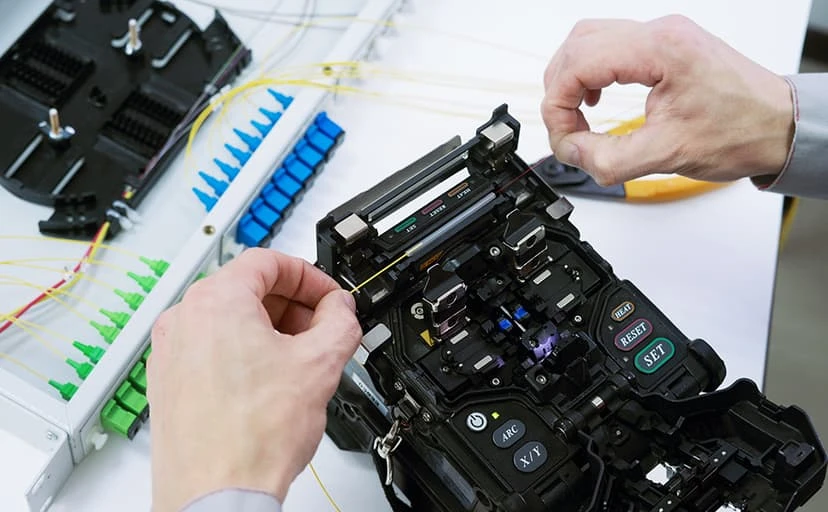
One of the major benefits of fiber splicing is a lower insertion loss when compared to terminating a connector. There are two ways to splice fiber, mechanical splice, or fusion splice. Mechanical Splicing Mechanical splicing doesn’t require any expensive equipment. This splicing method is a junction of 2 or more fiber to hold them in place once it has been aligned. The cover can be a snap on or contain adhesive to permanently hold the splice. Now this doesn’t mean that the fiber is bonded but just precisely aligned so that light can pass from one fiber to the other. Mechanical splicing is a fast and quick solution to repair any damage fiber. The only downfall is that mechanical splicing has a high insertion loss when compared to fusion splicing Fusion Splicing Fusion Splicing will require a fusion splicer. These splicing equipment can be expensive. The fusion method will align two ends of a fiber and permanently bond the end using an electric arc. This is the absolute best method for the lowest insertion loss and low back reflection. Related Guides Fiber Optic Termination: Best Practices How Fiber Optic Installation Can Transform Your Business Connectivity Singlemode vs Multimode Fiber: Which One Should You Choose? Fiber Optics: Everything You Need to Know Outside Plant Fiber Optic Cable Explained Fiber Optic vs Copper Against Lightning Cat 6A Cables or Fibers: Which Is Better? Why You Need to Install Fiber Optic Cables for Internet
Surveillance Camera System
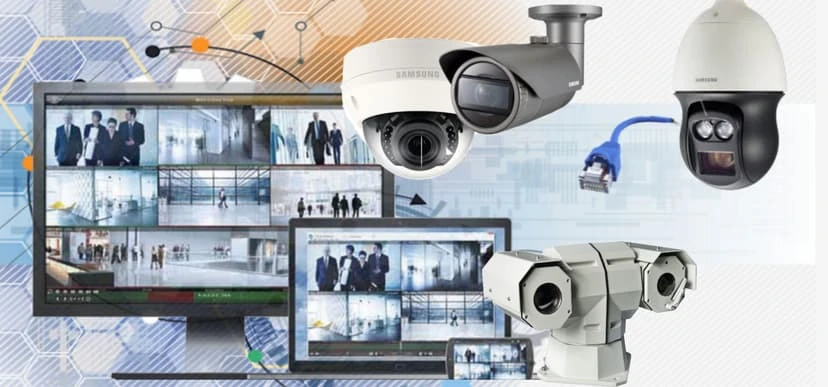
We are pleased to announce due to requests and demands, we are now selling, servicing, and installing video surveillance system. It was a process to get certified and licensed, but it was well worth it. Did you know that most burglary happens during the day time? I first thought it happens at night, but after going through some training, I’ve learn that most burglary happens during the day time. I guess in a way it make sense, burglars typically try to avoid being seen, so they normally try to do it when people are most likely at work. Typically between 10 am and 3pm. With that being said, camera system have been getting more and more affordable. It use to cost thousands for a low end system, now depending on how many cameras and the quality you require, it you can still get a decent system installed for hundreds. That’s a big drop in prices. Even with the lower end cameras, the quality are still decent compare to what it used to be. Related Guides How to Choose the Best Security Camera System for Your Home or Business Understanding the Different Types of Security Camera Systems 5 Crucial Features Your Business Security Camera System Must Have Protect Your Property with a Security Camera: The Ultimate Guide for Austin Top Benefits of Installing Security Cameras in Your Austin Home or Business Common Security Camera System Problems and How to Fix Them Step-by-Step Guide to Installing Security Camera Cabling Enhancing Security with Comprehensive Support for Most Camera Brands
Fiber Cleaning

It’s important for your fiber to be cleaned before connecting it. This will reduce some signal quality degradation cause by obstruction debris. Also cleaning your connectors before connecting it to a mating adapter will prevent transporting any contamination to your mating adapter. A unused connectors or mating adapter should always have a cap at the end. Fibers should be stored when possible in a dry and clean area with low traffic to not risk the fiber from being damage. Clean clickers are really compact tools use to clean fiber and inexpensive to own. Related Guides Fiber Optic Splicing: Everything You Need to Know Fiber Optic Termination: Best Practices How Fiber Optic Installation Can Transform Your Business Connectivity Fiber Optics: Everything You Need to Know Singlemode vs Multimode Fiber: Which One Should You Choose? Outside Plant Fiber Optic Cable Explained Fiber Optic vs Copper Against Lightning Why You Need to Install Fiber Optic Cables for Internet