

Are you Planning a Office move?

Are you planning a Office Move? – Hire a IT Professional. Moving an office network can add unforeseen costs. As an IT consultant we can insure that moving your network, phone systems, etc. are done in a timely cost effective manner. A well planned out network infrastructure at the new location is key to a successful move for any business big or small. A professional network consultant can evaluate the old and new location to determine if there will be any additional requirements prior to your move. Have this knowledge prior to any relocation will help keep costs down, and ensure that your new locations network, phone systems, etc. are up and running when its time to open for business. FAQs 1. What IT tasks should be completed before an office move? Before an office move, businesses should review network cabling, internet availability, Wi-Fi coverage, phone systems, server equipment, workstations, and the new office layout. 2. When should a business start planning IT for an office relocation? IT planning should begin well before the moving date. This gives enough time to assess the new location, coordinate internet service, plan cabling, and prepare network and communication systems. 3. Does a new office need a network site survey? A site survey can help identify where network equipment, access points, workstations, data outlets, and other IT infrastructure should be placed based on the office layout. 4. Should new network cabling be installed before moving into the office? In many cases, yes. Installing and testing network cabling before employees move in can help reduce disruption and make the transition smoother. 5. How can a business avoid IT downtime during an office move? A detailed relocation plan, equipment inventory, network testing, backup strategy, internet coordination, and advance preparation can help reduce unexpected downtime. 6. What should businesses do with existing phones and network equipment during an office move? Existing equipment should be reviewed before the move to determine what can be relocated, what needs reconfiguration, and whether any outdated equipment should be replaced. 7. Can professional IT support help with an office relocation? Yes. Professional IT support can assist with planning, equipment relocation, network setup, cabling, Wi-Fi, phone systems, and testing to help businesses transition to a new office. Related Guides Managed IT Services: The Complete Austin Guide Why Professional Data Cabling Boosts Business Efficiency Cable Management Best Practices for a Clean Workspace Elevate Your Connectivity with Wireless Networking Services How to Select the Best Voice and Data Cable Installer Professional Voice and Data Cabling Services BCS Smart Hands Services for Office IT Support Affordable VoIP Phone Systems in Austin
Teaching Others

Teaching others not only our goal is to fix the issue but to also provide the customer with new knowledge and skill so that they can avoid having reoccur issues. This would help them grow and become better with minimizing as much downtime as possible. FAQs 1. Why is knowledge sharing important in IT? Knowledge sharing helps team members understand systems, troubleshoot common problems, and reduce dependency on one individual for critical technical information. 2. How does teaching others improve an IT team? Teaching others can improve technical confidence, encourage collaboration, and help more team members develop the skills needed to support systems and solve problems. 3. What are the risks of relying on only one person for IT knowledge? When critical IT knowledge is held by only one person, a business can face delays and operational problems if that person is unavailable, leaves the company, or cannot respond during an emergency. 4. Can teaching others reduce IT support issues? Yes. Basic knowledge sharing can help employees understand common technology issues and follow better processes, which may reduce avoidable support requests. 5. What should businesses document when sharing IT knowledge? Useful documentation may include network details, system access procedures, equipment information, troubleshooting steps, backup processes, and other important IT procedures. 6. How can businesses create a stronger IT knowledge-sharing culture? Businesses can encourage documentation, cross-training, clear communication, and regular knowledge sharing so important information is not limited to one employee or technician. 7. Can Managed IT services help reduce dependency on a single IT employee? Yes. A Managed IT provider can give businesses access to a broader technical team and documented support processes, reducing the risk of relying entirely on one internal person for IT management. Related Guides Managed IT Services: The Complete Austin Guide Why the Right Managed IT Provider Is Essential for the Future Best Managed IT Services in Austin Protecting Your Business: The Vital Role of Cybersecurity in Managed IT Supporting All 7 OSI Layers with Managed IT Services Business Communication Solutions That Reduce Costs BCS Smart Hands Services for On-Site IT Support How to Choose the Right Business Phone System
BYOD – Security Camera
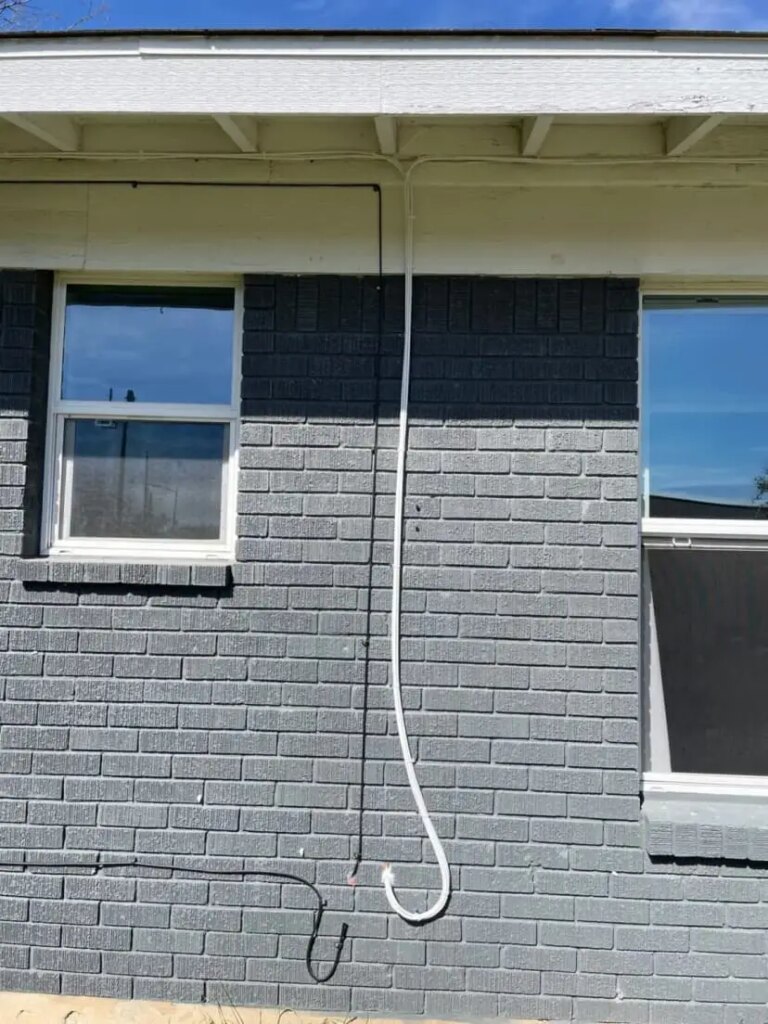
A client, whose storage had been burglarized, requested the installation of five Reolink security cameras he had purchased. Business Communication Solutions, which offers BYOD (Bring Your Own Device) among other services, set an appointment to provide expert advice on camera placement. The cameras were mounted on the exterior of the house, focusing on the client’s outdoor personal belongings. Each camera was strategically positioned to ensure a 360-degree surveillance of the property. Upon completion, we confirmed the client’s satisfaction with the camera angles. The client expressed great contentment with our service and the added security for his possessions. Should you require assistance with the installation of your security camera devices, please contact us at 512.257.1433; we would be delighted to assist you. FAQs 1. What does BYOD mean for security camera installation? BYOD means Bring Your Own Device. BCS can help install security cameras that the customer has already purchased, including guidance on camera placement and installation. 2. Can I hire someone to install security cameras I already bought? Yes. BCS offers BYOD installation, allowing customers who have purchased their own compatible security camera equipment to get professional installation assistance. 3. Can a technician help determine the best camera placement? Yes. Camera placement can be planned based on the property layout and the areas that need surveillance coverage. The BCS article describes providing placement advice before installing the customer’s cameras. 4. Can BYOD security cameras be installed outdoors? Yes, depending on the camera’s specifications and the installation environment. Outdoor installations should consider factors such as camera placement, weather exposure, cable routing, and the areas requiring coverage. 5. Do I need to buy cameras from the installation company? No. With a BYOD service, you purchase the security camera equipment yourself and hire the installer to assist with installation and setup. 6. Can professionally installed cameras cover multiple areas of a property? Yes. The number and placement of cameras should be based on the property layout, important access points, outdoor areas, and the level of coverage required. The BCS case described a five-camera installation planned to provide broad surveillance coverage. 7. Is BYOD security camera installation available for homes and businesses? Yes. BCS states that its security camera installation services are available for both commercial and residential installations, while its BYOD offering allows customers to bring their own purchased devices. Related Guides The Complete Guide to Business Security Camera Systems How to Choose the Best Security Camera System for Your Business Professional Surveillance System Installation Guide Top Benefits of Installing Security Cameras for Your Business The Most Common Mistakes When Setting Up Security Cameras Elevate Your Connectivity with Wireless Networking Services Is Your Business Network Secure? 12 Warning Signs
NEC SV9100 – built upon the success of NEC SV8100 and more
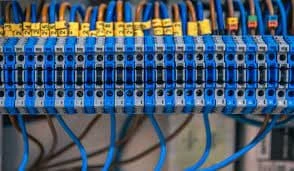
I’ve been excited about the NEC SV9100, but never got the time to take the course. Finally I’ve spend some time to take the course. Wow, finally a more reasonable licensing system. It use to be we had to verify and then double check the licensing just to make a quote. Now, it’s reasonable. NECSV9100E – Focus on Small to Medium Customer – Expandable up to 896 Stations and 400 Trunks. NetLink expandable to host plus 49 remote sites for a total of 50 sites. NECSV9100S – Focus on Very Small Customer Simplified – Easier to configure with a New Licensing Concept. Simple Licensing, Simple Admin, Simple User Interface. Unified Communication, Voicemail, and Unified Messaging (voicemail to email) included with every user license. NEC SV9100E – Now comes with VoIP Daughter Board. You can activate using user licenses.. 8 or 16 user licenses included based on packages selection. Messaging option activated via user licenses & system selection. Inmail with 120 hours storage or UM8000 with 500 plus hours storage. NEC SV9100s – Similiar to the SV8100, it does not comes with Voip Daughter Board unless you purchase it. You can activate UC via User Licenses. Inmail is 16 ports with 15 hours storage. Nowadays with voicemail to email, voicemail storage has been the thing of the past. Most customer prefer to have voicemail email to them, then automatically delete from the system, this way, they don’t have to log into their voicemail from their phone and delete the message. Nec sv9100S has a 48 resource licenses included. This is also the maximum total ports. Once you go past this, you will need to migrate to the SV9100E. With the new license model, it’s much easier to configure for customer that has CRM’s. CRM’s that we support are Act! 2005 and above, Goldvine 6.7 and above, Time Matters, Tiger Paw, Salesforce, Browser Based CRMs. In short, we are really excited about the SV9100. We are hoping to migrate our existing customers to it. FAQs 1. What is the NEC SV9100 phone system? The NEC SV9100 is an on-premise business phone system designed for organizations that need a scalable communications platform with support for different business phone features and configurations. BCS has also supported the SV9100 as part of its business phone system offerings. 2. How is the NEC SV9100 different from the NEC SV8100? The SV9100 builds on the NEC SV8100 platform with additional capabilities and updates. The exact advantages depend on the system configuration, installed software, phones, and business requirements. 3. Is the NEC SV9100 suitable for growing businesses? Yes. The SV9100 can be a suitable option for businesses that need a scalable phone system and expect their communication requirements to change as the organization grows. 4. Can the NEC SV9100 support VoIP? The NEC SV9100 can support IP-based communication and different phone-system configurations, depending on how the system is installed and configured. 5. Is the NEC SV9100 a cloud-based phone system? No. The SV9100 is primarily an on-premise business communication platform, although business communication setups can vary depending on the configuration and connected services. 6. Can the NEC SV9100 be used in hotels? Yes. BCS documents an NEC SV9100 InHotel configuration for small and medium hotels, supporting property-management-related functions through the phone system. 7. Can an existing NEC SV9100 phone system still be serviced? Businesses with an existing SV9100 system may be able to receive troubleshooting, maintenance, and support depending on the system’s condition and available hardware or software support. BCS states that it supports troubleshooting for different business phone system types. Related Guides How to Choose the Right Business Phone System Selecting the Right VoIP Phone Service for Your Business Affordable VoIP Phone Systems in Austin Web-Based VoIP Phone System with Video Conferencing and CRM Integration Benefits of Call Recording for Businesses Allworx Interact Integration with Google Chrome and Firefox Why Austin Small Businesses Are Ditching Landlines for VoIP Why Central Texas Businesses Choose a Local VoIP Phone System Provider
WIREMOLD
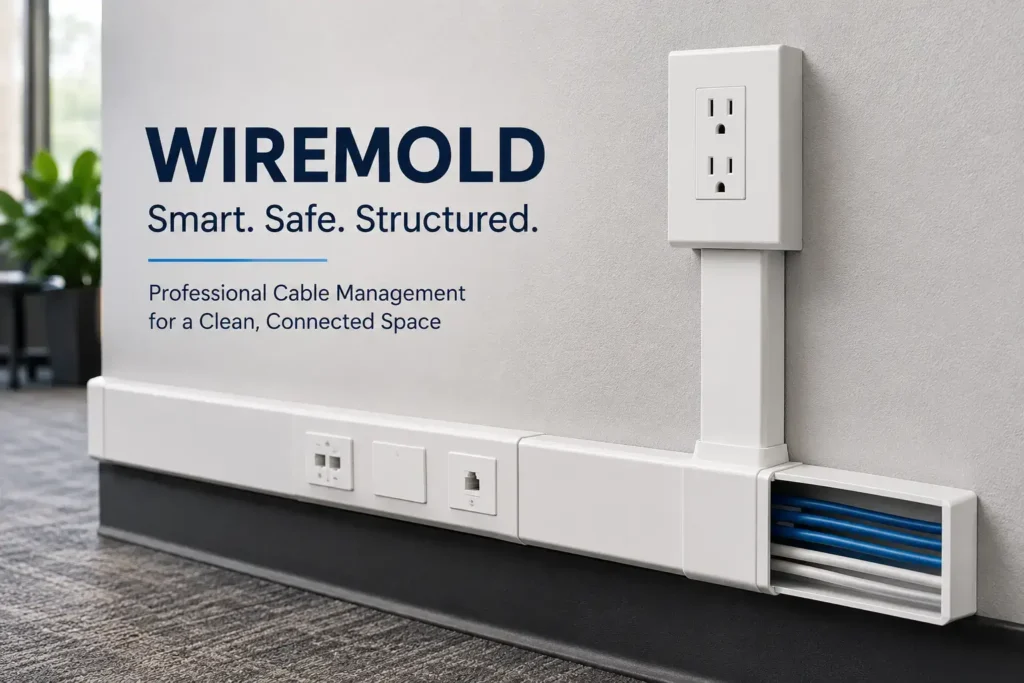
A customer called us to look at their camera system. Their issue was that when windy and rainy days come around, it would cause the camera to flicker. They have had one incident of heavy rain causing the POE switch to completely fail and replaced. Once we arrived on site, we were able to determine a few issues. The customer wasn’t using outdoor rated CAT5e and/or did not protect their non-outdoor rated cable with exterior wiremold. Also, they had 2 cables with coupling to relocate the camera to a new further location. The connection at the coupling were poorly weatherproof which could possibly cause the POE switch to get shorted out from heavy rain. We went ahead with replacing the cables that has coupling connectors with full runs and added wiremold to protect the cables from the weather. The customer was impressed with how big of a difference the house looks with wiremold running along the side of the house vs exterior runs. Related Guides Cable Management Best Practices for a Clean Workspace Why Professional Data Cabling Boosts Business Efficiency How Poor Data Cabling Affects Network Speed and Stability Labeling Network Cables for Easier Maintenance How to Select the Best Voice and Data Cable Installer Professional Voice and Data Cabling Services Low Voltage Wiring Solutions for Businesses Multiple Data Cable Support Options Explained
Cameras, access point, cat 5e data cabling….
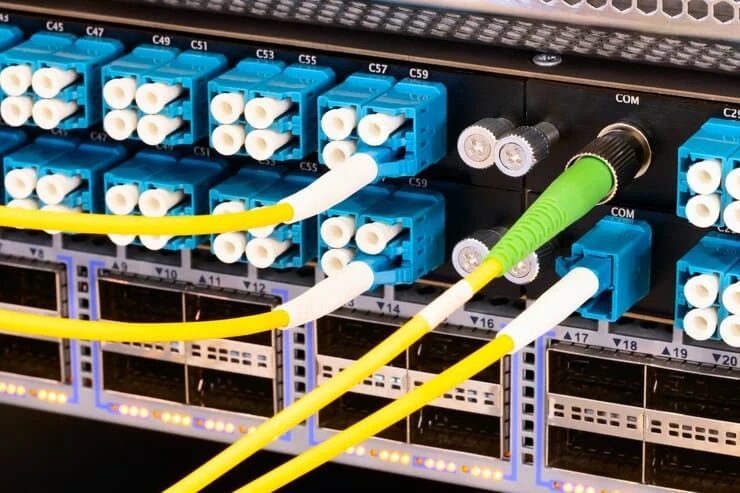
Cameras Access – Last week, we had a call potential customer call that needed help finishing off a cabling job that another vendor started, but did not finish. We then schedule a meeting for a site survey to see what was going on. When we came on site, we had notice that none of the cables were terminated and some cables run never made it to the destination boxes. While we were walking through the building, the customer asked us if we do security cameras systems, we replied of course! I’ve asked him if it was poe, and we found out that all the cabling was already done for it, all we needed to do was terminate, install the cameras, program the system, and set it up so the customer can view from off site via smart phone, tablet (android or ios or even windows), or from a PC. As I was wrapping things up, the customer ask us if we can install the access point and program it for them, I got a bit excited as I realize there were potential for more work. In the end, we ended up doing all the work for the customers. For those companies that have a cabling crew run all their cables, but couldn’t finish the job 100% give us a call. We can help. Whether you need to add or program security cameras, setup a basic network or a complete network with windows servers, router, antivirus, and wireless access point, we can help! Related Guides Why Professional Data Cabling Boosts Business Efficiency How Poor Data Cabling Affects Network Speed and Stability Elevate Your Connectivity with Wireless Networking Services Enhancing Wi-Fi Performance by Placing Access Points Closer to Users The Complete Guide to Business Security Camera Systems Step-by-Step Guide to Installing Security Camera Cabling Cable Management Best Practices for a Clean Workspace How to Select the Best Voice and Data Cable Installer
Why Professional Data Cabling Boosts Business Efficiency
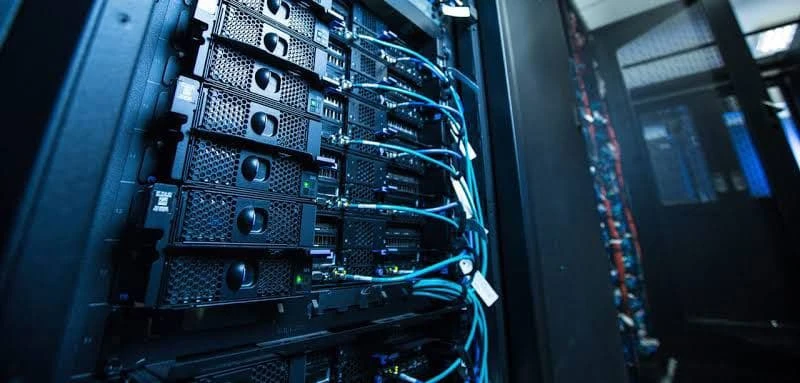
Grab a coffee, glance around your office, and count the gadgets within reach. Laptops, VOIP phones, smart speakers that answer “What’s today’s forecast?”, an ever-hungry network printer, maybe even a video-conference bar blinking in the corner. We love Wi-Fi because it feels like magic, no wires, no tripping hazards, just invisible waves carrying cat memes and sales dashboards. But here’s the truth: when your team fires up a 50-slide webinar while someone else uploads a 4 GB design file and the finance app syncs in the background, that “magic” can sputter, lag, and drop calls at the worst possible moment. That is where professional data cabling steps in, not as yesterday’s technology, but as tomorrow’s secret weapon. Think of structured cabling as the quiet, organized road system under your digital city. Each Ethernet lane has a fixed speed limit, like 1 Gbps, 10 Gbps, or even 40 Gbps, so traffic flows smoothly, with no random potholes of interference. When your network is wired properly, meetings start on time, backups finish before lunch, and the IT help desk spends less time whispering, “Have you tried turning the Wi-Fi off and on again?” Maybe you run a five-person creative studio in a refurbished warehouse. Perhaps you manage a call center buzzing with 200 headsets. Either way, investing in business network cable installation is like replacing blurry glasses with crisp new lenses: suddenly, everything looks sharper and works faster. And because professional cabling is designed for change, new desks, extra employees, and upgraded hardware, you avoid sitting in your garage in the meantime. By the end, you will see cabling as less of an expense and more of a compounding investment, one that pays you back in fewer service tickets, calmer Zoom calls, and happy customers who never notice a glitch. Chapter 1: What Are the Benefits of Data Cable Installation? 1. Faster and More Reliable Connectivity—Goodbye, Spinning Wheels Picture Monday morning. Marketing needs to upload a 2-minute product video to YouTube. Sales is demoing live software to a big prospect. HR is onboarding a remote hire with a webcam‐onboarding session. Over Wi-Fi alone, packets jostle like shoppers on Black Friday. A single microwave in the break room can knock the signal sideways. That endless buffering circle costs nerve endings and, worse, credibility. Hard-wired Cat6 or Cat6A lines behave differently. They deliver: Up to 10 Gbps symmetrical speed—roughly ten times faster than the average corporate Wi-Fi. Latency in single-digit milliseconds. Video calls feel like real conversations, not walkie-talkies. Zero signal loss through walls. Brick, steel, and elevator shafts can’t dampen copper pairs the way they mangle wireless waves. For teams sharing huge creative assets or crunching data in cloud CRMs, shaving seconds off every upload adds up to hours saved each week, hours you can bill, innovate, or spend at the coffee machine chatting (without buffering memes). 2. Enhanced Security—Lock the Door, Don’t Just Close It Cybercrooks love the open air. With the right antenna and software, a hacker parked outside your building could sniff unencrypted Wi-Fi traffic. Wired links shut that window. To breach a physical Ethernet run, an attacker would need inside access to your patch panel or to crawl under desks, activities that trigger badge alarms and suspicious stares. Professional voice and data installation also means your IT team can: Terminate cables in locked cabinets. Use port-based network access control (802.1X) so only authorized devices light up a jack. Segregate voice, camera, and guest traffic into VLANs—all on tidy, labeled ports. Result: you sleep better knowing your payroll database isn’t being vacuumed through the parking lot. 3. Built-In Scalability—Grow Without Chaos Today, you have 25 employees. Next quarter, the Series-A funding lands, and suddenly you need space for 40, plus IoT sensors monitoring energy use. A DIY patchwork might crumble under the load. A structured cabling backbone, however, was designed for add-ons: Extra workstations plug directly into the spare ports your installer labeled months ago. Need higher throughput? Swap out the switch for a 10 Gb core, keep the same Cat6A cable. Want ceiling-mounted Wi-Fi 7 access points next year? Your current PoE cabling already provides both data and power. Scalability means no downtime for “Sorry, pulling new cables again.” It also keeps renovation budgets in check because the heavy lifting happened once, not every six months. 4. Better Voice and Data Performance—Because Every Call Counts VoIP handsets are fantastic until jitter turns your CEO’s client pitch into robotic gibberish. Video editing in the cloud is slick until frames stutter mid-export. Wired networks are steady that ship: Crystal-clear VoIP:Low latency keeps packets in perfect order, so conversations sound like… conversations. Uninterrupted cloud apps:Stable throughput prevents progress bars from stalling at 97 percent. Smoother remote access:Staff on VPN experience office-like speeds, supporting true hybrid work. Your brand’s reputation lives in every phone call and file transfer. Stable cables silently protect it. 5. Long-Term Cost Savings—Less Guessing, Fewer “Truck Rolls” Up-front, a certified cabling project may run a few dollars per square foot. Over five years, consider the payback: Fewer emergency IT tickets.No need for a technician at 10 p.m. to hunt an intermittent Wi-Fi ghost. Extended device life.PoE phones and cameras get consistent voltage, reducing fried hardware. Higher employee output.When loading, saving, and calling all happen instantly, productivity jumps, and payroll is your biggest cost center. A study by BICSI estimated that structured cabling accounts for just 5 percent of a network’s total cost but supports the other 95 percent. Penny wise, pound foolish? Not with cables. Chapter 2 – Why Professional Installation Beats DIY Every Time Near 1,000 easy-to-read words, no long dashes, full “human” tone So you watched a few YouTube videos and thought, “Pulling cable can’t be that hard.” You bought a spool of Cat5e, borrowed a ladder from the maintenance closet, and even found a crimp tool on Amazon for twelve bucks. By Friday evening you had wires hanging from ceiling tiles like jungle vines, plus a fresh respect for electricians who crawl through dusty rafters
Residential vs. Commercial Security Camera Installation: What’s the Difference?
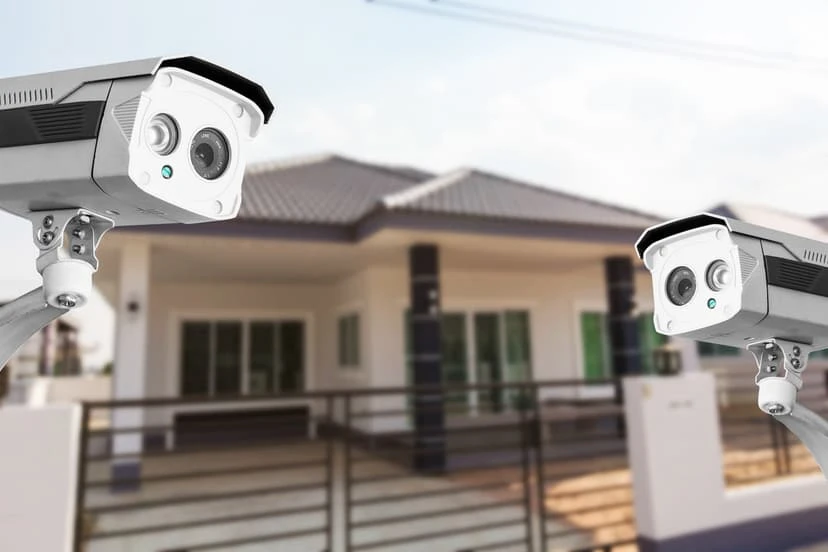
Choosing the right security camera system starts with knowing exactly what you want and what you need. Residential security installations focus on keeping your family, pets, and personal belongings safe, while commercial setups are designed to protect assets, employees, and compliance requirements. At Business Communication Solutions, we’ve personalized hundreds of systems across Austin. From cozy bungalows to bustling retail outlets, we know that a one-size-fits-all approach simply doesn’t cut it. In this guide, we’ll explore the main differences between home and business surveillance, helping you find the perfect balance of features, security coverage, and budget. Whether you’re a homeowner wanting to monitor front-porch package deliveries or a business owner needing to track foot traffic and prevent any unpleasant or criminal incidents, understanding these differences will set you on the path to smarter, more effective security. 1. Your Own Reasons and Coverage Needs Every property has “hot spots” that need extra attention, and those spots differ greatly between homes and businesses. Let’s check out how each environment shapes your camera choices. Residential Security Camera Installation For homeowners, the primary goal is peace of mind and feeling safe in their space. You want to guard against burglars, keep an eye on visitors, and make sure your kids or pets are safe when you’re not around. Typical coverage areas include front and back doors, driveways, garages, and backyard play spaces. Motion detection and night vision should be something you should not ignore because both of those features make sure that you see clear footage in low light. Two-way audio comes in handy for talking to delivery drivers, gently reminding the dog to stay off the couch, or communicating with your baby or pet sitter. Because residential systems often integrate with smart-home routines, you can set cameras to trigger lights or send app alerts straight to your phone. Isn’t that perfect for busy households? Commercial Security Camera Installation Businesses obviously are at risk of many more threats, ranging from employee theft to liability claims. Commercial installations focus on entrances and exits, parking lots, cash registers, inventory rooms, and high-traffic work zones. You’ll typically see high-resolution (4K+) cameras for crystal-clear detail, plus wide-angle and PTZ (pan-tilt-zoom) models to cover expansive areas. Advanced analytics like people counting, heat maps, or license-plate recognition help managers optimize staffing, monitor customer flow, and quickly respond to incidents. These latest features, combined with centralized monitoring and cloud-backup options, make sure that you always have a backup. Not only does it help you have the peace of mind as a business owner, but it also ensures compliance from your employees. 2. Camera Types and Technology to Choose From With so many camera styles and smart features on the market today, picking the right gear can feel like wandering through a gadget wonderland. Whether you’re securing the comfort of your living room or the assets of a bustling store in a mall, understanding each camera’s strengths and features helps you build a system that really works, without overpaying for features you’ll never use. In this section, we’ll go into the go-to options for both homes and businesses, from wireless cams to the fancy, AI-powered analytics stations. You’ll learn why doorbell cameras are perfect for package tracking, how thermal lenses spot any living thing in pitch dark, and why extended storage matters more to entrepreneurs than to families. Let’s get you up to speed on the technologies available in today’s top surveillance setups so you can choose confidently and clearly. Residential CCTV Systems Homeowners usually prioritize simplicity, flexibility, and easy integration with smart-home routines. Wireless indoor/outdoor cameras let you mount a camera on your front porch this weekend and swap it to the backyard next month; no cables are required. Doorbell cameras keep tabs on deliveries and visitors, sending you friendly live alerts (“Someone’s at your door!”) right on your phone. When you need ultra-discreet monitoring like checking on caregivers or babysitters, hidden nanny cams look like everyday objects, recording genuine behavior and reactions of someone without drawing attention. Storage options range from cloud-based plans, which automatically save your clips off-site, to local DVR/NVR boxes that can be stored away in a closet. Most families opt for one to two weeks of footage storage so that you can have quick access to recent events with modest hard-drive sizes. Commercial Surveillance Systems Businesses demand bullet-proof reliability and insight-driven analytics. Dome cameras with vandal-resistant casings blend into retail ceilings, while bullet cameras stand guard over parking lots and loading docks, their long-range lenses catching license plates day and night. For big areas like warehouses or campuses, PTZ cameras let security staff pan, tilt, and zoom in on areas of interest, either manually or via programmed patrol routes. And in ultra-low-light zones, think unlit alleyways or storage rooms, thermal cameras detect heat signatures, alerting you to hidden threats before they strike. On the back end, enterprise-grade NVRs store 30 days or more of high-definition video, ensuring you have the evidence you need for investigations or compliance audits. Pro Tip: For advanced threat detection, consider cameras with built-in AI analytics features like people counting, heat-mapping, and license-plate recognition to help businesses stay one step ahead of risk. 3. Installation Process When it comes to getting your cameras up and running, the effort required can vary widely between a cozy home setup and a large-scale commercial deployment. Here’s what to expect for each: Setup Time Residential Security Installation can often be completed in just 1–2 hours. Many homeowners opt for DIY-friendly kits that snap together easily, plug into your Wi-Fi, and work right out of the box. You’ll spend more time choosing angles and tweaking motion zones than wrestling with tools. Commercial Security Installation, on the other hand, is a bigger project. Professional installers may need days or even weeks to survey the site, run structured cabling, configure network switches, and set each camera’s field of view. The result is your own custom system built for heavy use and long-term reliability. Wiring For a home security camera
Supporting All 7 OSI Layers: How Managed IT Services Ensure Seamless Network Operations in Austin
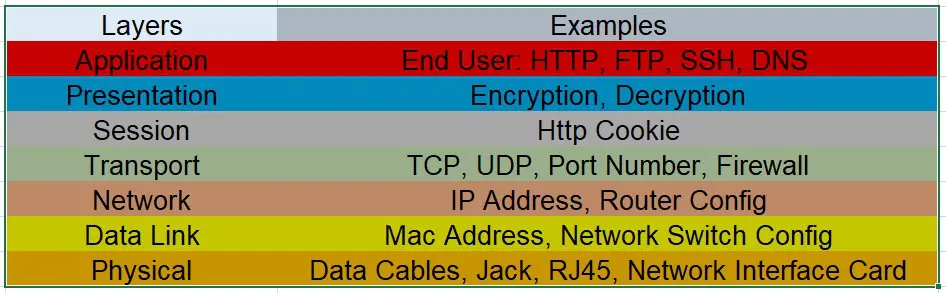
In the realm of networking, the Open Systems Interconnection (OSI) model serves as a foundational framework that standardizes the functions of a telecommunication or computing system into seven distinct layers. Each layer has a specific role, ensuring efficient and secure data transfer. Managed IT services play a critical role in supporting all seven OSI layers, providing comprehensive solutions that keep your network robust and reliable. 1. Physical Layer: Hardware and Transmission Media The Physical Layer is responsible for the physical connection between devices. It involves hardware components such as cables, switches, and routers. Support Provided: Hardware Management: Managed IT services ensure that all physical devices are correctly installed, configured, and maintained. Network Cabling: Expert cabling solutions to ensure optimal signal transmission. Equipment Monitoring: Continuous monitoring of hardware health to prevent failures and downtimes. 2. Data Link Layer: Reliable Data Transfer The Data Link Layer handles error detection and correction from the Physical Layer, ensuring reliable data transfer. Support Provided: MAC Address Management: Configuration and management of Media Access Control (MAC) addresses for secure device communication. Error Detection: Implementation of error-checking mechanisms to detect and correct data transmission errors. Switch Configuration: Efficient configuration and management of network switches to optimize data flow. 3. Network Layer: Data Routing and Forwarding The Network Layer is responsible for packet forwarding, including routing through different routers. Support Provided: IP Address Management: Allocation and management of IP addresses to ensure proper routing of data packets. Routing Configuration: Setting up and managing routing protocols (such as OSPF, BGP) to ensure efficient data paths. Network Security: Implementation of firewalls and intrusion detection systems to protect against unauthorized access. 4. Transport Layer: End-to-End Communication The Transport Layer ensures complete data transfer and handles error recovery and flow control. Support Provided: TCP/UDP Configuration: Setting up and managing Transmission Control Protocol (TCP) and User Datagram Protocol (UDP) for reliable communication. Flow Control: Implementing mechanisms to manage data flow and avoid congestion. Session Management: Ensuring that data streams are properly managed and maintained. 5. Session Layer: Managing Sessions The Session Layer manages and controls the connections between computers, handling session establishment, maintenance, and termination. Support Provided: Session Establishment: Configuring protocols to establish, manage, and terminate sessions between applications. Authentication Services: Implementing authentication protocols to ensure secure session initiation. Session Maintenance: Monitoring and managing sessions to ensure they remain stable and secure. 6. Presentation Layer: Data Translation and Encryption The Presentation Layer translates data between the application layer and the network format, ensuring data is in a readable format and handling encryption and decryption. Support Provided: Data Encryption: Implementing encryption protocols to secure data during transmission. Data Compression: Applying data compression techniques to reduce the amount of data transmitted. Format Translation: Ensuring data is translated into the correct format for different applications and systems. 7. Application Layer: End-User Services The Application Layer is the closest to the end user, providing network services directly to applications. Support Provided: Application Support: Ensuring that critical business applications (such as email, web services, and databases) are always available and running smoothly. Service Monitoring: Continuous monitoring of application performance to ensure optimal operation. User Support: Providing end-user support to troubleshoot and resolve application-related issues. Would you like to schedule a free consultation to see how we can help your business solve IT problems? Call us for a free consultation. Related Guides Managed IT Services: The Complete Austin Guide Protecting Your Business: The Vital Role of Cybersecurity in Managed IT Is Your Business Network Secure? 12 Warning Signs Endpoint Security: Protect Every Device on Your Network Cloud Security Best Practices for Businesses Elevate Your Connectivity with Wireless Networking Services Why Professional Data Cabling Boosts Business Efficiency What Is a Firewall? A Simple Explanation for Businesses
Understanding the Different Types of Security Camera Systems for Home and Business
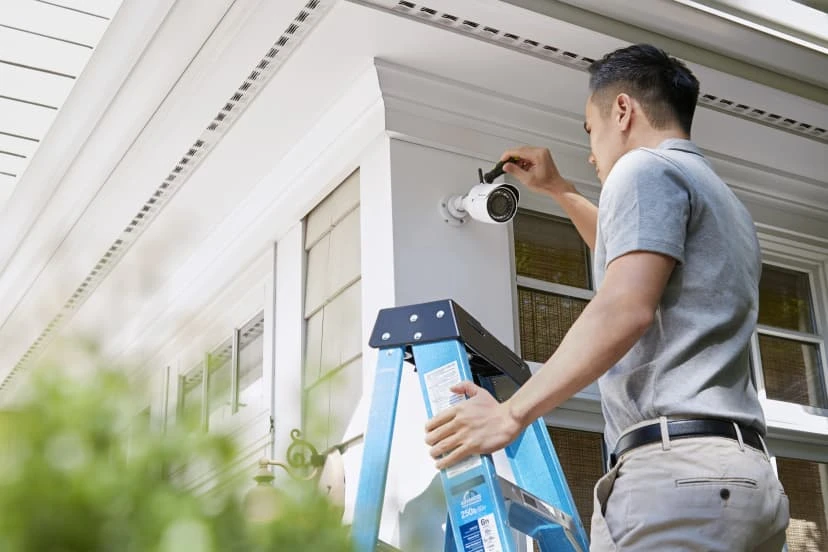
Choosing the right security camera system can feel like navigating a maze, especially with so many options out there. Yet picking the perfect setup is the most important step, whether you’re safeguarding your family’s sanctuary or protecting your business assets. As Austin’s lead camera installation company, we understand that every home and workplace in Austin has its own custom needs, layouts, and budgets. That’s why we’re here: to help you easily understand the complicated language, break down your choices, and guide you toward a surveillance system that answers all of your questions. In this guide, we’ll get into the five main categories, exploring how each works, what makes them shine, and where they might fall short. By the end, you’ll have the clarity to choose a system that gives you the confidence to sleep soundly, monitor on the go, and know you’ve made the right investment in your security. 1. Wired vs. Wireless Security Camera Systems When it comes to security cameras, the first big decision is whether to run cables or go cord-free. Both approaches have their pros and cons, so let’s learn each in turn. Wired Security Cameras Wired setups rely on physical cables (Ethernet or coaxial) to carry both power and video signals. Why Choose Wired? A wired system is still the gold standard for reliability, even in today’s modern age. Since there’s no dependence on Wi-Fi, you avoid interference from neighbors’ networks, thick walls, or busy radio frequencies. Many wired cameras deliver true 4K resolution with crystal-clear detail, perfect for large properties or important entry points. The Possible Issues However, professional installation is almost always required, as you’ll need to snake cables through walls, ceilings, or conduits. Once installed, relocating cameras can be a hassle, so carefully plan your angles and coverage right from the very start. On the plus side, no batteries means you never worry about sudden signal dropouts or power failures. Wireless Security Cameras Wireless cameras transmit video over your existing Wi-Fi network (or use built-in battery power). Why Choose Wireless? If you’re renting, remodeling, or simply want a less invasive setup, wireless is your friend. Without cables, you can experiment with placement and move a camera from your front porch to the backyard in minutes. Many models offer weatherproof designs, motion-activated recording, and even solar-recharging panels. The Possible Issues On the flip side, wireless systems depend on a strong Wi-Fi signal. If your network is not that great, you may see buffering or missed clips. Battery-powered cameras save on wiring but require periodic recharging or changing the batteries. For a better option, you should maybe think about a system with optional wired power or dual-band connectivity. Need help deciding? Contact nearby security camera installers at Business Communication Solutions for a friendly, no-pressure chat about which system would be the best for your home or business locations. 2. Indoor vs. Outdoor Security Cameras Choosing between indoor and outdoor security cameras isn’t just about weatherproofing, but it’s about matching each camera’s strengths to the areas you care about most. Indoor cameras are mostly focused on keeping an eye on interior spaces, from living rooms and nurseries to stock rooms and office cubicles. Outdoor cameras, on the other hand, are built tough to withstand the weather-related elements and keep your property’s perimeter under watch. With our guide, we’ll help you balance both types to create a perfect network of protection around your home or business. Indoor Cameras Indoor cameras are designed to blend into your décor while keeping watch over the people and things that matter most inside. Discreet Designs:Many models feature low-profile housings and sleek finishes, so they don’t stick out like a sore thumb. You’ll find everything from compact cube cams that sit on a shelf to tiny pinhole lenses you can tuck into a corner. Smart Motion Tracking:Advanced indoor cameras can pan, tilt, and zoom to follow movement, whether it’s your toddler exploring the living room or a curious pet scampering across the hall. This automated tracking gives you the entire view without manual intervention. Two-Way Audio:Perfect for playtime check-ins or greeting visitors at your front desk, two-way audio lets you speak and listen through the camera. Use it as a baby monitor, a quick way to ask your roommate about dinner plans, or to gently remind employees about safety protocols. Indoor cameras are ideal for checking in on deliveries, monitoring sensitive stock areas, or simply making sure that everyone at home is safe and sound. Because they’re typically powered by standard outlets or PoE (Power over Ethernet), you won’t have to worry about changing batteries or extending your Wi-Fi range too far. Outdoor Cameras Outdoor cameras serve as your first line of defense against unwelcome visitors and unexpected events outside your front door. Weatherproof & Vandal-Resistant:Rain, wind, snow, or sun, outdoor cameras are built to endure it all. Look for IP66 or higher ratings, which guarantee protection against heavy rain and dust. Many also come with metal housings and tamperproof mounts to make sure that no one can touch them. Night Vision & Floodlights:Keep watch 24/7 with infrared LEDs that illuminate the scene in total darkness, plus motion-activated floodlights that startle intruders and light up your property. Some models even switch from black-and-white IR to full-color night vision when lights are triggered. Wide-Angle & Long-Range Views:Outdoor cameras often feature wide-angle lenses or varifocal zoom to cover expansive driveways, parking lots, and property lines. You can catch license plates from the street or spot package deliveries on the porch with crystal clarity. By combining indoor and outdoor cameras strategically, indoor for close-up interactions and outdoor for broad-area surveillance, you create a fault-free security network. 3. Exploring Security Camera Technologies When it comes to choosing a surveillance system, knowing the technology behind each camera type can help you personalize your setup to exactly what you need. In this guide, we break down the most popular camera styles so you can match form and function with your own checklist and demands. Whether you’re