

Is Your Business Network Secure? 12 Warning Signs You Need Professional Network Security Services
The technology has rapidly evolved over the past few decades, and with that has evolved the risk associated with cybersecurity. The threats have considerably grown in complexity and impact. It is no longer a concern affecting only large corporations; small and mid-sized businesses are just as much targeted by cybercriminals if not more, thanks to their fewer security resources and weaker defenses. A single successful attack can disrupt operations, compromise sensitive information, erode customer trust, and cause costly downtime. As more businesses continue to incorporate advanced technologies such as cloud applications, remote work, VoIP phone systems, and connected devices into their frameworks, a professional network security service is now a fundamental necessity. Professional network security services can help businesses identify vulnerabilities, monitor for suspicious activity, and stop threats before they impact daily operations. If you’re a business concerned about your network security, looking for trusted cybersecurity services Austin, you’re in the right place. In this guide, we’ll share the importance of network security for your business, warning signs you shouldn’t ignore, and the best professional network security services for your business. Why Are Network Security Services Vital for Your Business? The cybersecurity landscape has changed dramatically over the last few decades. Earlier, only large corporations feared being targeted by cybercriminals. However, with the introduction of artificial intelligence, automated tools, and ransomware-as-a-service, it has become tremendously easier for cybercriminals to target businesses of all sizes. While cybercriminals have grown technically smart, businesses have also become increasingly dependent on technology. Modern workplaces have become more connected; employees can easily access company resources from any location, including home offices, airports, coffee shops, and mobile devices. Businesses depend on cloud platforms to collaborate, store files, and communicate with customers. These technological advances, though, have helped businesses to increase their productivity; the risks of cyber threats have also increased. Some of today’s biggest security challenges include: Ransomware attacks that encrypt critical business data AI-powered phishing emails that closely mimic legitimate communications Remote employees using unsecured home or public Wi-Fi networks Cloud applications containing sensitive business information Insider threats caused by accidental mistakes or unauthorized access And one of these expanding attacks is enough to harm a business tremendously, making strong business cybersecurity solutions essential. Even companies with only a handful of employees can become attractive targets if they lack proper security controls. Investing in professional network security services is no longer optional. It is a critical part of protecting business continuity, customer relationships, and long-term growth. 12 Warning Signs Your Business Network Needs Professional Protection While professional protection is necessary for all business networks, here are a few warning signs you should never ignore, and should consider professional network security services for your business immediately. 1. Frequent Phishing Phishing is the most common and successful cyberattack method. It targets people rather than technology. If your business or employees have started receiving an increased number of phishing emails, including fake invoices, fraudulent password reset requests, CEO impersonation emails, or malicious attachments that appear completely legitimate, it is time to consider professional network protection for your business. One accidental click on such emails can install malware, steal login credentials, or provide attackers with access to your business network. This is why professional email security services combined with employee security awareness training are essential for your business. 2. Your Cyber protection ends with antivirus Many businesses mistake installing antivirus software for complete cyber protection. Unfortunately, today’s cyber threats are far more sophisticated than traditional viruses. Today, cyberattacks often involve zero-day vulnerabilities, fileless malware, credential theft, ransomware, and advanced persistent threats, which can easily bypass basic antivirus programs. To secure your business against these attacks, consider professional endpoint protection services. It offers multiple layers of defenses, dramatically improving the ability to detect and stop any harmful attacks. 3. Frequent Unexplained Network slowdowns If you frequently notice your internet becomes unusually slow or your applications and systems lag without cause during office hours, this may very well be more than just network congestion or aging hardware. Cybercriminals sometimes install hidden malware that quietly consumes network resources. Infected computers may participate in botnets, cryptocurrency mining, or unauthorized data transfers without users noticing. To keep your business safe from such malicious malware, consider professional network monitoring services that continuously analyze traffic patterns, detect unusual activity, and alert IT teams before small issues become major security incidents. 4. Multiple Access Risk Do your employees have access to everything? Do they retain access to sensitive files even after changing roles? Do their former accounts remain active long after they have left? If yes, this excessive access may be creating more security risks than you realise. All a cybercriminal requires is access to one account with unrestricted permissions, and they can quickly move through the network, steal sensitive information, or deploy ransomware across multiple systems. To ensure your business network is well protected against such threats, consider implementing employee access management, which allows employees access to only the information required for their role. 5. Expanded Attack Surface Modern businesses link a wide array of endpoints, such as employee laptops, smartphones, tablets, wireless printers, security cameras, smart conference room equipment, IoT devices, and guest wifi devices, to networks. Each endpoint could be a potential entry for attackers. To avoid this, your business needs to hire a professional network security provider that can maintain accurate inventories of connected assets, monitor device activity, and identify unauthorized connections before they become security problems. 6. Inconsistent Software Updates Old and vulnerable are synonymous, especially when it comes to software. Many businesses allow these vulnerabilities to surface as they are more concerned about downtime or compatibility issues. Cybercriminals actively search for such vulnerabilities, as they are easier to exploit. To avoid these risks, businesses should consider professional patch management that ensures critical updates are tested, scheduled, and deployed consistently across the organization without disrupting operations. 7. Lack of Reliable Data Backups Your business’s data is everything. Losing it all can bring entire operations to a standstill. Many businesses think their
Managed IT Services Austin: Why Businesses Trust BCS for Proactive IT Support
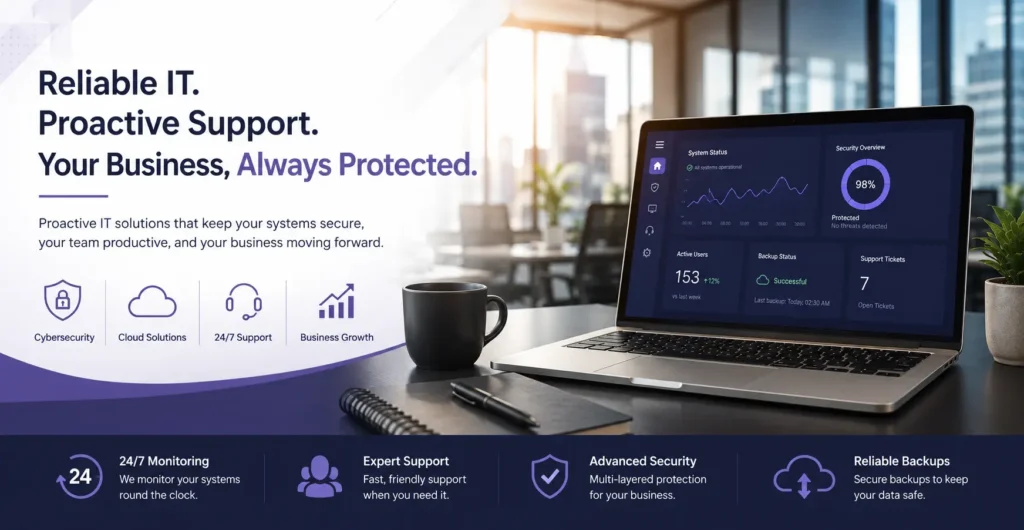
Smooth-running technology is a foundational necessity for every successful business in today’s time. Whether you’re managing customer data, supporting hybrid teams, processing transactions, or communicating with clients, your operations depend on reliable and secure IT systems. However, ensuring all technology runs smoothly at all times is no easy feat. With the advancement of technology, businesses increasingly face cybersecurity threats, rising compliance requirements, cloud management challenges, and the constant need for system updates. Waiting to fix something until after it’s broken is not something modern business can afford. The old break-fix in emergencies can cost a business a lot than the fixes cost. This is why more and more businesses are investing in Managed IT Services Austin. A proactive managed IT services provider monitors your infrastructure around the clock and prevents any technical issues from causing any operational disruptions, so your team can focus on the work that truly matters efficiently. What are Managed IT Services? Managed IT services refer to outsourcing the management of your company’s technological needs to a third-party vendor of IT professionals. Such vendors are known as Managed Service providers or MSPs. Instead of waiting for emergencies to contact professionals or hiring an entire internal team of professionals, managed IT services proactively monitor, manage, and secure your entire technology environment through a predictable monthly service. Their services are aimed at preventing problems, rather than fixing them, which minimizes downtime, improves productivity, and keeps businesses protected against evolving cyber threats. A managed IT provider typically handles: Network monitoring Help desk support Cybersecurity Microsoft 365 administration Server management Cloud services Data backup and recovery Hardware and software maintenance IT consulting and planning Why are Austin Businesses Ditching the Old Break-Fix IT? Traditionally, most businesses relied on the “break-fix” model. Under this approach, IT was often called upon only after something needed fixing. This often led to unexpected downtime, lost employee productivity, unforeseen emergency repair costs, data loss, poor customer experiences, and compromised cybersecurity. This severely affected their revenue, employee efficiency, and customer satisfaction. Slowly, businesses started to look for a solution. That’s where IT managed services in Austin come in. They offered an entirely different approach to the problem, which allowed such problems to be resolved long before they impact business operations and efficiency, The result is fewer interruptions, healthier IT infrastructure, and more predictable operating costs. Why Businesses in Austin Need Proactive IT Support? Austin is one of the fastest-growing business hubs in the United States. With the growth of business in various s sectors, including healthcare providers, law firms, manufacturers, retailers, construction companies, schools, and professional service firms, and their increasing dependency on technology, the need to stay technologically active and cyber safe has also risen. And with that grew more new challenges: Supporting remote and hybrid employees Managing cloud environments Protecting sensitive customer information Preventing ransomware attacks Meeting industry compliance standards Scaling infrastructure efficiently Maintaining business continuity Without active IT support, these challenges can easily disrupt business operations and increase unnecessary expenses. This is why professional Managed IT services are a structural necessity for all successful and growing businesses in Austin. Why BCS Is The Right Choice For Your Business? Choosing the right managed service provider can make or break your business. This is not a one-time service gig. You are essentially choosing a long-term technology partner whose service quality directly dictates the smoothness of your business operations. That’s where we come in. With over two decades of experience helping businesses through Central Texas, we excel at building secure, reliable, and scalable IT environments through a proactive, customer-focused approach. We offer a team of the best IT professionals in the industry, 24/7 proactive monitoring, and a business-focused solution. This is why we are the first choice of business for managed IT services Austin. Our Services We are a one-stop solution to all your technology problems. From managing your network and strengthening cybersecurity to supporting communication systems and wireless infrastructure, we deliver exceptional, end-to-end IT solutions designed to reduce downtime and simplify technology management. Network Management Reliable network connectivity is the backbone of every successful business. We offer comprehensive network management services, including design, installation, and maintenance of wired and wireless networks, ensuring seamles Cybersecurity Services Each technological advancement introduces new threats to cybersecurity. To protect your business from evolving cyber threats, we offer advanced cybersecurity solutions, including EDR, MDR, SIEM, SOAR, email security, antivirus protection, 24/7 SOC monitoring, and employee cybersecurity training to ensure secure and reliable IT operations. IT Infrastructure Management Managing IT infrastructure requires continuous attention to keep systems secure and performing efficiently. This is why we oversee everything from servers to storage solutions; we manage your entire IT infrastructure, ensuring it is always up-to date, secure, and performing at its best. Our proactive approach to maintenance minimizes downtime and enhances productivity. Low Voltage Cabling A dependable network starts with quality cabling infrastructure. Our low-voltage cabling services cover data cabling, fiber optic cabling, coaxial cabling, security camera cabling, and access control cabling. We ensure that your cabling infrastructure is reliable and capable of supporting your business’s current and future needs. VoIP Phone Systems Modern businesses need communication systems that are flexible, reliable, and cost-effective. We provide installation, configuration, and support for VoIP systems that offer clear, reliable, and cost-effective communication solutions for your business. Whether you’re upgrading from a traditional phone system or implementing a new communications platform, we help improve collaboration while reducing communication costs. Security Cameras & Access Control Enhance the security of your premises with our advanced security camera and access control systems. We provide installation and support for UniFi cameras, doorbells, and access control equipment to keep your business secure. Wireless Solutions Fast, reliable wireless connectivity is a basic necessity in every workspace. Our wireless solutions include the installation, design, troubleshooting, and support of wireless routers, wireless bridges, wireless repeaters, and wireless access points. We ensure your business stays connected with reliable and high-speed wireless networks. Signs That Your Business Is In Need of Managed IT Services Delaying
Elevate Your Connectivity with BCS: Wireless Networking Services in Austin, Texas

In today’s fast-paced world, a reliable and robust wireless network is the backbone of seamless communication and productivity. At Business Communication Solutions (BCS), we specialize in delivering top-notch wireless networking services in Austin, Texas, ensuring that your home or business stays connected, efficient, and secure. Our expertise spans across wireless router installation, wireless bridge setup, wireless repeater configuration, and wireless access point deployment, coupled with comprehensive design, troubleshooting, and support services. Wireless Site Survey and Coverage Planning A reliable wireless network starts with proper planning. Before installing routers, wireless access points, or other network equipment, the property layout and coverage requirements should be evaluated. A wireless site survey can help identify potential dead zones, signal interference, building materials, user density, and areas that require stronger Wi-Fi coverage. The number and placement of access points should be based on how the network will actually be used rather than simply installing equipment throughout the property. For businesses with large or complex properties, proper coverage planning can also help support future growth, additional users, and new connected devices without requiring a complete network redesign. Wireless Router Installation and Configuration The wireless router is the heart of your network, distributing internet connectivity to all your devices. At BCS, we provide professional wireless router installation and configuration services tailored to meet your specific needs. Whether it’s a high-speed router for a bustling office or a reliable home network setup, we ensure optimal placement and configuration for maximum coverage and performance. Our team handles everything from initial setup to advanced security configurations, ensuring your network is both fast and secure. Wireless Bridge Setup Need to connect two buildings or extend your network to a remote area? Our wireless bridge installation services are designed to create seamless connectivity between different locations without the need for extensive cabling. We utilize state-of-the-art technology to establish strong, stable connections over long distances, ensuring your network remains robust and reliable no matter where you need it. Wireless Repeater Configuration Eliminate dead zones and extend your network’s reach with our wireless repeater setup services. At BCS, we expertly configure wireless repeaters to boost signal strength and expand coverage areas, providing consistent and reliable connectivity throughout your premises. Whether it’s a multi-story office building or a sprawling campus, we ensure that every corner has strong, uninterrupted Wi-Fi. Wireless Access Point Deployment For larger networks or areas requiring high-density connectivity, our wireless access point (WAP) deployment services are the perfect solution. We design and install WAPs to deliver superior wireless coverage and capacity, accommodating numerous devices simultaneously without compromising on performance. Our solutions are ideal for businesses, educational institutions, and public spaces needing robust, scalable wireless networks. Business Wi-Fi vs. Basic Wi-Fi Networks Basic Wi-Fi equipment may be suitable for small spaces with a limited number of users, but business environments often require a more structured wireless network. A business-grade wireless network can support multiple access points, a larger number of connected devices, centralized management, separate employee and guest networks, stronger security controls, and easier expansion as business requirements change. The right setup depends on factors such as the size of the property, number of users, connected devices, applications being used, and the level of coverage required. For larger offices and commercial properties, a properly designed multi-access-point network can provide more consistent coverage than relying on a single wireless router. Comprehensive Design and Troubleshooting A well-designed wireless network is crucial for optimal performance and security. At BCS, our expert team offers meticulous wireless network design services, tailored to your specific requirements. We conduct thorough site surveys, analyze your needs, and design a network that ensures seamless connectivity and efficiency. Additionally, our troubleshooting services address any network issues promptly and effectively, minimizing downtime and ensuring your network operates smoothly. Unmatched Support Services At BCS, we understand that maintaining a reliable wireless network requires ongoing support. Our dedicated support team is available to assist with any network issues, updates, or upgrades, ensuring your network remains secure and efficient. From routine maintenance to emergency troubleshooting, we provide the support you need to keep your wireless network running at peak performance. Wireless Network Security and Guest Access Wireless network performance is not only about speed and coverage. Security and access management should also be considered when designing a business Wi-Fi network. Businesses may need separate wireless access for employees, guests, and connected devices such as printers, security systems, or other network equipment. Separating these connections can help improve network organization and limit unnecessary access between different types of devices. A properly configured wireless network should also include appropriate security settings, controlled access, and regular monitoring to help identify connectivity or performance issues. As the number of connected devices grows, ongoing network management can become increasingly important. Why Choose BCS? Expertise: Our team of certified professionals brings extensive experience and knowledge to every project. Affordable: Great services does not have to come at a premium price. We offer affordable products and services. Customization: We tailor our services to meet the unique needs of your home or business. Reliability: We use the latest technology and best practices to ensure your network is robust and secure. Support: Our commitment to exceptional customer service means you can count on us for ongoing support and assistance. Experience the difference with BCS’s wireless networking services in Austin, Texas. Contact us today to learn how we can enhance your connectivity and keep you seamlessly connected. Wireless Networking for Different Types of Properties Wireless networking requirements can vary significantly depending on the property and how the network is used. A small office may need reliable connectivity for employees and business devices, while a larger commercial property may require multiple access points and broader coverage planning. Professional wireless networking solutions can be designed for a range of environments, including: Office buildings Warehouses and industrial facilities Hotels and hospitality properties RV parks and large outdoor properties Schools and educational facilities Healthcare facilities Retail locations Apartment communities Commercial campuses Each environment can have different coverage, capacity, security, and
Cable Management and a Clean Workspace: Why It Matters for Your Business

In any business, your network infrastructure is the foundation of daily operations. Yet many organizations overlook the physical state of their cabling until a problem arises—and by then, the damage is already done in lost productivity and costly downtime. Professional cable management is a strategic investment that directly impacts troubleshooting efficiency, workplace safety, and your ability to scale. This guide covers why cable management matters, the real costs of neglecting it, and practical steps to keep your infrastructure organized and reliable. What Is Cable Management? Cable management is the systematic organization, routing, and securing of electrical and data cables within a workspace, server room, or network closet. It includes labeling, bundling, installing physical infrastructure like cable trays and raceways, and maintaining clear documentation of connections. At BCS Voice & Data, we design and install structured cabling systems that are clean, compliant, and built to last. Effective cable management means: Structuring cable pathways to prevent tangling and interference Standardizing cable routing patterns Implementing consistent labeling systems Securing cables without causing damage Separating power and data cabling according to applicable standards Documenting connections for future reference Why a Clean Workspace Matters for Businesses A clean, organized workspace delivers measurable business benefits: Faster troubleshooting. When network issues arise, every minute of downtime costs money. Proper cable management lets technicians quickly trace connections and resolve problems without wasting time untangling bundles. Clear labeling means faster mean time to resolution (MTTR). Improved safety. Loose cables create trip hazards and potential liability. Overloaded power strips and improperly routed cables pose fire risks. Organized cabling reduces these safety concerns and helps maintain compliance with workplace regulations. Fewer accidental disconnections. In messy environments, someone can easily unplug a critical connection while reaching for something else. Proper cable management secures connections and keeps them visible, reducing accidental disruptions. Easier future upgrades. A well-organized cabling infrastructure makes it significantly easier to add new equipment, upgrade systems, or reconfigure your network. Your IT team can quickly identify available ports and integrate new technology with minimal disruption. How Poor Cable Management Affects Your Network Neglecting cable management creates real operational challenges: Longer troubleshooting time. When a network problem occurs, technicians must first make sense of the cabling before they can diagnose the issue. Tracing a single cable through a disorganized mess can take minutes or hours—time that translates directly into costly downtime. Difficult equipment identification. Without clear labeling, identifying specific equipment and connections becomes a guessing game. Which server connects to which switch? Which port goes to which department? This confusion leads to mistakes and wasted time. Damaged or disconnected cables. Cables bundled too tightly with zip ties, bent at sharp angles, or crushed under equipment become damaged over time. This causes intermittent connectivity, slow performance, and eventual failures that are hard to diagnose. Heavy bundles can also pull connections loose from ports. Server room clutter. Server rooms and network closets are the heart of your IT infrastructure, yet they’re often the most neglected spaces. Clutter makes equipment difficult to access, restricts airflow and cooling, and turns simple maintenance into complex challenges. Blocked vents from poor cable management can lead to overheating and equipment failure. Harder office moves and upgrades. Whether you’re relocating, adding equipment, or upgrading your network, poor cable management makes every project more difficult, time-consuming, and expensive. Moves that should take hours stretch into days, and upgrades become fraught with unexpected complications. Best Practices for Organizing Network Cables Implementing effective cable management starts with these core practices: Label Cables Clearly Every cable should be labeled at both ends with clear, consistent information identifying its purpose and connections. Use a professional label maker with durable labels that won’t fade or peel. Include details like connection points, port numbers, and destination information. Consistent labeling makes troubleshooting significantly faster and less error-prone. Use Cable Trays and Raceways Cable trays and raceways provide dedicated pathways that keep cables organized and off the floor. They help maintain separation between different cable types, allow easy access during maintenance, and prevent tangling. They also make it easier to add or remove cables as your needs change. Use Velcro Instead of Overly Tight Ties Velcro straps are often preferred for managing network cables because they can be adjusted and reused without cutting. Cable ties should not be overtightened, as excessive pressure can damage some cables. Using hook‑and‑loop fasteners also makes future changes easier and helps maintain the integrity of the cable jacket. Organize Patch Panels Patch panels provide a centralized connection point for network cables. Use them to create clean, manageable connections between equipment and your cabling infrastructure. Keep patch cables organized by length, use color-coding to identify different network segments or functions, and maintain a consistent patching pattern. Remove Unused or Abandoned Cables “Ghost” cables—old, disconnected wiring—clutter your workspace and make it difficult to identify active connections. Regularly audit your cabling and remove any cables no longer in use. This reduces clutter, improves airflow, and makes it much easier to trace active connections when troubleshooting. Keep Power and Data Cabling Properly Separated Power and data cabling should be routed and separated according to applicable installation requirements and cabling standards. Where electrical interference is a concern, the appropriate cable type and installation method should be selected for the environment rather than relying on shielded cable alone to compensate for improper routing. Document Important Connections Even the best-organized cables become confusing over time without documentation. Maintain a current network diagram and connection documentation that maps out your cabling infrastructure. Include information about cable runs, connection points, equipment locations, and any recent changes. This documentation is invaluable for troubleshooting, planning upgrades, and training new IT staff. Cable Management in Server Rooms and Network Closets Server rooms and network closets require disciplined cable management because they house critical equipment. In these spaces, proper cable management is essential for: Optimal airflow and cooling. Organized cabling allows air to circulate freely around equipment, preventing overheating and extending hardware life. Tangled cables can block ventilation and create hot spots. Efficient equipment access. When cables are neatly routed, you can easily access equipment for
Allworx Interact Integration With Google Chrome and Firefox

Allworx have came a long way. The interface that we used to used called call assistant was already pretty good. We were able to transfer call via drag and drop, see who’s on the phone, who’s on park, record a phone call, and see use just about any feature with just a click. Now with Allworx Interactive, you can even set your interactive to always record your phone calls, make phone calls by simply click the Allworx icon on top right for google chrome, it will then allow you to choose from available phone numbers, or from Firefox, you can actually click on the phone number and dial, your Allworx phone will start dialing. This would definitely be a great tools for call centers and user that makes a lot of outbound calls. This will be a great tools for users that uses a web based CRM, that is compatible with google chrome or firefox. What Is Allworx Interact? Allworx Interact is a communication interface designed to give business phone users easier access to call-management features from their computer. Depending on the system configuration, users can manage calls and work with phone-system functions without constantly switching between separate applications. For businesses that handle frequent customer calls, having communication tools available alongside everyday computer applications can make call handling more convenient. This can be particularly useful for employees who spend much of their day working in web-based software, customer management platforms, or business applications. How Browser Integration Can Support Business Calling Browser integration can make it easier for employees to work with phone-related functions while using Google Chrome or Firefox. Instead of manually copying and dialing every phone number, compatible browser-based workflows can simplify how users interact with phone numbers and communication tools. For example, employees who regularly work with online customer records, contact lists, or web-based business applications may benefit from faster access to calling functions. This can reduce unnecessary steps when moving between customer information and phone conversations. The exact functionality available can depend on the Allworx system configuration, browser environment, and communication tools being used by the business. Benefits for Sales and Customer Service Teams Browser-based phone integration can be particularly useful for employees who make or receive a high volume of calls. Sales teams, customer service representatives, support staff, and call-focused employees often work with customer information on their computers while handling phone conversations. Potential benefits can include: Faster access to phone numbers while working in a browser Less time spent manually dialing numbers Easier movement between customer records and calls More convenient access to call-management tools A more streamlined workflow for employees handling frequent outbound calls For businesses with teams that spend most of the day working in web-based platforms, browser integration can help bring communication tools closer to the applications employees already use. Using Allworx Interact With Web-Based CRM Systems Many businesses now rely on browser-based CRM platforms and other cloud applications to manage customer information. Employees may spend much of their working day reviewing contacts, updating records, responding to requests, and communicating with customers. A communication workflow that works alongside these browser-based systems can help reduce the need to move repeatedly between separate tools. This can be useful when employees need to access customer phone numbers while reviewing account details or managing sales and support activities. However, businesses should confirm compatibility based on their specific Allworx configuration, CRM platform, browser setup, and available integrations before relying on a particular workflow. When Should a Business Consider Browser-Based Phone Integration? Browser-based phone integration may be worth considering when employees regularly make outbound calls while working from a computer. It can be particularly relevant for businesses with sales teams, customer service departments, support staff, or employees who work extensively in web-based applications. Before implementing or changing a business phone workflow, it is important to review the existing phone system, user requirements, browser environment, and compatibility with other business software. The right setup depends on how employees communicate and which tools they use throughout the day. Businesses using older or legacy phone systems may also need to evaluate whether their current configuration supports the features and integrations they need. Frequently Asked Questions: 1. What is Allworx Interact? Allworx Interact is a browser-based communication interface that allows users to access and manage business phone system features from a computer. 2. Can Allworx Interact work with Google Chrome and Firefox? Yes, this blog specifically discusses Allworx Interact integration with Google Chrome and Firefox, helping users access communication features through supported web browsers. 3. What can users do with Allworx Interact? Depending on the Allworx setup and available features, users can access communication and call-management tools through the browser-based interface. 4. Does Allworx Interact require a separate desk phone? Allworx Interact can provide browser-based access to communication tools, but the exact phone and system requirements depend on the Allworx configuration used by the business. 5. Why is browser integration useful for business phone users? Browser integration can make communication tools easier to access from a computer, allowing employees to work with phone-system features without constantly switching between separate applications. 6. Can Allworx Interact support business productivity? Yes. Having communication features available through a browser can simplify access to call-management tools and help employees work more efficiently within their normal computer workflow. 7. Who should consider using an Allworx business phone system? Businesses that need a flexible communication system with phone, browser, and other integrated features may consider an Allworx solution based on their specific communication requirements. Related Guides How to Choose the Right Business Phone System Selecting the Right VoIP Phone Service for Your Business Affordable VoIP Phone Systems in Austin Benefits of Call Recording for Businesses Web-Based VoIP Phone System with Video Conferencing and CRM Integration Why Austin Small Businesses Are Ditching Landlines for VoIP Why Central Texas Businesses Choose a Local VoIP Phone System Provider Business Communication Solutions That Reduce Costs
Benefits of Call Recording

Call recording can help businesses review customer conversations, improve employee training, support quality assurance, and maintain records of important business communications. Depending on the phone system and configuration, calls may be recorded automatically, manually, randomly, or according to specific business rules. For sales teams, customer service departments, and technical support staff, recorded conversations can provide useful information that would otherwise be difficult to review after a call has ended. The right call recording setup depends on how a business handles customer communications, its operational requirements, and applicable legal or compliance obligations. Improve Customer Service and Quality Assurance One of the main benefits of call recording is the ability to review how employees handle customer conversations. Managers can listen to selected calls to identify communication issues, evaluate customer interactions, and find opportunities to improve service quality. Call reviews can help businesses answer questions such as: Are customers receiving accurate information? Are employees handling calls professionally? Are common customer concerns being addressed effectively? Are there recurring communication problems that require additional training? This information can help businesses improve call-handling processes instead of relying only on assumptions or customer complaints. Support Employee Training and Coaching Recorded calls can also be useful for employee training. Real customer conversations can provide practical examples of situations employees regularly encounter, including difficult questions, technical issues, sales objections, and customer complaints. Managers and employees can review calls together to identify what was handled well and where improvements may be needed. This can make training more specific than relying only on generic scripts or theoretical examples. For new employees, selected recordings may also help demonstrate how experienced team members handle common customer interactions. Help Sales Teams Review and Improve Conversations Sales teams often handle a large number of inbound and outbound calls. Recording those conversations can give employees and managers an opportunity to review how prospects are being handled. Call reviews may help identify issues such as missed questions, unclear explanations, poor follow-up, or areas where a sales conversation could be improved. Employees can also review successful calls to understand which communication approaches worked effectively. The purpose should not simply be to monitor employees. When used properly, call recording can provide useful information for coaching and improving sales communication. Improve Technical Support and Help Desk Quality Call recording can be particularly useful for businesses with technical support or help desk teams. Managers may review calls to determine whether customers received accurate information and whether support issues were handled appropriately. This can help identify recurring problems in support processes, documentation gaps, or areas where technicians may need additional training. Recorded conversations can also provide useful context when reviewing complex customer issues that cannot be fully understood from written notes alone. Maintain Records of Important Business Conversations Some businesses use call recording to maintain records of important customer conversations, service requests, instructions, or other business communications. A recording may provide additional context when there is a disagreement or uncertainty about what was discussed during a call. However, businesses should establish clear policies for how recordings are stored, accessed, retained, and protected. Call recordings can contain sensitive information, so access should generally be limited to authorized personnel based on the business’s operational and compliance requirements. Types of Call Recording Systems Different businesses may require different recording configurations. Depending on the phone system and available features, options can include: VoIP Call Recording Records calls handled through a VoIP or internet-based business phone system. Automatic Call Recording Records calls automatically based on predefined system settings. On-Demand Call Recording Allows authorized users to start recording when a specific business need arises. Random Call Recording Records selected calls for quality assurance and performance review. Rules-Based Call Recording Uses predefined rules to determine which calls should be recorded based on factors such as users, departments, call types, or other system settings. The best option depends on the business’s communication requirements and phone-system capabilities. Call Recording Policies and Compliance Considerations Before implementing call recording, businesses should review the legal, privacy, consent, and industry-specific requirements that apply to their situation. Requirements can vary depending on where the business operates, where the people on the call are located, and the purpose of the recording. Businesses should also consider how recordings will be stored, who can access them, how long they should be retained, and how sensitive information will be protected. A clear internal policy can help employees understand when calls may be recorded and how recorded information should be handled. Choosing the Right Call Recording Solution The right call recording solution depends on several factors, including the existing phone system, number of users, call volume, recording requirements, storage needs, and how recordings will be reviewed or managed. Businesses should also consider whether call recording needs to support sales coaching, customer service reviews, technical support, compliance requirements, or a combination of these needs. FAQs 1. What are the main benefits of call recording for businesses? Call recording can help businesses with quality assurance, employee training, sales-call review, customer service improvement, recordkeeping, and reviewing important conversations. 2. How can call recording improve customer service? Managers can review recorded calls to identify communication issues, evaluate how employees handle customers, and find opportunities to improve service quality. 3. Is call recording useful for employee training? Yes. Recorded calls can be used to review real customer interactions, identify mistakes, and help employees improve their communication and problem-solving skills. 4. Can call recording help sales teams improve performance? Yes. Sales teams can review inbound and outbound calls to understand how conversations are handled, identify areas for improvement, and refine communication with prospects. 5. What types of calls can businesses record? Depending on the system and configuration, businesses may use VoIP call recording, outbound call recording, random call recording, station-side recording, trunk-side recording, or rules-based recording. 6. How do businesses choose the right call recording system? The right system depends on the business’s communication setup, number of users, call volume, recording requirements, and how the recordings will be reviewed or managed. 7. Are there legal requirements
BCS offers Smart Hands Services

Managing IT equipment from another location can become difficult when a problem requires someone to be physically present. Remote IT teams can monitor systems, troubleshoot software, and guide users, but they cannot reconnect a cable, reboot equipment, replace hardware, or inspect a physical connection. That is where Smart Hands services can help. Business Communication Solutions (BCS) provides on-site technical assistance for businesses, remote IT teams, and organizations that need help with physical IT and network tasks. Smart Hands support can be useful for equipment installation, cable work, troubleshooting, server reboots, hardware replacement, network changes, and other tasks that require a technician at the location. Whether your internal IT team is located elsewhere or you need occasional on-site technical assistance, Smart Hands services can provide the physical support needed to complete the work. What Are Smart Hands Services? Smart Hands services provide on-site technical support for tasks that require a physical presence at a business location, server room, network closet, or other IT environment. A remote IT team may be able to identify an issue and provide instructions, while an on-site Smart Hands technician can perform the physical work. This can include checking equipment, following troubleshooting instructions, reconnecting cables, replacing approved hardware, rebooting devices, and assisting with installations. Smart Hands support is particularly useful when an organization’s primary IT team cannot travel to the location or when sending an internal employee would be inefficient. The exact work performed depends on the scope of the request and the technical requirements of the equipment. What Tasks Can Smart Hands Technicians Perform? Smart Hands support can cover a wide range of on-site IT and network tasks. Equipment Installation and Setup New IT and network equipment often requires someone to be physically present for installation. Smart Hands technicians can assist with placing and connecting equipment based on approved instructions and project requirements. This may include: Installing servers and network equipment Connecting switches, routers, and other devices Assisting with rack-and-stack tasks Installing interface cards and approved components Connecting power and network cables Checking physical equipment connections For businesses with remote IT teams, this allows the technical team to coordinate the project without needing to send someone to the location for every physical task. Server Reboots and Physical Checks Sometimes a remote administrator needs equipment to be physically checked or restarted. A Smart Hands technician can assist with tasks such as: Performing approved server or equipment reboots Checking power connections Inspecting physical cables and connections Verifying status lights or equipment indicators Following troubleshooting instructions from a remote IT team Providing information about the physical condition of equipment This can help remote teams investigate issues that cannot be fully diagnosed through remote access alone. Hardware Replacement When approved hardware needs to be replaced, on-site assistance may be required. Depending on the equipment and scope of work, Smart Hands support can assist with replacing components such as drives, memory, network components, and other hardware. The remote IT team can coordinate the technical process while the on-site technician handles the physical replacement work according to the provided instructions. Cable Work and Cross-Connections Physical network connections are an important part of many IT environments. A disconnected, damaged, or incorrectly connected cable can create issues that remote monitoring alone may not resolve. Smart Hands services can assist with: Checking cable connections Making approved cross-connections Reconnecting equipment Identifying and tracing labeled cables Assisting with basic cable changes Supporting network equipment installation BCS also provides voice, data, and network cabling services, which makes cabling and physical network infrastructure a relevant area of on-site technical support. On-Site Troubleshooting Some technical problems require physical inspection. For example, a remote IT team may need someone to check whether equipment has power, inspect connections, verify cable placement, or provide visual information about a device or server rack. Smart Hands technicians can act as the on-site resource for these physical checks while working with the organization’s remote IT team. Network and Equipment Reconfiguration When equipment needs to be physically moved or connections need to be changed, an on-site technician can assist with the required work. Depending on the project, this may include disconnecting and reconnecting approved equipment, moving network devices, making physical connection changes, or assisting with equipment replacement. The work should always be based on the agreed scope and technical instructions for the specific environment. How Smart Hands Services Help Remote IT Teams Remote IT support works well for many day-to-day technology issues. However, there are situations where remote access is not enough. A remote technician cannot physically: Reboot equipment that is not remotely accessible Replace failed hardware Check a loose cable Install equipment Inspect a server rack Make a physical network connection Confirm the physical status of equipment Smart Hands support fills this gap. Instead of sending an internal IT employee to another location, a remote team can coordinate with an on-site technician who can perform the physical tasks required for the project or troubleshooting process. This can be especially useful for organizations managing multiple offices, remote facilities, or equipment located far from their main IT team. Smart Hands vs Remote IT Support Smart Hands and remote IT support can work together, but they serve different purposes. Remote IT support focuses primarily on technology that can be accessed and managed remotely. This may include software troubleshooting, system monitoring, account management, configuration, and other administrative tasks. Smart Hands support provides physical assistance when someone needs to be present at the location. For example, a remote IT team may identify that a network device needs to be restarted. The Smart Hands technician can physically perform the restart and confirm the equipment’s status. The remote team provides the technical direction, while the on-site technician provides the physical presence. Smart Hands vs Managed IT Services Smart Hands services should not be confused with full Managed IT services. Smart Hands support is generally focused on specific on-site tasks that require physical assistance. Managed IT services are broader and can include ongoing technology management, proactive monitoring, maintenance, technical support, cybersecurity, network administration,
Protecting Your Business: The Vital Role of Cybersecurity in Managed IT Services

In today’s digital age, cybersecurity is more critical than ever. With the increasing frequency and sophistication of cyberattacks, businesses must prioritize the protection of their data and systems. Managed IT services play a pivotal role in providing comprehensive cybersecurity solutions that safeguard your business against threats. In this blog, we’ll explore the importance of cybersecurity, common threats, and how managed IT services can help protect your organization. The Importance of Cybersecurity Data Protection: Confidentiality: Protecting sensitive information from unauthorized access is crucial. This includes customer data, financial records, intellectual property, and other confidential information. Integrity: Ensuring the accuracy and reliability of data is vital for business operations. Cybersecurity measures prevent data tampering and corruption. Availability: Keeping data accessible to authorized users is essential. Cybersecurity protects against disruptions that could impact business continuity. Compliance: Regulatory Requirements: Many industries are subject to stringent data protection regulations such as GDPR, HIPAA, and PCI-DSS. Compliance with these regulations is mandatory and requires robust cybersecurity measures. Avoiding Penalties: Non-compliance can result in hefty fines and legal consequences. Effective cybersecurity helps businesses meet regulatory requirements and avoid penalties. Reputation Management: Trust: Customers and partners trust businesses that prioritize cybersecurity. Protecting data builds and maintains trust. Brand Image: A data breach can severely damage a company’s reputation. Proactive cybersecurity measures help prevent breaches and protect the brand image. Financial Protection: Cost of Breaches: The financial impact of a cyberattack can be devastating, including costs related to data recovery, legal fees, and lost revenue. Risk Mitigation: Investing in cybersecurity helps mitigate these risks and protect the financial health of the business. Common Cybersecurity Threats Malware: Malicious software designed to damage or disrupt systems, steal data, or gain unauthorized access. Examples include viruses, ransomware, and spyware. Phishing: Deceptive attempts to obtain sensitive information by pretending to be a trustworthy entity, often through email or malicious websites. DDoS Attacks: Distributed Denial of Service attacks overwhelm a network or website with traffic, causing it to become unavailable to users. Insider Threats: Risks posed by employees or other insiders who may intentionally or unintentionally cause data breaches or system disruptions. Advanced Persistent Threats (APTs): Long-term targeted attacks where intruders establish a presence within a network to steal data over an extended period. How Managed IT Services Enhance Cybersecurity Comprehensive Security Assessments: Managed IT services conduct thorough security assessments to identify vulnerabilities and risks within your network and systems. This includes penetration testing, vulnerability scanning, and risk assessments. Proactive Monitoring and Threat Detection: Continuous monitoring of network activity helps detect and respond to threats in real time. Managed IT services utilize advanced threat detection tools and techniques to identify suspicious activity and mitigate risks promptly. Endpoint Protection: Protecting endpoints such as computers, servers, and mobile devices is critical. Managed IT services deploy and manage endpoint security solutions, including antivirus, anti-malware, and intrusion prevention systems. Data Encryption: Encrypting sensitive data both in transit and at rest ensures that even if data is intercepted or accessed without authorization, it remains unreadable and secure. Firewall and Network Security: Configuring and managing firewalls, intrusion detection systems (IDS), and intrusion prevention systems (IPS) help protect the network perimeter and prevent unauthorized access. Security Awareness Training: Educating employees about cybersecurity best practices is crucial. Managed IT services provide regular training to help employees recognize and respond to threats such as phishing attacks. Incident Response and Recovery: In the event of a security breach, having a robust incident response plan is essential. Managed IT services develop and implement incident response strategies to quickly contain and remediate threats, minimizing damage and downtime. Compliance Management: Ensuring compliance with industry regulations and standards is a key aspect of cybersecurity. Managed IT services help businesses navigate and meet compliance requirements through proper security measures and documentation. Conclusion Cybersecurity is an indispensable component of modern business operations. The ever-evolving threat landscape requires vigilant and proactive measures to protect sensitive data and systems. Managed IT services provide the expertise, tools, and support needed to implement comprehensive cybersecurity strategies that safeguard your business. By partnering with a reliable managed IT service provider, you can ensure robust protection against cyber threats, compliance with regulatory requirements, and the preservation of your business’s reputation and financial health. Ready to Enhance Your Cybersecurity? Contact Business Communication Solutions IT Services today to learn how our managed IT services can help protect your business from cyber threats and ensure a secure network environment. 512.257.1433 FAQs 1. Why is cybersecurity important in Managed IT services? Cybersecurity is a core part of Managed IT because business IT systems need ongoing protection alongside monitoring, maintenance, and technical support. A Managed IT approach can combine network management, infrastructure management, endpoint protection, threat detection, and employee security awareness. 2. What cybersecurity services can be included in Managed IT? Depending on the provider, services may include EDR, MDR, SIEM, SOAR, email security, antivirus protection, 24/7 SOC monitoring, and employee cybersecurity training. 3. How does proactive IT monitoring improve cybersecurity? Proactive monitoring helps identify potential security and technical issues earlier instead of waiting for a major incident. This can reduce downtime and support a more preventive approach to IT management. 4. What is endpoint security in Managed IT? Endpoint security focuses on protecting devices connected to a business environment, such as computers and laptops. It can involve monitoring, threat detection, antivirus, and response capabilities. 5. Can Managed IT services help protect against email-based threats? Yes. Email security can be included as part of a broader Managed IT and cybersecurity strategy to help protect business systems from email-based threats. 6. Why is employee cybersecurity training important? Employees can be a major part of an organization’s security posture. Training helps staff recognize suspicious activity and follow safer practices when using business systems and handling data. 7. How do businesses choose a Managed IT provider with cybersecurity support? Look for a provider that covers both daily IT operations and security needs, including proactive monitoring, endpoint protection, network security, backup and recovery, and incident-response capabilities. Related Guides Managed IT Services: The Complete Austin
Affordable Security Camera Systems: What Businesses and Homeowners Should Know
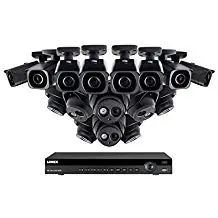
Security camera systems have become more accessible than they were in the past. Businesses and homeowners can now choose from a wider range of cameras, recording options, remote viewing features, and installation methods based on their property and security requirements. However, a lower price does not automatically mean that every security camera system is the right choice. The number of cameras, camera placement, video quality, recording requirements, network infrastructure, and installation complexity can all affect the overall cost and performance of a system. Before choosing a security camera system, it is important to understand which features are actually needed and where cameras should be installed. A properly planned system can provide useful coverage without paying for unnecessary equipment. Why Are Security Camera Systems More Affordable Today? Security camera technology has changed significantly over time. Features that were once associated with higher-cost commercial systems are now available across a wider range of products. Modern security camera systems may include features such as: High-definition video Color imaging Motion detection Night vision Remote viewing Mobile notifications Local or network video recording Wide-angle coverage Weather-resistant outdoor cameras Power over Ethernet (PoE) connectivity Increased availability of IP cameras and network-based security systems has also given businesses and homeowners more options. Instead of using the same equipment for every property, a system can be planned around the areas that actually need coverage. The important point is that affordability should not be based only on the price of each camera. A lower-cost system with poor coverage, unreliable connectivity, or insufficient recording capacity may create additional costs later. What Affects the Cost of a Security Camera System? The cost of a security camera system can vary significantly from one property to another. A small installation may have very different requirements from a large office, warehouse, retail location, or multi-building property. Number of Cameras The number of cameras is one of the most obvious factors affecting the cost of a system. A property may need cameras at: Main entrances and exits Employee entrances Parking areas Reception areas Loading areas Hallways Storage rooms Cash-handling areas Exterior access points The goal should not be to install as many cameras as possible. Instead, camera placement should be based on the property’s layout, important access points, potential blind spots, and the areas that require monitoring. Camera Type and Video Quality Different cameras are designed for different environments. For example, an indoor camera may not have the same requirements as a camera installed outside in changing weather conditions. Some properties may require wider coverage, better low-light performance, or additional features depending on what needs to be monitored. Higher video resolution can provide more detail, but it can also affect storage and network requirements. Choosing the highest available resolution is not always necessary for every camera location. The right camera should be selected based on the purpose of that specific area. Indoor vs Outdoor Installation Outdoor camera installations may require additional planning. Factors can include: Weather exposure Camera mounting location Lighting conditions Cable routing Power availability Distance from network equipment Protection of cables and connections Outdoor cameras should be selected and installed based on the environment rather than simply using the same equipment installed indoors. Wired vs Wireless Camera Systems Both wired and wireless security camera systems can have a place, but they work differently. A wired system can provide a more consistent connection when the cabling and network infrastructure are properly installed. Many business camera systems use network cabling to connect cameras and support reliable communication. Wireless cameras can be useful in locations where installing new cabling is difficult or impractical. However, Wi-Fi coverage, signal strength, network capacity, and power requirements should all be considered before relying on wireless cameras. For larger or more complex properties, the existing network should be evaluated before adding multiple cameras. Recording and Storage Requirements A camera system needs a way to store recorded footage. The required storage depends on factors such as: Number of cameras Video quality Recording schedule Motion-based or continuous recording Required retention period Higher-quality video and longer retention periods can require additional storage capacity. Before choosing a system, businesses should consider how long footage needs to be retained and whether the system should record continuously or primarily when motion is detected. Installation Complexity The installation itself can also affect the total cost. A simple camera installation in an accessible location may require less work than an installation involving multiple buildings, difficult cable routes, outdoor mounting, or network upgrades. Professional installation can involve planning camera locations, running or organizing cabling, connecting equipment, configuring the system, and testing coverage. Important Security Camera Features to Consider Not every property needs every available feature. The most useful features depend on the location and security requirements. Motion Detection Motion detection can help identify activity in specific areas and may reduce unnecessary recording depending on the system configuration. For example, a business may want alerts when motion is detected near an entrance outside normal operating hours. Night Vision and Low-Light Performance Lighting conditions should be considered before selecting a camera. An area that appears well-lit during the day may be much darker at night. Cameras used in parking areas, exterior entrances, and other outdoor locations should be selected with expected lighting conditions in mind. Remote Viewing Many modern security camera systems allow authorized users to view live or recorded footage remotely. This can be useful for business owners and managers who need to check their property while away from the location. Remote access should be properly configured and secured to help prevent unauthorized access to the camera system. Mobile Alerts Some systems can send notifications based on configured events or motion detection. The usefulness of alerts depends on how the system is configured. Too many unnecessary notifications can make important events easier to overlook. Weather Resistance Outdoor cameras should be appropriate for the environment where they will be installed. Weather exposure, heat, rain, and mounting conditions should all be considered during system planning. Power over Ethernet (PoE) PoE allows compatible
Endpoint Security

An endpoint is a type of communication device that connects to the network. Back then there are desktops, laptops, and handheld devices such as iPad, or cellphone. These devices can be simply protected by installing anti-virus software that scans for the signature-base of the virus and destroys it. Now, as the technology world evolves, endpoints include the Internet of Things or IoTs. Examples are smart gadgets that are connected to the internet in many homes and businesses like smart thermostats and fridges. Cybercriminals use these endpoints as one of the loopholes to get into a network. During this time many have transferred their business remotely and network security had become more and more major necessity in our technology world. Fortinet offers the merging of Endpoint Protection Platform (EPP) & Endpoint Detection & Response (EDR) software that simplifies protection and manages malware before it attacks your device. It also has Machine Learning (ML) that helps detect malware in an early stage. With this type of endpoint protection you can for sure go by your daily tasks without any disruption from cybercriminals. FAQs 1. What is endpoint security? Endpoint security is the protection of devices that connect to a business network, such as computers, laptops, servers, and other endpoints. It helps reduce security risks by monitoring and protecting individual devices. BCS includes endpoint-focused protection within its cybersecurity services. 2. What devices are considered endpoints? Common endpoints include desktop computers, laptops, servers, mobile devices, and other devices that connect to a business network. 3. How is endpoint security different from antivirus software? Traditional antivirus is one layer of protection, while endpoint security can involve broader capabilities such as continuous monitoring, threat detection, response, and centralized security management. 4. Why is endpoint security important for small businesses? Small businesses often have multiple devices accessing business systems and data. Endpoint security helps protect those individual devices, which can otherwise become entry points for cyber threats. 5. What is Endpoint Detection and Response (EDR)? EDR is a security approach focused on detecting suspicious activity on endpoint devices and helping security teams investigate and respond to potential threats. BCS lists EDR as part of its cybersecurity offering. 6. Can endpoint security help protect remote employees? Yes. Endpoint protection can help secure laptops and other business devices used outside the main office network, which is particularly important for remote and hybrid work environments. 7. Is endpoint security enough to protect a business? No. Endpoint security should be part of a broader cybersecurity strategy that may also include network security, firewalls, email security, backups, monitoring, and employee cybersecurity training. Related Guides Protecting Your Business: The Vital Role of Cybersecurity in Managed IT Managed IT Services: The Complete Austin Guide Is Your Business Network Secure? 12 Warning Signs Cloud Security Best Practices for Businesses What Is a Firewall? A Simple Explanation for Businesses Supporting All 7 OSI Layers with Managed IT Services Best Managed IT Services in Austin Why the Right Managed IT Provider Is Essential for the Future