

What Do Most People Get Wrong About Security Cameras in Austin, TX?

Most people think security cameras are simple. Buy the cameras. Mount them. Open the app. Done. But security camera systems aren’t standalone devices. They are part of a network ecosystem — and every decision you make has a side effect. Those side effects determine: How long footage is stored Whether remote viewing works smoothly How much ongoing infrastructure is required Whether the system performs properly during an incident For homeowners and businesses in Austin, TX, misunderstanding these details can lead to expensive frustration. <iframe width=”512″ height=”910″ src=”https://www.youtube.com/embed/61PCllRxwiQ” title=”What do most people get wrong about security cameras?” frameborder=”0″ allow=”accelerometer; autoplay; clipboard-write; encrypted-media; gyroscope; picture-in-picture; web-share” referrerpolicy=”strict-origin-when-cross-origin” allowfullscreen></iframe> The Biggest Misconception: “Higher Resolution Is Always Better” One of the most common mistakes we see in Austin security camera installations is this: A customer sees 16MP cameras advertised online and buys 20 of them. They assume: Higher resolution = better security More megapixels = clearer remote viewing Their current internet connection will handle it But that’s not how surveillance systems work. High-resolution cameras require significant bandwidth and storage — especially upload bandwidth. And that’s where most systems fall apart. Real-World Example: When Internet Speed Doesn’t Match the System A customer in Austin had: 100 Mbps download 5 Mbps upload (standard cable internet) They expected to remotely view 20 high-resolution 16MP cameras from their phone or office. That won’t work. Here’s why: Security cameras typically record locally to an NVR (Network Video Recorder). When you access footage remotely, your system must upload video data from your location to your device. If your upload speed is only 5 Mbps: Video streams buffer constantly Quality automatically drops Feeds lag or freeze Multiple cameras can’t load at once The cameras aren’t defective. The infrastructure doesn’t match the expectation. Cameras Don’t Exist in a Vacuum A properly designed surveillance system includes: Camera resolution (MP) Bitrate configuration Video compression settings Storage capacity Retention period requirements NVR processing capability Network switch capacity PoE power budgeting Internet upload speed Remote access demands If one component is misaligned, the entire system underperforms. This is especially important for businesses installing security cameras in Austin’s high-growth areas like: Downtown Austin South Austin The Domain Round Rock Cedar Park Pflugerville The Hidden Side Effects Most People Overlook 1️⃣ Footage Retention Higher resolution means larger file sizes. Larger files consume storage faster. Without properly sized hard drives, you may only retain: 3–7 days of footage Instead of 30+ days required for liability protection For retail stores, warehouses, restaurants, and office buildings in Austin, this can become a serious issue after an incident. 2️⃣ Remote Viewing Performance Remote access depends heavily on: Upload speed (not download speed) Number of cameras streaming simultaneously Bitrate settings Network congestion Most residential cable plans in Austin offer high download speeds but limited upload speeds. If you need consistent multi-camera remote access, you may require: Business-class internet Fiber service Proper bitrate tuning Without that, your system may record perfectly — but remote viewing becomes unreliable when you need it most. 3️⃣ Ongoing Infrastructure Costs High-resolution systems require: Larger storage arrays More powerful NVRs Higher-capacity network switches More robust internet plans Potential network segmentation The upfront camera purchase is only part of the investment. Why This Matters for Austin Businesses Austin continues to grow rapidly. Businesses across Central Texas are installing surveillance systems for: Theft prevention Liability protection Access monitoring Asset security Employee safety But if systems are designed based solely on megapixels instead of infrastructure capacity, they often fail during real incidents. And that’s when they’re needed most. The Right Way to Design a Security Camera System in Austin Instead of asking: “What’s the highest resolution camera available?” Ask: What is my actual upload bandwidth? How many cameras need remote viewing simultaneously? How many days of retention do I require? Is my switch and PoE budget sized correctly? Does my NVR support this load? Is fiber internet available at my location? In many Austin commercial environments, a properly configured 4MP or 8MP camera system performs more reliably than an oversized 16MP system on insufficient infrastructure. Balanced systems outperform oversized systems every time. Common Security Camera Installation Mistakes in Austin Oversizing resolution without upgrading internet Ignoring upload speed requirements Underestimating storage needs Not configuring bitrate properly Expecting residential internet to support commercial systems Failing to plan for future expansion Security cameras should be engineered — not just installed. Bottom Line Security cameras are not just hardware. They are part of an integrated system that includes: Network infrastructure Storage design Internet bandwidth Power management Performance expectations Resolution, storage, bandwidth, and real-world usage must align — or the system fails when you actually need it. And that’s the mistake most people don’t realize until it’s too late. Professional Security Camera Installation in Austin, TX If you’re planning to install or upgrade security cameras in Austin, TX, make sure your system is designed around: Infrastructure capacity Retention requirements Remote access expectations Scalable growth Because effective surveillance isn’t about buying the biggest camera. It’s about building the right system. Need security camera installation in Austin? Let’s design a system that actually works. – 512-257-1433 Related Guides The Complete Guide to Business Security Cameras How to Choose the Best Security Camera System for Your Home or Business Understanding the Different Types of Security Camera Systems Why Professional Security Camera Installation Is Essential for Your Business The Truth About Wireless Cameras for Austin Homes and Businesses Common Security Camera System Problems and How to Fix Them 5 Crucial Features Your Business Security Camera System Must Have Top Benefits of Installing Security Cameras in Your Austin Home or Business
Do Security Cameras Really Prevent Crime in Austin, TX?

<iframe width=”391″ height=”694″ src=”https://www.youtube.com/embed/8hR0MdK2IpA” title=”Do cameras prevent crime?” frameborder=”0″ allow=”accelerometer; autoplay; clipboard-write; encrypted-media; gyroscope; picture-in-picture; web-share” referrerpolicy=”strict-origin-when-cross-origin” allowfullscreen></iframe> You’ve probably heard someone say: “Security cameras don’t prevent crime — they just record it.” It’s a common claim. But is it true? If you live or own a business in Austin, Texas, where property crime and package theft are ongoing concerns in many neighborhoods, the answer matters. Let’s break down what the research says, how criminals actually think, and whether installing security cameras in Austin is worth it. Do Security Cameras Prevent Crime? The honest answer: Security cameras don’t physically stop crime — but they absolutely deter it. There’s a big difference. Cameras won’t tackle a burglar or block someone from entering. What they do is increase risk, and most criminals prefer low-risk opportunities. If you were a thief, would you choose: A house with no cameras, no lights, and no signage? Or a house with visible cameras and security warnings? Most criminals choose the easier target. Crime Trends in Austin, Texas Austin has experienced steady growth, and with that growth comes increased property crime in certain areas, including: Residential burglary Car break-ins Package theft (“porch piracy”) Business vandalism Construction site theft Neighborhoods in South Austin, East Austin, North Austin, and suburban areas like Round Rock and Pflugerville have all reported incidents of property crime in recent years. In fast-growing cities like Austin, criminals often look for quick, low-risk opportunities — especially in neighborhoods with limited visibility or poor lighting. That’s where security cameras make a difference. What the Research Says About Cameras and Crime Deterrence Multiple studies on surveillance systems show: Visible security cameras reduce property crime. Areas with surveillance see lower burglary rates. Criminals frequently report avoiding properties with cameras. Most burglaries are opportunistic, not carefully planned. That means criminals are scanning for: No visible cameras Poor lighting Easy access points No alarm system A clearly visible security camera increases the perceived chance of getting caught — and that’s often enough to make someone move on. Why Visibility Matters in Austin Security Systems In Central Texas neighborhoods, camera placement is just as important as having cameras at all. Hidden cameras help collect evidence, but visible cameras deter crime. For homes and businesses in Austin, effective placement typically includes: Front door and porch (to prevent package theft) Driveway and garage Side gates and backyard entrances Parking lots (for businesses) Loading docks and rear entries Pairing cameras with motion lighting is especially important in Austin’s suburban and semi-rural areas where streets may not be well lit. When Security Cameras Are Most Effective Security cameras work best against: Residential burglary Car break-ins Vandalism Retail theft Trespassing Package theft in neighborhoods like Mueller, Cedar Park, and South Congress They are less effective against: Highly motivated, targeted crime Crimes of passion Individuals under heavy intoxication That said, even in targeted cases, cameras still provide crucial evidence for Austin law enforcement. Cameras Alone vs. A Complete Security System In Austin, where homes range from downtown condos to Hill Country estates, the best protection comes from layered security. Cameras are most effective when combined with: Alarm systems Smart doorbells Access control (for businesses) Proper outdoor lighting Security signage Reinforced doors and locks A well-designed system doesn’t just record crime — it discourages it before it starts. Do Criminals in Austin Check for Cameras? Yes. Former offenders consistently report that they: Scan properties for cameras Avoid homes with obvious surveillance Choose targets that appear easier In high-density areas like downtown Austin or The Domain, criminals look for quick, unnoticed entry. Visible cameras disrupt that plan. In suburban areas like Westlake, Leander, or Buda, criminals often look for poorly lit homes with no surveillance. In both cases, cameras increase risk — and criminals prefer low risk. Security Cameras for Austin Businesses For business owners in Austin, cameras provide both deterrence and documentation. They help reduce: Employee theft Shoplifting After-hours break-ins Parking lot incidents Liability disputes Retail stores, restaurants on South Lamar, offices near Tech Ridge, and construction sites across Travis County all benefit from visible surveillance systems. In competitive commercial areas, businesses with strong security appear more professional and better protected. The Psychological Factor: Why Cameras Work Security cameras trigger three psychological deterrents: Fear of identification Fear of prosecution Fear of increased attention Even if a criminal believes they can escape, the presence of cameras introduces uncertainty — and uncertainty often causes them to choose another target. In a city like Austin, where neighborhoods sit close together, criminals frequently shift just a few houses down the street. Cameras don’t eliminate crime entirely — they redirect it away from you. Common Myths About Security Cameras Myth 1: “If someone wants to break in, they will anyway.” Some will — but most property crimes are opportunistic, not determined missions. Myth 2: “Cameras only help after the crime.” While cameras do provide evidence, their biggest value is deterrence before a crime happens. Myth 3: “Hidden cameras are better.” Hidden cameras help with evidence. Visible cameras help prevent crime. Ideally, you use both. Are Security Cameras Worth It in Austin, TX? For most homeowners and business owners, yes. In a growing city like Austin, security cameras: Increase property protection Reduce theft risk Lower insurance claims in some cases Provide peace of mind Support police investigations They aren’t a magic shield — but they significantly increase your security profile. Frequently Asked Questions (Austin Security Cameras) Do security cameras reduce crime in Austin neighborhoods? Yes. Visible surveillance reduces opportunistic property crime and package theft. Where should I place cameras on my Austin home? Front door, driveway, garage, side gate, and backyard entrances are key areas. Do security cameras lower insurance in Texas? Some insurers offer discounts for monitored systems. Check with your provider. Are security cameras legal in Austin, TX? Yes, as long as they do not record areas where people have a reasonable expectation of privacy (like inside a neighbor’s home). Final Verdict Security cameras don’t physically stop crime. But they absolutely:
When Do Austin Businesses Realize They Waited Too Long to Fix Their IT?

Most companies don’t realize they waited too long… Until something goes wrong. Their server crashes. They lose years of data. Their IT administrator leaves without notice. A ransomware attack locks their systems. That’s when they realize their infrastructure wasn’t built to last — or survive real-world problems. In Austin, TX, where businesses grow fast and competition is tight, waiting too long to invest in proper IT systems can cost far more than prevention ever would. <iframe width=”512″ height=”910″ src=”https://www.youtube.com/embed/NB5mVDGJwYs” title=”Most people don’t realize they waited too long—until something breaks” frameborder=”0″ allow=”accelerometer; autoplay; clipboard-write; encrypted-media; gyroscope; picture-in-picture; web-share” referrerpolicy=”strict-origin-when-cross-origin” allowfullscreen></iframe> The Reality for Growing Austin Businesses From tech startups in The Domain to construction companies in Round Rock and professional firms in Downtown Austin, many organizations follow the same pattern: They start with a basic IT setup. One internal person “handles everything.” Systems are added as needed. Documentation gets pushed aside. Backups are assumed to be working. Everything feels fine. Until it isn’t. Austin’s rapid growth means businesses scale quickly — but their IT infrastructure often doesn’t scale with them. The Moment It Becomes an Emergency Here are the most common breaking points where companies realize they waited too long. 1️⃣ The Server Goes Down No email. No shared files. No access to accounting systems. No CRM. In industries like healthcare, legal, manufacturing, and finance, even a few hours of downtime can mean: Lost revenue Missed deadlines Contract penalties Compliance exposure Downtime in Austin’s competitive market isn’t just inconvenient — it’s expensive. 2️⃣ Data Is Lost — And There’s No Backup Many businesses believe they have backups. But they’ve never tested them. When real data loss happens due to hardware failure, ransomware, or human error, they discover: Backups weren’t configured correctly. Restoration takes days, not hours. Critical files were never included. Without a tested disaster recovery plan, recovery becomes guesswork. 3️⃣ The IT Administrator Leaves This one is more common than most people think. An internal IT manager: Gets a better job offer. Leaves without notice. Is terminated unexpectedly. And suddenly leadership realizes: Only one person knew the firewall configuration. Admin passwords weren’t shared. Vendor relationships weren’t documented. No one else understands the network infrastructure. The business wasn’t hacked. It was structurally dependent on a single point of failure. What Is a Single Point of Failure in IT? A single point of failure (SPOF) is any part of your system that, if it fails, shuts down your operations. Examples include: Only one administrator account controlling everything. No documented network topology. Backups managed by one employee. No shared credential management. No offboarding process for IT staff. In fast-growing Austin companies, these risks often go unnoticed until they cause disruption. Why Businesses Wait Too Long Most delays happen for understandable reasons: “We haven’t had problems yet.” “Our IT person has it handled.” “We’ll upgrade next year.” “It’s working fine.” But “working fine” isn’t the same as being resilient. Real-world problems are normal: Hardware fails. Employees leave. Cyber threats evolve. Storms cause outages. Software corrupts. The question isn’t if something will happen. It’s when. What a Proper IT Setup Looks Like for Austin Companies A resilient IT infrastructure includes: ✔ Documented Network Architecture Clear maps of servers, firewalls, switches, and cloud environments. ✔ Role-Based Access Controls No single individual controls the entire system. ✔ Secure Password Management Business-grade password vaults with shared administrative oversight. ✔ Tested Backup & Disaster Recovery Backups that are regularly verified and restorable. ✔ Offboarding Procedures Immediate access revocation and credential rotation when employees leave. ✔ Ongoing Monitoring Proactive security monitoring and system health checks. This isn’t overkill. It’s operational maturity. The Cost of Waiting Too Long in Austin, TX In Central Texas, downtime can cost: Thousands in lost productivity per day Long-term client trust Regulatory fines (for healthcare or finance sectors) Damaged reputation In high-growth areas like Cedar Park, Pflugerville, and South Austin, businesses can’t afford extended disruption. Emergency IT repairs are always more expensive than preventive planning. Ask Yourself These Questions If your systems failed tomorrow: How quickly could you restore operations? Who has full administrative access? Are backups tested quarterly? Is documentation current and accessible? Does ownership have visibility into system controls? If you hesitate answering those, it may be time for a structured IT review. Don’t Wait for the Crisis Most Austin businesses don’t realize they waited too long… Until something bad happens. The companies that survive growth, turnover, and cyber threats are the ones that build systems designed to handle disruption. Because good IT isn’t about reacting fast. It’s about building resilience before the emergency. Austin IT Support & Infrastructure Planning If your business depends on one person, one password, or one undocumented system, that’s not a strategy — it’s a risk. Building a check-and-balance IT structure today prevents crisis tomorrow. Don’t wait for failure. Schedule your Austin IT risk assessment today. 512-257-1433 Related Guides Managed IT Services: The Complete Austin Guide Why the Right Managed IT Provider Is Essential for the Future The Fundamentals of Great IT: Principles That Never Go Out of Style Everything in IT Has a Side Effect: Austin IT Support and Cybersecurity Locked Out of Their Own Network? The Hidden Risk of Single-Point IT Control Protecting Your Business: The Vital Role of Cybersecurity in Managed IT Supporting All 7 OSI Layers: How Managed IT Services Ensure Seamless Networks Best Managed IT Services in Austin
Why Austin Small Business Leaders Must Take IT More Seriously

In today’s business environment, technology is not optional — it’s operational infrastructure. Yet many small business owners in Austin, TX and surrounding areas don’t prioritize IT services until something major happens: Ransomware attacks Internet outages Server crashes Phone systems going down Security camera failures Data loss And unfortunately, some businesses still don’t take IT seriously — even after experiencing a major failure. That’s not a technology issue. That’s a leadership decision. IT Is Not an Expense. It’s Risk Management. For small businesses in Austin, Round Rock, Cedar Park, Pflugerville, Georgetown, and nearby communities, downtime is expensive. When your network fails: Employees stop working Customers can’t reach you Sales pause Cloud systems disconnect Security systems may go offline Every minute of downtime impacts productivity and revenue. Proactive IT support isn’t about being “technical.” It’s about protecting business continuity. Strong leadership understands this. Why Small Businesses Delay IT Investment Many owners delay improving their IT infrastructure because: “Everything seems fine.” “We haven’t had a major issue yet.” “We’ll fix it if something breaks.” “IT is too expensive.” The problem? Reactive IT always costs more than proactive IT. Emergency repairs, lost productivity, reputation damage, and compliance issues often exceed the cost of proper planning. You can only get away with neglecting infrastructure for so long. Eventually, something gives. Leadership Means Planning Before Failure In fast-growing cities like Austin, TX, where businesses rely on: Cloud platforms VoIP phone systems Security cameras Remote access E-commerce systems High-speed internet Technology is the backbone of daily operations. A company leader doesn’t need to understand every technical detail. But they do need to understand: Risk exposure Business continuity planning Network reliability Data protection Cybersecurity threats Taking IT seriously is a strategic decision, not a technical one. What Happens When IT Is Ignored? For small and mid-sized businesses across Central Texas, common consequences include: Repeated internet outages blamed on “the provider” Unsecured networks vulnerable to attack Backup systems that were never properly tested Cameras that fail during incidents Phone systems that drop during peak hours And sometimes, even after a major event, leadership falls back into the same reactive pattern. But sustainable companies don’t operate that way. The Businesses That Last in Austin Do This Differently Successful companies treat IT like: Insurance Infrastructure A growth enabler They invest in: Managed IT services Proper network configuration Business communication systems Data backups Cybersecurity protection Scalable infrastructure Because they understand: Technology supports operations. Operations generate revenue. Revenue sustains the business. Final Thought for Business Owners in Austin, TX We understand your time is valuable. You’re managing staff, customers, vendors, payroll, and growth. But leadership means addressing risks before they become emergencies. IT isn’t just about computers. It’s about protecting: Your operations Your reputation Your employees Your customers Your future growth If you’re a small business owner in Austin, Round Rock, Cedar Park, Georgetown, Pflugerville, Leander, Kyle, or Buda, taking IT seriously isn’t optional anymore. It’s part of responsible leadership. If one employee losing their desktop files would hurt your operations, you don’t have a backup strategy — you have a risk. Let’s fix that. 512-257-1433 Related Guides Managed IT Services: The Complete Austin Guide Why the Right Managed IT Provider Is Essential for the Future The Fundamentals of Great IT: Principles That Never Go Out of Style When Do Austin Businesses Realize They Waited Too Long to Fix Their IT? Everything in IT Has a Side Effect: Austin IT Support and Cybersecurity Protecting Your Business: The Vital Role of Cybersecurity in Managed IT Locked Out of Their Own Network? The Hidden Risk of Single-Point IT Control Best Managed IT Services in Austin
Why Slow Computers Are Quietly Costing Your Business Money

Many small businesses tolerate slow computers because “they still work.” But slow technology reduces productivity in ways most leaders underestimate. If an employee loses just 15–20 minutes per day due to: Lagging systems Freezing applications Long login times File access delays That adds up to more than 80 hours per year — per employee. Multiply that across your team and you’re looking at weeks of lost output annually. The Hidden Costs of Slow Business Computers Reduced productivity Increased employee frustration Higher error rates Lower morale Delayed customer response times Slow IT infrastructure creates operational drag. And operational drag impacts revenue. When Is It an IT Problem? Common causes include: Outdated hardware Insufficient RAM Aging hard drives Poor network configuration Background software overload Lack of regular system maintenance These aren’t “normal.” They’re solvable. The Bottom Line If your team constantly says: “It’s thinking.” “Give it a second.” “It’s freezing again.” That’s not normal business operation. It’s friction. And friction costs money. If your systems feel slower than they should, it may be time to evaluate what’s actually causing it. Efficiency should be measurable — not assumed. Call us now 512-257-1433 Related Guides Managed IT Services: The Complete Austin Guide Why the Right Managed IT Provider Is Essential for the Future The Fundamentals of Great IT: Principles That Never Go Out of Style When Do Austin Businesses Realize They Waited Too Long to Fix Their IT? Everything in IT Has a Side Effect: Austin IT Support and Cybersecurity Protecting Your Business: The Vital Role of Cybersecurity in Managed IT Supporting All 7 OSI Layers: How Managed IT Services Ensure Seamless Networks Best Managed IT Services in Austin
The Biggest Scam in the Security Camera Industry (Austin Homeowners Need to Know This)

If you live in Austin, there’s a good chance you’ve experienced this: A door-to-door security salesperson knocks. They mention break-ins in your area. They offer a “limited-time” deal. They push you to sign tonight. And just like that — you’re locked into a 3–5 year contract for a system that may already be outdated. Let’s talk about the biggest scam in the security camera industry today — and how Austin homeowners can avoid it. What Is the Biggest Security Camera Scam in Austin? The biggest scam isn’t the camera itself — it’s the long-term contract trap pushed through high-pressure sales tactics. Many national security companies send door-to-door reps into Austin neighborhoods like: Round Rock Cedar Park Leander Pflugerville South Austin Westlake Georgetown They often use urgency and fear-based selling to lock homeowners into expensive, long-term monitoring agreements. Here’s how it works. How the Door-to-Door Security Scam Works 1️⃣ “Free Equipment” That Isn’t Free They advertise free cameras, free installation, or a free doorbell camera. But the cost is built into: Inflated monthly monitoring fees Equipment financing Long contract terms You end up paying far more than the equipment is worth. 2️⃣ 3–5 Year Monitoring Contracts Many homeowners don’t realize they’re signing agreements worth $2,000–$4,000+ over time. Early cancellation? You could owe the remaining balance in full. 3️⃣ Outdated or Low-Quality Cameras Some systems being sold door-to-door: Don’t record in true 4K Have limited night vision Store footage only in the cloud (monthly fee required) Lack proper perimeter coverage In a growing city like Austin, where property crime trends shift by area, poor camera placement makes systems nearly useless. 4️⃣ Poor Installation We regularly see: Cameras mounted too high No proper angle for facial capture No coverage of driveway entry points Wi-Fi signal issues No local storage backup A poorly designed system creates a false sense of security. Why This Is Happening in Austin Austin is one of the fastest-growing cities in Texas. More growth means: More new homeowners More neighborhoods under development More opportunity for aggressive sales teams Door-to-door companies target growing areas because residents may not yet have established local service providers. What Legitimate Austin Security Companies Do Differently Reputable local security camera installers in Austin: ✔ Conduct a real property assessment ✔ Evaluate lighting and entry points ✔ Recommend proper camera height and angle ✔ Offer transparent pricing ✔ Avoid high-pressure tactics ✔ Provide month-to-month or flexible monitoring ✔ Educate you before you buy A professional company should never rush your decision. How to Avoid Security Camera Scams in Austin Before signing anything: 🔎 Research the Company Search: “[Company Name] reviews Austin TX” Look specifically for: Contract complaints Billing disputes Cancellation issues 📄 Ask for Total Contract Cost Don’t ask for the monthly price. Ask: “What is the full cost over the entire contract term?” ⏳ Never Sign at the Door Legitimate providers allow time to: Compare options Review contracts Get a second opinion 📍 Consider a Local Austin-Based Company Local companies rely on: Reputation Referrals Long-term community trust National contract companies rely on: Volume Financing Lock-in agreements There’s a big difference. FAQ: Security Cameras in Austin Are door-to-door security sales legal in Austin? Yes, but salespeople must follow city solicitation regulations. However, legality doesn’t equal quality or value. Do I need a long-term monitoring contract? No. Many modern security systems allow: Self-monitoring Month-to-month monitoring Local storage without contracts What’s better: DIY or professional installation? It depends on the property. Large homes, ranch properties, and multi-entry homes in Austin typically benefit from professional design and installation. What areas of Austin benefit most from camera systems? Any residential area can benefit, but high-growth suburban areas often see the most aggressive sales targeting. The Bottom Line for Austin Homeowners The biggest scam in the security camera industry isn’t hidden technology. It’s pressure. If someone: Rushes you Pushes urgency Avoids giving full contract cost Says “this deal expires tonight” That’s your signal to slow down. Security should bring peace of mind — not financial regret. <iframe width=”315″ height=”576″ src=”https://www.youtube.com/embed/Zd1AnSvotEQ” title=”This is the biggest scam in home security and it may not be what you think” frameborder=”0″ allow=”accelerometer; autoplay; clipboard-write; encrypted-media; gyroscope; picture-in-picture; web-share” referrerpolicy=”strict-origin-when-cross-origin” allowfullscreen></iframe> If you’re considering installing security cameras in Austin and want an honest evaluation without pressure, take the time to speak with a reputable local provider who focuses on education first. Your home deserves more than a sales pitch. Contact us now 512-257-1433 Related Guides The Complete Guide to Business Security Cameras How to Choose the Best Security Camera System for Your Home or Business What Do Most People Get Wrong About Security Cameras in Austin, TX? Why Professional Security Camera Installation Is Essential for Your Business The Truth About Wireless Cameras for Austin Homes and Businesses Do Security Cameras Really Prevent Crime in Austin, TX? Common Security Camera System Problems and How to Fix Them Top Benefits of Installing Security Cameras in Your Austin Home or Business
Cloud Storage Is Not Cloud Backup
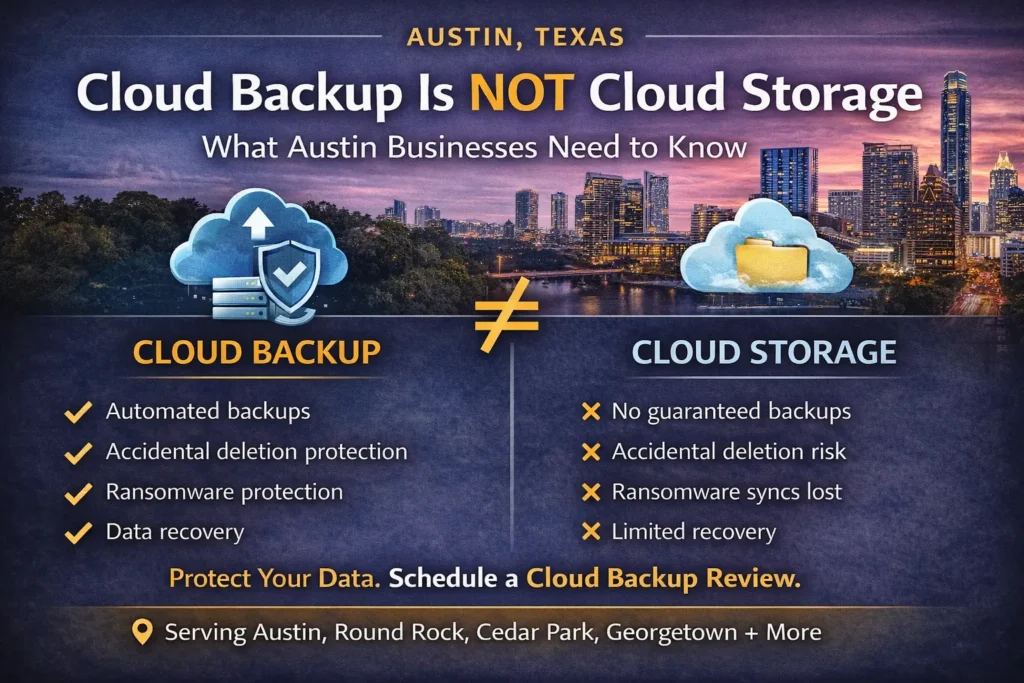
Many small and mid-sized businesses in Austin assume that once their data is in the cloud, it’s automatically protected. It’s not. Using platforms like Microsoft 365, Google Workspace, Dropbox, or other cloud services improves accessibility and collaboration — but cloud storage is not the same as a complete backup strategy. For businesses in Austin, Round Rock, Cedar Park, Georgetown, and surrounding areas, misunderstanding this difference can lead to permanent data loss. The Biggest Cloud Backup Misconception We often hear: “We’re on Microsoft 365, so we’re backed up.” “It’s in Google Drive, so we’re safe.” “Everything is in the cloud.” Here’s the reality: Cloud providers protect their infrastructure. You are responsible for your data. This is known as the shared responsibility model. Cloud platforms ensure uptime and system reliability. But they do not guarantee recovery from every type of data loss event. What Cloud Platforms Typically Protect Most cloud providers handle: Server availability Infrastructure redundancy Platform-level security System uptime That’s important. But it doesn’t cover everything. What Cloud Storage Does NOT Fully Protect Without a dedicated cloud backup solution, your business may not be protected from: Accidental file deletion Permanent deletion after retention limits expire Overwritten files Ransomware that syncs encrypted files Malicious or disgruntled employees Account compromise For example: If an employee deletes a shared folder and it goes unnoticed past the retention window, recovery may be impossible. If ransomware encrypts files on a synced device, those encrypted files can automatically sync to the cloud. Cloud storage improves access. It does not automatically provide full disaster recovery. Why This Matters for Austin Businesses Austin is one of the fastest-growing business markets in Texas. Companies rely heavily on: Microsoft 365 for email and collaboration Google Workspace for document storage Cloud-based accounting platforms CRM systems Remote work environments Without proper cloud-to-cloud backup solutions, a single deletion event can disrupt operations. Many Austin businesses only discover backup gaps after: An employee leaves unexpectedly Critical email archives are deleted A ransomware attack spreads Important project files disappear By then, it’s too late. What a Real Cloud Backup Strategy Looks Like Professional managed IT services in Austin implement: Automated cloud-to-cloud backups Long-term data retention policies Backup monitoring and alerts Regular recovery testing Disaster recovery planning Security and access controls If backups are not tested, they cannot be trusted. Simply assuming your cloud data is safe is not a strategy. Cloud Backup Is Leadership, Not Just IT Taking data protection seriously isn’t about being technical. It’s about protecting: Productivity Client relationships Financial records Employee work Business continuity Strong business leaders in Austin understand that downtime and data loss affect reputation and revenue. Cloud convenience should never replace proper data protection. Don’t Confuse Access With Backup Cloud storage gives you access from anywhere. Backup gives you recovery when something goes wrong. They are not the same. If you’re a business owner in Austin, Round Rock, Cedar Park, Georgetown, Pflugerville, Leander, Kyle, or Buda, ask yourself: If critical cloud data was permanently deleted tomorrow, could you recover it confidently? If the answer isn’t a clear yes, it may be time to review your cloud backup strategy. CTA: Protect Your Cloud Data Before You Need It At Business Communication Solutions, we help Austin-area businesses implement secure, monitored cloud backup and disaster recovery solutions. If you’re not 100% certain your Microsoft 365 or Google Workspace environment is independently backed up and tested, let’s evaluate it. Because when data disappears, it’s already too late. Contact us today to schedule a cloud backup assessment and protect your business from preventable data loss. 512-257-1433 Related Guides Cloud Security: Protecting Business Data in the Cloud Managed IT Services: The Complete Austin Guide Protecting Your Business: The Vital Role of Cybersecurity in Managed IT The Fundamentals of Great IT: Principles That Never Go Out of Style Why the Right Managed IT Provider Is Essential for the Future Everything in IT Has a Side Effect: Austin IT Support and Cybersecurity Locked Out of Their Own Network? The Hidden Risk of Single-Point IT Control Supporting All 7 OSI Layers: How Managed IT Services Ensure Seamless Networks
Backups Aren’t About Files — They’re About People
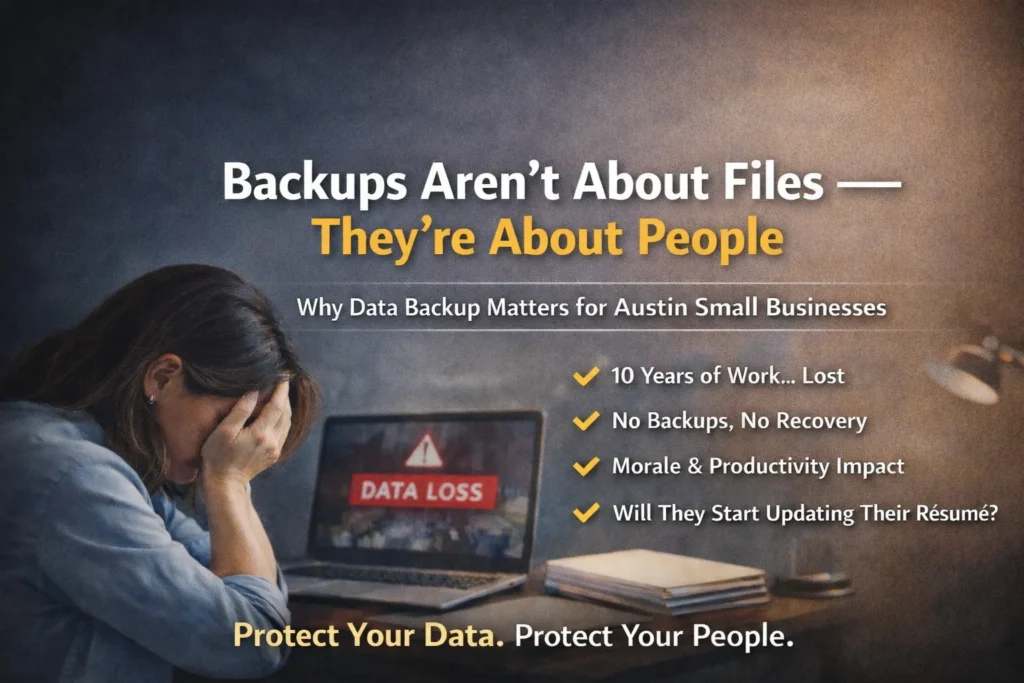
When business owners think about data backups, they often think about compliance, servers, or storage space. But backups aren’t just about protecting files. They’re about protecting people. For small businesses in Austin, TX and surrounding areas like Round Rock, Cedar Park, Georgetown, and Pflugerville, losing employee data can create more than just technical problems — it can create operational and morale issues that ripple through the company. The Hidden Risk of Desktop Data To a CEO or CFO, a folder on someone’s desktop may not seem critical. “It’s just files.” But to the employee who has been in that role for 10 years? That desktop may represent: Custom spreadsheets built from scratch Client communication records Templates refined over time Internal documentation Operational shortcuts that improve productivity Institutional knowledge not stored anywhere else Now imagine that employee’s hard drive crashes. No local backup. No cloud backup. No disaster recovery plan. Everything is gone. From a leadership perspective, it may look like a technical inconvenience. For the employee, it feels personal. Stress. Embarrassment. Panic. Fear of being blamed. And in some cases, fear of being replaced. You Can’t Rebuild 10 Years Overnight When data loss happens, business leaders often say: “We’ll just rebuild it.” But rebuilding 10 years of institutional knowledge stored in files isn’t simple. Productivity drops. Projects stall. Deadlines get missed. Clients notice delays. And here’s the uncomfortable question: Does that employee go home that night and start updating their résumé? Because data loss doesn’t just affect operations. It affects morale. It affects confidence. It affects retention. For growing companies in Austin’s competitive market, losing a productive long-term employee can cost far more than implementing proper backup systems. Why Austin Businesses Need Professional Data Backup Solutions Austin is one of the fastest-growing business markets in Texas. Companies rely heavily on: Cloud platforms like Microsoft 365 and Google Workspace Local desktops and laptops File servers Industry-specific applications Remote access solutions Without proper managed IT services in Austin, many small businesses assume their data is protected when it’s not. Common misconceptions include: “We use OneDrive, so we’re backed up.” “The server has RAID, so we’re safe.” “Our internet provider handles that.” True data protection requires: Automated file backup systems Endpoint backup for employee devices Cloud-to-cloud backup solutions Server backup monitoring Disaster recovery planning Regular backup verification and testing If backups are not tested, they cannot be trusted. Data Backup Is Leadership, Not Just IT Taking data backup seriously isn’t about being technical. It’s about being responsible. Strong business leaders in Austin understand that IT infrastructure supports: Productivity Employee confidence Customer service Business continuity Long-term growth When you protect your employees’ work, you protect your operations. And when you protect operations, you protect revenue. Don’t Wait for Data Loss to Test Your Backup Plan If you’re a business owner in Austin, Round Rock, Cedar Park, Georgetown, Pflugerville, Leander, Kyle, or Buda, ask yourself: If an employee’s hard drive failed tomorrow, could you recover everything? If the answer isn’t a confident yes, you may not have a real backup strategy — you have a risk. CTA: Protect Your Data. Protect Your People. At Business Communication Solutions, we help Austin-area businesses implement reliable data backup and disaster recovery solutions that actually work when needed. If you’re not 100% certain your backups are: Automated Monitored Tested Recoverable It’s time to review your strategy. Because when data disappears, you don’t just lose files. You risk losing good people. Contact us today to schedule a backup assessment and protect what your team has worked years to build. 512-257-1433 Related Guides Cloud Storage Is Not Cloud Backup Cloud Security: Protecting Business Data in the Cloud Managed IT Services: The Complete Austin Guide Protecting Your Business: The Vital Role of Cybersecurity in Managed IT The Fundamentals of Great IT: Principles That Never Go Out of Style Why the Right Managed IT Provider Is Essential for the Future Locked Out of Their Own Network? The Hidden Risk of Single-Point IT Control Supporting All 7 OSI Layers: How Managed IT Services Ensure Seamless Networks
Why Professional Camera & Network Installation Is More Than Just Running Cable

When customers compare quotes for security camera installation or Wi-Fi setup in Austin, TX, the first question is often: “Why isn’t this cheaper?” The truth is — real installation is not just pulling cable and terminating a jack. At Business Communication Solutions, we provide complete, professional installation and configuration services. That includes the parts most companies skip. Camera Installation Is More Than Mounting Hardware A proper security camera system requires: Strategic camera placement (not just “where it fits”) Proper mounting for weather, height, and angle Adjusting focus and field of view Securing cabling and power Protecting connections from moisture and tampering Programming the NVR or cloud system Configuring motion zones and smart detection Setting recording schedules Adjusting resolution and storage settings Then we: Install and configure your mobile app Set up remote viewing securely Walk you through how to use it Train you on playback, exporting footage, and alerts Anyone can mount a camera. Not everyone configures it properly. Wireless Access Points (AP) Installation Done Right Installing a Wi-Fi access point is not just plugging it into a PoE port. We: Determine optimal placement for coverage and roaming Mount it properly (ceiling, wall, indoor/outdoor rated) Configure SSIDs properly Set VLANs when needed Optimize 2.4GHz, 5GHz, and 6GHz settings Adjust channel width and power levels Configure roaming behavior Set up guest networks Secure your Wi-Fi with proper encryption Test performance in multiple areas Bad placement or poor configuration causes: Dead zones Slow speeds Devices not roaming properly Random disconnects That’s not acceptable for a home or business that depends on stable internet. Router & Network Setup: The Foundation Matters Your router and network are the backbone of everything: Cameras VoIP phones POS systems Streaming devices Smart home systems Work-from-home setups We don’t just plug in a router. We: Change default credentials Secure admin access Update firmware Configure firewall rules Set up VLAN segmentation when needed Create secure remote access Configure port forwarding properly (if required) Optimize DNS settings Set up network monitoring Security and performance go hand in hand. We Train You — We Don’t Just Leave After installation, we: Show you how to use your camera system Help you understand your network layout Document passwords and access (securely) Help you change passwords later if needed Provide post-install troubleshooting support Return to fix issues when necessary That support is part of real service. Why We’re Not the Cheapest If someone is quoting significantly cheaper, ask: Are they mounting and sealing properly? Are they configuring the system? Are they optimizing the network? Are they securing your router? Are they training you? Will they answer when something stops working? Cheap installs often mean: Default passwords left unchanged Poor camera angles Weak Wi-Fi coverage No VLAN separation No documentation No follow-up support You don’t notice the difference until something fails. Professional Installation = Long-Term Reliability When installed correctly: Cameras record consistently Remote viewing works reliably Wi-Fi is stable Devices roam properly Your network is secure You’re not constantly rebooting equipment You’re investing in reliability — not just hardware. Serving Austin & Surrounding Areas Business Communication Solutions provides: Security camera installation Network setup & configuration Wi-Fi access point installation Router setup & firewall configuration VLAN segmentation Troubleshooting & network optimization We serve: Austin, Cedar Park, Round Rock, Leander, Pflugerville, Georgetown, Lakeway, Bee Cave, Kyle, Buda, Hutto, Manor, and surrounding Central Texas areas. Final Thought Anyone can run a cable. Not everyone can design, configure, secure, and support the entire system. That’s why we’re not the cheapest. And that’s why our systems work. Call Business Communication Solutions Today 📞 512-257-1433 Reliable. Secure. Installed correctly the first time. Related Guides Step-by-Step Guide to Installing Security Camera Cabling How to Choose the Best Security Camera System for Your Home or Business The Complete Guide to Business Security Cameras Common Security Camera System Problems and How to Fix Them Affordable and Reliable Data Network Services in Austin How Poor Data Cabling Affects Network Speed and Stability Why Professional Data Cabling Boosts Business Efficiency What Is PoE (Power over Ethernet)?
The Day I Unplugged Their Server — And the Entire Office in Austin Stopped Working

A few weeks ago, we picked up a new client here in the Austin area. At first glance, everything looked normal. Staff were working. Files were accessible. The internet was running. But once we started asking questions, the real situation became clear. They were using a NAS as their main server. No clear IT budget. No documentation. No network diagram. No idea what the router password was. No idea who originally set up their network. This is more common in small and mid-sized businesses across Austin, Round Rock, Cedar Park, and surrounding Central Texas areas than most owners realize. Then I asked the most important question: “Do you have verified backups?” They said, “We think so.” That’s when I knew we needed to test it. Testing Disaster Recovery in a Real Austin Business I asked the owner, “Can I test your disaster recovery process?” He said, “How?” I replied, “Give me ten minutes. Your system will go down.” He agreed. I unplugged one single network cable from the NAS. Within one minute, the entire office stopped. Employees were saying: “We can’t access files.” “The system is down.” “We can’t work.” “What’s going on?” One cable. That’s all it took to shut down an Austin business completely. What This Means for Small Businesses in Austin If unplugging one cable can stop operations, it usually means: No network redundancy No failover configuration No tested disaster recovery plan No monitored backup verification No documented IT infrastructure In other words — there is no real business continuity plan. There is only hope that nothing breaks. And hope is not a cybersecurity strategy. “We Think We Have Backups” Is Not a Backup Strategy Many Austin businesses assume they are protected because: They have a NAS device in the office They pay for some type of cloud service A former IT person said backups were configured They’ve “never had a problem before” But here’s what matters: Have you ever restored from your backup? If you haven’t tested it, you don’t know if it works. For a proper backup and disaster recovery plan, you need: Automated backups Offsite or cloud redundancy Regular monitoring Periodic restore testing Documentation Secure credential management Anything less is a risk. Why This Is Common in Austin Small Businesses In Central Texas, we often see businesses that: Grew quickly without structured IT planning Relied on a friend or former employee to set up the network Never updated passwords or documentation Used a NAS as a “server replacement” without redundancy Never implemented proper cybersecurity monitoring Everything works fine… until one small failure brings everything down. Whether you’re in Austin, Georgetown, Kyle, Pflugerville, or Bee Cave — this risk is everywhere. Ask Yourself This Question If one unplugged network cable can stop your business operations… Do you truly have: Business continuity planning? Disaster recovery testing? A managed IT support partner? Cybersecurity protection and monitoring? Or are you just hoping nothing fails? Why Backup and Disaster Recovery Matters in Austin Downtime costs money. For Austin businesses, downtime means: Lost productivity Missed customer calls Delayed projects Interrupted billing Potential data loss Cybersecurity exposure In competitive markets like Austin and Central Texas, even one day offline can impact reputation and revenue. That’s why disaster recovery planning, network documentation, cybersecurity strategy, and managed IT services aren’t optional anymore. They’re part of running a modern business. Final Thought for Austin Business Owners You don’t test your fire alarm during a fire. You don’t design an evacuation plan during an emergency. And you shouldn’t test your backups for the first time during a system failure. If you’re a business owner in Austin or surrounding Central Texas and you’re unsure whether your backups actually work, it may be time for a real disaster recovery assessment. Because when everything stops… That’s not the time to find out what wasn’t configured correctly. Don’t Wait for a Failure to Test Your Backup If you’re a business owner in Austin, Round Rock, Cedar Park, Georgetown, Kyle, Pflugerville, Bee Cave, or anywhere in Central Texas, ask yourself one simple question: When was the last time you tested your backup and disaster recovery plan? If the answer is: “I’m not sure.” “We think it’s working.” “Our old IT guy set it up.” “We’ve never had a problem.” Then it’s time to verify — before something fails. We help Austin-area businesses: Test and verify backups Design proper disaster recovery strategies Secure network infrastructure Document IT environments Reduce downtime risk Strengthen cybersecurity posture Don’t wait until one unplugged cable shuts down your entire operation. 📞 Call 512-257-1433 today Let’s make sure your Austin business is protected, tested, and ready — before the next outage happens. Because preparation costs less than downtime. Related Guides Managed IT Services: The Complete Austin Guide Why the Right Managed IT Provider Is Essential for the Future Locked Out of Their Own Network? The Hidden Risk of Single-Point IT Control The Fundamentals of Great IT: Principles That Never Go Out of Style When Do Austin Businesses Realize They Waited Too Long to Fix Their IT? Everything in IT Has a Side Effect: Austin IT Support and Cybersecurity Protecting Your Business: The Vital Role of Cybersecurity in Managed IT Cloud Storage Is Not Cloud Backup