

Multiple Data Cable Support Options
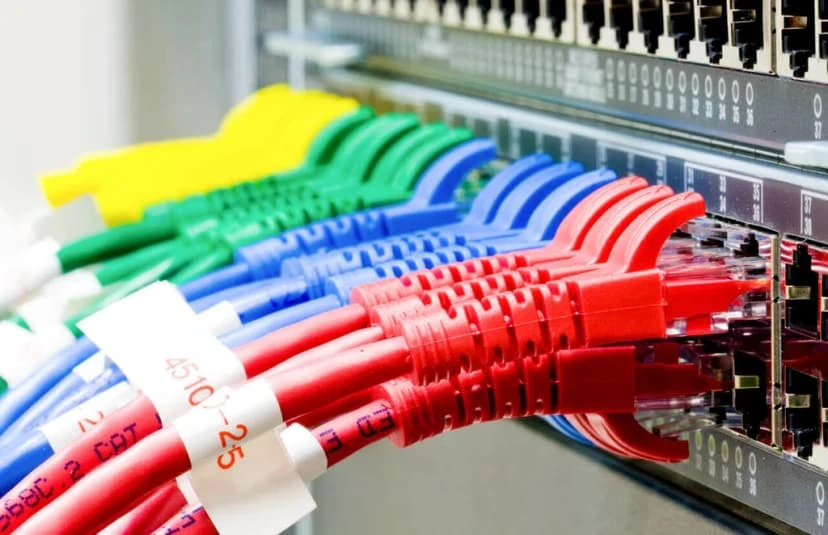
There are so many options to choose from when it comes to cable management. Each option has its pros and cons. We’ll always provide our customer with every option and let them decide with what works best in their budget and appearance. Here’s a few listings of a few options. Wire Mesh Cable Tray: This is probably the most expensive options. This option is more for those who’s running 50 plus cable through an area where everything would be visible to give it more of an industrial look to the building. Once the Cable tray are installed, the time to run cable will be cut dramatically. This will make it easier for the next person to come in to trace, add, or remove cable. O-rings / J-hooks: This option is the cheapest options. This option can be used for those who’s looking to run either small or large number of cables through a visible or non-visible area. J-hook can be mounted on either walls or ceiling. The difference between the two is j-hook has multiple attachment that can help with various ways to mount the hook while O-ring can only me mounted on flat surfaces. Zipties: Don’t cost anything but it’s the lease appealing option. Mainly used for cables less than 10. Related Guides Why Professional Data Cabling Boosts Business Efficiency Low Voltage Wiring Contractor in Austin Voice and Data Cabling Services Cable Management and a Clean Workspace Labeling Cables: Why It Matters How Poor Data Cabling Affects Network Speed and Stability Repairing vs Replacing a Damaged Ethernet Cable Affordable and Reliable Data Network Services in Austin
Network Terminology

After 19 years of being in the industry, I decided to take some refresher course, I’m hoping to learning something new. Today I decided to learn or revisit network terminology. Network Terminology Host: A host is any device that is connected to a network. Typically a host will use 1 ip address. Here are some examples of host on most network: computers, servers, printers, canner, ip phone, ip camera. Hmmmm.. this lead me to a question… is a router consider a host? Honestly, I’m not even sure. Technically, it does take up 1 ip address, so I guess in a way, I would consider it a host. I’m not 100% sure though, but in the interest of time, I’m moving on. There are other devices on the network that is important, yet it does not take up an ip address, so it is not consider a host. Example of non host devices on network can be modems, hubs, and some network switches. Typically unmanaged switches does not take up an ip, so it’s not consider a host. Managed switches on the other hand, does take up ip address, so it would be consider a host, at least in my book. IP Address: An ip address is a number that identifies a host. In a network, each host have it’s own ip address. If you have 2 host of the same ip address, it would be consider a conflict and those two host will most likely not work properly. Ip address can be version 4 or version 6. In version 4 ip address, it can be internal or public. Internal ip is assign a number that only accessible via it’s direct neighbor or host on the same lan. External ip address is typically a number that is assign to you by the isp (internet service provider). A router, typically can use a public ip and an internal ip. This is how you can multiple host on a network can share 1 internet connection. Ip address is on the layer 3 of our network model. A good example of an internal (local) ip address would be 192.168.1.1. A good example of an external ip address would be 8.8.8.8 (google public dns). You can’t access 192.168.1.1 from anywhere in the world, but you should be able to access 8.8.8.8 from anywhere as so long as you are not being blocked by some kind of security configuration. LAN: A LAN (Local Area Network) consists of multiple host on the same network. A good example would be you have your server, 3 computers, and 2 printers in your office in Austin, then that would be consider a LAN. You can have multiple LAN on one network. A good example would be you have your normal day to day data on LAN 1 (typically call VLAN), then you can have all your VOIP phones on LAN 2 (VLAN2). You can tag all your traffic on VLAN2 to have priority over your normal data traffic. If you have a remote office with the exact same setup in Dallas, then that would be consider another LAN. You can actually tie two LANs together via VPN, Private Point to Point Ethernet Network, MPLS, and SD WAN. Related Guides Understanding DHCP and DNS: Essential Components of Modern Networks Understanding Subnetting: Why It’s Crucial in Networking Affordable and Reliable Data Network Services in Austin Supporting All 7 OSI Layers: How Managed IT Services Ensure Seamless Networks Importance of Network Security for Modern Businesses What Is PoE (Power over Ethernet)? 3 Types of Networks Explained Managed IT Services: The Complete Austin Guide
Cisco Router and Switch Command Line Network Troubleshooting and Support Services
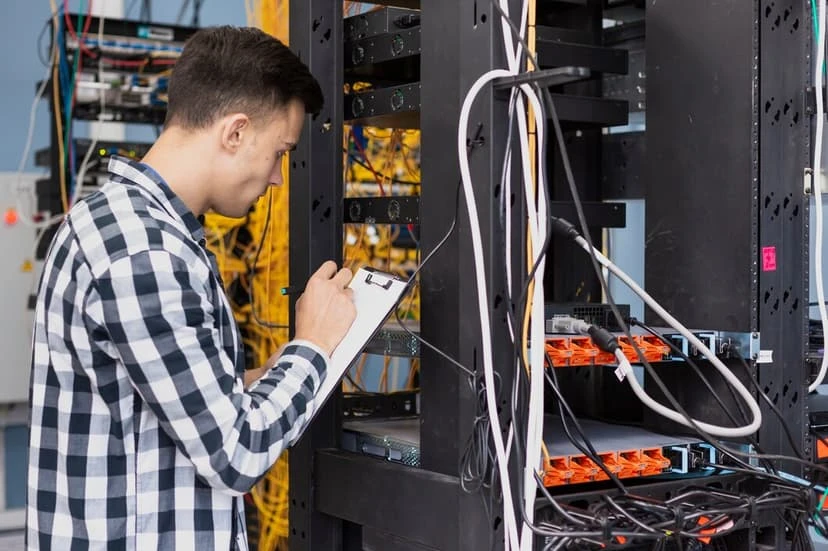
At Business Communication Solutions (BCS), we understand the critical role that Cisco routers and switches play in your network infrastructure. Our specialized command line network troubleshooting and support services ensure that your Cisco equipment operates at peak performance, providing you with a reliable and secure network environment. Our Services Cisco Command Line Troubleshooting Austin Our expert team uses command line interface (CLI) to diagnose and resolve network issues efficiently. This approach allows us to quickly pinpoint problems and implement solutions, minimizing downtime and ensuring seamless network operations. Cisco Configuration services Austin We leverage CLI to configure your Cisco routers and switches for optimal performance. By fine-tuning settings and parameters, we enhance your network’s efficiency, reliability, and security. Proactive Monitoring Through continuous monitoring of your network via CLI, we identify potential issues before they impact your operations. Our proactive approach helps maintain network stability and prevents disruptions. Security Enhancements Using CLI, we implement robust security measures to protect your network from threats. Our services include setting up access control lists (ACLs), firewall configurations, and other security protocols to safeguard your data. 24/7 Support Networking issues can arise at any time, which is why we offer round-the-clock support. Our team is always available to assist you with any troubleshooting or support needs, ensuring your network remains operational at all times. Why Choose BCS? Affordable services: We simply offer affordable services. Tailored Solutions: We offer customized support services to meet the unique needs of your business, ensuring your network infrastructure aligns with your operational requirements. 24/7 Availability: With our 24/7 support, you can count on us to be there whenever you need assistance, ensuring your network is always in good hands. Get in Touch For expert command line network troubleshooting and support services for your Cisco routers and switches, contact Business Communication Solutions today. Let us help you maintain a robust and secure network infrastructure. 512.257.1433 Related Guides Understanding DHCP and DNS: Essential Components of Modern Networks Understanding Subnetting: Why It’s Crucial in Networking Affordable and Reliable Data Network Services in Austin Importance of Network Security for Modern Businesses Supporting All 7 OSI Layers: How Managed IT Services Ensure Seamless Networks Managed IT Services: The Complete Austin Guide What Is PoE (Power over Ethernet)? 3 Types of Networks Explained
Changing Floorplan

Changing Floorplan refers to the process of altering or redesigning the layout of a physical space, typically for improving functionality, aesthetics, or accommodating new needs. It may involve reconfiguring walls, furniture placement, or overall room usage. In business and commercial environments, this could be done to optimize workflow, enhance customer experience, or support technological changes. In residential settings, it’s usually aimed at better utilization of space or improving comfort. Whether it’s a minor adjustment or a complete overhaul, changing a floorplan requires careful consideration of the space’s purpose, structure, and desired outcome. A customer of ours had ask us to come in and pre-run cables for them. They handed us a floorplan to follow and to have everything ready so once the cubicle is installed, we’ll just come in and drop them to each cubicle. The problem came when we arrived the day to drop the cables and the customer had changed the floor plan. This had cause 50% of the cables that was original ran to now being too short and unusable. We had to spend another couple day of work to sort what is useable and running new cables for the remaining amount. Related Guides Are You Planning an Office Move? Site Survey: The Foundation of a Reliable Network Installation Why Professional Data Cabling Boosts Business Efficiency Low Voltage Wiring Contractor in Austin Voice and Data Cabling Services Cable Management and a Clean Workspace Affordable and Reliable Data Network Services in Austin Managed IT Services: The Complete Austin Guide
The Power of 1 and 0: Understanding Binary and Its Importance in Networking

In the realm of computing and networking, the fundamental building blocks are the binary digits 1 and 0. These two digits form the foundation of all digital communication and data processing. Managed IT services play a crucial role in leveraging this binary system to ensure efficient and reliable network operations. In this blog, we’ll explore the significance of 1 and 0 in networking, how they work, and why they are essential for the digital age. What is Binary? Binary is a base-2 numerical system that uses only two symbols: 1 and 0. In contrast to the decimal system, which is base-10 and uses ten digits (0-9), binary is the language of computers and digital systems. Each binary digit is known as a bit, and a group of eight bits forms a byte. How Binary Works in Networking Data Representation: Bits and Bytes: All data transmitted over networks is represented in binary. Text, images, videos, and any other type of data are converted into sequences of bits. Encoding: Data is encoded into binary before it is sent over the network. For example, the letter ‘A’ is represented by the binary code 01000001. Data Transmission: Electrical Signals: In wired networks, binary data is transmitted as electrical signals, where a high voltage might represent a 1 and a low voltage a 0. Radio Waves: In wireless networks, binary data is transmitted using radio waves, with different frequencies or phases representing 1s and 0s. Light Pulses: In fiber-optic networks, binary data is transmitted as pulses of light, with the presence or absence of a pulse representing 1 and 0. Network Protocols: Communication Protocols: Protocols like TCP/IP, HTTP, and FTP use binary data to establish and manage communication between devices. Packetization: Data is divided into packets, each containing a header and payload, both of which are represented in binary. The header includes information like source and destination addresses, also in binary form. Why Binary is Important in Networking Efficiency: Simple and Reliable: Binary is straightforward and easy to implement in hardware. Digital devices can reliably detect the presence or absence of an electrical signal, light pulse, or radio wave. Speed: Binary systems allow for high-speed data processing and transmission. Digital circuits operate quickly because they only need to distinguish between two states. Standardization: Universal Language: Binary provides a standardized way to represent and communicate data across different devices and networks. This universal language ensures compatibility and interoperability. Protocol Support: All networking protocols are designed to work with binary data, ensuring that devices from different manufacturers can communicate effectively. Error Detection and Correction: Parity Bits: Binary allows for simple error detection methods, such as parity bits, which help identify errors in transmitted data. Checksums: More complex error-checking techniques like checksums and cyclic redundancy checks (CRC) also rely on binary arithmetic to ensure data integrity. Security: Encryption: Binary is essential for data encryption. Encryption algorithms convert plaintext data into encrypted binary code, protecting it from unauthorized access. Authentication: Binary codes are used in authentication protocols to verify the identity of users and devices, ensuring secure network access. How Managed IT Services Leverage Binary in Networking Network Design and Implementation: Managed IT services design and implement networks that efficiently handle binary data transmission, ensuring high performance and reliability. Monitoring and Maintenance: Continuous monitoring of network performance includes checking the integrity and efficiency of binary data transmission. Managed IT services quickly identify and resolve issues related to data errors and transmission failures. Security Management: Implementing and managing encryption protocols to secure binary data during transmission and storage is a critical service provided by managed IT providers. Optimization: Managed IT services optimize network protocols and configurations to ensure efficient binary data handling, enhancing overall network performance and user experience. Conclusion The binary system, based on the simple digits 1 and 0, is the backbone of all digital communication and networking. Its efficiency, reliability, and universal standardization make it indispensable in the modern digital world. Managed IT services play a vital role in leveraging this fundamental technology to ensure robust and secure network operations. By understanding and utilizing binary, managed IT providers help businesses achieve optimal network performance and security. Ready to Optimize Your Network with Expert Managed IT Services? Contact BCS IT Services today to learn how we can help you harness the power of binary for a more efficient and secure network. Call us now 512.257.1433 to schedule your free consultation session. Related Guides Network Terminology: Essential Networking Terms Explained Understanding Subnetting: Why It’s Crucial in Networking Understanding DHCP and DNS: Essential Components of Modern Networks Cisco Router and Switch Command Line Network Troubleshooting and Support Supporting All 7 OSI Layers: How Managed IT Services Ensure Seamless Networks 3 Types of Networks Explained Affordable and Reliable Data Network Services in Austin Importance of Network Security for Modern Businesses
EXPANDING BUSINESS OUT OF STATE

We are proud to assist one of the in demand company in Austin. Along with phone system and networking, we also provide monthly maintenance services for their business for so many years now. When they expanded and opened another facility out of state, with their confidence in Business Communication solution. They hired us to go to a different state to install every network communication their office needed. We installed their phone system, computers, credit card machines, printers and intercoms. Being able to work with a very well known and admired businesses for so many years keep us motivated and inspired. We believe in keeping our services very professional and affordable our clients can rely on. To get more information on what else we provide click on our website at https://bcs-ip.com and we will be happy to assist you. Related Guides Managed IT Services: The Complete Austin Guide Why the Right Managed IT Provider Is Essential for the Future Affordable and Reliable Data Network Services in Austin How Business Communication Solutions Enhance Your Projects with Cost Savings Selecting the Right VoIP Phone Service for Your Business Low Voltage Wiring Contractor in Austin How Fiber Optic Installation Can Transform Your Business Connectivity Are You Planning an Office Move?
Discarding Old Equipment

Here at BCS, we’ll wipe out all data off each device before removing them from the devices to discard. Once those process is complete, we’ll then donate or recycle the device. By wiping the hardware used to storage data and removing it from the devices, we’ll ensure that no data will end up in the wrong hands. Related Guides Managed IT Services: The Complete Austin Guide Why the Right Managed IT Provider Is Essential for the Future Protecting Your Business: The Vital Role of Cybersecurity in Managed IT Importance of Network Security for Modern Businesses Affordable and Reliable Data Network Services in Austin Managed IT Journey: From Reactive to Proactive Support Windows Server 2022 Preview Has Been Released Disk Clean Up Tools: Freeing Up Storage the Right Way
SD-WAN: Transforming Network Management for Modern Businesses

What is SD-WAN? SD-WAN stands for Software-Defined Wide Area Network. It’s an innovative approach to managing and optimizing a wide area network by decoupling the network hardware from its control mechanism. This separation allows for more agile and cost-effective network management, providing businesses with the ability to centrally control and monitor their entire network through software. Key Benefits of SD-WAN Enhanced Performance SD-WAN intelligently routes traffic across the most efficient path, whether it’s MPLS, broadband internet, or LTE. This ensures that critical applications get the bandwidth they need, leading to improved performance and user experience. Cost Savings Traditional WANs often rely on expensive MPLS circuits. SD-WAN reduces the dependency on these costly circuits by enabling the use of more affordable broadband connections without sacrificing performance or reliability. Simplified Management With a centralized control panel, IT teams can easily configure, manage, and troubleshoot network issues. This reduces the complexity associated with traditional WANs and allows for more streamlined operations. Increased Security SD-WAN includes robust security features such as encryption, firewalls, and VPNs. It can also integrate with existing security protocols, providing a comprehensive security posture across the network. Scalability As businesses grow and expand, their networking needs evolve. SD-WAN provides the flexibility to scale up or down quickly, accommodating new locations, users, and applications without the need for significant infrastructure changes. How SD-WAN Supports Modern IT Initiatives Cloud Integration With the rise of cloud-based applications and services, SD-WAN offers seamless integration with cloud providers. It ensures secure, high-performance connections to cloud environments, facilitating smooth and efficient access to essential business applications. Remote Work Enablement In today’s hybrid work environment, SD-WAN provides secure and reliable connectivity for remote workers. It ensures that employees can access corporate resources from anywhere, maintaining productivity and collaboration. IoT Connectivity The Internet of Things (IoT) is transforming industries, and SD-WAN supports the connectivity needs of IoT devices. It ensures secure and efficient data transfer, enabling businesses to leverage IoT for better operational insights and efficiencies. Real-World Applications At Business Communication Solutions, we’ve seen firsthand how SD-WAN transforms businesses across various industries: Retail Retail chains use SD-WAN to connect their stores, ensuring consistent performance for point-of-sale systems and customer Wi-Fi. Healthcare Healthcare providers leverage SD-WAN for secure, high-speed access to patient records and telemedicine services, improving patient care and operational efficiency. Manufacturing Manufacturing companies implement SD-WAN to connect their production facilities, enhancing communication and real-time data analysis for better decision-making. Why Choose Business Communication Solutions for SD-WAN? As a leading managed IT service provider, Business Communication Solutions offers comprehensive SD-WAN solutions tailored to your business needs. Our expertise in network management and our commitment to customer satisfaction ensure that your transition to SD-WAN is smooth and successful. Customized Solutions We work closely with you to understand your specific requirements and design an SD-WAN solution that aligns with your business goals. Expert Support Our team of experienced IT professionals provides ongoing support and monitoring, ensuring your network operates at peak performance. Future-Proof Technology We stay ahead of industry trends to offer you the latest SD-WAN technology, keeping your business competitive and ready for future challenges. Conclusion SD-WAN is more than just a networking solution; it’s a strategic asset that can drive your business forward. At Business Communication Solutions, we’re dedicated to helping you harness the power of SD-WAN to achieve your business objectives. Contact us today to learn more about how SD-WAN can transform your network and support your growth. Stay tuned to our blog for more insights and updates on the latest in managed IT services and network solutions! Call us now for a free consultation session. 512.257.1433 Related Guides Affordable and Reliable Data Network Services in Austin Managed IT Services: The Complete Austin Guide Supporting All 7 OSI Layers: How Managed IT Services Ensure Seamless Networks Understanding DHCP and DNS: Essential Components of Modern Networks Understanding Subnetting: Why It’s Crucial in Networking Importance of Network Security for Modern Businesses Elevate Your Connectivity with BCS Wireless Networking Services in Austin How Fiber Optic Installation Can Transform Your Business Connectivity
Be available for the customers

We had a call from a new potential customer last week. He runs a countertop business in Austin. He just wanted a simple small phone system that can work with what he has, 3 analog lines. He currently have a 3 handset analog based that share 1 line. Their calls volume had exceeded that 1 line. It was a small office, under 10 employees. I asked him if he wanted VOIP, the latest and greatest, or does he wanted traditional. I think, I’m one of the few that still wants to offer the traditional digital phone system. Why would an IT company offer customer a system that is outdated? Because it made sense. It made sense for this customer. I’ve been in the IT industry for over 25 years now. I’ve moved to Austin in 1998. Well, that makes it 24 years as of this writing. I see far too many consultant always offering the latest and supposedly the greatest? The greatest to whom? After we talked, I was conveniently in front of my desk, with our system open. This time, I decided to give him a blind estimate on the spot based on what he told me about his phone system and cabling system. This was on a Friday. We agree to start on it Monday. When we showed up, he asked us if we could run 6 data cables for him. So our tech gave him a quote on the spot, and they both agreed to move forward with the install. Later in the afternoon, I arrived on site. My guys were done running the cable, installing the phones, and all that was left was programming the system, training the customer, and helping them setting up the auto attendant and voicemail system. Well at least that was what I thought. In the process of programming this NEC SL2100, I realized, it’s been a minute since I’ve program one from ground zero. It was fine, I call tech support and he walk me thru a few program that I’ve missed. While I was struggling with the program and waited for tech support to call me back, the customer had found more things for us to do. He asked us if we can install the existing paging system that has been abandoned for some time now. He also wanted us to run some speakers cable for him. So, while one of our other tech was running the speaker, I decided to test this paging system. So I’ve looked in the phone closet, I’ve saw the old 24V power supply for the paging system still plugged in. I was skeptical, but I went thru the process anyway of testing it. I’ve took the toner and plug it to the TIP and Ring (aka input of the paging horn), and it started YELLING (very loud toner signal). That made my day. That made the customer day. The paging horn still work. This is like watching antique archeology finding rusted gold under some rubble that still works. I think is this the longest blog I’ve ever written. It’s so weird how I’ve grown to enjoy writing. Maybe my passion for this business has came back to life! In the end, the customer cut us a check. He was so appreciative of what we’ve done. He keeps on talking about how we SHOWED UP, and did what we said we would do. These are the days that makes me feel good, especially after all the hard work. Time are so different, talk to so many business owners, they just wanted people to show up. Related Guides How Business Communication Solutions Enhance Your Projects with Cost Savings Selecting the Right VoIP Phone Service for Your Business Web-Based VoIP Phone System with Video Conference, Chat & CRM Managed IT Services: The Complete Austin Guide Why the Right Managed IT Provider Is Essential for the Future Benefits of Call Recording for Business Communications Phone Service in California: Business Communication Solutions Business Phone Systems: How to Choose the Right Solution
Navigating Government Mandates: Achieving NIST Certification by 2026
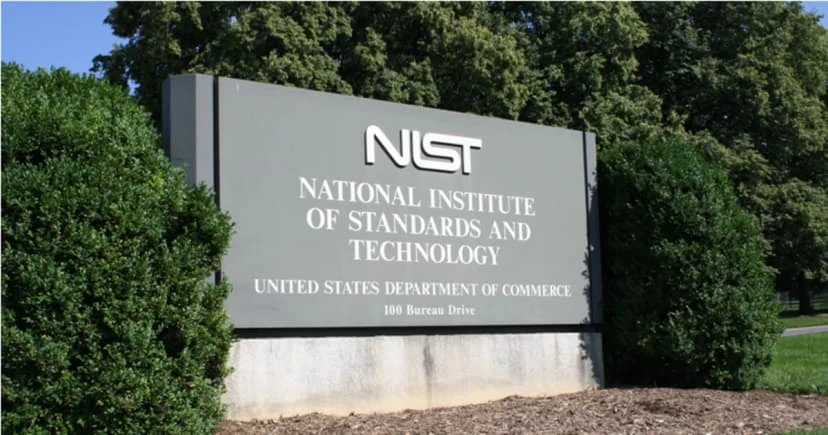
Understanding the NIST Mandate The National Institute of Standards and Technology (NIST) provides a comprehensive framework for improving cybersecurity across organizations. The NIST Cybersecurity Framework (CSF) and NIST Special Publication 800-171 are critical components that outline standards, guidelines, and best practices for safeguarding information systems and data. The government mandate requiring existing contract holders to be NIST certified by 2026 aims to: Enhance Data Protection Ensure that organizations handling government data implement stringent security measures to protect against cyber threats. Standardize Cybersecurity Practices Promote a uniform approach to cybersecurity across all government contractors, reducing vulnerabilities and improving overall security posture. Boost Confidence Provide assurance to stakeholders, including government agencies and the public, that contractors are capable of protecting sensitive information. Steps to Achieve NIST Certification Achieving NIST certification involves a series of steps designed to align your organization’s security practices with NIST standards. Here’s how you can get started: Understand the Requirements Familiarize yourself with the NIST Cybersecurity Framework and NIST SP 800-171 requirements. This includes understanding the control families and specific security measures you need to implement. Conduct a Gap Analysis Perform a thorough assessment of your current cybersecurity posture. Identify gaps between your existing practices and NIST requirements, and develop a plan to address these gaps. Develop and Implement Policies Create comprehensive cybersecurity policies and procedures that align with NIST standards. This includes access control, incident response, risk assessment, and continuous monitoring. Train Your Team Educate your employees about the importance of cybersecurity and the specific practices required for NIST compliance. Regular training sessions and awareness programs are essential. Deploy Security Controls Implement the necessary technical, administrative, and physical controls to meet NIST requirements. This may involve upgrading your IT infrastructure, deploying new security technologies, and enhancing your data protection measures. Monitor and Assess Continuously monitor your security posture and conduct regular assessments to ensure ongoing compliance. Use automated tools and processes to streamline this effort. Prepare for Certification Work with a certified third-party assessor to conduct a formal audit of your security practices. Address any identified issues and ensure all requirements are met before seeking certification. The Role of Managed IT Services in Achieving NIST Certification Partnering with a managed IT service provider like Business Communication Solutions can significantly ease the process of achieving NIST certification. Here’s how we can help: Expert Guidance Our team of cybersecurity experts has extensive experience in NIST compliance. We provide tailored advice and support to help you navigate the complexities of the certification process. Comprehensive Assessments We conduct thorough gap analyses and risk assessments to identify areas of improvement and develop a clear roadmap to compliance. Implementation Support From policy development to deploying advanced security controls, we assist you at every step, ensuring that your organization meets all NIST requirements. Ongoing Monitoring and Support Our continuous monitoring services ensure that your security measures remain effective and compliant. We provide regular updates and assessments to keep your cybersecurity posture strong. Conclusion The government mandate for NIST certification by 2026 underscores the critical importance of robust cybersecurity practices. At Business Communication Solutions, we’re committed to helping you achieve and maintain NIST certification, ensuring that your organization remains secure and compliant. Contact us today to learn more about our NIST compliance services and how we can support your journey to certification. Need a bit of help navigating NIST certification by 2026? Call us 512.257.1433 – we offer free estimate and a free consultation to help you get going. Related Guides Protecting Your Business: The Vital Role of Cybersecurity in Managed IT Importance of Network Security for Modern Businesses Is Your Business Network Secure? 12 Warning Signs You Need Professional Network Security Services Cloud Security: Protecting Business Data in the Cloud Managed IT Services: The Complete Austin Guide Why the Right Managed IT Provider Is Essential for the Future Supporting All 7 OSI Layers: How Managed IT Services Ensure Seamless Networks SD-WAN: Transforming Network Management for Modern Businesses