

Fiber Optic Splicing
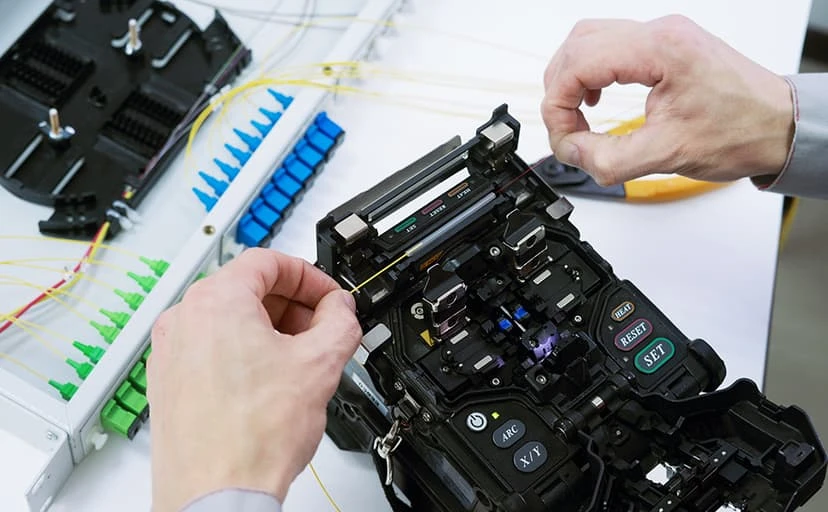
One of the major benefits of fiber splicing is a lower insertion loss when compared to terminating a connector. There are two ways to splice fiber, mechanical splice, or fusion splice. Mechanical Splicing Mechanical splicing doesn’t require any expensive equipment. This splicing method is a junction of 2 or more fiber to hold them in place once it has been aligned. The cover can be a snap on or contain adhesive to permanently hold the splice. Now this doesn’t mean that the fiber is bonded but just precisely aligned so that light can pass from one fiber to the other. Mechanical splicing is a fast and quick solution to repair any damage fiber. The only downfall is that mechanical splicing has a high insertion loss when compared to fusion splicing Fusion Splicing Fusion Splicing will require a fusion splicer. These splicing equipment can be expensive. The fusion method will align two ends of a fiber and permanently bond the end using an electric arc. This is the absolute best method for the lowest insertion loss and low back reflection. Related Guides Fiber Optic Termination: Best Practices How Fiber Optic Installation Can Transform Your Business Connectivity Singlemode vs Multimode Fiber: Which One Should You Choose? Fiber Optics: Everything You Need to Know Outside Plant Fiber Optic Cable Explained Fiber Optic vs Copper Against Lightning Cat 6A Cables or Fibers: Which Is Better? Why You Need to Install Fiber Optic Cables for Internet
Surveillance Camera System
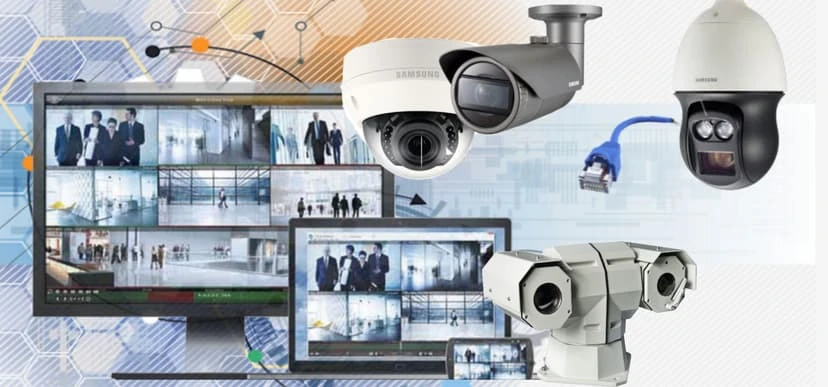
We are pleased to announce due to requests and demands, we are now selling, servicing, and installing video surveillance system. It was a process to get certified and licensed, but it was well worth it. Did you know that most burglary happens during the day time? I first thought it happens at night, but after going through some training, I’ve learn that most burglary happens during the day time. I guess in a way it make sense, burglars typically try to avoid being seen, so they normally try to do it when people are most likely at work. Typically between 10 am and 3pm. With that being said, camera system have been getting more and more affordable. It use to cost thousands for a low end system, now depending on how many cameras and the quality you require, it you can still get a decent system installed for hundreds. That’s a big drop in prices. Even with the lower end cameras, the quality are still decent compare to what it used to be. Related Guides How to Choose the Best Security Camera System for Your Home or Business Understanding the Different Types of Security Camera Systems 5 Crucial Features Your Business Security Camera System Must Have Protect Your Property with a Security Camera: The Ultimate Guide for Austin Top Benefits of Installing Security Cameras in Your Austin Home or Business Common Security Camera System Problems and How to Fix Them Step-by-Step Guide to Installing Security Camera Cabling Enhancing Security with Comprehensive Support for Most Camera Brands
Fiber Cleaning

It’s important for your fiber to be cleaned before connecting it. This will reduce some signal quality degradation cause by obstruction debris. Also cleaning your connectors before connecting it to a mating adapter will prevent transporting any contamination to your mating adapter. A unused connectors or mating adapter should always have a cap at the end. Fibers should be stored when possible in a dry and clean area with low traffic to not risk the fiber from being damage. Clean clickers are really compact tools use to clean fiber and inexpensive to own. Related Guides Fiber Optic Splicing: Everything You Need to Know Fiber Optic Termination: Best Practices How Fiber Optic Installation Can Transform Your Business Connectivity Fiber Optics: Everything You Need to Know Singlemode vs Multimode Fiber: Which One Should You Choose? Outside Plant Fiber Optic Cable Explained Fiber Optic vs Copper Against Lightning Why You Need to Install Fiber Optic Cables for Internet
What is PoE – Power Over Ethernet Austin
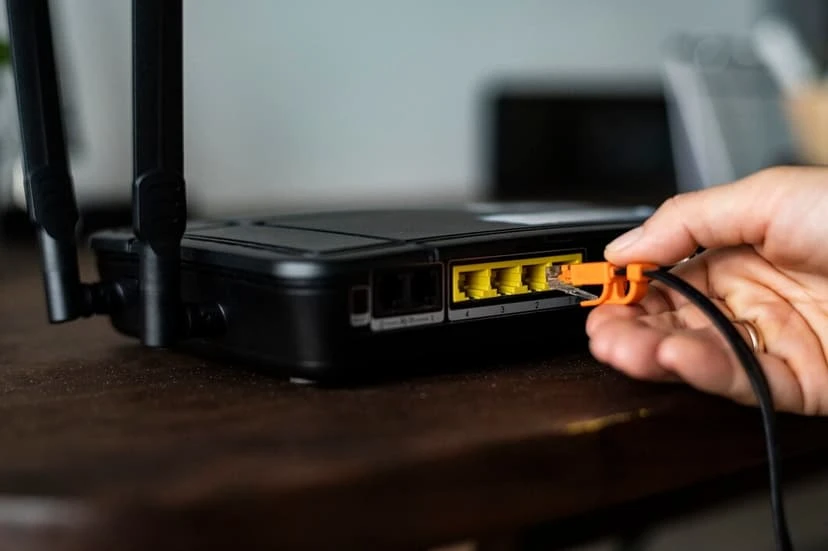
What is PoE? Power over Ethernet (PoE) enables the transmission of both data and power through a single Ethernet cable. This technology eliminates the need for separate data and power cables, streamlining installation and cutting costs. It is commonly utilized for devices such as wireless access points, IP cameras, and VoIP phones. How Does PoE Work? Power over Ethernet (PoE) technology injects direct current (DC) power into an Ethernet cable, concurrently with the data signal. Devices equipped with Power over Ethernet (PoE) capability can receive electrical power through the same cable that provides their network connection, either via a network switch or a PoE injector. Types of PoE: IEEE 802.3af (PoE): Provides up to 15.4 watts of power per port. IEEE 802.3at (PoE+): Offers up to 30 watts per port. IEEE 802.3bt (PoE++): Delivers up to 60 watts or more per port. Benefits: Simplified installation: means there’s no requirement for separate power outlets close to devices. Cost Savings:Reduced cabling and electrical work. Flexibility:Easily move devices without rewiring. Considerations: Power Budget: Ensure your network switch or injector can handle the total power needed by connected devices. Cable Length: Power over Ethernet (PoE) is effective up to a distance of 100 meters (328 feet) when using Cat5e, Cat6, Cat6a, Cat7, or Cat8 cables without the use of repeater or without minimizing ethernet speed. Related Guides Affordable and Reliable Data Network Services in Austin How Poor Data Cabling Affects Network Speed and Stability Why Professional Data Cabling Boosts Business Efficiency Cat 6A Cables or Fibers: Which Is Better? How to Choose the Best Security Camera System for Your Home or Business Step-by-Step Guide to Installing Security Camera Cabling Selecting the Right VoIP Phone Service for Your Business Understanding DHCP and DNS: Essential Components of Modern Networks
Fiber PON vs. Traditional Fiber: Understanding the Differences
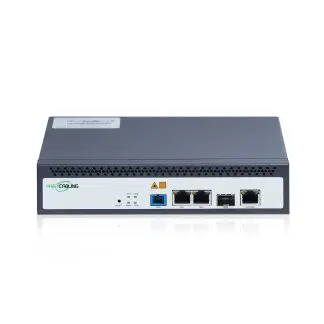
What is Fiber PON? Fiber PON (Passive Optical Network) is a type of fiber optic communication system that uses a single optical fiber to serve multiple endpoints without the need for electrically powered components between the source and the endpoints. This is achieved through passive splitters, which divide the optical signal to serve multiple users. PONs are commonly used in residential broadband, fiber to the home (FTTH), and business environments where multiple users can be served efficiently. Advantages of Fiber PON: Cost-Effective Deployment: By using passive splitters, a single fiber strand can serve multiple users, reducing the amount of fiber and associated installation costs. Scalability: PONs can easily scale to accommodate additional users without significant infrastructure changes. Energy Efficiency: The absence of active components in the field reduces power consumption and maintenance needs. Disadvantages of Fiber PON: Shared Bandwidth: Since multiple users share the same fiber, bandwidth is divided among them, which can lead to reduced performance during peak usage times. Limited Distance: The distance over which PON can effectively transmit data is typically shorter compared to point-to-point fiber systems. What is Traditional Fiber? Traditional fiber, often referred to as point-to-point fiber, involves a direct fiber optic connection from the service provider’s central office to the end user. Each user has a dedicated fiber strand, ensuring a direct and uninterrupted link. Advantages of Traditional Fiber: Dedicated Bandwidth: Each user has their own fiber strand, ensuring consistent and high-speed performance regardless of other users’ activities. Longer Distance: Traditional fiber systems can transmit data over longer distances without significant loss of signal quality, making them ideal for larger geographical areas. Higher Capacity: Point-to-point systems can support higher data rates, making them suitable for bandwidth-intensive applications. Disadvantages of Traditional Fiber: Higher Cost: The need for dedicated fiber strands for each user increases the material and installation costs. Complex Deployment: Installing separate fibers for each endpoint can be more complex and time-consuming. Choosing the Right Solution for Your Business When deciding between Fiber PON and traditional fiber for your business, several factors need to be considered: Bandwidth Requirements: If your business demands high bandwidth for applications such as video conferencing, large data transfers, or real-time data processing, traditional fiber may be the better choice due to its dedicated bandwidth and higher capacity. Number of Users: For businesses with numerous users in a concentrated area, Fiber PON can be more cost-effective and scalable. It allows multiple endpoints to be connected using fewer fibers, which can significantly reduce deployment costs. Geographical Spread: If your business is spread over a large area, traditional fiber’s ability to maintain signal quality over long distances can be advantageous. However, if your operations are more localized, the distance limitations of Fiber PON may not be a concern. Budget Considerations: Fiber PON can offer substantial savings on initial deployment and ongoing maintenance due to its passive nature and efficient use of infrastructure. Traditional fiber, while offering superior performance, typically requires a higher initial investment. Future Growth: Consider your business’s future growth potential. If you anticipate a significant increase in data demand, traditional fiber’s higher capacity and dedicated connections might better serve your long-term needs. Conclusion: Both Fiber PON and traditional fiber optic technologies offer substantial benefits over older copper-based systems, providing faster, more reliable internet connections essential for modern business operations. Fiber PON excels in cost-efficiency and scalability, making it ideal for environments with multiple users and constrained budgets. Traditional fiber, on the other hand, provides unmatched performance with dedicated bandwidth and long-distance capabilities, suitable for high-demand applications and extensive geographic coverage. At Business Communication Solutions (BCS), we understand the critical role that a reliable and high-performance network plays in your business’s success. Whether you’re considering Fiber PON or traditional fiber, our team of experts can help you assess your needs, plan your infrastructure, and implement a solution tailored to your specific requirements. Contact us today to learn more about how we can enhance your business communication with state-of-the-art fiber optic technology. Related Guides How Fiber Optic Installation Can Transform Your Business Connectivity Fiber Optic Splicing: Everything You Need to Know Fiber Optic Termination: Best Practices Fiber Cleaning: Best Practices for Reliable Performance Fiber Optics: Everything You Need to Know Singlemode vs Multimode Fiber: Which One Should You Choose? Outside Plant Fiber Optic Cable Explained Cat 6A Cables or Fibers: Which Is Better?
THE INTERNET, TECHNOLOGY, AND BUSINESS CHANGES

The Internet, Technology, and Business Changes are interrelated forces that continuously shape the modern world. The internet has revolutionized how businesses operate, communicate, and reach customers, creating new opportunities and challenges. The Internet has been very interesting. From the DOT COM to the DOT COM bust, technology have been changing superfast. Then come the search engine and ecommerce. Then VOIP, SD WAN, now cloud-based servers, software, services, and software as a service. We use to judge a company credibility by the nice fancy office that they have, how we stive to be more flexible and productive, while working from home. We never thought that we would be running into a shortage of IP Address that soon. I guess similar to phone numbers, it’s hard to predict. Phone numbers have had its’ share of area codes conflict as the metro city grow, they force the smaller cities to give up their area code phone numbers to the larger cities. We used to be able to buy a block of 100 DID’s for $5.00. Now, some carrier charge $1 per did per months, sometimes even more. We used to be able to request 13 ip address from ISP. Now, we have to pay for it. On top of that we have to fill out an extra sheet of paper stating why we need it. Ip version 4 days are numbered. Internet Service Provider and network hardware equipment provider have been making a push towards going to IPv6. As with everything else, people do not like to change. The results are some pushed back. I’ve seen IT professional push back, as it can be costly in time and equipment costs. So why is it so hard to migrate from Ipv4 to Ipv6? Human by nature don’t like to change? We don’t like to be out of our comfort zone? We don’t like to learn new things? Well, that doesn’t matter, it will be just a matter of time that we will be force to move forward with IpV6 whether we like it or not. As with anything else in the IT world. IPv4 has its’ days. Now, let’s talk about Ipv4. Ipv4 is a 32-bit (four-byte) addresses. Ip v4 can be class A, class B, or Class C address. It can be private or public address. 10.0.0.0-10.255.255.255 is consider private Class A address. 172.16.0.0-172.31.255.255 is private Class B address. 192.168.0.0-192.168.255.255 is consider a private Class C address. Due to so many numbers of public ip addresses, I will not go into too much details about IPv4 public ip address. So, what does Ipv6 do for us? In a nutshell, we get a lot of more numbers. IPv6 uses a 128-bit addresses vs the 32-bit addresses. Any person that understands binary will tell you, that’s a huge difference and a headache trying to calculate the differences, so I won’t go into details. IpV4 has about 4.3 billion ip address. IpV6 number about 3.4 x10 to the 38th power. Honestly, I have no idea what that means. Let’s just say the average calculator cannot do the trick and neither can an average human brain. IpV6 are written in 8 groups of 4 hexadecimals each. That’s right it’s hexadecimals. 0-9 plus additional of the alphabet a-f for a grand total of 16 characters vs the 10-decimal character. Here is an example of ip version 4 ip address 192.168.1.1. Here is an example of ip version 6 ip address 2200:0388:3838:efac:cede:3982:0183:3842. I’m not really sure if that’s a valid ip address. It does look much more complicated though. Thanks to domain naming systems we have no reason to remember those numbers. Related Guides Managed IT Services: The Complete Austin Guide Why the Right Managed IT Provider Is Essential for the Future Supporting All 7 OSI Layers with Managed IT Services Understanding DHCP and DNS: Essential Components of Modern Networks Understanding Subnetting: Why It’s Crucial in Networking Affordable and Reliable Data Network Services in Austin Importance of Network Security for Modern Businesses How Business Communication Solutions Enhance Your Projects with Cost Savings
Wi-Fi Controller vs. Standalone Access Points: Choosing the Right Wireless Strategy for Your Business

In today’s always-connected world, Wi-Fi is more than infrastructure—it’s a critical business enabler. From cloud applications and video meetings to customer engagement and IoT devices, wireless performance directly shapes productivity, user experience, and brand perception. One common question businesses face is whether to deploy standalone access points or invest in a Wi-Fi controller–based solution. While both options deliver wireless connectivity, they serve very different business needs. Let’s explore the differences—and help you choose the right approach for your organization. Standalone Access Points: Simple and Cost-Effective Standalone access points operate independently. Each device is configured on its own and functions as a self-contained Wi-Fi solution. Why Businesses Choose Standalone APs Lower upfront cost Ideal for budget-conscious environments that need basic connectivity. Quick deployment Simple setup makes them attractive for small offices, cafés, or temporary locations. Minimal infrastructure No controller or subscription required. Standalone APs work well for small, static environments with limited users and minimal mobility requirements. Where Standalone APs Fall Short As businesses grow, so do expectations. Managing each access point individually can become time-consuming and error-prone. Users may experience dropped connections while moving, and IT teams lack visibility into performance and security issues. For organizations that value consistency, scalability, and insight, standalone APs often struggle to keep up. Wi-Fi Controllers: Built for Growth and Performance A Wi-Fi controller centralizes the management of all access points, creating a unified, intelligent wireless network. Whether deployed on-premises or in the cloud, controllers are designed to support modern, dynamic business environments. The Business Value of Wi-Fi Controllers Centralized control, simplified operations Configure, monitor, and update your entire wireless network from a single dashboard. Consistent and secure user experience Policies, authentication, and security settings are applied uniformly—no guesswork, no gaps. Seamless mobility Employees and guests move freely without dropped calls or interrupted video sessions. Optimized performance Intelligent load balancing and automatic tuning ensure reliable connectivity—even in high-density areas. Scalability without complexity Add new access points or sites quickly as your business grows. Actionable insights Gain visibility into usage, performance, and potential issues before they impact users. For organizations with multiple users, applications, or locations, a controller-based approach delivers a professional-grade wireless experience. A Quick Comparison Business Need Standalone APs Wi-Fi Controllers Initial Investment Low Moderate Ease of Management Manual Centralized Scalability Limited High User Mobility Basic Seamless Security Consistency Manual Policy-driven Visibility & Analytics Minimal Advanced Which Solution Fits Your Business? Standalone access points are a good fit if: You operate a very small network Wi-Fi demands are basic Growth is unlikely in the near term Wi-Fi controllers are the better choice if: Your business is growing or multi-site You rely on cloud, voice, or video applications User experience and uptime matter You want insight, control, and long-term value The Bottom Line Wi-Fi is no longer just about coverage—it’s about experience, reliability, and scalability. Standalone access points offer a fast, low-cost entry point. But for most modern businesses, Wi-Fi controllers provide the performance, visibility, and control needed to support digital growth. Choosing the right wireless strategy today ensures your network won’t just meet current needs—but will be ready for what’s next. Related Guides Elevate Your Connectivity with BCS Wireless Networking Services in Austin Enhancing Wi-Fi Performance: Bringing Access Points Closer to Users Why Wi-Fi Feels Slow in Some Rooms (and Why Reconnecting Often Fixes It) WiFi 2.4GHz vs 5GHz: Which Wireless Band Should You Use? Replacing an Access Point with a Router: What You Need to Know Site Survey: The Foundation of a Reliable Wireless Network Affordable and Reliable Data Network Services in Austin Understanding DHCP and DNS: Essential Components of Modern Networks
The Complete Guide to Business Security Camera
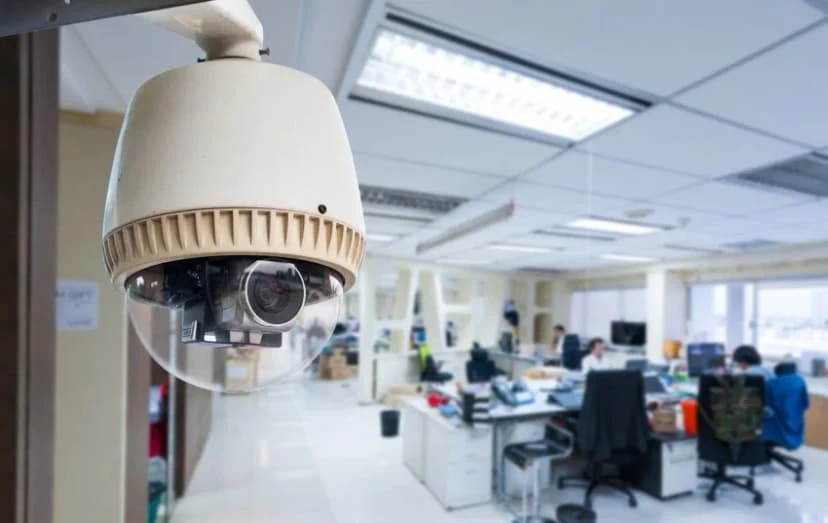
Installation Attention Business Owners! If you’re still relying on a handful of consumer-grade cameras cobbled together in a drawer or simply crossing your fingers and hoping nothing goes wrong, it’s time for an upgrade. We understand that protecting your business goes far beyond setting up a camera and walking away. A truly effective security system requires careful planning, professional installation, and ongoing support. This guide will walk you through everything you need to know to build a surveillance network that deters crime, safeguards your assets, and delivers a solid return on your investment. In the pages ahead, we’ll cover: Optimal camera placement strategies, so you never miss a critical angle Key legal considerations to keep you compliant and confident Advanced features worth investing in, from smart analytics to remote access Tips on maximizing your security ROI, ensuring every dollar you spend pays dividends Whether you manage a fast-paced restaurant, a bustling retail store, or a large warehouse, the right security camera system can be a game-changer. Let’s explore why professional installation matters and how to design a system that works as hard as you do. 1. Why Professional Installation Matters for Businesses The Security Reality Check It’s easy to underestimate how appealing your business might look to the wrong people. Did you know that commercial properties are three times more likely to be targeted than residences? Whether it’s inventory shrinkage, employee theft, or break-ins after hours, businesses face a unique set of vulnerabilities. Simply hanging a couple of cameras on the walls is not enough to keep those risks at bay. Research shows that having visible security systems in place can reduce theft by up to 60 percent. When potential wrongdoers see well-positioned cameras, alarms, and warning signage, they’re far more likely to think twice before making your business their next target. On top of that, high-quality footage can accelerate internal investigations: studies indicate that businesses resolve these incidents more quickly when clear video evidence is available. However, these benefits only materialize when your system is designed and installed correctly. An improperly aimed camera, a loose cable, or a weak network connection can turn your high-tech investment into a glaring liability. That’s where professional installation comes in. Why DIY Falls Short You might be considering a do-it-yourself approach to save a few dollars. And while DIY kits have their place, especially for residential setups, they tend to leave businesses exposed in several key ways: Coverage Gaps: Without a professional assessment, it’s easy to overlook blind spots. A thief or discontented employee could simply slip through the cracks. Technical Missteps: Power-over-Ethernet cables run the risk of improper connections; cameras may be set on the wrong network bands or left in low-quality modes to conserve bandwidth. Compliance Risks: Laws surrounding video surveillance, especially when it comes to recording employees, can be complex. A pro installer will ensure you meet all local and federal regulations. Lack of Scalability: As your business grows, you may need to add new cameras or integrate with other systems. A cobbled DIY setup can become a nightmare of mismatched hardware and incompatible software. Beyond Basic Surveillance Today’s professional security camera systems offer far more than grainy night-vision footage. A modern installation provides a suite of tools designed to streamline your operations, enhance safety, and even lower your insurance premiums. Consider the following features when planning your system: Remote Monitoring: Imagine being able to check live feeds from your smartphone at home, the office down the street, or on vacation. Remote monitoring puts you in control, so you’re never truly “out of touch” with what’s happening on your premises. Smart Motion Detection: Gone are the days of sifting through hours of uneventful footage. Advanced motion-detection algorithms can distinguish between harmless movement like a waving tree branch and real threats, sending you instant alerts only when it matters. Integration with Other Security Systems: A professional installation can link your cameras to alarms, access control, and even fire-safety systems. This unified approach means that, for example, a door forced open after hours can trigger both an alarm and an alert to your security cameras. Insurance Premium Reductions: Many insurance carriers recognize the value of a professionally installed system and may offer premium discounts of 10–20 percent. Over time, those savings can offset the cost of your installation and even generate net gains. The Professional Installation Process A true business-grade installation is not just “plug and play.” Here’s what you should expect: Site Survey and Risk Assessment: An expert will walk your property, identifying high-risk areas such as entrances, loading docks, and storage rooms, and recommending camera types and mounting positions to achieve full coverage. Custom System Design: Using information from the survey, we’ll architect a network that balances outstanding image quality (up to 4K resolution) with network performance and storage capacity. Cable Routing and Hardware Placement: Whether you choose Power over Ethernet (PoE) or traditional analog, we’ll run all wiring through walls and ceilings, hide cables from view, and secure each camera with tamper-resistant brackets. Network Configuration: Our technicians configure your network switches, VLANs, and Wi-Fi access points to ensure uninterrupted camera streams. We’ll also set up remote-access protocols so you can view video feeds securely from any device. System Testing and Training: Before we leave, we’ll test each camera’s field of view, night-vision performance, and motion-detection settings. Then we’ll train your staff on how to access footage, set alerts, and troubleshoot basic issues. Ongoing Support and Maintenance: As part of our commitment, we offer 24/7 technical support, scheduled firmware updates, and optional maintenance plans to replace worn-out parts or expand your system when you grow. 2. Strategic Camera Placement for Maximum Coverage Getting high-quality cameras is only half the battle. To truly deter mischief and capture every important moment, you need to place each camera thoughtfully. Below, we break down the critical zones you’ll want to monitor, the best camera styles for each area, and the little details that make a big difference. Main Entrances: Weatherproof Dome Cameras Your
Visual Fault Locator (VFL)

A VFL is extremely useful when troubleshooting fiber. They are the first tool to start any installation and most troubleshooting. They’re compact tools and very affordable so that every employee should be equipped with one. Before starting any installation, begin with confirming that your fiber is good. By using a VFL prior to installation, you’ll be able to verify if the fiber that you were provided or purchased has continuity from one end to the other end. If you are not receiving continuity from one and to the other, it will save you time from installing something bad to begin with and realizing after the installation is completed or even being accused of damaging the fiber during installation. It’s good practice to use a VFL as soon as you received fiber from your vendor to save you the time and trouble of having to return or deal with the headache on whose fault it was on damaging the fiber. VFL are helpful during troubleshooting. It can help locate cable, identified polarity, and some cases locate fault (tight bend, breaks, and bad connectors). Related Guides Fiber Optic Splicing: Everything You Need to Know Fiber Cleaning: Best Practices for Reliable Performance Fiber Optic Termination: Best Practices How Fiber Optic Installation Can Transform Your Business Connectivity Fiber PON vs Traditional Fiber: Understanding the Differences Fiber Optics: Everything You Need to Know Singlemode vs Multimode Fiber: Which One Should You Choose? Outside Plant Fiber Optic Cable Explained
Authorized Reseller & Installer

We are Authorized Reseller & installer for all the top of the line business phone systems, to include Adtran, Allworx, NEC, Engenius, Xorcom. Related Guides Affordable and Reliable Data Network Services in Austin Low Voltage Wiring Contractor in Austin Why Professional Data Cabling Boosts Business Efficiency How Fiber Optic Installation Can Transform Your Business Connectivity Managed IT Services: The Complete Austin Guide How Business Communication Solutions Enhance Your Projects with Cost Savings Protect Your Property with a Security Camera: The Ultimate Guide for Austin Elevate Your Connectivity with BCS Wireless Networking Services in Austin