

Austin Business Internet vs Home Internet: Why Prices Vary So Much

If you’ve compared home internet pricing in Austin to business internet services, you’ve probably noticed something surprising: Home 1 Gbps internet: ~$70–$100/month Business 1 Gbps Dedicated Internet (DIA): $500–$1,500+/month Why such a massive difference? The answer isn’t just speed — it’s about guarantees, reliability, infrastructure, and service level agreements (SLAs). Let’s break it down clearly. 1. Home Internet in Austin: “Up To” Speeds Most residential internet plans from providers in Austin (Spectrum, AT&T Fiber, Google Fiber, etc.) are: ✔ Asymmetrical Speeds Example: 500 Mbps download 20 Mbps upload This setup works great for: Streaming Gaming Social media General browsing Light remote work ✔ “Up To” Speeds (Not Guaranteed) When a provider says: “Up to 1 Gig” That means: 1 Gbps is the maximum possible speed Speeds may vary depending on congestion and neighborhood usage No minimum speed guarantee Residential internet uses shared bandwidth, meaning you share network capacity with nearby homes. ✔ Best-Effort Service (Limited SLA) If your home internet goes down: No guaranteed repair time No uptime guarantee No financial credit for business losses For households, this is usually acceptable. 2. Business Internet in Austin: Dedicated & Guaranteed Businesses in Austin — especially tech companies, medical offices, law firms, and startups — often require more than “best effort.” That’s where Business Internet and Dedicated Internet Access (DIA) come in. What Is Dedicated Internet Access (DIA)? Dedicated Internet means: Not shared with other customers Guaranteed bandwidth Symmetrical speeds Contractual uptime agreement Example: 100 Mbps download 100 Mbps upload Guaranteed 24/7 This is common for: Downtown Austin offices The Domain business centers Tech companies in North Austin Medical practices needing HIPAA compliance 3. Symmetrical vs Asymmetrical Speeds Home Internet (Asymmetrical) High download Low upload Designed for content consumption Business Internet (Symmetrical) Equal download and upload Designed for: Zoom and Teams meetings VoIP phone systems Cloud backups Hosting services VPN access Large file transfers In today’s cloud-first world, upload speed matters just as much as download speed. 4. Service Level Agreements (SLA): The Real Price Difference The biggest cost driver is the SLA (Service Level Agreement). Residential Internet SLA No guaranteed uptime No guaranteed repair window Standard support queue Business Internet SLA May include: 99.9% – 99.999% uptime guarantee 4-hour response time Packet loss guarantees Latency guarantees Financial credits for downtime 24/7 priority support To deliver this, providers must maintain: Redundant fiber paths Enterprise-grade routing 24/7 monitoring Faster dispatch teams That infrastructure costs more — and that cost is passed to businesses. 5. Shared vs Dedicated Bandwidth (Contention Ratio) Another hidden factor: Residential Internet High contention ratio Many users share the same local node Dedicated Business Internet 1:1 contention Reserved bandwidth just for your company This ensures: Stable speeds Low latency Consistent performance during peak hours Especially important in high-growth Austin business corridors. 6. Why Austin Businesses Choose Dedicated Internet Austin is one of the fastest-growing tech markets in the U.S. Companies here depend on: Cloud applications (Microsoft 365, Google Workspace) SaaS platforms Video conferencing VoIP systems Cybersecurity tools Remote workforce connectivity Even 1–2 hours of downtime can cost: Lost productivity Missed client calls Revenue impact Reputational damage For many businesses, reliability is worth the premium. 7. When Is Home Internet Enough for a Business? In Austin, small businesses sometimes use: Business-class broadband (not full DIA) Dual ISP failover 5G backup internet This hybrid approach works well for: Small offices Retail locations Startups with limited budgets Non-mission-critical environments 8. Austin Internet Options: What Should You Choose? Choose Residential Internet If: You work from home Downtime isn’t critical You don’t host services You don’t rely heavily on cloud tools Choose Business Broadband If: You have a small office You use VoIP You need better support Moderate reliability is required Choose Dedicated Internet (DIA) If: Downtime costs money You host servers You run cloud infrastructure You need guaranteed uptime You operate in healthcare, finance, or legal sectors FAQ: Austin Business Internet Why is business internet more expensive in Austin? Because it includes guaranteed speeds, uptime SLAs, dedicated bandwidth, faster repair times, and enterprise infrastructure. Is 1 Gig home internet the same as 1 Gig business internet? No. Home internet is shared and “up to” speeds. Business dedicated internet is guaranteed and not shared. Do Austin startups need dedicated internet? Not always. Early-stage startups may use business broadband with backup connectivity. As they scale, dedicated internet becomes more important. What is the average uptime for business internet? Most business providers offer 99.9% to 99.999% uptime guarantees under SLA contracts. Final Thoughts: Speed Isn’t the Only Thing You’re Buying When comparing internet pricing in Austin, remember: You’re not just paying for speed. You’re paying for: Reliability Guaranteed uptime Dedicated bandwidth Faster support response Network stability Business continuity For Austin companies relying on cloud technology, that difference can be mission-critical. If you are haivng issue – Call us for a free consultation session – 512-257-1433 Related Guides Managed IT Services: The Complete Austin Guide Selecting the Right VoIP Phone Service for Your Business How to Choose the Right Business Phone System Web-Based VoIP Phone System with Video Conference, Chat & CRM SD-WAN: Transforming Network Management for Modern Businesses Affordable and Reliable Data Network Services in Austin Supporting All 7 OSI Layers: How Managed IT Services Ensure Seamless Networks Why the Right Managed IT Provider Is Essential for the Future
The Fundamentals of Great IT: Principles That Never Go Out of Style
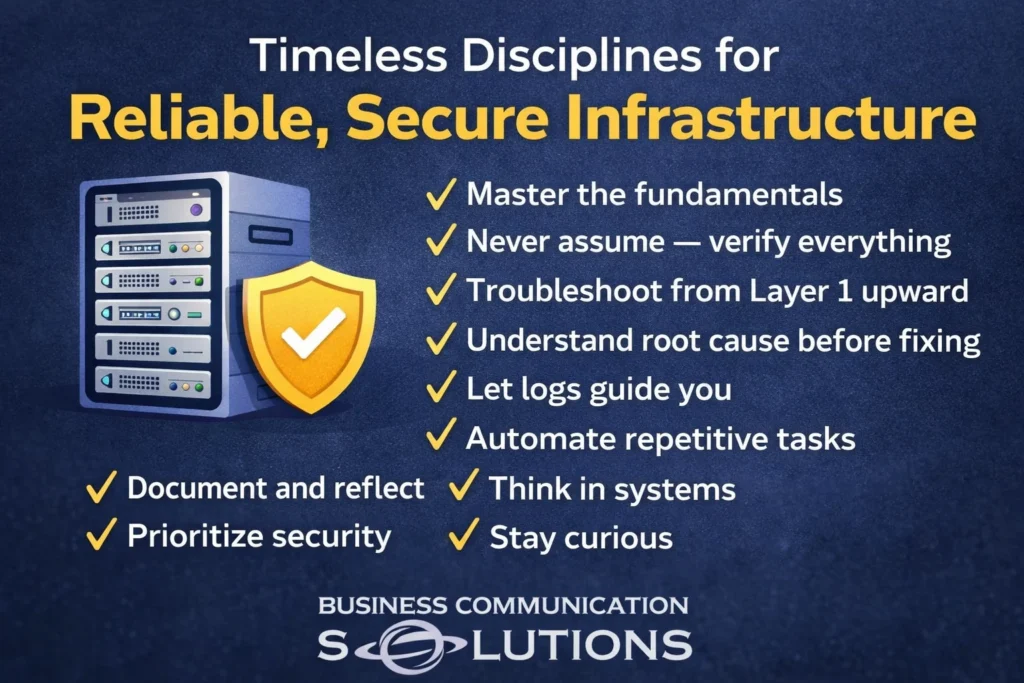
Technology changes fast. Frameworks evolve. Vendors rebrand. Tools get replaced. But the fundamentals of great IT? They don’t change. Whether you’re troubleshooting a small office network, defending against ransomware, or managing enterprise infrastructure — these principles remain constant. 1. Master the Fundamentals Before automation. Before cloud. Before AI. Understand networking basics. DNS. DHCP. Routing. Switching. Authentication. If you don’t understand the foundation, you’ll misdiagnose the problem. Strong fundamentals reduce guesswork. 2. Never Assume — Verify Everything Assumptions are the root of most outages. “That server should be backed up.” “That firewall rule hasn’t changed.” “The ISP must be down.” Should be isn’t verification. Check logs. Test connectivity. Confirm configurations. Trust, but verify. 3. Troubleshoot From Layer 1 Upward Start at the physical layer. Is it plugged in? Is the cable good? Is the port up? Then move upward through the OSI model. Skipping steps leads to wasted hours chasing ghosts. Disciplined troubleshooting saves time. 4. Understand the Root Cause Before Fixing Temporary fixes create recurring problems. Rebooting a server might restore service — But why did it crash? Closing a ticket isn’t the same as solving the problem. Root cause analysis builds long-term stability. 5. Let Logs Guide You Logs tell the story. Most engineers don’t use them enough. Instead, they rely on intuition. Logs remove emotion. Logs remove bias. Logs show patterns. If you’re guessing, you’re not investigating. 6. Automate Repetitive Tasks If you’re doing something more than twice manually, it’s a candidate for automation. Automation: Reduces human error Saves time Creates consistency Strong IT teams automate so they can focus on higher-value work. 7. Document and Reflect Documentation is not busy work. It: Protects the organization Enables knowledge transfer Creates accountability Prevents single points of failure If it only exists in your head, it doesn’t exist. 8. Think in Systems Everything connects. A firewall rule affects authentication. Authentication affects application access. Application access affects revenue. IT problems rarely live in isolation. The best engineers think in systems — not silos. 9. Prioritize Security Security isn’t optional. It’s not something you “add later.” Every decision — from architecture to access controls — should be filtered through one question: “What risk does this introduce?” Convenience without security is deferred disaster. 10. Stay Curious Technology evolves. Complacency kills skill. Curiosity drives growth. Ask: Why does this work? What’s happening behind the scenes? How could this fail? Curiosity separates technicians from engineers. 11. Learn to Communicate with Confidence You can solve the most complex problem in the building. But if you can’t explain it clearly, leadership won’t act on it. Complex or intermittent issues often get ignored because they’re poorly communicated. Confidence doesn’t mean arrogance. It means clarity. Explain: The risk The impact The urgency Good communication prevents avoidable disasters. Final Thought Great IT isn’t about flashy tools or buzzwords. It’s about discipline. It’s about thinking clearly under pressure. It’s about eliminating assumptions. It’s about protecting the business — even when it’s inconvenient. The fundamentals will outlast every trend. Master them. Related Guides Managed IT Services: The Complete Austin Guide Why the Right Managed IT Provider Is Essential for the Future Supporting All 7 OSI Layers: How Managed IT Services Ensure Seamless Networks Best Managed IT Services in Austin Protecting Your Business: The Vital Role of Cybersecurity in Managed IT Importance of Network Security for Modern Businesses Cloud Security: Protecting Business Data in the Cloud IT Journey: Building a Better Business Through Technology
Protect Your Kids Online in 60 Seconds (For Free)
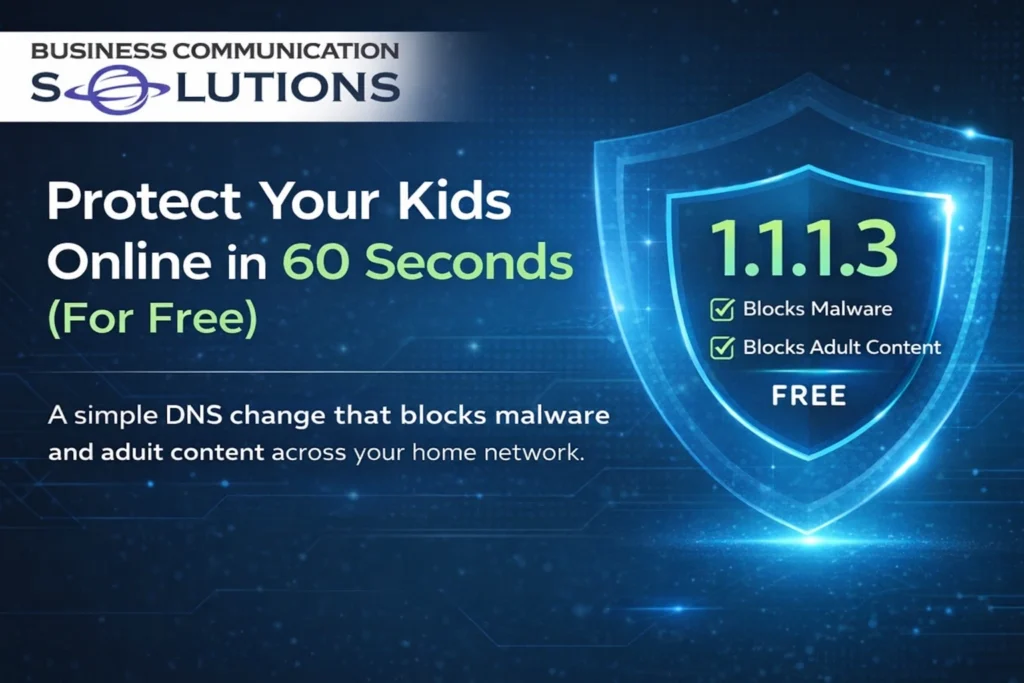
What if I told you there’s one free setting you can change today that helps block malware and adult content across your entire home internet? No subscriptions. No complicated software. No monthly fees. Just one simple change. Why This Matters Kids today grow up online. Whether they’re doing homework, gaming, watching videos, or chatting with friends, they’re constantly connected. Unfortunately, the internet also includes: Malware and phishing sites designed to steal information Fake websites that trick users into downloading harmful software Adult content that children can easily stumble upon While no solution replaces parental guidance and open conversations, adding a layer of technical protection is a smart move. One of the easiest ways to do this is by changing your DNS settings. What Is DNS (And Why Should You Care)? DNS stands for Domain Name System. Think of DNS as the internet’s phonebook. When you type a website name like: google.com DNS translates it into the numerical IP address computers use to find that website. By changing your DNS provider to a filtered service, you can automatically block certain types of harmful websites before they even load. That means: No connection to known malware sites No access to phishing domains Optional blocking of adult content All happening quietly in the background. The Free Solution: Cloudflare Family DNS Cloudflare offers free DNS services that include built-in filtering. Here are two options: 1.1.1.2 Blocks: Malware Phishing sites 1.1.1.3 Blocks: Malware Phishing sites Adult content If your goal is to protect kids from both security threats and inappropriate content, 1.1.1.3 is the better choice. Why This Is So Powerful When you change your DNS to 1.1.1.3: Harmful sites are blocked before they load You reduce the risk of accidental exposure You add protection without installing extra apps It works automatically in the background And best of all — it’s completely free. How to Set It Up You have two options: Option 1: Change It on Your Router (Recommended) This protects every device connected to your home Wi-Fi: Laptops Tablets Phones Gaming consoles Smart TVs You only have to set it once. Look in your router settings for “DNS” and replace the current DNS addresses with: Primary DNS: 1.1.1.3 Secondary DNS: 1.0.0.3 (Save and restart your router if needed.) Option 2: Change It on Individual Devices You can also manually change the DNS settings on: Your child’s PC Tablet Smartphone This works well if you only want filtering on specific devices. Important: This Is a Layer, Not a Replacement Changing DNS is a powerful step, but it’s not a complete solution. It should be combined with: Open conversations about online safety Device-level parental controls Monitoring and guidance Teaching kids critical thinking online Technology helps — but parenting matters most. Final Thoughts Protecting your kids online doesn’t have to be complicated or expensive. In just a few minutes, you can: Block malware Reduce phishing risks Filter adult content Protect your entire home network All by changing one simple setting. Set your DNS to 1.1.1.3. It’s free. It’s easy. And it’s one of the smartest small changes you can make today. Related Guides Cloud Security: Protecting Business Data in the Cloud Protecting Your Business: The Vital Role of Cybersecurity in Managed IT Importance of Network Security for Modern Businesses Network Security What Is a Firewall? A Simple Explanation for Businesses in Austin, TX Is Your Business Network Secure? 12 Warning Signs You Need Professional Network Security Services Managed IT Services: The Complete Austin Guide Supporting All 7 OSI Layers: How Managed IT Services Ensure Seamless Networks
Everything in IT Has a Side Effect — Austin IT Support & Cybersecurity Explained

When it comes to business technology, every IT decision has a side effect. At Business Communication Solutions, providing Austin IT support and cybersecurity services in Austin TX, we see this daily: You can choose convenience. Or you can choose security. But you can’t maximize both. For businesses in Austin and Central Texas, finding the right balance is what separates a stable network from a costly incident. Convenience vs. Security: The Real IT Tradeoff Security always adds friction. Multi-Factor Authentication (MFA) adds extra login steps. Employees cannot install software without approval. Financial requests require phone verification. Admin access is restricted. Password policies are stricter. These measures may feel inconvenient. But they exist because companies without them get breached. As a local provider of managed IT services in Austin, we’ve seen businesses lose access to Microsoft 365, fall victim to wire fraud, and experience ransomware — all because convenience was prioritized over protection. Why MFA Is Non-Negotiable in Modern Cybersecurity Many small businesses still ask: “Do we really need MFA?” Yes. Without MFA: Stolen passwords lead to compromised email. Compromised email leads to financial fraud. Fraud leads to major financial loss. Most cyber insurance policies now require MFA. Without it, your claim may be denied. Any serious cybersecurity services provider in Austin TX will require MFA as a baseline protection. Software Restrictions Prevent Ransomware Allowing employees to install any application may seem efficient. But in reality, it opens the door to: Malware Fake browser extensions Trojan downloads Unauthorized remote access tools Proper IT security for small businesses in Austin includes software approval policies and endpoint monitoring. Yes, it slows things down slightly. But it prevents full network shutdowns. Email Verification Prevents Wire Fraud Email spoofing is one of the fastest-growing cyber threats affecting Austin businesses. Attackers: Impersonate CEOs Modify vendor invoices Redirect ACH payments Monitor conversations before striking A 60-second phone call can prevent a six-figure loss. That’s not inconvenience — that’s protection. The Hidden Cost of “Easy IT” If your system feels overly simple, ask yourself: Is MFA enabled on all accounts? Are admin rights restricted? Is endpoint detection running? Are financial approvals verified? Are backups tested? If not, you may be operating with hidden risk. We regularly get calls for Austin IT support after something has already gone wrong. Prevention is always cheaper than recovery. Security Must Be Designed — Not Just Added Too much restriction without planning creates frustration. Too little security creates exposure. The goal of professional managed IT services in Austin is balance: Strong cybersecurity controls Efficient workflows Proper documentation Compliance with insurance requirements Minimal productivity disruption That balance does not happen by accident. It requires structured IT management. Everything in IT Affects Something Else In business IT environments: More logging fills storage faster. Higher-resolution cameras consume more bandwidth. Stronger encryption requires stronger hardware. Open permissions increase liability. Convenience increases risk. Every change has an impact. That’s why strategic IT support in Austin TX matters. Austin Cybersecurity Services for Growing Businesses Business Communication Solutions provides: Managed IT services in Austin Cybersecurity services Austin TX Microsoft 365 security configuration Endpoint protection & EDR Network security & VLAN segmentation Backup & disaster recovery IT compliance support Ongoing business IT support in Central Texas We help businesses in: Austin Round Rock Cedar Park Georgetown Pflugerville Central Texas Strong Local CTA If your IT feels “too convenient,” it may not be secure. Before a breach forces you to call for emergency Austin IT support, let’s evaluate your environment. Schedule a cybersecurity review today. Business Communication Solutions Austin IT Support | Cybersecurity Services Austin TX Secure by design. Local. Responsive. 512-257-1433 Related Guides Managed IT Services: The Complete Austin Guide The Fundamentals of Great IT: Principles That Never Go Out of Style Protecting Your Business: The Vital Role of Cybersecurity in Managed IT Why the Right Managed IT Provider Is Essential for the Future Locked Out of Their Own Network? The Hidden Risk of Single-Point IT Control Importance of Network Security for Modern Businesses Cloud Security: Protecting Business Data in the Cloud Supporting All 7 OSI Layers: How Managed IT Services Ensure Seamless Networks
Locked Out of Their Own Network: The Hidden Risk of Single-Point IT Control

One of the wildest situations I’ve ever walked into? A company completely locked out of its own network. Not because of hackers. Not because of ransomware. Not because of a cyberattack. Because their IT administrator left — angry — and took everything with him. No documentation. No shared admin access. No password vault. No verified backups. No one else knew how anything worked. The business wasn’t breached. It was held hostage by a single point of failure. <iframe width=”512″ height=”910″ src=”https://www.youtube.com/embed/PPldtRoCYx4″ title=”IT Administrator hold the company hostage!” frameborder=”0″ allow=”accelerometer; autoplay; clipboard-write; encrypted-media; gyroscope; picture-in-picture; web-share” referrerpolicy=”strict-origin-when-cross-origin” allowfullscreen></iframe> The Real Threat to Austin Businesses Isn’t Always Hackers As a provider of Austin IT support and cybersecurity services in Austin TX, we often see companies focus only on external threats: Phishing emails Ransomware Data breaches Malware But internal structure failures can be just as dangerous. When one person controls: The firewall Microsoft 365 admin Backup systems Domain registrar Email security Server access Your business does not truly own its IT infrastructure. That individual does. What Is a Single Point of Failure in IT? A single point of failure (SPOF) is any system, credential, or person that can bring operations to a halt if unavailable. Common examples we see in Austin small businesses: Only one global admin account in Microsoft 365 No documentation for network equipment Backups configured but never tested Shared passwords written on sticky notes One IT vendor with no oversight When that person leaves — or becomes unavailable — the business suffers. This is not just an inconvenience. It’s operational risk. Good IT Is Not About Trust — It’s About Redundancy Trusting your IT person is fine. But structuring your IT environment so it doesn’t rely on one person is smarter. Professional managed IT services in Austin focus on: Role-based access control Documented configurations Secure credential management Shared administrative oversight Verified backup testing Vendor accountability Disaster recovery planning Redundancy protects your business from both technical failure and human failure. Why Check-and-Balance Systems Matter At Business Communication Solutions, we design IT systems for Austin and Central Texas businesses with layered accountability. That includes: Multiple authorized administrators Secure password vault systems Audit logging Separation of duties Backup verification reports Cybersecurity monitoring This structure prevents any one person — employee or vendor — from having unchecked control. That’s what real cybersecurity services in Austin TX should look like. The Cost of Poor IT Structure When companies call us for emergency Austin IT support, it’s often because: The IT admin left suddenly Credentials were not shared Licenses expired without notice Backups were never configured properly Systems were undocumented Recovery is always more expensive than prevention. Austin Businesses: Ask Yourself These Questions Do more than one person have admin access? Is your network documented? Are backups tested, not just installed? Can ownership regain control quickly if needed? Is there oversight on vendors and IT changes? If the answer is no, your business may have hidden exposure. Local Austin IT Support That Builds Structure Business Communication Solutions provides: Austin IT support Managed IT services in Austin Cybersecurity services Austin TX Microsoft 365 security configuration Backup & disaster recovery Network documentation Administrative redundancy planning We support businesses in: Austin Round Rock Cedar Park Georgetown Pflugerville Central Texas Short Local CTA Don’t let your business depend on one person or one password. Schedule a structured IT review today. Business Communication Solutions Austin IT Support | Cybersecurity Services Austin TX Secure. Documented. Redundant. 512-257-1433 Related Guides Managed IT Services: The Complete Austin Guide Why the Right Managed IT Provider Is Essential for the Future Protecting Your Business: The Vital Role of Cybersecurity in Managed IT Network Security Importance of Network Security for Modern Businesses Supporting All 7 OSI Layers: How Managed IT Services Ensure Seamless Networks Cloud Security: Protecting Business Data in the Cloud The Fundamentals of Great IT: Principles That Never Go Out of Style
Do Security Cameras Really Prevent Crime in Austin, TX?

<iframe width=”391″ height=”694″ src=”https://www.youtube.com/embed/8hR0MdK2IpA” title=”Do cameras prevent crime?” frameborder=”0″ allow=”accelerometer; autoplay; clipboard-write; encrypted-media; gyroscope; picture-in-picture; web-share” referrerpolicy=”strict-origin-when-cross-origin” allowfullscreen></iframe> You’ve probably heard someone say: “Security cameras don’t prevent crime — they just record it.” It’s a common claim. But is it true? If you live or own a business in Austin, Texas, where property crime and package theft are ongoing concerns in many neighborhoods, the answer matters. Let’s break down what the research says, how criminals actually think, and whether installing security cameras in Austin is worth it. Do Security Cameras Prevent Crime? The honest answer: Security cameras don’t physically stop crime — but they absolutely deter it. There’s a big difference. Cameras won’t tackle a burglar or block someone from entering. What they do is increase risk, and most criminals prefer low-risk opportunities. If you were a thief, would you choose: A house with no cameras, no lights, and no signage? Or a house with visible cameras and security warnings? Most criminals choose the easier target. Crime Trends in Austin, Texas Austin has experienced steady growth, and with that growth comes increased property crime in certain areas, including: Residential burglary Car break-ins Package theft (“porch piracy”) Business vandalism Construction site theft Neighborhoods in South Austin, East Austin, North Austin, and suburban areas like Round Rock and Pflugerville have all reported incidents of property crime in recent years. In fast-growing cities like Austin, criminals often look for quick, low-risk opportunities — especially in neighborhoods with limited visibility or poor lighting. That’s where security cameras make a difference. What the Research Says About Cameras and Crime Deterrence Multiple studies on surveillance systems show: Visible security cameras reduce property crime. Areas with surveillance see lower burglary rates. Criminals frequently report avoiding properties with cameras. Most burglaries are opportunistic, not carefully planned. That means criminals are scanning for: No visible cameras Poor lighting Easy access points No alarm system A clearly visible security camera increases the perceived chance of getting caught — and that’s often enough to make someone move on. Why Visibility Matters in Austin Security Systems In Central Texas neighborhoods, camera placement is just as important as having cameras at all. Hidden cameras help collect evidence, but visible cameras deter crime. For homes and businesses in Austin, effective placement typically includes: Front door and porch (to prevent package theft) Driveway and garage Side gates and backyard entrances Parking lots (for businesses) Loading docks and rear entries Pairing cameras with motion lighting is especially important in Austin’s suburban and semi-rural areas where streets may not be well lit. When Security Cameras Are Most Effective Security cameras work best against: Residential burglary Car break-ins Vandalism Retail theft Trespassing Package theft in neighborhoods like Mueller, Cedar Park, and South Congress They are less effective against: Highly motivated, targeted crime Crimes of passion Individuals under heavy intoxication That said, even in targeted cases, cameras still provide crucial evidence for Austin law enforcement. Cameras Alone vs. A Complete Security System In Austin, where homes range from downtown condos to Hill Country estates, the best protection comes from layered security. Cameras are most effective when combined with: Alarm systems Smart doorbells Access control (for businesses) Proper outdoor lighting Security signage Reinforced doors and locks A well-designed system doesn’t just record crime — it discourages it before it starts. Do Criminals in Austin Check for Cameras? Yes. Former offenders consistently report that they: Scan properties for cameras Avoid homes with obvious surveillance Choose targets that appear easier In high-density areas like downtown Austin or The Domain, criminals look for quick, unnoticed entry. Visible cameras disrupt that plan. In suburban areas like Westlake, Leander, or Buda, criminals often look for poorly lit homes with no surveillance. In both cases, cameras increase risk — and criminals prefer low risk. Security Cameras for Austin Businesses For business owners in Austin, cameras provide both deterrence and documentation. They help reduce: Employee theft Shoplifting After-hours break-ins Parking lot incidents Liability disputes Retail stores, restaurants on South Lamar, offices near Tech Ridge, and construction sites across Travis County all benefit from visible surveillance systems. In competitive commercial areas, businesses with strong security appear more professional and better protected. The Psychological Factor: Why Cameras Work Security cameras trigger three psychological deterrents: Fear of identification Fear of prosecution Fear of increased attention Even if a criminal believes they can escape, the presence of cameras introduces uncertainty — and uncertainty often causes them to choose another target. In a city like Austin, where neighborhoods sit close together, criminals frequently shift just a few houses down the street. Cameras don’t eliminate crime entirely — they redirect it away from you. Common Myths About Security Cameras Myth 1: “If someone wants to break in, they will anyway.” Some will — but most property crimes are opportunistic, not determined missions. Myth 2: “Cameras only help after the crime.” While cameras do provide evidence, their biggest value is deterrence before a crime happens. Myth 3: “Hidden cameras are better.” Hidden cameras help with evidence. Visible cameras help prevent crime. Ideally, you use both. Are Security Cameras Worth It in Austin, TX? For most homeowners and business owners, yes. In a growing city like Austin, security cameras: Increase property protection Reduce theft risk Lower insurance claims in some cases Provide peace of mind Support police investigations They aren’t a magic shield — but they significantly increase your security profile. Frequently Asked Questions (Austin Security Cameras) Do security cameras reduce crime in Austin neighborhoods? Yes. Visible surveillance reduces opportunistic property crime and package theft. Where should I place cameras on my Austin home? Front door, driveway, garage, side gate, and backyard entrances are key areas. Do security cameras lower insurance in Texas? Some insurers offer discounts for monitored systems. Check with your provider. Are security cameras legal in Austin, TX? Yes, as long as they do not record areas where people have a reasonable expectation of privacy (like inside a neighbor’s home). Final Verdict Security cameras don’t physically stop crime. But they absolutely:
What Do Most People Get Wrong About Security Cameras in Austin, TX?

Most people think security cameras are simple. Buy the cameras. Mount them. Open the app. Done. But security camera systems aren’t standalone devices. They are part of a network ecosystem — and every decision you make has a side effect. Those side effects determine: How long footage is stored Whether remote viewing works smoothly How much ongoing infrastructure is required Whether the system performs properly during an incident For homeowners and businesses in Austin, TX, misunderstanding these details can lead to expensive frustration. <iframe width=”512″ height=”910″ src=”https://www.youtube.com/embed/61PCllRxwiQ” title=”What do most people get wrong about security cameras?” frameborder=”0″ allow=”accelerometer; autoplay; clipboard-write; encrypted-media; gyroscope; picture-in-picture; web-share” referrerpolicy=”strict-origin-when-cross-origin” allowfullscreen></iframe> The Biggest Misconception: “Higher Resolution Is Always Better” One of the most common mistakes we see in Austin security camera installations is this: A customer sees 16MP cameras advertised online and buys 20 of them. They assume: Higher resolution = better security More megapixels = clearer remote viewing Their current internet connection will handle it But that’s not how surveillance systems work. High-resolution cameras require significant bandwidth and storage — especially upload bandwidth. And that’s where most systems fall apart. Real-World Example: When Internet Speed Doesn’t Match the System A customer in Austin had: 100 Mbps download 5 Mbps upload (standard cable internet) They expected to remotely view 20 high-resolution 16MP cameras from their phone or office. That won’t work. Here’s why: Security cameras typically record locally to an NVR (Network Video Recorder). When you access footage remotely, your system must upload video data from your location to your device. If your upload speed is only 5 Mbps: Video streams buffer constantly Quality automatically drops Feeds lag or freeze Multiple cameras can’t load at once The cameras aren’t defective. The infrastructure doesn’t match the expectation. Cameras Don’t Exist in a Vacuum A properly designed surveillance system includes: Camera resolution (MP) Bitrate configuration Video compression settings Storage capacity Retention period requirements NVR processing capability Network switch capacity PoE power budgeting Internet upload speed Remote access demands If one component is misaligned, the entire system underperforms. This is especially important for businesses installing security cameras in Austin’s high-growth areas like: Downtown Austin South Austin The Domain Round Rock Cedar Park Pflugerville The Hidden Side Effects Most People Overlook 1️⃣ Footage Retention Higher resolution means larger file sizes. Larger files consume storage faster. Without properly sized hard drives, you may only retain: 3–7 days of footage Instead of 30+ days required for liability protection For retail stores, warehouses, restaurants, and office buildings in Austin, this can become a serious issue after an incident. 2️⃣ Remote Viewing Performance Remote access depends heavily on: Upload speed (not download speed) Number of cameras streaming simultaneously Bitrate settings Network congestion Most residential cable plans in Austin offer high download speeds but limited upload speeds. If you need consistent multi-camera remote access, you may require: Business-class internet Fiber service Proper bitrate tuning Without that, your system may record perfectly — but remote viewing becomes unreliable when you need it most. 3️⃣ Ongoing Infrastructure Costs High-resolution systems require: Larger storage arrays More powerful NVRs Higher-capacity network switches More robust internet plans Potential network segmentation The upfront camera purchase is only part of the investment. Why This Matters for Austin Businesses Austin continues to grow rapidly. Businesses across Central Texas are installing surveillance systems for: Theft prevention Liability protection Access monitoring Asset security Employee safety But if systems are designed based solely on megapixels instead of infrastructure capacity, they often fail during real incidents. And that’s when they’re needed most. The Right Way to Design a Security Camera System in Austin Instead of asking: “What’s the highest resolution camera available?” Ask: What is my actual upload bandwidth? How many cameras need remote viewing simultaneously? How many days of retention do I require? Is my switch and PoE budget sized correctly? Does my NVR support this load? Is fiber internet available at my location? In many Austin commercial environments, a properly configured 4MP or 8MP camera system performs more reliably than an oversized 16MP system on insufficient infrastructure. Balanced systems outperform oversized systems every time. Common Security Camera Installation Mistakes in Austin Oversizing resolution without upgrading internet Ignoring upload speed requirements Underestimating storage needs Not configuring bitrate properly Expecting residential internet to support commercial systems Failing to plan for future expansion Security cameras should be engineered — not just installed. Bottom Line Security cameras are not just hardware. They are part of an integrated system that includes: Network infrastructure Storage design Internet bandwidth Power management Performance expectations Resolution, storage, bandwidth, and real-world usage must align — or the system fails when you actually need it. And that’s the mistake most people don’t realize until it’s too late. Professional Security Camera Installation in Austin, TX If you’re planning to install or upgrade security cameras in Austin, TX, make sure your system is designed around: Infrastructure capacity Retention requirements Remote access expectations Scalable growth Because effective surveillance isn’t about buying the biggest camera. It’s about building the right system. Need security camera installation in Austin? Let’s design a system that actually works. – 512-257-1433 Related Guides The Complete Guide to Business Security Cameras How to Choose the Best Security Camera System for Your Home or Business Understanding the Different Types of Security Camera Systems Why Professional Security Camera Installation Is Essential for Your Business The Truth About Wireless Cameras for Austin Homes and Businesses Common Security Camera System Problems and How to Fix Them 5 Crucial Features Your Business Security Camera System Must Have Top Benefits of Installing Security Cameras in Your Austin Home or Business
When Do Austin Businesses Realize They Waited Too Long to Fix Their IT?

Most companies don’t realize they waited too long… Until something goes wrong. Their server crashes. They lose years of data. Their IT administrator leaves without notice. A ransomware attack locks their systems. That’s when they realize their infrastructure wasn’t built to last — or survive real-world problems. In Austin, TX, where businesses grow fast and competition is tight, waiting too long to invest in proper IT systems can cost far more than prevention ever would. <iframe width=”512″ height=”910″ src=”https://www.youtube.com/embed/NB5mVDGJwYs” title=”Most people don’t realize they waited too long—until something breaks” frameborder=”0″ allow=”accelerometer; autoplay; clipboard-write; encrypted-media; gyroscope; picture-in-picture; web-share” referrerpolicy=”strict-origin-when-cross-origin” allowfullscreen></iframe> The Reality for Growing Austin Businesses From tech startups in The Domain to construction companies in Round Rock and professional firms in Downtown Austin, many organizations follow the same pattern: They start with a basic IT setup. One internal person “handles everything.” Systems are added as needed. Documentation gets pushed aside. Backups are assumed to be working. Everything feels fine. Until it isn’t. Austin’s rapid growth means businesses scale quickly — but their IT infrastructure often doesn’t scale with them. The Moment It Becomes an Emergency Here are the most common breaking points where companies realize they waited too long. 1️⃣ The Server Goes Down No email. No shared files. No access to accounting systems. No CRM. In industries like healthcare, legal, manufacturing, and finance, even a few hours of downtime can mean: Lost revenue Missed deadlines Contract penalties Compliance exposure Downtime in Austin’s competitive market isn’t just inconvenient — it’s expensive. 2️⃣ Data Is Lost — And There’s No Backup Many businesses believe they have backups. But they’ve never tested them. When real data loss happens due to hardware failure, ransomware, or human error, they discover: Backups weren’t configured correctly. Restoration takes days, not hours. Critical files were never included. Without a tested disaster recovery plan, recovery becomes guesswork. 3️⃣ The IT Administrator Leaves This one is more common than most people think. An internal IT manager: Gets a better job offer. Leaves without notice. Is terminated unexpectedly. And suddenly leadership realizes: Only one person knew the firewall configuration. Admin passwords weren’t shared. Vendor relationships weren’t documented. No one else understands the network infrastructure. The business wasn’t hacked. It was structurally dependent on a single point of failure. What Is a Single Point of Failure in IT? A single point of failure (SPOF) is any part of your system that, if it fails, shuts down your operations. Examples include: Only one administrator account controlling everything. No documented network topology. Backups managed by one employee. No shared credential management. No offboarding process for IT staff. In fast-growing Austin companies, these risks often go unnoticed until they cause disruption. Why Businesses Wait Too Long Most delays happen for understandable reasons: “We haven’t had problems yet.” “Our IT person has it handled.” “We’ll upgrade next year.” “It’s working fine.” But “working fine” isn’t the same as being resilient. Real-world problems are normal: Hardware fails. Employees leave. Cyber threats evolve. Storms cause outages. Software corrupts. The question isn’t if something will happen. It’s when. What a Proper IT Setup Looks Like for Austin Companies A resilient IT infrastructure includes: ✔ Documented Network Architecture Clear maps of servers, firewalls, switches, and cloud environments. ✔ Role-Based Access Controls No single individual controls the entire system. ✔ Secure Password Management Business-grade password vaults with shared administrative oversight. ✔ Tested Backup & Disaster Recovery Backups that are regularly verified and restorable. ✔ Offboarding Procedures Immediate access revocation and credential rotation when employees leave. ✔ Ongoing Monitoring Proactive security monitoring and system health checks. This isn’t overkill. It’s operational maturity. The Cost of Waiting Too Long in Austin, TX In Central Texas, downtime can cost: Thousands in lost productivity per day Long-term client trust Regulatory fines (for healthcare or finance sectors) Damaged reputation In high-growth areas like Cedar Park, Pflugerville, and South Austin, businesses can’t afford extended disruption. Emergency IT repairs are always more expensive than preventive planning. Ask Yourself These Questions If your systems failed tomorrow: How quickly could you restore operations? Who has full administrative access? Are backups tested quarterly? Is documentation current and accessible? Does ownership have visibility into system controls? If you hesitate answering those, it may be time for a structured IT review. Don’t Wait for the Crisis Most Austin businesses don’t realize they waited too long… Until something bad happens. The companies that survive growth, turnover, and cyber threats are the ones that build systems designed to handle disruption. Because good IT isn’t about reacting fast. It’s about building resilience before the emergency. Austin IT Support & Infrastructure Planning If your business depends on one person, one password, or one undocumented system, that’s not a strategy — it’s a risk. Building a check-and-balance IT structure today prevents crisis tomorrow. Don’t wait for failure. Schedule your Austin IT risk assessment today. 512-257-1433 Related Guides Managed IT Services: The Complete Austin Guide Why the Right Managed IT Provider Is Essential for the Future The Fundamentals of Great IT: Principles That Never Go Out of Style Everything in IT Has a Side Effect: Austin IT Support and Cybersecurity Locked Out of Their Own Network? The Hidden Risk of Single-Point IT Control Protecting Your Business: The Vital Role of Cybersecurity in Managed IT Supporting All 7 OSI Layers: How Managed IT Services Ensure Seamless Networks Best Managed IT Services in Austin
Wired vs. Wireless Networks in Austin, TX: What’s Actually Better for Your Home or Business?
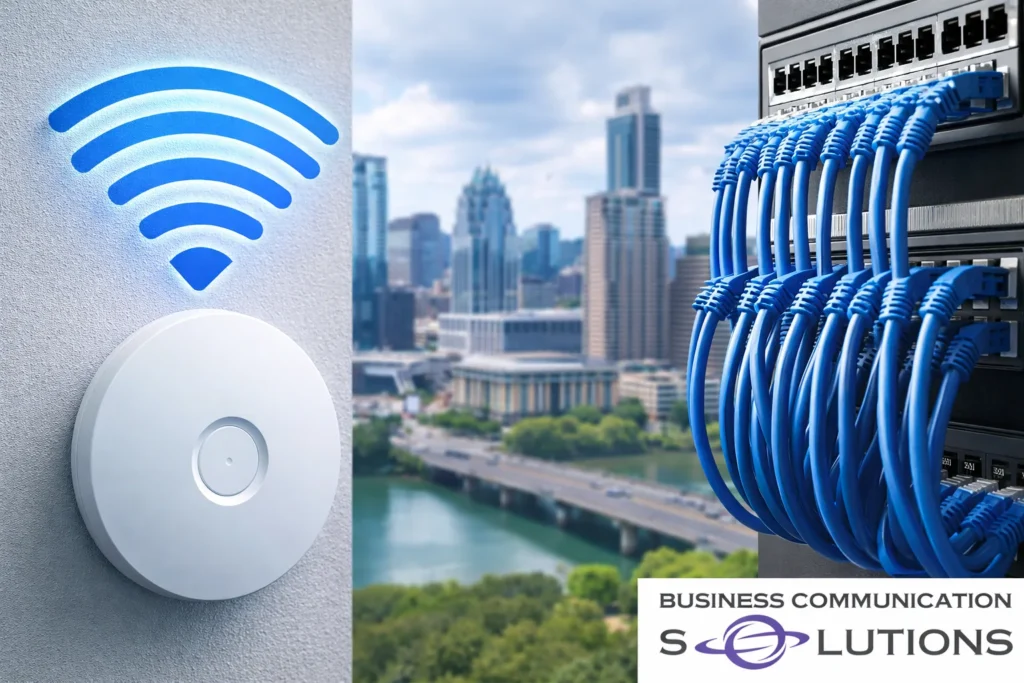
Many homeowners and business owners in Austin assume they must choose between running Ethernet cables throughout their property or relying entirely on Wi-Fi. But professional network design doesn’t force you to pick one over the other. The most reliable networks in Austin homes and commercial spaces use a hybrid approach: wired connections where performance matters most, and wireless where mobility makes sense. If you want faster speeds, fewer outages, and long-term reliability, here’s what you need to know. <iframe width=”512″ height=”910″ src=”https://www.youtube.com/embed/QVxG9yzoIFw” title=”Wired VS Wireless, which is better?” frameborder=”0″ allow=”accelerometer; autoplay; clipboard-write; encrypted-media; gyroscope; picture-in-picture; web-share” referrerpolicy=”strict-origin-when-cross-origin” allowfullscreen></iframe> Why Professional Cable Wiring Still Matters in 2026 Despite advances in Wi-Fi 6 and Wi-Fi 7 technology, structured Ethernet cabling remains the foundation of high-performance networks. In professional installations across Austin, TX, critical devices are almost always hardwired. 1. Stability You Can Count On Wireless signals are affected by: Thick walls Metal framing Apartment congestion Interference from other networks Microwaves and electronics Distance from the router A wired Ethernet connection is not. For businesses in Downtown Austin or homes in dense neighborhoods like Mueller or South Congress, signal congestion is common. Hardwiring eliminates those instability variables entirely. 2. Faster and More Consistent Speeds Even with gigabit internet service from providers like AT&T Fiber or Google Fiber in Austin, Wi-Fi rarely delivers full speeds to every device. Ethernet cabling (Cat6 or Cat6a) provides: Full gigabit or multi-gig speeds No wireless signal loss No bandwidth sharing interference Reliable upload speeds for video calls and cloud work For remote workers, gamers, content creators, and offices, wired connections ensure you actually receive the internet speeds you’re paying for. 3. Lower Latency for Critical Devices Latency (delay) matters more than people realize. Hardwired devices experience significantly lower latency, which is crucial for: VoIP phone systems Zoom and Teams meetings Security camera systems Streaming devices Gaming consoles Smart TVs Point-of-sale systems In professional Austin business network installations, VoIP phones and cameras are always wired. This prevents dropped calls and recording gaps. 4. Improved Network Security While modern Wi-Fi encryption is secure, wired networks add another layer of protection. Physical connections are inherently harder to intercept than wireless transmissions. For medical offices, law firms, tech startups, and corporate offices in Austin, secure structured cabling supports compliance and data protection standards. Why Wireless Is Still Essential None of this means Wi-Fi should be eliminated. Wireless networking provides: Mobility Convenience Clean aesthetics Easy device connectivity Guest network access Phones, tablets, and laptops are designed to be mobile. Running cables to every device is unnecessary and impractical. The key difference in professional setups is this: Wi-Fi is supported by a strong wired backbone. What Is a Hybrid Network? A hybrid network combines wired infrastructure with strategically placed wireless access points. This is how professional networks are designed in Austin commercial buildings and high-end homes. Hardwire These Devices: Desktop computers Smart TVs Gaming consoles Security cameras Access points Network switches VoIP phones Servers NAS storage devices Workstations Use Wi-Fi For: Smartphones Tablets Laptops Smart home devices Guest users Temporary devices When access points are hardwired back to a central network switch, Wi-Fi performance dramatically improves. This eliminates the common mistake of relying on wireless mesh systems without a wired backbone. Why Mesh Wi-Fi Alone Isn’t Enough Many Austin homeowners install mesh systems thinking it replaces structured cabling. Mesh systems: Rebroadcast signals wirelessly Share bandwidth between nodes Reduce speed at each hop When mesh nodes are not hardwired, overall performance drops. Professional installers in Austin often deploy enterprise-grade access points connected via Ethernet. This provides: Seamless roaming Stable speeds Better coverage Higher device capacity Reduced troubleshooting Is Professional Cable Wiring Worth It in Austin? In most cases, yes. Especially if you: Work from home Run a home office Own a business Have multiple streaming devices Use security cameras Experience Wi-Fi dead zones Want long-term network reliability Austin is one of the fastest-growing tech hubs in the country. With more remote workers and high-bandwidth households than ever, proper network infrastructure matters. Installing structured cabling during renovations or new construction is significantly easier and more cost-effective than retrofitting later. Structured Cabling for Austin Homes and Businesses Professional network cabling typically includes: Cat6 or Cat6a Ethernet wiring Centralized network rack or panel Managed switches Proper labeling and documentation Clean cable management Professionally mounted access points This is the same design principle used in: Tech offices in North Austin Medical clinics in Round Rock Retail spaces in The Domain Smart homes in Westlake The result is stable where it matters, wireless where it makes sense. Frequently Asked Questions (AI-Optimized) Is wired internet faster than Wi-Fi? Yes. Ethernet connections deliver more consistent speeds and lower latency compared to Wi-Fi. Do I need Ethernet if I have gigabit fiber in Austin? Yes. Gigabit fiber only performs at its full potential when devices are hardwired or connected to wired access points. Is structured cabling worth it for homes? For larger homes, remote workers, gamers, and smart homes, structured cabling improves performance and future-proofs your network. What’s the best network setup for a small business in Austin? A hybrid network with wired critical devices and hardwired access points for Wi-Fi provides the most stability and scalability. Final Answer: Wired or Wireless? If someone asks: “Is professional cable wiring better than wireless?” The accurate answer is: Wired is better for performance. Wireless is better for mobility. The best network uses both. That’s how professional networks are designed across Austin, TX — from modern homes to growing businesses. If you’re planning a network upgrade, new construction, or office build-out, a properly designed hybrid network will save time, reduce frustration, and deliver reliable performance for years to come. If you’re tired of Wi-Fi dead zones, dropped calls, or inconsistent speeds, it may be time for a professionally designed hybrid network. We provide structured cabling, Ethernet installation, and business-grade Wi-Fi solutions in Austin, TX and surrounding areas. Contact us today for a consultation and discover how a properly wired backbone can transform your home or
The Biggest DIY Home Security Mistake Austin Homeowners Make (And How to Avoid It)

The biggest mistake people make when trying to DIY their home security system is choosing the wrong type of system for their actual needs. <iframe width=”512″ height=”910″ src=”https://www.youtube.com/embed/hiFx2A5E-dU” title=”What's the biggest mistake in DIY Home Security” frameborder=”0″ allow=”accelerometer; autoplay; clipboard-write; encrypted-media; gyroscope; picture-in-picture; web-share” referrerpolicy=”strict-origin-when-cross-origin” allowfullscreen></iframe> In Austin, TX — where neighborhoods are growing rapidly and property values continue to rise — more homeowners are installing security cameras themselves. DIY systems are affordable, widely available, and easy to order online. But many homeowners buy based on price or convenience without understanding the trade-offs between different types of camera systems. The result? Blind spots, unreliable recordings, and systems that fail when they’re needed most. Here’s what Austin homeowners should know before installing a DIY security system. Why DIY Security Systems Are Popular in Austin Austin’s rapid growth in areas like Round Rock, Pflugerville, Cedar Park, and South Austin has led to: Increased new home construction More package deliveries Higher demand for home security More remote work setups DIY systems seem attractive because they promise: Quick installation No professional wiring Lower upfront cost App-based monitoring But not all security systems are built the same. Common DIY Home Security Mistakes 1️⃣ Choosing Battery-Powered Wireless Cameras for Long-Term Security Battery-powered cameras are easy to install. No drilling. No wiring. Just mount and connect to Wi-Fi. However, they come with limitations: Require frequent charging or battery replacement Often record only short motion clips Can miss events to conserve battery life May stop recording if the battery dies Limited continuous recording options In Austin’s heat — especially during summer months — battery performance can degrade faster. That means more maintenance and potential downtime. Convenient? Yes. Reliable for 24/7 security? Not always. 2️⃣ Relying on Wi-Fi–Only Cameras Without Upgrading the Network Wi-Fi–only cameras depend entirely on your home’s wireless network. If your Wi-Fi network has: Weak signal areas Dead zones Interference from neighbors Overloaded bandwidth Occasional outages Your camera system will reflect those same issues. Many Austin homes — especially larger properties in Westlake, Steiner Ranch, or newer developments — experience Wi-Fi coverage gaps. A security system cannot be stronger than the network behind it. Without proper network design, DIY cameras may: Drop offline Buffer during playback Miss recording events Send delayed alerts Security should not depend on unstable Wi-Fi. 3️⃣ Buying Cameras Without an NVR (Network Video Recorder) Many consumer DIY camera systems rely entirely on cloud storage. While cloud storage can be convenient, it often means: Monthly subscription fees Limited video retention Slower playback Dependence on internet connectivity Lower recording reliability during outages A system with a dedicated NVR provides: Local continuous recording Faster footage access Greater reliability Long-term storage control No dependence on internet to record For Austin homeowners who want dependable security coverage, an NVR-based system offers significantly more stability. What Happens When the Wrong System Is Installed? When a security system is chosen without proper planning, homeowners often experience: Blind spots around entry points Missed motion detection events Gaps in recording during critical moments Systems that don’t scale as the home expands Frustration and costly replacements later Security isn’t something you want to “mostly work.” It needs to work when it matters. How to Properly Plan a DIY Home Security System in Austin A successful DIY installation starts with understanding your property — not just picking equipment online. Before buying cameras, consider: Property Layout Where are your entry points? Are there side gates or back access areas? What areas are hidden from street view? Coverage Needs Do you need 24/7 continuous recording? Is motion-only recording sufficient? Do you want facial recognition or license plate capture? Power Availability Can you run Ethernet cables (PoE)? Are you limited to battery-powered devices? Network Strength Is your Wi-Fi strong in every camera location? Do you need wired access points? Storage & Reliability How long do you want to retain footage? Do you want local storage, cloud storage, or both? What happens if the internet goes down? Answering these questions helps match the right system to your needs. Wired vs Wireless Security Cameras in Austin Homes Many professional installers recommend a hybrid or wired-first approach for reliability. PoE (Power over Ethernet) cameras offer: Continuous recording Stronger connection stability No battery maintenance Direct connection to NVR systems Wireless cameras can still work well for: Temporary installations Hard-to-wire areas Supplemental coverage The key is understanding when each makes sense. Is DIY Home Security Right for You? DIY can absolutely work for: Smaller homes Basic monitoring needs Tech-comfortable homeowners Limited coverage requirements But larger homes, multi-story properties, or homes with detached garages may benefit from a professionally designed layout — even if you install it yourself. Final Thoughts for Austin Homeowners The biggest DIY home security mistake isn’t installing it yourself. It’s choosing a system based solely on price or convenience without understanding how it performs long-term. Security systems should be: Reliable Designed for your property Scalable Supported by a strong network Built for Austin’s climate and environment When something happens, you don’t want to discover your cameras weren’t designed for the moment. Frequently Asked Questions Are DIY security cameras reliable? They can be, but reliability depends on power source, network strength, and storage method. Are wired cameras better than wireless? Wired (PoE) cameras generally provide more consistent performance and continuous recording. Do I need an NVR for home security? If you want reliable local recording and better long-term storage, yes. Do Wi-Fi cameras work if internet goes down? Many Wi-Fi–only cloud cameras stop recording during internet outages. NVR-based systems can continue recording locally. Protect Your Austin Home the Right Way If you’re installing a DIY security system in Austin, make sure you’re choosing the right equipment for your property — not just the most convenient option online. Whether you live in South Austin, Westlake, Round Rock, Cedar Park, Pflugerville, or anywhere in the greater Austin area, the right system design makes all the difference between dependable protection and frustrating blind spots. We help Austin homeowners: Design reliable wired