

VOIP quality of service improvements

I remember in 2003, when I first started working with VOIP, it was horrible. Every customer we had, would complains about quality of service. Only way to fix the issue back then would be to recommend customer get MPLS or some kind of point to point circuit. This would fixed the problems, but it would come at a premium price tags and customer would be limited to using the phones at just locations that have MPLS and or Private Point to Point circuit with guarantee quality of service. I remember back then, internet speed were much slower, high end routers with decent CPU for processing also came with a premium price. Last month, I probably setup a handful of customers. This time around, I wanted to run a tests. I’ve setup the system with a decent router without programming QoS (quality of services) and yet I have not had any complaints on the quality. I basically was in shocked. Regardless after a few weeks, I’ve program QoS anyways, in an effort to avoid future problems. With that being said, I’m much more comfortable with VOIP now then I ever was before. I went through a time of avoidance because of all the problems I’ve ran into in the beginning of VOIP. Related Guides How to Choose the Right Business Phone System Selecting the Right VoIP Phone Service for Your Business Affordable VoIP Phone Systems in Austin Benefits of Call Recording for Business Communications Allworx Interact Integration with Google Chrome and Firefox Elevate Your Connectivity with Wireless Networking Services Why Your Network Is Only as Fast as Its Slowest Device Managed IT Services: The Complete Austin Guide
Ring door bell compliment most security camera systems

Last week we had a call for a customer that wanted help installing a security system that her daughter gave her as a Christmas present. So we negotiated a deal, and schedule a time to install the system. Yesterday, while installing the system for her, she ask us if we install Ring. I’ve answered or course we do. Ring has been a very popular options for lots of home, especially for homes that doesn’t want or need a full camera systems. To be ring compliment most security camera system, as for a small fee, you can have a copy of the what happens in the cloud, in case your home was broken into and the thieves steal the DVR (Digital Video Recorder) or NVR (Network Video Record) in stock, you still have some the recording of the ring in the cloud. Related Guides How to Choose the Best Security Camera System for Your Home or Business The Complete Guide to Business Security Camera Systems Understanding the Different Types of Security Camera Systems for Home and Business Residential vs. Commercial Security Camera Installation: What’s the Difference? Professional Surveillance System Installation Guide Top Benefits of Installing Security Cameras Step-by-Step Guide to Installing Security Camera Cabling
Protect Your Property With a Security Camera: The Ultimate Guide for Austin Homeowners

No matter how safe your neighborhood is, crime can still happen. Whether it is package thieves eyeing your doorstep or vandals scoping out your backyard, your property deserves protection. That is why everyone needs a security camera. But not just any camera. We’re talking about high-tech, weatherproof, phone-connected guardians that keep watch 24/7. If you’re a homeowner or want to protect a commercial property, you need a system that’s as smart as you are. From deterring burglars to catching porch pirates in the act, a security camera system is your best defense. Plus, with today’s tech, you can check your feed from anywhere, whether you’re at work, on vacation, or just too cozy on the couch to get up. So, why should you invest in one? What features matter most? And how do you pick the right CCTV security camera for your property in Austin? Let’s break it down. Why Invest in a Security Camera System? (Hint: It’s Not Just About Crime) Sure, security cameras scare off burglars, but they do way more than that. Here’s why you should upgrade your properties with smart surveillance: 24/7 Peace of Mind Ever lay in bed wondering, “Did I lock the garage?” With a security camera, just peek at your phone. You can get instant alerts if someone’s lurking around your driveway or backyard. Some cameras integrate with smart locks, so you can literally lock the door from your phone. No more midnight panic checks! Austin Perk: Keep an eye on your kayak or bike rack because gear theft is real here. Proof When You Need It Package stolen? Car scratched? A security camera captures it all, making insurance claims and police reports a breeze. Some systems even store footage in the cloud so that thieves can’t destroy evidence. Look for cameras with license plate recognition if you’re near busy streets (looking at you, South Congress). Remote Monitoring for Busy Lives Check on pets, kids, or deliveries while you’re at work. Some cameras even let you talk through them (“Hey, FedEx guy, leave the package by the side door!”). For Pet Owners: Catch your dog redecorating the couch with your shoes? Now you can yell, “DROP IT!” from your desk. Parent Hack: Sync cameras with noise alerts to hear if the kids’ “study session” turns into a TikTok dance party. Lower Home Insurance Rates Many insurers give discounts for homes with security cameras. Cha-ching! Especially in Austin, some local providers can offer up to 20% off for monitored systems. Cameras + an alarm system? That’s maximum savings and maximum protection. So, a security camera system isn’t just about crime but also about control. You’ll sleep better, stress less, and always know what’s happening at home. Benefits of an Outdoor Security Camera That Connects to Your Phone in Austin, TX Austin’s weather can go from “scorching sun” to “monsoon rain” in minutes. That’s why your outdoor security camera needs to be tough as well as smart. Here’s what to look for: Weatherproof & Durable Texas storms don’t play nice. Your camera should be IP65 or higher (translation: dustproof, waterproof, and built to last). Look for heat-resistant models because 100°F summers will test your gear. Pro Tip: Mount cameras under eaves for extra shade (and to avoid glare from that brutal afternoon sun). Avoid This: Cheap plastic cameras that warp or fog up in humidity (we’ve all seen those sad, blurry doorbell cam fails). Real-Time Alerts & Phone Access The best security cameras send alerts straight to your phone when they detect motion. Live streaming lets you check in anytime, so no need to rush home if you hear a noise outside. Pro Tip: Adjust motion zones so you’re not bombarded with alerts every time a squirrel runs by. Night Vision & Motion Spotlights Austin nights can be dark. Cameras with infrared night vision or built-in spotlights catch every detail. Some even scare off intruders by flashing lights or sounding alarms. Pro Tip: For sprawling yards, look for 100+ ft night vision (especially if you’re near greenbelts with coyotes or deer). Bonus: Spotlight cams double as porch lights, so it is perfect for late-night taco deliveries. Two-Way Audio You can yell at stray dogs, greet guests, or warn trespassers, all from your phone. This feature is also great for deliveries: You can just say, “Leave it on the porch, please!” Pro Tip: Use it to cheer on your running group as they pass your house (“Keep going, y’all! Barton Springs is worth it!” ). Bonus: Catch porch pirates in the act and say, “Smile! You’re on camera!” (Works most of the time, every time.) Local Storage vs. Cloud Options Local storage (SD cards) = no monthly fees, but footage can be stolen. Cloud storage = safer but usually requires a subscription. Austin Hack:Use a locked weatherproof SD case if you go local. Thieves won’t bother with it. Best of Both Worlds:Some systems (like Eufy) offer free cloud clips for alerts + local backup. For Austin’s mix of urban and suburban areas, a security camera with AI detection (like distinguishing between people, cars, and animals) cuts down on false alarms. No more alerts for every passing car on your street! Choosing the Right CCTV Security Camera for Your Property in Austin Not all security cameras are created equal. Here’s how to pick the best one for your home: 1. Wired vs. Wireless Wired cameras = More reliable, but harder to install. Wireless cameras = Easy setup, but need strong Wi-Fi (and battery changes). 2. Resolution Matters 1080p = Good for basic monitoring. 4K = Crystal clear, perfect for identifying faces or license plates. 3. Field of View Narrow (60°-90°) = Focused on one spot (like a front door). Wide (180°+) = Covers your whole yard (but may distort edges). 4. Smart Home Compatibility Works with Alexa, Google Assistant, or Apple HomeKit? Even better. Some cameras sync with smart locks or lights for extra security. 5. DIY vs. Professional Installation DIY (like Ring or Arlo) =
Home Run Data Cable Wiring for a restaurant
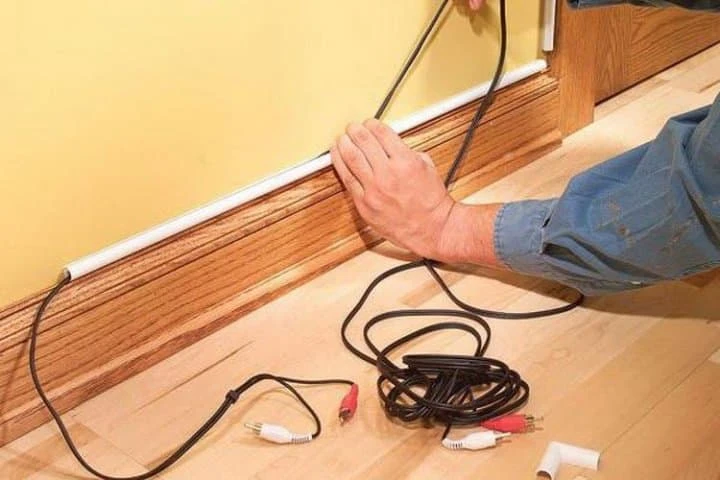
Home run data cable wiring for a restaurant involves running a single, central data cable from a main network hub to various devices across the restaurant, such as POS systems, computers, and security cameras. This setup ensures a reliable, organized, and efficient data connection throughout the facility, supporting smooth operations and strong network performance. It’s a crucial part of establishing a well-connected infrastructure for the restaurant’s daily operations. A customer called us to do some home run wiring for their restaurant. It was an older building and having data cable was not in the original build. The customer had over 5 switches throughout the building. These switches took up space, outlets, and just became an issue when these switches would accidently lose power with the amount of traffic that happens during rush hour. We upgraded their main original 8 port switch to a 24 port and gave every device its own dedicated line. By doing so, this eliminated every other switch throughout the building, removing unnecessary power strip, and freeing up outlets for other devices. Now the customer doesn’t have to worry about those extra network switches causing an outage and impacting their business. It also makes it easier to troubleshoot or guide a customer through what to do when a network devices doesn’t work. If you have a business that little hub and switches all over the office, you know what we are talking about. If the problems is enough to frustrate you, give us a call. Let us help with a data cabling clean up job. Related Guides Professional Voice and Data Cabling Services Why Professional Data Cabling Boosts Business Efficiency How to Select the Best Voice and Data Cable Installer Cable Management Best Practices for a Clean Workspace Low Voltage Wiring Solutions for Businesses Elevate Your Connectivity with Wireless Networking Services How to Choose the Best Security Camera System for Your Home or Business Managed IT Services: The Complete Austin Guide
NEC SL2100

Last week, I’ve ran into an issue with VOIP busy signal. After troubleshooting, I’ve realized that the system has run out of voip channel resource. The system was configure for 8 sip trunks and 10 voip phones. We had configure this system with the SL2100 Main Chassis / CPU combo package (0x0x0). By default, it comes with 8 VOIP channels. Each VOIP phone uses a channel and each sip trunk uses a channel. In short, if you needs 8 sip trunks, make sure you have double the amount of channels which is 16 voip channels allocated for the system. Related Guides How to Choose the Right Business Phone System Selecting the Right VoIP Phone Service for Your Business Affordable VoIP Phone Systems in Austin VoIP Quality of Service (QoS) Improvements Benefits of Call Recording for Business Communications Allworx Interact Integration with Google Chrome and Firefox Voice Cabling Services for Business Phone Systems Professional Voice and Data Cabling Services
Cloud Security

From a simple cloud-only to a complex multi-cloud environment, Fortinet provides network security solutions that work effectively. They have their own home data center that provides dependable cloud security to a lot of leading cloud providers. Fortinet cloud security’s primary strategy is to optimize the use of any application without causing any threat to the system. When using the cloud, both vendor and customer have shared responsibility. Knowing that some vendors have minor securities having the most reliable security solutions is necessary. Fortinet is one of the most reliable cloud security in accessing, networking, and data application. Related Guides Protecting Your Business: The Vital Role of Cybersecurity in Managed IT Endpoint Security: Protect Every Device on Your Network Is Your Business Network Secure? 12 Warning Signs You Need Professional Network Security Services Managed IT Services: The Complete Austin Guide Supporting All 7 OSI Layers with Managed IT Services Why Professional Data Cabling Boosts Business Efficiency Elevate Your Connectivity with Wireless Networking Services BCS Smart Hands Services
How Fiber Optic Installation can transform your Business Connectivity
In Austin, businesses of all sizes are looking for ways to improve their internet connectivity. With the city’s growing tech scene, it’s more important than ever to have fast, reliable, and secure internet that can support everything from cloud-based software to video conferencing and remote work. Fiber optic installation is the solution that many Austin businesses are turning to, and in this blog, we will discuss: How fiber optic installation works and its benefits. How it can boost business productivity with faster internet speeds. Why fiber optics offer a more secure and scalable solution compared to traditional broadband. The long-term benefits of choosing fiber optic maintenance and fiber optic repair services. By the end of this blog, you’ll understand why fiber optics are transforming business connectivity in Austin and how your business can benefit from this technology. What is Fiber Optic Installation and How Does it Work? Fiber optic installation is the process of setting up fiber optic cables, which use light signals to transmit data at very high speeds. These cables are made of thin strands of glass or plastic that carry information over long distances without losing quality. Unlike traditional copper cables used in older systems, fiber optics offer faster speeds, better reliability, and greater security. In fiber optic systems, data travels as light signals, which is why it can travel much faster and further than electrical signals used in copper wiring. In Austin, fiber optic installation is becoming increasingly popular because it provides the fast internet speeds businesses need to stay competitive. Whether you’re running a small business or a large tech company, fiber optics can handle the demands of your business, offering a future-proof solution that scales with your growth. Key Benefits of Fiber Optic Installation for Austin Businesses Faster Internet Speeds One of the biggest advantages of fiber optic installation is the speed. Fiber optics provide much faster upload and download speeds than traditional copper cables, which means your business can access files, share documents, and run cloud-based applications more quickly. With fiber optics, you won’t have to worry about slow connections during important video calls or data transfers. Reliability and Stability Fiber optics are less affected by interference from weather, distance, or electrical signals. This makes them far more reliable than older broadband systems. For businesses in Austin, where uninterrupted service is crucial, fiber optic technology ensures your team stays connected even during busy times. Security Fiber optics offer enhanced security for your business. Unlike copper wires, which can be tapped into easily, fiber optic cables are much harder to intercept. This means your data is better protected from cyber threats, making fiber optics a secure choice for businesses dealing with sensitive information. Scalability As your business grows, your internet needs will grow too. Fiber optic installation is scalable, which means you can increase your bandwidth without replacing the entire system. Whether you’re adding more employees or expanding your services, fiber optics can grow with your business. Cost Efficiency While the initial cost of fiber optic installation can be higher than traditional internet connections, it pays off in the long run. The increased speed, reliability, and security mean fewer problems and repairs. Plus, fiber optic maintenance is usually less costly than maintaining older broadband systems. How Fiber Optic Installation Enhances Business Productivity and Performance With fiber optic installation, your business can see a significant improvement in performance. The faster speeds and more reliable connection mean that employees can get more done in less time. Whether it’s downloading large files, using cloud applications, or attending video conferences, fiber optics provide the necessary bandwidth to handle high-demand tasks smoothly. Additionally, fiber optic installation supports modern business operations like remote work and hybrid teams. In Austin, where many businesses are embracing a mix of office and remote work, fiber optics ensure that everyone stays connected and productive no matter where they are located. The Role of Fiber Optic Installation in Austin’s Tech Landscape Austin is known for its tech industry, with a growing number of startups and established companies driving innovation. As these businesses rely on digital tools and cloud services, the need for fiber optic installation grows. Fiber optics allow businesses to keep up with the increasing demand for data transfer, remote access, and high-speed internet. From tech startups in East Austin to large enterprises downtown, every business can benefit from the speed and reliability of fiber optic solutions. Whether you need to run data-heavy applications, support remote workers, or stay competitive in a fast-paced market, fiber optics offer the support you need to succeed. Common Challenges in Fiber Optic Installation and How to Overcome Them While fiber optic installation offers many benefits, there are a few challenges to keep in mind: Installation Time Installing fiber optic cables can take some time, especially in buildings that don’t already have the necessary infrastructure. However, it’s important to plan ahead and work with an experienced fiber optic installation provider to minimize any disruptions to your business. Cost Concerns The initial setup cost of fiber optic installation may be higher than other options, but the long-term benefits make it a worthwhile investment. Plus, the maintenance costs for fiber optics are generally lower over time. Maintenance Needs Like any technology, fiber optic networks require regular maintenance to keep them running smoothly. Having a plan for fiber optic maintenance will help prevent any potential issues and keep your business connected without interruptions. Fiber Optic Repair Services Even with fiber optics, problems can arise. Having access to fiber optic repair services ensures that any issues are addressed quickly to avoid downtime. How to Choose the Right Fiber Optic Installation Provider in Austin Choosing the right fiber optic installation provider is crucial to ensuring your network runs smoothly. Look for a provider with experience in fiber optic solutions and a good track record of customer satisfaction. Check for certifications from reputable organizations like CompTIA or Cisco, and make sure they offer fiber optic maintenance and repair services. Additionally, it’s a good idea
Labeling Cables

Labeling Cables involves the process of marking electrical or network cables with identifying labels or tags to simplify organization, troubleshooting, and maintenance. It helps in quickly identifying the purpose, source, or destination of cables, reducing the time spent locating specific connections, and avoiding mistakes when working with complex setups. Proper cable labeling is essential in businesses, data centers, and home setups to maintain a clean, efficient, and easily manageable infrastructure. When installing multiple cable, it’s important to label each one. Labeling each cable will help with locating and testing without any confusion. This will cut your time on site and be organize for any maintenance in the future. If cables are being ran to a new construction area, make sure that your label is eligible and protected so that it won’t be lost or cover by building material (debris, paint, etc.). Related Guides Professional Voice and Data Cabling Services Why Professional Data Cabling Boosts Business Efficiency How to Select the Best Voice and Data Cable Installer Cable Management Best Practices for a Clean Workspace How Poor Data Cabling Affects Network Speed and Stability Low Voltage Wiring Solutions for Businesses Home Run Data Cable Wiring for a Restaurant Managed IT Services: The Complete Austin Guide
REPLACING AP WITH A ROUTER
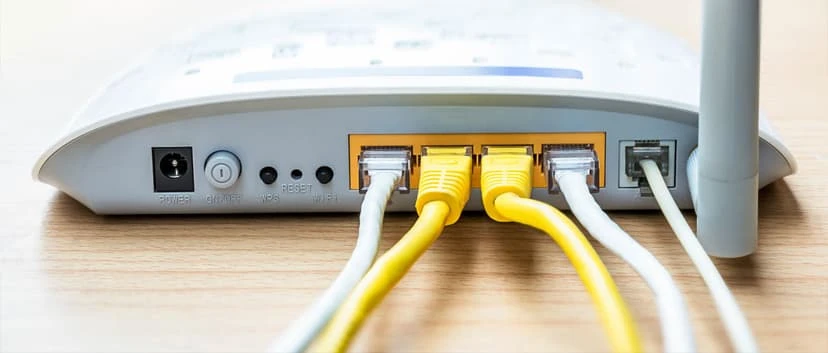
When upgrading or expanding a network, replacing an Access Point (AP) with a router can enhance functionality. A router not only provides wireless connectivity like an AP but also manages network traffic, assigns IP addresses, and connects your local network to the internet. This change helps improve performance, simplifies network management, and allows for additional features like guest networks, security settings, and better coverage. A service was called to troubleshoot an AP issue. The AP device is no longer functional. The customer wasn’t interested in purchasing a new one but instead handed us a Linksys Wifi Router to replace the AP. We went ahead and assign the router IP with an unused static IP in their network. We were able to use the router as an AP which brought back their Wifi signal in the area. Related Guides Elevate Your Connectivity with Wireless Networking Services Enhancing Wi-Fi Performance: Bringing Access Points Closer to Users Why Your Network Is Only as Fast as Its Slowest Device Bandwidth Planning: How Many Users Can Your Network Support? Managed IT Services: The Complete Austin Guide Supporting All 7 OSI Layers with Managed IT Services Why Professional Data Cabling Boosts Business Efficiency How Fiber Optic Installation Can Transform Your Business Connectivity
Best Managed IT Services in Austin

Austin is no longer just the “Live Music Capital of the World.” It’s a booming hub for tech startups, small businesses, creative agencies, and enterprise-level organizations. With so much innovation comes an equally pressing demand: reliable IT infrastructure. That’s where managed IT services come in. Whether you’re a small retail shop needing affordable IT support or a fast-scaling SaaS company requiring enterprise-level solutions, the best managed IT services in Austin can help you run smoother, safer, and smarter. In this guide, we’ll break down what managed IT services really mean in 2025, why they matter to Austin businesses, and how to choose the right provider for your needs. What Are Managed IT Services? At its simplest, managed IT services mean outsourcing part (or all) of your IT operations to a specialized provider. Instead of hiring a large in-house team, you get access to outsourced IT services in Austin that cover everything from help desk support and cloud migration to cybersecurity services and network management. Think of it like having a 24/7 IT department without the overhead. Providers deliver ongoing remote IT support in Austin, monitor your systems proactively, and step in before small glitches turn into big problems. Why They Matter for Austin Businesses in 2025 Austin’s business scene is unique: explosive growth, heavy tech competition, and industries with strict compliance standards (like healthcare, finance, and energy). In 2025, three major trends are shaping the demand for business IT solutions in Austin: Cybersecurity threats are sharper than ever.Local businesses need stronger defenses against ransomware and phishing. Hybrid work is here to stay.From South Congress coffee shops to home offices in Round Rock, employees expect secure, seamless IT access. Scalability matters.With companies scaling quickly in Austin’s ecosystem, IT has to keep up without breaking the budget. Key Benefits of Managed IT Services Cost Savings & Predictable IT Expenses Managed services convert surprise IT costs into predictable monthly expenses. Instead of paying thousands for emergency fixes, you invest in affordable managed IT services with a flat-rate model. 24/7 Monitoring & Proactive Support Downtime in 2025 isn’t just inconvenient. It’s costly! With 24/7 IT support, providers monitor networks around the clock, catching issues before employees even notice. Enhanced Cybersecurity for Local Businesses Cyberattacks don’t discriminate. From small shops on 6th Street to enterprise HQs downtown, every business needs strong IT security audits and advanced cybersecurity services. Scalability for Growing Austin Companies Austin companies scale fast. Managed IT ensures your network management and cloud services in Austin grow with you, whether you’re hiring five employees or fifty. Core Services Offered by Managed IT Providers Network Management & Support Keeping systems online, reliable, and fast through proactive IT monitoring and infrastructure management. Cloud Solutions & Migration Providers offer cloud services in Austin TX, helping businesses shift workloads safely with cloud migration services. Cybersecurity Services From firewalls to AI-driven IT support in Austin, security is layered and adaptive. Data Backup & Disaster Recovery Critical files are protected through data backup services and disaster recovery planning. IT Consulting & Strategy Expert IT consulting in Austin TX makes sure that your IT roadmap aligns with your business goals. Austin’s Unique IT Challenges & Opportunities Local Business Growth & Tech Demands With more startups per capita than almost anywhere else in Austin, Texas, small business IT services in Austin are in high demand. Compliance Requirements in Texas Industries Healthcare, law, and finance firms need compliance IT services in Texas to meet HIPAA, FINRA, and state-level standards. Supporting Hybrid & Remote Workforces Providers specialize in hybrid workforce IT solutions in Austin, making it seamless to collaborate from anywhere. How to Choose the Best Managed IT Service Provider in Austin Evaluating Experience & Certifications Look for Texas managed service companies with a proven track record, plus certifications like Microsoft, Cisco, or CompTIA. Checking Service Level Agreements (SLAs) Good SLAs guarantee uptime, fast response times, and reliable IT help desk services in Austin. Understanding Pricing Models Pricing can be flat-rate, per-user, or tiered. Ask for transparency. The cheapest isn’t always the best. Client Reviews & Local Reputation Talk to other businesses, especially those in your industry, for referrals on local managed IT providers in Austin. Top Trends in Managed IT for 2025 AI-Driven IT Automation In the Austin area, AI-driven IT support is handling routine tasks like ticketing and patch management, freeing teams to focus on bigger issues. Advanced Threat Detection & Response Providers are investing in machine-learning tools that catch and neutralize cyber threats in real time. Cloud Optimization Strategies Expect more emphasis on fine-tuning costs and performance in cloud services. Integration of IoT Devices in Business IT As offices adopt more connected devices, IT infrastructure management in Austin ensures everything runs securely. Common Mistakes Businesses Make When Choosing an IT Provider Overlooking Security Measures: Weak cybersecurity = high risk. Ignoring Scalability Needs: Outgrowing your provider is a headache. Not Reviewing SLAs Thoroughly: Ambiguous contracts can leave gaps. Choosing Based Solely on Price: The cheapest isn’t always reliable. Cost of Managed IT Services in Austin (2025 Pricing Guide) Average Costs for Small, Medium & Large Businesses Small business IT services in Austin:$100–$250 per user/month. Mid-size businesses:$150–$300 per user/month. Enterprise IT solutions in Austin:Custom pricing, often $200+ per user/month. Factors Affecting Pricing Number of users and devices Level of cybersecurity services in Austin included On-site vs. remote IT support in Austin Contract flexibility and SLAs Questions to Ask Your Potential IT Provider Technical Capabilities Can they handle advanced needs like AI-driven IT support and cloud migration services? Security Measures Do they offer compliance IT services in Texas and regular IT security audits in Austin? Support Availability Is their IT help desk service in Austin available 24/7? Contract Flexibility Do they offer scalable terms for both small businesses and enterprises? Conclusion 2025 is shaping up to be the year Austin businesses double down on IT. With growth accelerating, cyber risks increasing, and hybrid work becoming standard, the best managed IT services in Austin are no longer a luxury, they’re a necessity. Whether